Adobe’s Lightroom has become a staple in the photography community for its easy photo-management functions as well as its powerful raw processing capabilities. But ask anyone who has been a long-time photo editor and you will hear about the troubles of wanting to try an edit of a specific image a few different ways.
In the past, this meant creating multiple physical copies of the file, which takes up valuable storage space. Lightroom’s Virtual Copies, not a new feature but one that is often overlooked, remove the requirement of taking up extra space on your hard drive, while still allowing you to try different edits for a given image. This is just the most obvious reason why you should be using virtual copies if you aren’t already.
Phlearn’s Aaron Nace is back with another killer video, and this time, he takes us through the ins and outs of using Lightroom’s Virtual Copies, and how they can make your life so much easier as a photo editor.
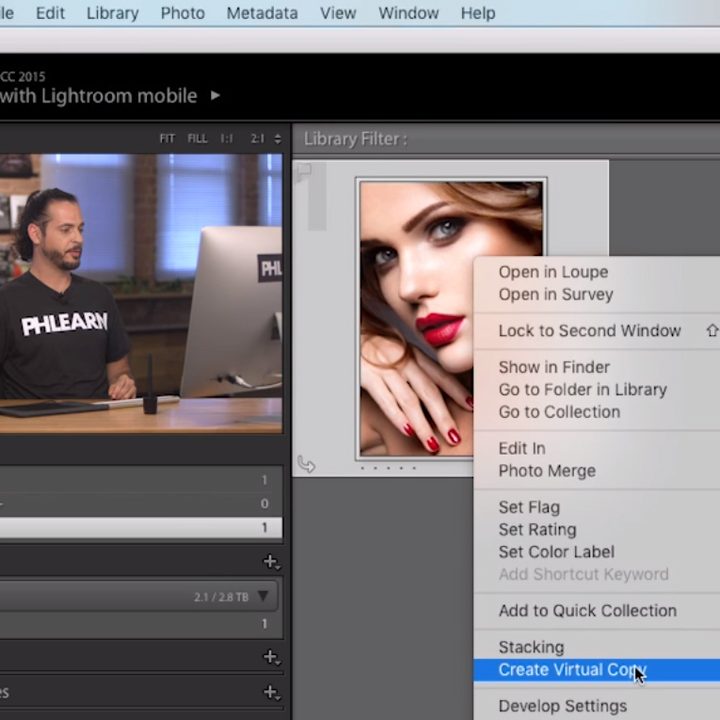
As Nace explains in the video, creating a virtual copy is one of the easiest things to accomplish in Lightroom. You can simply right-click on the image and then select “Create Virtual Copy” from the menu. Then you have a brand new version of your image that you can tweak and process to your heart’s content.
So how does Lightroom accomplish this without taking up any real additional storage? Since Lightroom is a non-destructive image editor, all it is doing when you process an image is keeping notes of what you want to be done to the image while producing a preview of the effect for you to see.
The software does not actually apply these settings to your image until you decide that you want to export it, at which point the software reads its notes on what you want to be done to the image and exports the image using those settings. The virtual copy works by essentially keeping several versions of these processing notes, allowing the software to export the image with settings based on these different notes.
You can think of it sort of like a cookbook with a few variations on the same dinner recipe. The software just follows the recipe and outputs each variation as a separate file — but only when exported. Until that point they remain just a bunch of instructions in text, taking up almost no space on your storage media.
You can learn more about Lightroom and its Virtual Copies functionality by checking out Phlearn.