“Why you can trust Digital Trends – We have a 20-year history of testing, reviewing, and rating products, services and apps to help you make a sound buying decision. Find out more about how we test and score products.“
As the number of videos posted online continues to grow exponentially, content creators — professional and amateur alike — need to do more to stand out from the crowd. Shaky, handheld video footage just isn’t going to cut it for today’s audiences, no matter how good your camera is. That’s why if you’re using a mirrorless camera or DSLR to shoot 4K video, you’re going to want to get good stabilizer to help make your videos look smooth and professional. In our Zhiyun Crane 2 review, we’ll look at the upgrades and improvements over the Zhiyun Crane V2 we previously reviewed and tell you why we think the Crane 2 an excellent tool for bridging the gap between hobby and professional filmmakers.
The Crane 2 has a maximum payload of seven pounds, nearly twice that of the Crane V2.
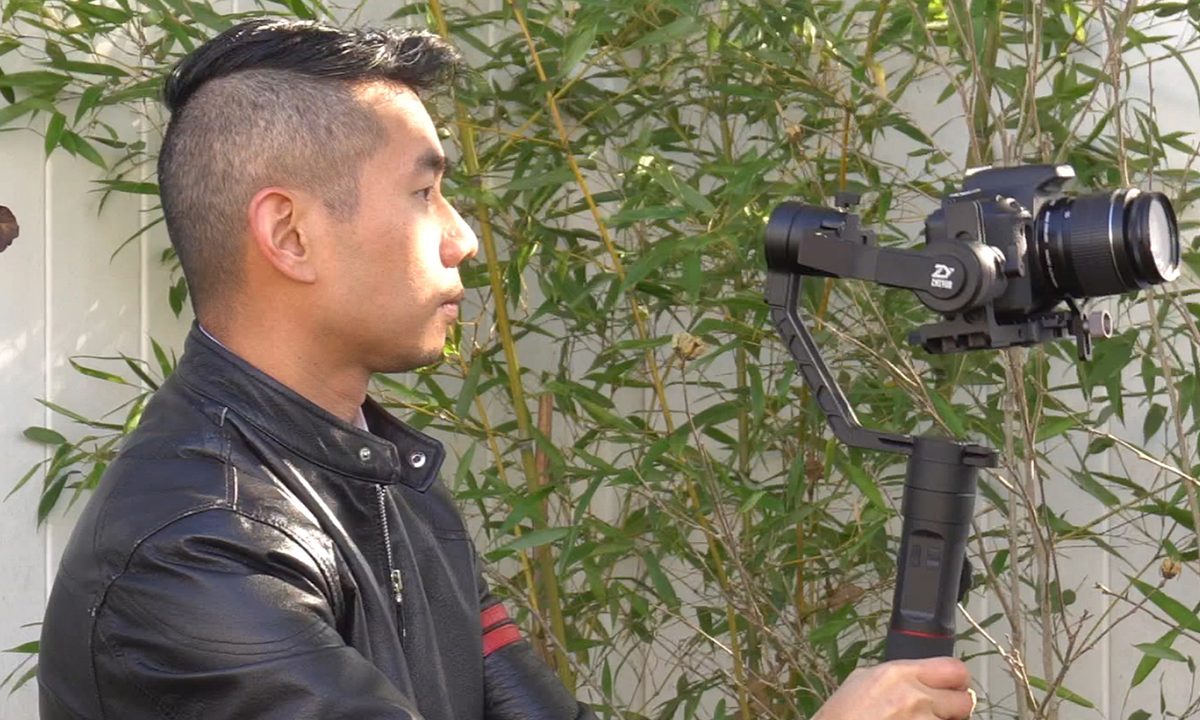
While the similar names may be a little confusing, the Crane 2 is strikingly different than its Crane V2 and Crane predecessors. First and foremost, the Crane 2 is a much heftier gimbal, with a bigger mounting platform, longer arms, and thicker handle. Comparatively, the physical differences between the first and second version of the original Crane were minimal. The mounting platform now has more headspace and utilizes a standard quick release (QR) plate that is compatible with widely used Manfrotto QR systems, allowing users to move the camera between the stabilizer and tripod quickly and easily without the need to re-balance the gimbal each time. The Crane 2 has a maximum payload of seven pounds, nearly twice that of the Crane V2. This means that not only can it handle beefy DSLRs like the three-pound Nikon D5, but you could even throw on a heavy Nikkor wide-angle lens and still effectively use the gimbal.

Although made from the same lightweight and durable aluminum alloy as the earlier Crane gimbals, the Crane 2 carries an additional pound of weight over the Crane V2 sans camera, tipping the scale at 3.4 pounds. The extra weight and heavier payload capability could lead to fatigue during long operating sessions. For this reason, we’d love to see a two-handle option available for the Crane 2.
This integrated focus control wheel looks to be a first in the world of single-handle gimbals.
According to Zhiyun, in order to support the increased weight, motor torque was increased by 50 percent while motor noise was reduced by 20 percent, compared to the previous model. With all that improved performance, you’d expect the gimbal to eat up batteries a lot faster, but Zhiyun actually increased run-time from 12 to 18 hours by using an additional battery. You can even charge Sony mirrorless cameras via Micro USB while using the gimbal with the included control cable. The Crane 2 can also be controlled remotely via smartphone over Bluetooth using the ZY Play mobile app, though we found the Bluetooth connection occasionally dropped even at short range.
The wider and longer handle now has a large follow focus dial on the left side. While third-party accessories that add wireless focus to your camera do exist, they’re typically pretty expensive, and this integrated focus control wheel looks to be a first in the world of single-handle gimbals. Don’t get too excited, though — the follow focus only supports compatible Canon cameras, like the EOS 5D Mark IV. We hope to see Zhiyun expand the compatibility list, but the limitation here might actually be due to the camera manufacturer specifications and not the gimbal itself. Also new on the handle are menu and navigation keys for changing gimbal or camera settings and an OLED screen above the control panel.


That OLED is a big deal. Many of today’s gimbals don’t have an easy-to-read display showing what mode you’re in, instead relying on a simple flashing status light that is often confusing. The OLED on the Crane 2 shows you unambiguously when you’re in “F” for follow mode, “PF” for pan-follow mode, or “L” for locked mode. It also shows you the remaining battery life so you’re never left guessing if your gimbal is going to power down in the middle of the next shot.
The third ability the OLED adds is for changing various settings, right from the handle. For gimbal operation you can enter the menu and adjust motor speed, gyroscope sensitivity, and camera brand for use with the different control cables. You can also change camera settings like ISO, aperture, shutter speed, and exposure — although for now, those operations are also restricted to Canon cameras. Sony users will be able to utilize the camera shutter trigger for photos and video and manipulate optical zoom with electronic lenses using a control cable, while Panasonic users can only control the shutter button.
As far as stabilization performance, the Crane 2 has a faster response time and produces smoother footage with less noticeable gear vibrations and motor noise than the earlier Crane models. Zhiyun’s battery life claim of up to 18 hours seems fairly accurate as we filmed with the gimbal for a full 10-hour day and the indicator never dropped below two bars. Sony camera users should bear in mind though, if using the control cable, the camera will draw additional power from the gimbal for charging and this reduces the total run-time to about 6 hours. Overall, the upgrades for the Crane 2 make using the gimbal a completely different experience over using the Crane and Crane V2. At $749, the convenient OLED screen, strong performance, and higher max payload definitely make the Crane 2 a suitable option for both amateur and professional videographers. If your needs are less demanding, the Crane V2 is still a favorite as a lighter weight and less expensive option at $549.