  1. Home
  2. Phones
  3. Apple
  4. Mobile
  5. Social Media
  6. News

Your Bitmoji sticker can now include a friend with Friendmojis for iOS

Add as a preferred source on Google
Image used with permission by copyright holder

Is your Bitmoji feeling lonely? Well, with Bitmoji’s latest update it no longer has to. Using the new Friendmojis feature, you can send stickers that combine your own Bitmoji with your friends’ creations.

Originally available in the Snapchat app, users will now have access to Friendmojis within the iOS Bitmoji keyboard. Rather than only being able to send the stickers through Snapchat message, you will now be able to send it through iMessage conversations as well.

Recommended Videos

To start, you have to make sure your Bitmoji is created through the Bitmoji app. Once you’re done, link your avatar to your Snapchat account by tapping on the Profile icon in the top left corner of the Snapchat app. You will then see the option to add your Bitmoji.

In order to use the feature, you have to make sure you’re always logged into Bitmoji with Snapchat. Friendmojis specifically use your Snapchat network in order to combine the stickers depending on who you’re talking to in iMessage. That means you also have to add that person as a friend on Snapchat beforehand — if you’re not friends on the app already.

To start sharing Friendmojis within conversations, tap on the friend icon located in the upper-right corner of the Bitmoji keyboard. You will then be able to select or search from a list of Snapchat friends to choose from, which will then provide you with combined sticker choices based on who you choose.

In Snapchat, Friendmojis are more of a hidden feature — since it’s only available to those who both have their Bitmojis set up and linked to their accounts. A few months back, Snapchat also added 3D Friendmojis which allows you to turn you and a friend into an augmented reality filter.

To use the feature while on Snapchat, all you need to do is open a chat and access the camera — but make sure it’s on the rear-facing option. Then, tap on the screen to open Lens carousel where you’ll be able to find your Bitmoji and your friends’. You’ll then be able to position the Bitmoji wherever you want them within your surroundings.

As for Friendmojis, the new feature will be available for all iOS users soon. The feature is slowly rolling out in the coming days.

Brenda Stolyar
Former Staff Writer, Mobile
Brenda became obsessed with technology after receiving her first Dell computer from her grandpa in the second grade. While…
Google Photos adds a quick toggle between AI and classic search
Classic search is finally easier to reach for people who enabled Ask Photos
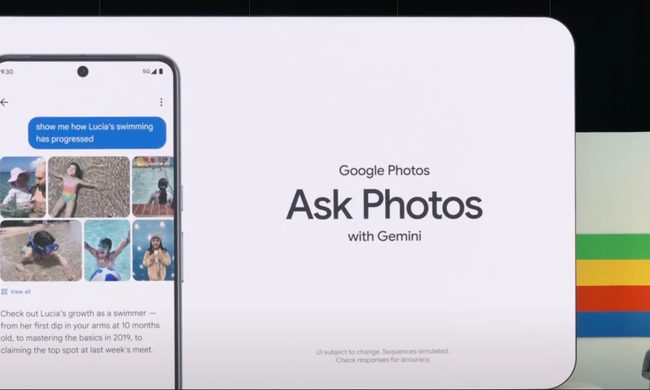
Google's Ask Photos debut.

Google Photos is giving users an easier way to leave its Gemini-powered search when a simple keyword would do. A new toggle now sits at the top of the results page, letting users switch between Ask Photos and classic search without digging through settings.

The change appears to address feedback from people who opted into Ask Photos but wanted a quicker way to return to classic search when Gemini was slower or less useful for a straightforward query.

Read more
Snapseed Camera now lets Android users save original photos and add geotags
Google updates Snapseed Camera with geotag support and non-destructive photo editing
Snapseed App

Google appears to be quietly turning Snapseed into something more than just a photo editing app. Over the past few weeks, the company has been steadily adding new capabilities to Snapseed Camera, its standalone camera app for Android. The latest update introduces two practical features that many smartphone users have come to expect from modern camera apps: the ability to save an untouched copy of every image for future editing and support for embedding location data directly into photos.

Neither feature is flashy, but together they make Snapseed Camera a more capable photography tool, particularly for users who like experimenting with filters without permanently altering their original shots. According to a report by 9to5Google, the features are rolling out with Snapseed Camera version 4.1.1.x on Android.

Read more
Samsung unveils Galaxy credit card ahead of Galaxy Unpacked
Samsung launches Galaxy Card with cashback on Galaxy purchases
Galaxy credit card

For years, Samsung has worked to turn Galaxy into more than a smartphone brand. Today, the company's ecosystem stretches across foldables, smartwatches, televisions, home appliances, smart home products and digital services. Now, it's adding another piece to that puzzle, one that has little to do with hardware.

Samsung has officially introduced the Samsung Galaxy Card, its first branded credit card in the U.S. Designed in partnership with Barclays US Consumer Bank and operating on the Visa network, the card rewards users for everyday spending while offering significantly higher cashback on purchases made directly through Samsung.

Read more