  1. Home
  2. Phones
  3. Android
  4. Mobile
  5. Evergreens

How to change the Galaxy Note 10 power button so it doesn’t launch Bixby

Add as a preferred source on Google
Samsung Galaxy Note 10 Plus power button
Julian Chokkattu/Digital Trends

The Galaxy Note 10 and Note 10 Plus have one less button than previous Samsung phones, with the area where the power button used to be now housing nothing. Instead, the Bixby button — which launches Samsung’s virtual assistant — is now the sleep/wake key.

Why? Samsung wanted a more streamlined and iconic look.

Recommended Videos

But what happens when you press and hold the Bixby button to turn off or restart the phones? By default, Bixby launches. So how do you turn off the Note 10 or Note 10 Plus? Pull down the notification drawer and you’ll see a power icon next to the settings gear icon. Tap this, and you’ll get the traditional power options.

That’s not necessarily ideal or intuitive, but don’t worry, there’s a way to stop Bixby from launching and revert the button’s function to a more traditional power button experience.

First, head to Settings by swiping down the notification drawer and tapping the gear icon, or find the Settings app in your app drawer. Now go to Advanced features > Side key. You’ll see an option to customize the Press and hold function of the button. Simply choose the Power off menu option, and that’s it. Your sleep/wake key will now also offer the power off menu when you press and hold it.

Image used with permission by copyright holder

As you might have noticed above this setting, you can also customize the double-press function of the button. By default, it launches the camera app, but you can set it to turn on Bixby, or open any other app you have installed. The choice is yours. Tap the toggle next to Double press if you want to turn off the functionality completely.

Having one less button on its phones doesn’t necessarily mean Samsung is looking to remove more buttons and go for a buttonless phone in the future, but it wouldn’t be the first time we’ve seen a phone with no physical buttons.

If you just got your Note 10 or Note 10 Plus, you may want to take a look at our guide to the key settings you’ll want to change to get the most out of the phone. And if you don’t have one yet, it’s a good idea to snag a case to protect the beautiful glass back.

Julian Chokkattu
Former Mobile and Wearables Editor
Julian is the mobile and wearables editor at Digital Trends, covering smartphones, fitness trackers, smartwatches, and more…
OxygenOS made OnePlus phones special. Now, it might go away forever
The Android skin that defined what a clean, fast phone could be is officially ending. ColorOS is what comes next.
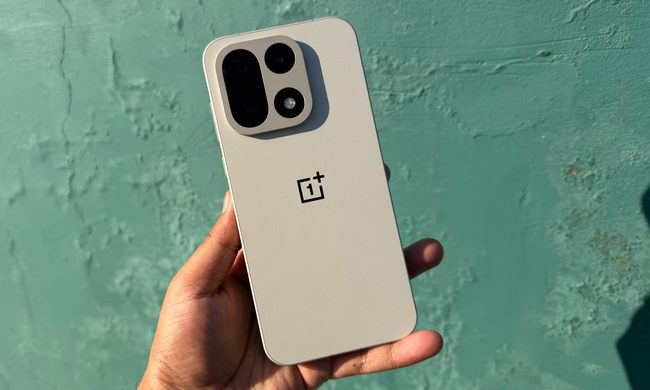
Person holding OnePlus 15.

If you bought a OnePlus because of OxygenOS, for the relatively clean, fast, and actually-useful Android experience, your phone may be the last one to get it. 

According to a report from the Indian outlet Smartprix, OxygenOS and Realme UI are both reportedly being phased out. If accurate, everything would move to ColorOS, the skin atop Android on Oppo smartphones, globally, across all three brands.

Read more
This flower identification app turns every walk into Pokémon Go for plants
flormie lets iPhone users scan flowers, save them as collectibles, and build a calmer kind of real-world collection game.
Electronics, Mobile Phone, Phone

A new flower identification app wants daily walks to feel a little more like Pokémon Go, only with fewer raids and far less public phone shouting.

flormie is an iPhone app built around a simple loop. Find a flower outside, scan it, and add it to a growing collection. That turns a normal walk into a low-pressure nature hunt, without pretending every sidewalk needs battle mechanics.

Read more
Your iPhone will soon warn you before you fall for a scam
iOS 27's new Trust Insights system watches for signs of coercion during calls, texts, and email to help users avoid scams.
iOS 27 Trust Insights featured

Apple is introducing a new anti-fraud system with iOS 27 that's designed to catch scam attempts in real time. The framework, called Trust Insights, monitors user behavior during calls, text conversations, or email exchanges and can trigger a warning or add a verification step if it detects signs of manipulation.

How Trust Insights works

Read more