The Pixelbook Go is the newest Chromebook by Google, and it’s meant to be a cheaper alternative to the original Pixelbook. That’s all fine and well. As a budget laptop, it looks like a great option for a student.
But the Pixelbook is now two years old, and it needs a true sequel — not another spinoff.
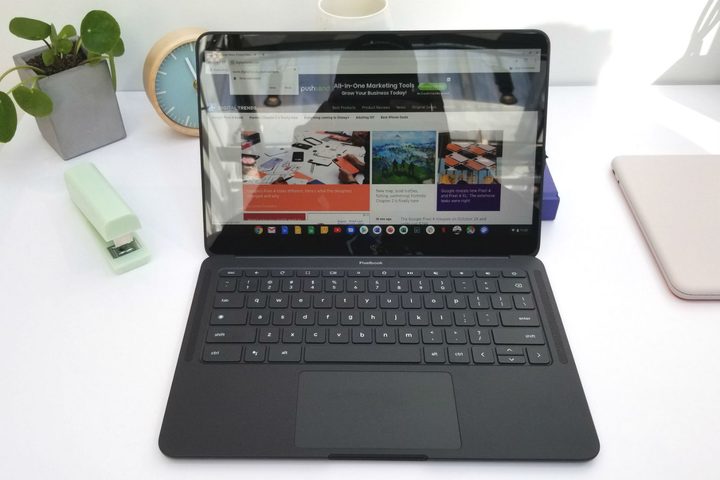
The expensive Chromebook has grown into a beloved laptop by its fans, largely thanks to how Google has remained committed to supporting and enhancing the product. It hasn’t aged in the same way a Windows laptop might.
So, why do I want a Pixelbook 2 then?
Well, there are a number of features Google could bring to a Pixelbook 2 that would modernize the product for 2019 and beyond. An update to could provide a clearer distinction between it and the new Pixelbook Go, which have a few too many similarities to parse out.
The first feature could have been thinner bezels. The Pixelbook Go hasn’t trimmed enough fat yet, but the thinner side bezels do make a difference. In the past two years, thin bezels have gone from a luxury to a must-have feature.
Microsoft and Apple have both updated their tablets and 2-in-1s with thinner bezels, and with the Pixelbook Go, now Google has too. The new laptop doesn’t go far enough for my tastes, but even the thinner side bezels would have gone a long way toward modernizing the Pixelbook. In 2019, the current Pixelbook feels sorely outdated.

The second is updated processors. Chromebooks can do a lot more with their components than a Windows laptop, but there’s a lot that updated processors could bring to the table. Pixelbooks use Y-series processors, meaning they’re lower-powered and can be run without fans. Intel’s 10th-gen Y-series processors have been bumped up from two to four cores, which would allow for some serious multitasking and pixel-pushing.
In addition to the extra performance, 10th-gen Intel processors would also bring the Pixelbook 2 features such as Wi-Fi 6 and improved Iris Plus integrated graphics.
Lastly, a Pixelbook sequel would’ve been some room for some extra features. A fingerprint scanner, which is included on the Pixel Slate, would have gone a long way toward helping the Pixelbook stand up to competitors from a security and convenience perspective. I would have also liked to see an updated Pixelbook Pen, along with a better way to store it.
I’m not saying the Go shouldn’t exist or that it’s a bad product. It seems like a smarter move than the Pixel Slate, the company’s previous (and now canned) Pixelbook spinoff.
I just wish Google had delivered us the Pixelbook 2 goods as well.