
Call it the 1/2Pad.
Barnes & Noble dances around the term “tablet” when describing its new Nook Color. Its bright LCD screen introduces a level of text readability and contrast unmatched on any gray monochrome E-Ink e-reader. Running Android and being imbued with multi-gesture touch, not to mention digital music and video playback, makes the Nook Color more entertaining than any previous e-reader. But a tablet? No. The Nook Color is nearly literally a read-only device – you can get stuff out of it, but you can’t put anything into it, such as e-mail, text messages or word processing. So, for you, the consumer, the question is, is $250, about half the price of an iPad, worth it for a device that does a lot less than half as much? For ereader fans who yearn to color their reading, it’s a dilemma. We had a chance to play with the Nook Color in person at the introductory event to shed some light on the situation.
 Features and Design
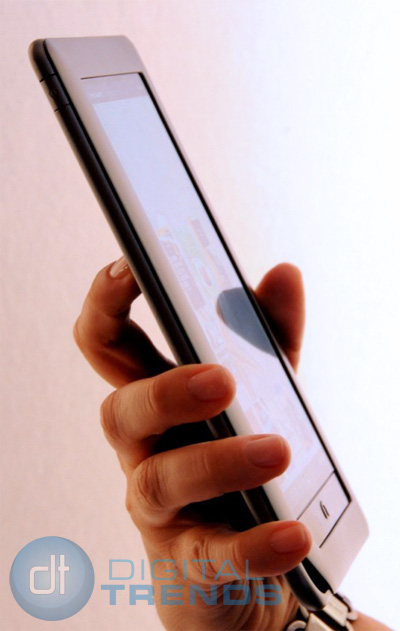
With its color touch screen and an accelerometer that allows all content to be perused in landscape or portrait mode, the Nook Color certainly looks and acts like a tablet. But it is first and foremost an e-reader. Like the monochrome devices that typically make up that category, the Nook Color can read e-books, magazines initially from Conde Nast and Hearst, PDFs and Microsoft Office files – Word, Excel, Power Point – except obviously the Nook Color shows everything in color.
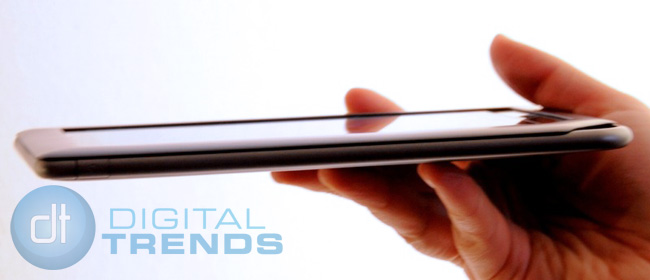
The color version of the Nook is around three ounces heavier than its monochrome sibling, and feels more substantial. Its 7-inch screen certainly is larger than both its predecessor and the Kindle, but its colorful brightness makes it seem even more copious.
Behind the 1024 x 600 pixel IPS LCD screen is 8GB of internal memory, enough to hold 6,000 books, augmented by a microSD card slot for additional memory. It’s equipped with Wi-Fi, but not 3G.
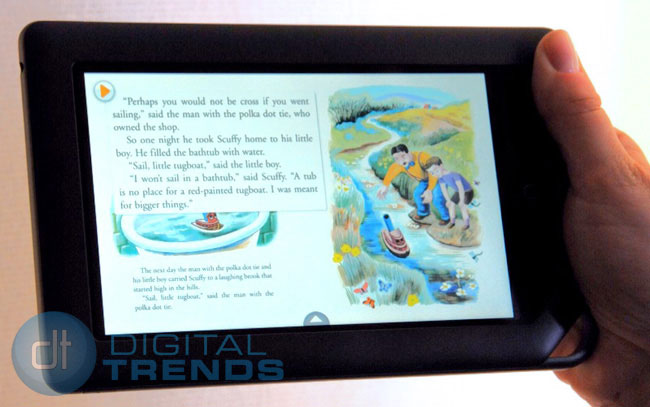
Because it runs on Android, the Nook Color is capable of a lot more than displaying text and nice color photos, drawings and maps. Inside books, publishers can now place little MPEG-4 videos and animations. A feature B&N calls “Alive Touch” allows children to touch an illustration and see it come to life.
The Nook Color also runs Android’s Web touch browser, but participants at the hands-on event were carefully kept away from actually touching it. Web access and video capability mean the Nook Color also can play movies, either through a websites such as YouTube, or subscription sites such as Netflix.
Interface
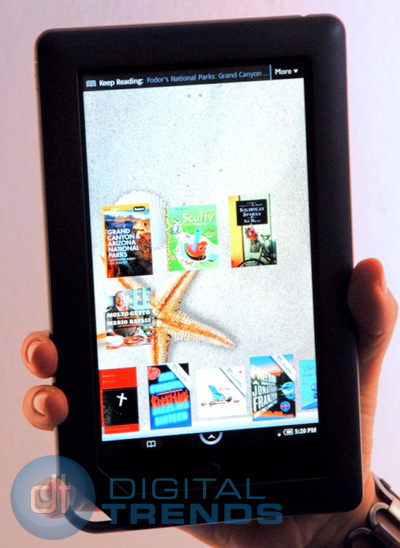
Maybe it was because we were under the weather, but the Nook Color’s graphical user interface has a lot of options, found in a series of screens and menu bars and pull up menus and…well, we found it all a bit daunting and overwrought.
You start on a home screen that’s like a desktop. A “Daily Shelf” contains up to 50 available items – books, magazines, newspapers, PDFs, Microsoft Office documents, etc. You can drag an item from the Daily Shelf to the home screen desktop and tap it to open it. This moved item icon can be pinch-zoom resized. We really didn’t grok the whole logic of moving something to someplace else when a tap opens it from where it already is, but there you go. On top of these two options, there’s also a “More” drop-down menu with a list of everything you’ve been recently reading.
Under the daily shelf is a “quick navigation” arrow that opens a menu bar with further options: library (which contains all your books), shop, search, extras (Nook Android apps), Web and settings. There’s also a separate library window with books you’ve bought that you’re allowed to digitally lend.
Once inside a book or magazine, more menus open up, including the same tappable options found on an Android phone arrayed across the top, and another pop-up menu bar with more options, such as share. Share lets you cut-and-paste sections of a book and post them with comments on Facebook or Twitter without opening up a separate app.
Overall, it just seemed to be an awful amount of effort just to read a book.
Battery life
Why choose an e-book reader rather than an iPad? Because an e-book runs for weeks on a single battery charge. You could read a dozen books before having to recharge a Kindle or the previous Nook.
This “no book runs out of batteries” e-reader promise ends with Nook Color. The Nook Color has just an eight-hour continual reading life. An iPad, with its 9.7-inch screen, can play far more demanding video files for up to 10 hours – but the Nook Color’s 7-inch screen drains a battery after only eight hours or reading static text?
Conclusion
Barnes & Noble has presented the tech-buying book lover with quite a few dilemmas. The Nook Color’s limited battery life may not be the liability we think it is, but it still is troubling. Its ornate interface may not be as ornate as we imagine, but we’ll bet non-technical types (i.e. heavy readers) may be a bit frightened by it. The Nook Color is really only half a tablet – you can’t really put anything into it. Its pricing puts it squarely betwixt and between monochrome e-books and real tablets. And with more capable (and more expensive) 7-inch tablets coming from Samsung, Dell, BlackBerry and the like, consumers are left with a hell of a holiday buying decision.


