  1. Home
  2. Phones
  3. Mobile
  4. Photography
  5. News

GoPro boosts Hero 10 performance with new firmware and Enduro battery

Add as a preferred source on Google

One of my few complaints when reviewing the GoPro Hero 10 Black was its somewhat fleeting battery life, and though I haven’t personally encountered the issue, many users have reported problems limiting recording times due to overheating. GoPro seems to have heard that message loud and clear, as they have announced a major firmware update for the camera that aims to solve the problems as well as a brand new Enduro battery.

The firmware (which will be available by the end of October) introduces three new video performance modes designed to maximize the Hero 10’s performance in different scenarios. Maximum video performance mode prioritizes high resolution, frame rate, and image quality. Extended battery mode limits resolution and frame rate to maximize recording times and battery life, while tripod/stationary video mode provides high performance when the camera is stationary, and there isn’t any airflow to cool the camera.
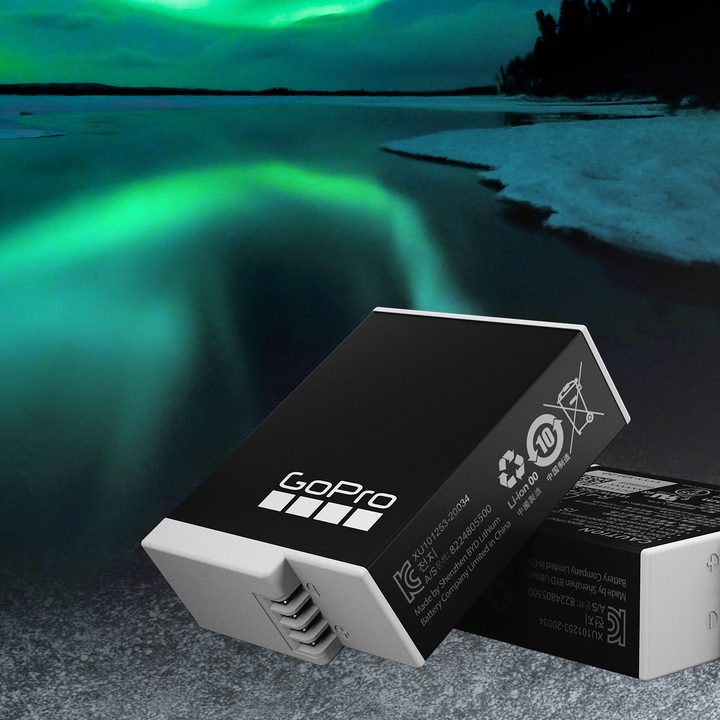
GoPro Enduro Battery against an Aurora Borealis backdrop.
GoPro

For stationary video, this means Hero 10 users can expect between 11% and 154% more runtime, varying with resolution and framerate. GoPro also promises a future firmware update that will enable a further increase in runtimes at 5.3K and 4K at 30 frames per second (fps), and a significant gain in single clip recording times at 2.7K and 1080p.

Recommended Videos

The Enduro battery will be available on November 30th for $25 for the Hero 10 and Hero 9 cameras and offers greater performance in cold temperatures and a big boost to recording times in milder conditions. GoPro claims that, on average, in 14-degree Fahrenheit weather, the Enduro battery can deliver 56 minutes of 5.3K 60 fps video recording, 50 minutes of 4K 120 fps, 76 minutes of 4K 60 fps, and 115 minutes of 1080p 30 fps. In moderate temperatures, the Enduro battery delivers up to a 40% improvement over the standard battery, depending on resolution and frame rate.


Andy Zahn
Andy Zahn is a freelance writer and photographer living on a small farm in the shadow of Mt. St. Helens. He currently writes…
Apple’s new Upgrade program launches on Tuesday with major changes
Apple's new leasing program might drop AppleCare coverage from the bundle.
iPhone 17 Pro Max

Buying your next Apple device could soon look like leasing a car. Apple is launching its new Apple Upgrade program on Tuesday, July 28, replacing new enrollments in the long-running iPhone Upgrade Program with a lease-based option that covers iPhones, iPads, Macs, and Apple Watches.

Backed by Klarna, the program is designed to lower the upfront cost of Apple's premium devices, but it is also raising questions about whether you'll actually own what you're paying for.

Read more
Setting up your dorm desk? These are the phone stands I’d actually spend my money on
From a $2 folding stand to a three-in-one Apple charging dock, these are the phone stands worth setting up this semester.
Analog Clock, Clock, Electronics

A phone stand is one of the smallest purchases on any back-to-school list, but it's also one of the easiest to get wrong, especially since there are dozens of options available on Amazon. A good phone stand is one that does its job well and, more importantly, doesn't put much of a dent in your budget.

This is one of those product categories where you don’t need to spend big, unless a MagSafe dock or a multi-device charging stand is genuinely useful for your desk or dorm setup. That is why this list begins with the most affordable options and works its way up to the more expensive ones. From a two-pack that costs about as much as a coffee to a three-in-one Apple charging station, I picked eight of Amazon's best-reviewed phone stands worth considering this back-to-school season.

Read more
I picked four wireless chargers so you can stop making your iPhone, AirPods, and Apple Watch fight over one dorm outlet
The best back-to-school wireless chargers for dorm desks, study spaces, and travel
Computer, Electronics, Laptop

A dorm-room desk can disappear surprisingly quickly beneath a laptop charger, phone cable, Apple Watch puck, and the growing collection of adapters required to power them all. Add textbooks and other academic materials, and finding enough room to study becomes the first assignment of the semester.

A wireless charging stand can consolidate several of those cables into one station. It also gives your phone a dedicated place to sit, which helps when you are checking the time or watching a lecture. Every charger here still needs one connection to the wall. So finding a peripheral that works with all of your gadgets isn't just convenient, it's smart. I picked four models ranging from an inexpensive two-device stand to a fast 25W wireless charger capable of powering an entire Apple setup.

Read more