
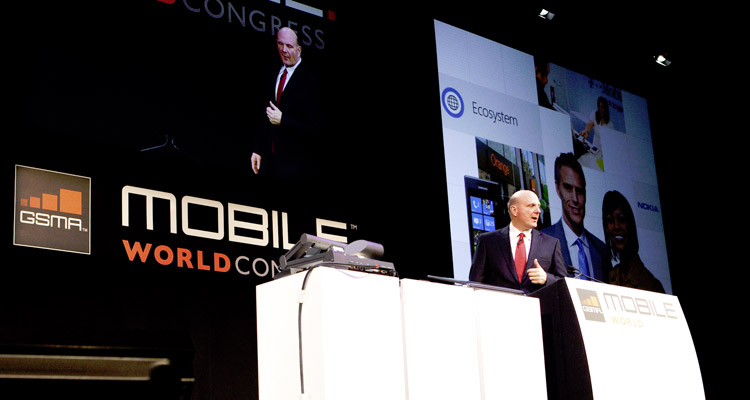

Microsoft CEO Steve Ballmer just wrapped up his keynote at the Mobile World Congress in Barcelona to discuss the software companies plans for Windows Phone 7. Though no new handsets were unveiled during the speech, Ballmer did reveal some new software updates for the Windows Phone platform including Twitter support, multitasking, Internet Explorer 9, and additional Skydrive integration.
As seems to be the case lately, Ballmer began his speech by touting how popular WP7 is with users. 93 percent, he says, of those who own WP are “delighted” with it and 9 out of 10 people would recommend WP7 to their friends and family. These stats are impressive, but do not change the fact that initial sales of the phones have been somewhat slow. When discussing WP’s live tile design, Ballmer also took a quick jab at Android and iOS, calling their homescreens a “sea of icons.”
 IE9 with hardware acceleration
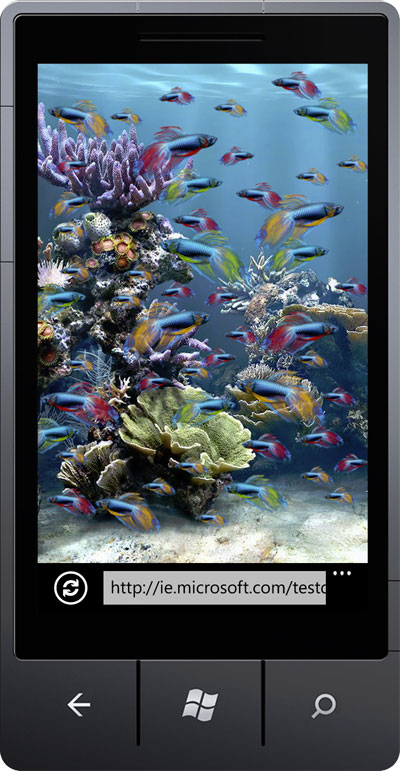
After going over some current features of WP, a Microsoft employee revealed that Internet Explorer 9 will be coming to Windows Phone and demonstrated some of its new hardware acceleration features. Showing a Web page with 50 fish swimming back and forth on both an iPhone 4 and an unreleased HTC phone running WP7, IE9’s rendering speed was apparent. The Windows Phone Web page moved many times faster than the identical page on the iPhone. This isn’t exactly a fair comparison as the iPhone 4 will soon be a year old while the HTC Windows Phone has yet to be released and likely has impressive stats, but it was an effective visual demonstration nonetheless. IE9 is clearly taking advantage of hardware better than many mobile browsers. Ballmer said that with this technology, the Web can become nearly as fast and useful as an app. IE9 will be released “sometime in 2011.”
Multitasking
The other big feature shown at today’s event was multitasking. Soon WP7 will have true multitasking support, executed similarly to BlackBerry’s PlayBook tablet. By holding the “Back” button for a couple seconds, a line of screens pop up showing all the recent apps and services you’ve run. Selecting one opens it up instantly. Unlike old methods of hibernating apps with the Back function, this new form of WP multitasking pauses what you are doing but keeps it running to a degree, allowing apps to be reopened almost instantly. The demonstration, which involved a graphically intense fighter pilot game, Rise of Glory, was impressive.
In addition, third party music apps will now be able to be played while using other apps, something Microsoft’s media player has been able to do for some time.
Nokia
Finally, Ballmer reaffirmed Microsoft’s commitment to its Nokia partnership, inviting CEO Stephen Elop on stage to discuss Nokia’s dedication to the Windows Platform. (We think this is a good idea.) Nokia’s maps and turn-by-turn navigation products will be built broadly into Bing and usable by all Windows Phones, including those made by competing manufacturers.
Ballmer ended the keynote by reaffirming that more handsets were coming from other manufacturers like LG, Samsung, HTC, and Dell, but no specifics were given. Though Microsoft will update WP7 in the first half of March, adding Copy/Paste among other features, the new features shown here are set to debut sometime “in 2011,” as are the debut of new handsets. Hopefully we’ll see them this summer.
Update: Changed some wording for flow and clarity.


