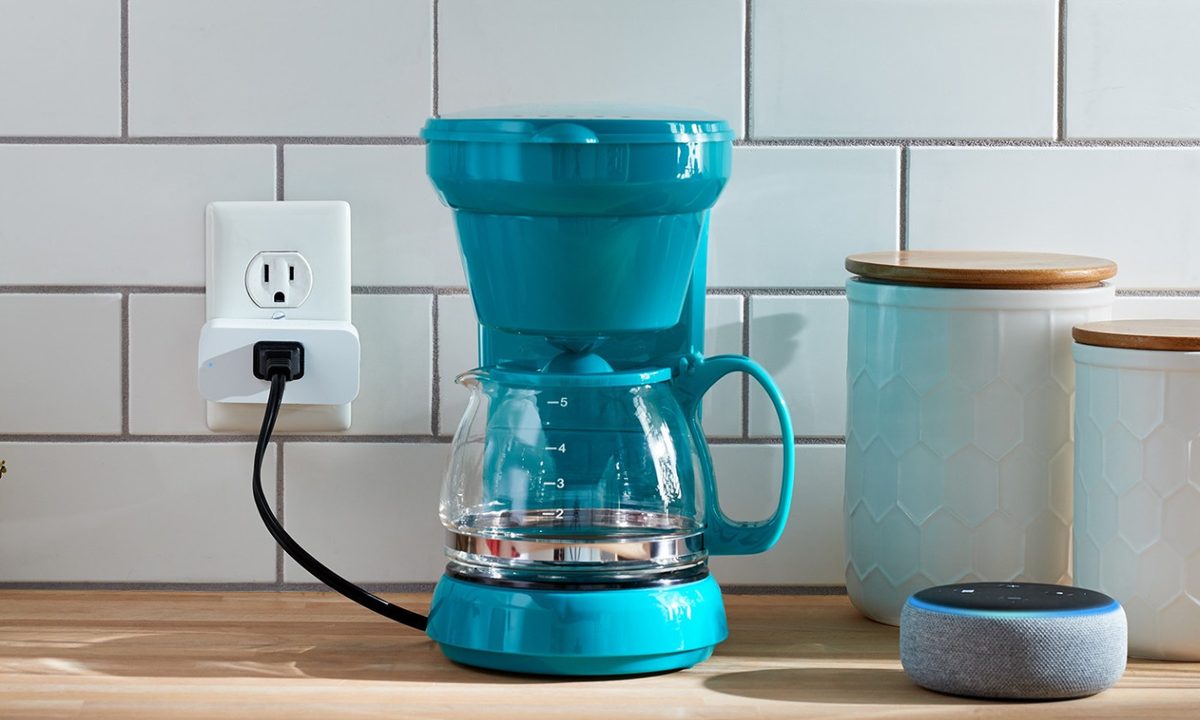
The Amazon Smart Plug is a great way to bring some intelligence to some otherwise "dumb" appliances. Once a smart plug is set up, you can schedule a coffee maker to start, keep tabs on how much power your old TV is using, and turn on your toaster with an Alexa voice command.
How to set up an Amazon Smart Plug
Once you've got the Amazon Smart Plug out of the box, getting started is easy.
Step 1: Make sure you have the latest version of the Alexa app from your device's app store, then open it.
Step 2: Turn on Bluetooth and location services, and grant Alexa permission to them, if needed. Turn off low power mode if it is on.
Step 3: Tap the Devices tab.
Step 4: Tap the + icon in the top-right.
Step 5: Tap Add Device, then Plug, then Amazon and pick the brand.
Step 6: Tap Scan Barcode, and use your phone's camera to scan the barcode on the rear of the Amazon Smart Plug.
Step 7: Insert the Amazon Smart Plug into your chosen wall outlet. If the light on it isn't blinking blue, check the Alexa app to make sure the plug hasn't already been set up.
Step 8: The Alexa app should pair with the smart plug shortly afterwards. Select or create a group for the Amazon Smart Plug to manage it alongside other smart devices in the room.
Does the Amazon Smart Plug work with Google Assistant or Siri?
Nope! The Amazon Smart Plug works exclusively with Alexa. Guess it's time to load up on Echo speakers.
How do I rename my Amazon Smart Plug?
Odds are you won't want to be calling the unit "First Plug" all the time when issuing Alexa commands. You can name the plug whatever appliance it's connected to, so your Alexa commands start sounding like "Alexa, turn on the Christmas lights."
Step 1: Open the Alexa app.
Step 2: Tap the Devices tab.
Step 3: Tap your installed plug.
Step 4: Tap the three dots in the upper-right corner and tap Edit Name.
Why is my Amazon Smart Plug not connecting?
Wondering why your Amazon Smart Plug isn't connecting? You'll want to make sure the Alexa app is fully up-to-date, to start. Then you'll want to ensure both your phone and the smart plug are connected to the same Wi-Fi network. You'll also want to ensure you're within the 30-foot range for your phone to communicate with the Amazon Smart Plug.
When all else fails, just press and hold the button on the side for 12 seconds to reset it.
How to set up Routines for the Amazon Smart Plug
Alexa Routines let you batch out multiple automatic actions across your smart home, and the Amazon Smart Plug can be a part of that. This way when you say "Alexa, good night," all of your smart lights can power down, your smart plug can turn off, and your smart lock can activate all at once. You can also set schedules or other triggers to kick off routines.
Step 1: Open the Alexa app.
Step 2: Tap the More tab.
Step 3: Tap Routines.
Step 4: Tap the + icon.
Step 5: Tap Enter Routine Name to pick a name for the routine, such as "Bedtime".
Step 6: Tap When This Happens to pick your initial trigger, be it a voice command, time of day, when an alarm goes off, or another smart home gadget fires.
Step 7: Tap Add Action.
Step 8: Tap Smart Home, tap All Devices, and select the Amazon Smart Plug you want to include.
Step 9: Tap Power, and toggle either on or off as desired.
Step 10: Tap Next in the top-right corner.
Step 11: Tap *Save *in the top-right corner.
Step 12: Tap the Play icon from the Routines screen to confirm it's working.
With that you should be all set with your new Amazon Smart Plug. If you're still on the fence about getting one, we're happy to show you what smart plugs are all about and how they work.