  1. Home
  2. Computing
  3. News

ThinkPad X1 Extreme Gen 5 adds 165Hz screen and RTX 3080 Ti

Add as a preferred source on Google
MWC 2026
Read our complete coverage of Mobile World Congress

Lenovo has announced an impressive update to the ThinkPad X1 Extreme, now in its fifth generation. The two key features are the 165Hz refresh rate screen and the addition of up to RTX 3080 Ti graphics.

In the current generation, the ThinkPad X1 Extreme maxes out at the RTX 3070 and 60Hz.
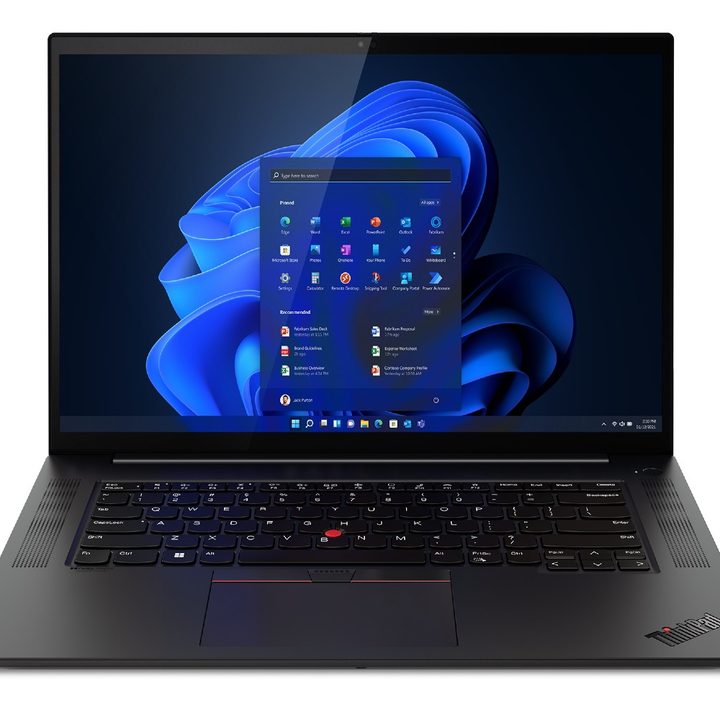
The ThinkPad X1 Extreme, now in its 5th generation.
Image used with permission by copyright holder

Beyond that, the new ThinkPad X1 Extreme Gen 5 features up to Intel’s 12th-gen Core i9 vPro H-series processors, up to 64GB of DDR5 memory, and up to an 8TB SSD. The previous model topped out at just 2TB of storage.

Recommended Videos

Everything else about the X1 Extreme is the same this year. It’s still meant to be a 16-inch powerhouse laptop for content creation to compete with laptops like the Dell XPS 15, MacBook Pro 16-inch, MSI Creator Z16, and many others.

Stay informed with the upcoming release, click the Add to Calendar button below to add this event to your personal calendar.

You have the option for either 3840 x 2400 or 2560 x 1600 displays. Lenovo didn’t specify whether or not the 165Hz refresh rate would be available on both display configurations. Both display options are 16:10 aspect ratio and also comes with a 1080p webcam.

The laptop is still 0.78 inches thick and weighs 4.14 pounds. The lid still uses a woven carbon fiber top, with the traditional ThinkPad keyboard and touchpad inside.
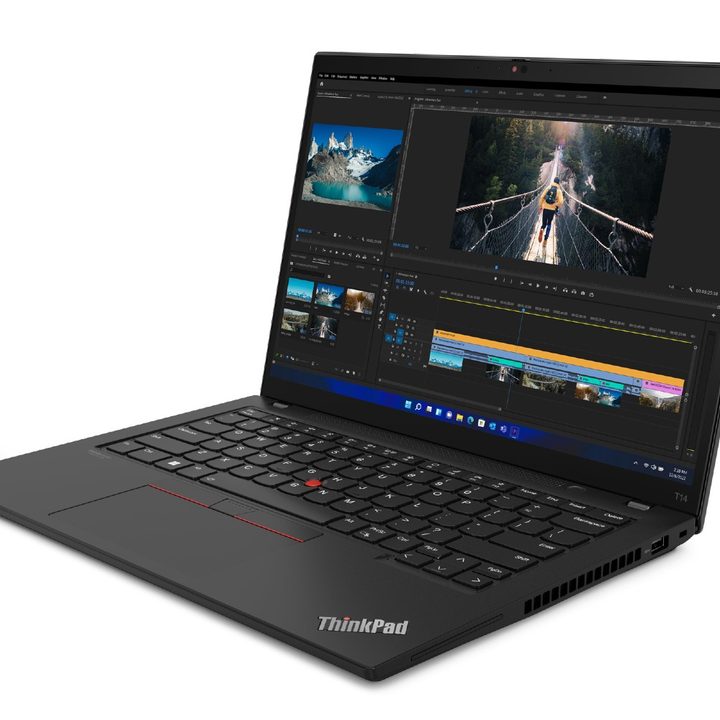
An angled view of a ThinkPad T-series laptop.
Lenovo

Lenovo also announced updates to the ThinkPad T-series. These business laptops now come with 16:10 aspect ratio displays, 1080p webcams, and the latest 12th-gen Intel processors. They also offer the option for Ryzen Pro 6000 processors.

Lastly, Lenovo updated its midrange business laptops, the ThinkBook 14s Yoga Gen 2 and ThinkBook 13s Gen 4 i, with the latest 12th-gen Intel processors.

The ThinkPad X1 Extreme Gen 5 is available in June 2022, starting at $2,049. The ThinkPad T-series starts at $1,299, with some models available as early as May 2022. Both the ThinkBook 14s Yoga Gen 2 and ThinkBook 13s Gen 4 i start at $849 and are available in April 2022.


Luke Larsen
Former Senior Editor, Computing
Luke Larsen is the Senior Editor of Computing, managing all content covering laptops, monitors, PC hardware, Macs, and more.
Shopping for a Back-to-school laptop? These are the laptops I’d recommend
Whether it's lectures, late-night assignments, or streaming after class, these laptops are built to make the next few years a little easier.
Best laptops for back to school 2026 featuring Apple 2026 MacBook Neo

A laptop is probably the one purchase that'll have the biggest impact on the school year. It'll be there for lectures, late-night assignments, group projects, Netflix binges, and everything in between. The trick is finding one that fits both the workload and the budget. After narrowing down the options, these are the five laptops I'd actually recommend for Back-to-School, whether the priority is getting the most value, joining the Apple ecosystem, or investing in a machine that'll comfortably last through graduation.

Acer Chromebook Plus 515

Read more
These are the compact printers I’d actually recommend for back-to-school
From dorm room paperwork to instant selfie prints, there's a tiny printer for every need.
Computer Hardware, Electronics, Hardware

Everything is digital until the one professor who still wants a printed essay, or the lease you need to sign in ink, or the photo you want to stick on your dorm room’s wall. That's usually the exact moment you remember you don't own a printer anymore, and the nearest one is a library machine with a line out the door.

I looked at four compact printers that solve that problem without taking over your desk and breaking the bank. Two are built for documents, one is a proper all-in-one for actual home office work, and one has nothing to do with homework and everything to do with turning your camera roll into something you can hold.

Read more
Shopping for back-to-school? These are the webcam lights I’d actually turn on before a Zoom call
From a budget clip light to a proper desk setup, there's a webcam light here for every price.
Head, Person, Face

Between online classes, group project calls, and the occasional job interview over Zoom, your webcam will be doing a lot more heavy lifting in school than it ever did at home. The problem is that most laptop cameras are bad in low light, and a single overhead bulb or a window behind you turns every call into a game of "wait, can you see me okay?"

A good webcam light fixes that faster than moving your whole desk around. I picked five, starting with the most affordable and working up to the one that's genuinely overkill for a Zoom call but still worth knowing about.

Read more

