1. Home
  2. Computing
  3. News

Microsoft says Edge has already saved 273 petabytes of RAM

Add as a preferred source on Google

Microsoft’s efforts for browser efficiency appear to be paying off as the brand has announced that its built-in Sleeping Tabs tool is highly effective at conserving RAM on devices.

Microsoft recently shared on its Dev Twitter dedicated to the Microsoft Edge browser that its Sleeping Tabs tool has saved users a whopping 273 petabytes of RAM or 273,000 TB of RAM over the last 28 days. That equates to approximately 40MB of memory per tab of the 6 billion tabs tested, the company added.

Recommended Videos

Use sleeping tabs to save resources? You aren’t alone! Over the past 28 days on Windows devices, we slept 6 billion tabs resulting in a savings of 273.7 Petabytes of RAM. That’s roughly 39.1 megabytes saved per tab. 😲 pic.twitter.com/hgTcpcMwvh

— Microsoft Edge Dev (@MSEdgeDev) June 6, 2022

The Sleeping Tab tool, which comes standard on Microsoft Edge, puts web pages to sleep after they have not been accessed for two hours. This allows devices to save RAM by not sending memory to parts of the machine that are not being used. This is especially beneficial considering users typically keep multiple tabs open at the same time, Neowin noted.

While many devices that use the Microsoft Edge browser might vary in hardware specifications, such features can help users get the most out of their device experience. Sleeping Tabs can also be customized to change the timeout period or to exclude certain websites so they remain active.

To access and personalize the Sleeping Tabs settings in Microsoft Edge, you can go to edge://settings, then System and Performance> Optimize Performance.

Currently, various statistics are ranking Microsoft Edge among the top three most used web browsers in the world. A study by Atlas VPN ranked the browser behind Google Chrome and Apple Safari, with 212,695,000 world users in April. Similarly, data from Statcounter put Edge just behind Chrome and Safari, with a 10.07% global market share in March.

Microsoft has put a heavy focus on developing Microsoft Edge since beginning its transition from its legacy browser, Internet Explorer, in early 2020. The brand plans to send out a final end-of-life update, which will kill Internet Explorer for good on June 15.

Fionna Agomuoh
Fionna Agomuoh is a Computing Writer at Digital Trends. She covers a range of topics in the computing space, including…
ChatGPT will now remind teens to take breaks and give parents more controls
New parental controls include Quiet Hours, Study Mode defaults, and alerts for serious account violations.
chatgpt-teen-safety-features

OpenAI wants to make ChatGPT safer for teens, and the changes go well beyond a simple content filter. In a new update, the company laid out its stance on why teens should have access to AI in the first place, arguing that keeping them away from it entirely would leave them unprepared for one of the defining technologies of their generation.

Nearly 90% of teens already use ChatGPT weekly for learning, research, or getting organized, which is why OpenAI says access needs to come paired with real protections built for their age.

Read more
ChatGPT’s new search tool saves you from digging through old chats, files, and images
You can also filter ChatGPT search results by content type.
chatgpt-new-search

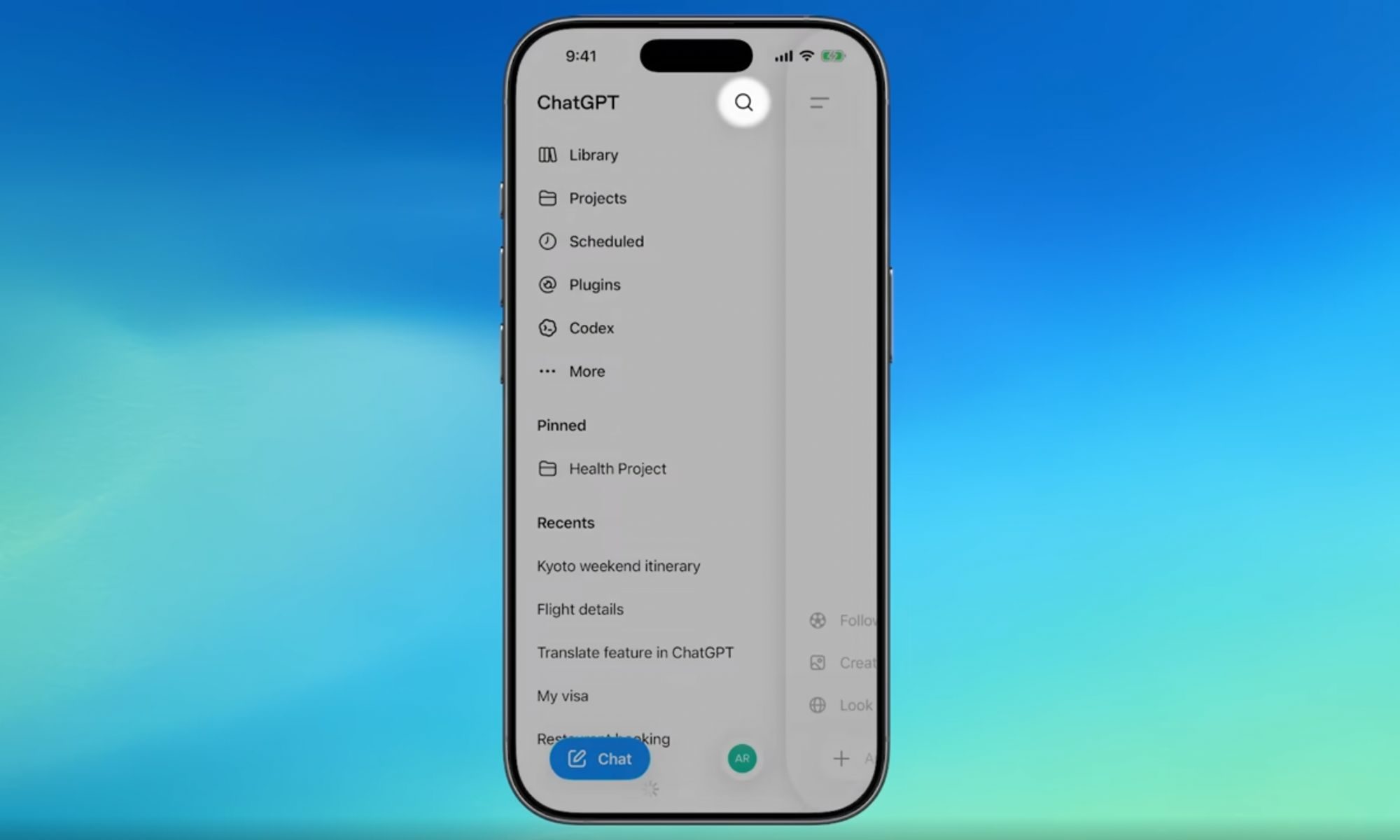
If you have ever lost a great ChatGPT answer somewhere in your endless chat history, that headache is finally over. OpenAI has rolled out a major search upgrade that lets you find old chats, projects, documents, and images all from one place.

Before this update, the sidebar search only pulled up past conversations, leaving uploaded files, projects, and generated images completely out of reach. The new search option is now available across web, iOS, and Android, on every ChatGPT plan, including free accounts.

Read more
You can now link your favorite apps to AI Mode in Google Search to get things done
AI Mode now works with Instacart, Canva, and YouTube Music inside Search.
google-search-ai-mode-connect-apps

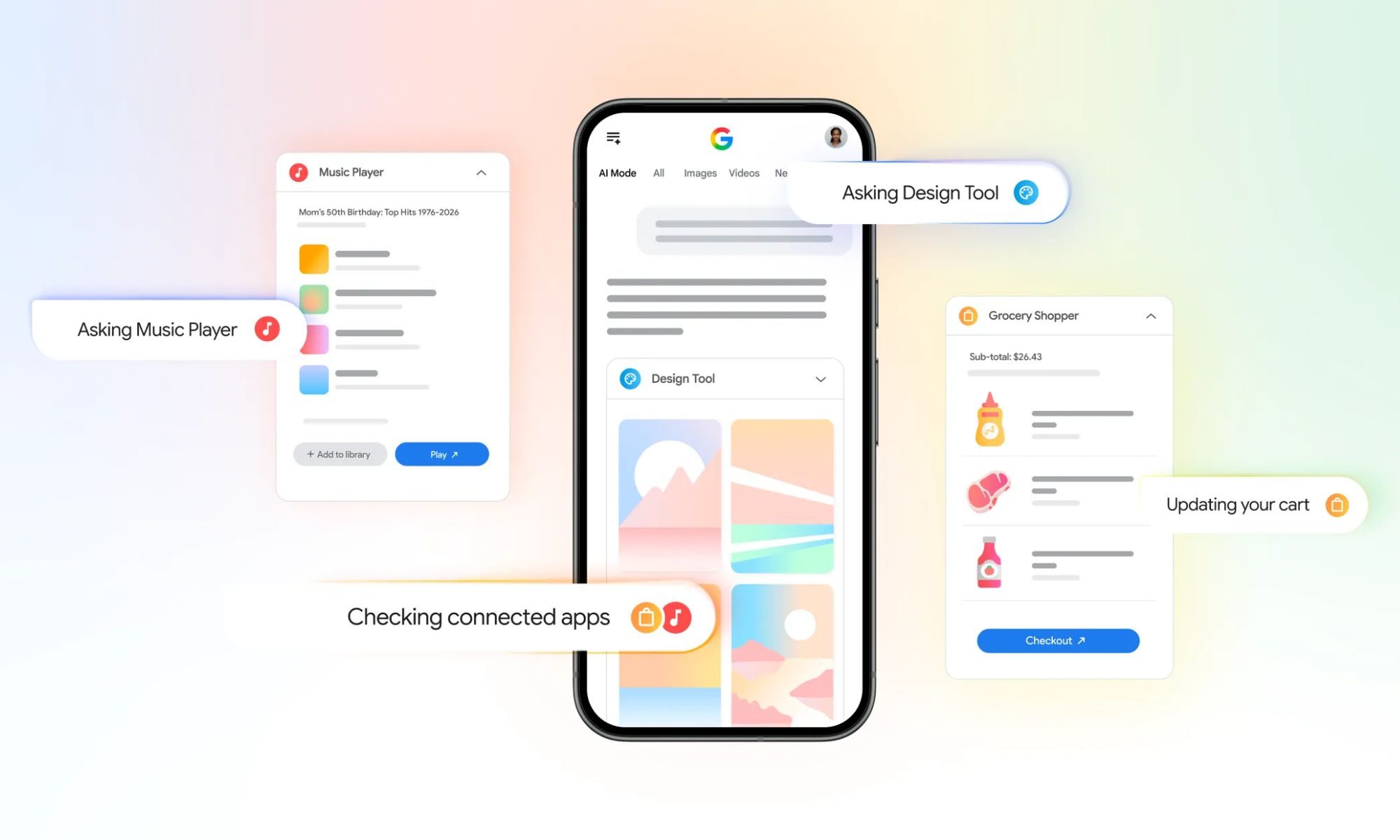
Google is making AI Mode in Search more useful by letting you connect third-party apps. Starting this week in the US, you can securely connect some of your go-to apps directly to AI Mode, letting Search actually complete tasks for you instead of just answering questions.

This update builds on a similar trick Google already pulled off inside the Gemini app, and now it is landing in Search itself. The initial rollout includes three launch partners, Instacart, Canva, and YouTube Music, with Google saying more app integrations are on the way.

Read more