When it comes to laptops, it seems like there’s always something new and exciting over the horizon. In the case of the Microsoft Surface Pro line, that’s literally the case right now, with the Surface Pro 10 almost certainly set to debut at the end of September. But what do you do if you need another 2-in-1 laptop right now?
Should you wait a little longer for the Surface Pro 10, or get a Surface Pro 9 instead?

Is the wait ever worth it?
Anyone upgrading their laptop will always be faced with the choice of buying the best laptop they can afford right away, or waiting a few weeks or months to see what the next generation brings. You will always get something better if you wait. The industry is constantly moving toward more cores, higher clock speeds, lighter frames, longer battery life, higher -esolution displays, and more storage. The next generation of laptops will be better than this one. But how much better, and will it be worth the inevitably higher price tag? Those are the real questions worth answering.
The most important consideration is whether you can realistically wait. If your current laptop is dead or dying and you need it for critical school or office work, then there’s no question to answer: Just go and buy the Surface Pro 9. It will give you that crucial functionality today, or tomorrow, where the Surface Pro 10 is at best weeks away, and at worst months, if you end up waiting on a specific configuration or deal.
But it will be better. The question is, by how much?
How much better will the Surface Pro 10 be?
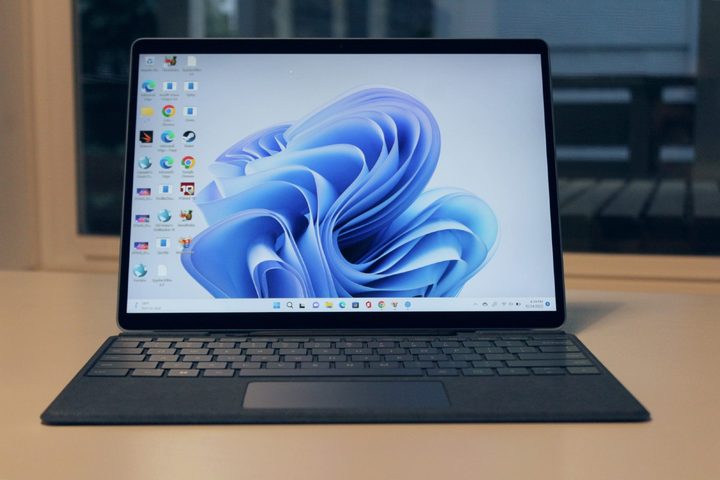
We’d love to tell you, but Microsoft is being really quiet about this one. Our best guesses and collection of all the leaks and rumors give us a little information to go on, but it’s not much:
- The Surface Pro 10 will come in a few different size options, including a reimagined 11-inch variant.
- Physically, it will probably look much the same as the Pro 9, though Microsoft may add a little flair for the 10th anniversary.
- It will almost certainly use Intel 13th-generation CPUs, with Core i5 and i7 options. We are not expecting an AMD or Qualcomm Snapdragon variant.
- Due to inflation, the price for the Surface Pro 10 will almost certainly be higher than that of the Pro 9 at launch. That probably means around $1,200 for the entry -evel Core i5 models, and close to $2,000 for the Core i7. It’s possible the 11-inch model could occupy that sub-$1,000 point, though.
- We may see larger storage configurations not priced quite so high, as SSD pricing has come down considerably in the past year.
Performance improvements over the Pro 9 may be limited, although multi-threading performance will likely improve with additional efficiency cores. The 13th generation is marred by greater power draw at the top-end, though, so don’t expect much in the way of battery life improvement.
Microsoft’s displays have been great for years now, so it’s unlikely to rock the boat on that front. Slightly trimmer bezels may be in the cards, and like many premium laptop designs, we may see an OLED option, but that’s pure speculation.
Is the Surface Pro 10 worth the cost?
As much as we’ll likely be big fans of the Surface Pro 10 when we get our hands on it, as we’ve been big fans of the Pro 9 and Pro 8 before it, Microsoft isn’t known for its revolutionary designs in this lineup. It tends toward mild iterations, which gradually improve the performance, efficiency, and display without reinventing the wheel. That makes upgrading from one generation to another, year over year, largely pointless with the Surface Pro line.
But if you have a Surface Pro 8 or earlier, it’s worth waiting a few weeks to see what the laptop can do before deciding on your next upgrade. For anyone else, though, you may be better off buying a cut-price Pro 9 now while retailers are looking to clear stock. It’s still a great 2-in-1 laptop and the Surface Pro 10 is likely to be notably more expensive at launch.
Want more options? Check out our guide to the best laptops you can buy right now.