I have, from time to time, been known to spend a little too much money on toys. (That’s pronounced “tech.”) I’m a firm believer in spending as much as you can in some circumstances. Can’t upgrade the storage or RAM on your phone or laptop later? Max it out now. That sort of thing.
But I cannot, in good conscience, get anywhere close to convincing myself that I’d ever be able to justify spending $600 on a consumer-grade router.
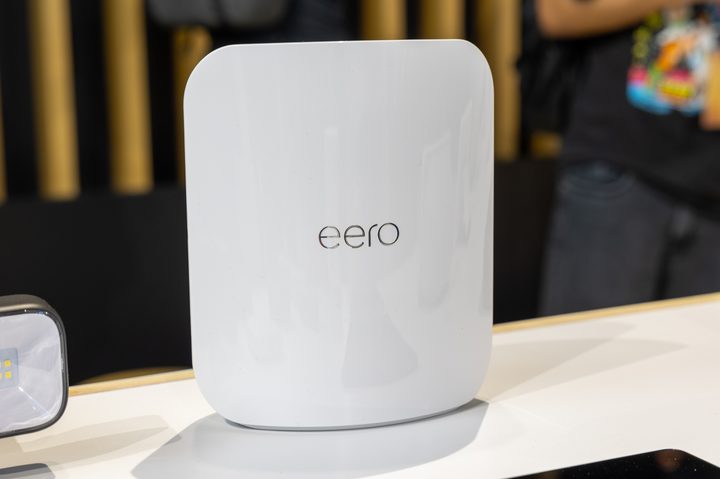
That’s the very quick conclusion I got after spending a couple of minutes poring over the very stylish Eero Max 7 at Amazon’s fall devices event at HQ2 in Arlington, Virginia. Full reviews of this thing will come from someone else at another time. But as someone who has had an Eero Pro 6 mesh setup at home — and recommended Eero to his parents and in other volunteer efforts — I can safely say that it’s a great system for someone who knows the basics of networking and wants just enough control over the network, or for someone who generally has no idea how the magic happens and just wants things to work.
We’ll leave the discussion about Amazon owning Eero and thus having some insight into lord knows how many home networks for another time.
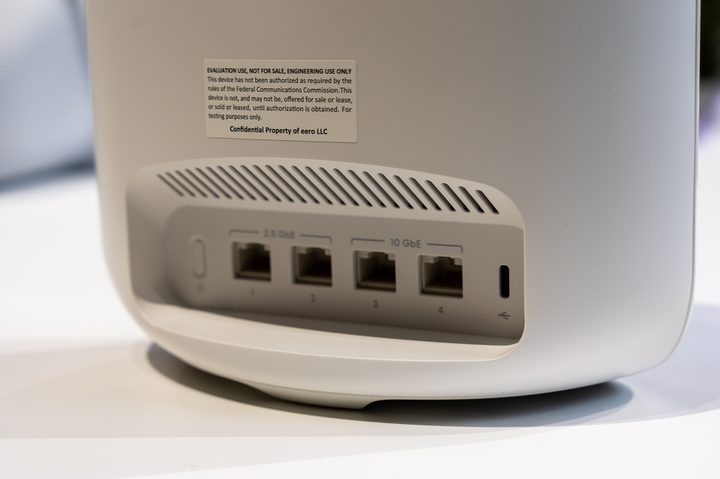
It’s been almost three years since I set up my Eero network. We’ve now seen a couple of newer, faster, better versions of the Eero system come out, and I’ve had zero reason to upgrade. Gigabit fiber is more than fast enough for 95% of what I do on a daily basis when I’m wired in over Ethernet. The same goes for wireless, even if it’s at one-third the same sort of speed (it varies by device, of course).
Websites don’t actually load 10 times faster. Doorbell cameras don’t load any quicker. Unless you’re talking true throughput of file transfers, I’m never going to get anywhere close to maxing out that speed. And even with the dozens of devices (and counting!) that have access to my home network, I’ll almost certainly never get close to maxing out all the available addresses, or having too many devices pull too much data at one time. There’s only so much a family of four can pull down — even if two of them are glued to TikTok most of the evening.
That’s not to say the Eero Max 7 won’t be great. I’m sure it will. It’ll look great standing out in your living room somewhere. Or wherever. How and where folks set up their home networks is fascinating. Sleek press images still don’t take into account Ethernet coming and going — that’s always going to clunk up the aesthetics. But, still, the Max 7 looks great.

But what could I do with an Eero Max 7 that I can’t do with an Eero Pro 6? Or, rather, the three Erro Pro 6 units found in my house, that are now selling for under $250. That many Eero Max 7s would cost $1,700. That’s not a typo. My network won’t be seven times faster. It won’t be seven times more robust. Chances are I won’t find my network seven times more future-proofed.
That’s the sort of money professionals might spend on a business-class network. It’s absolutely not anything I’d spend for home. Not by a long shot.
But, damn, it still looks nice.