Since the first model was announced 10 years ago, the Apple Watch has changed a lot. It’s gotten larger displays, new health features, more powerful chipsets, and more. It still serves the same general purpose of being an extension of your iPhone on your wrist, and it’s become one of the best smartwatches you can buy today.
I’ve worn an Apple Watch for the last several years, and even so, there are still new things I’m always learning about. This summer, I finally enabled one feature I’ve ignored for years, and it’s made me love my Apple Watch more than ever.
How I improved my Apple Watch

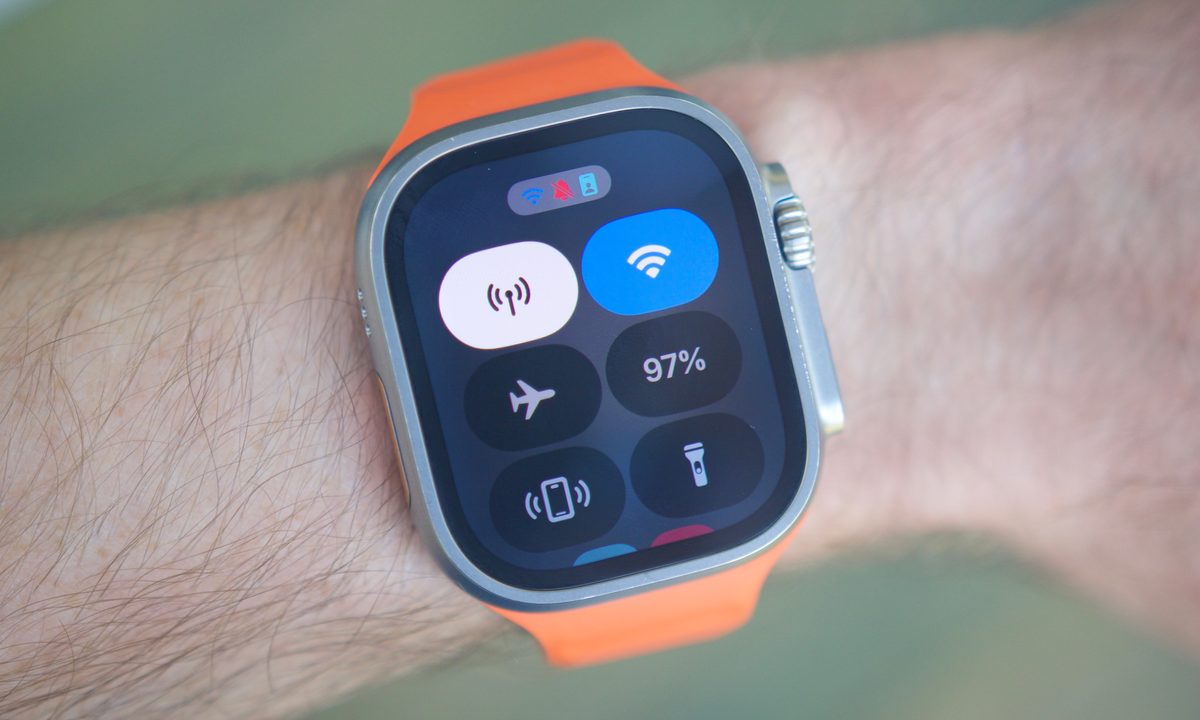
With the Apple Watch Series 3 in 2017, Apple introduced a small but important feature: LTE connectivity. Before this, your Apple Watch needed a Bluetooth connection to your iPhone to receive notifications and phone calls or run apps requiring data. With LTE, however, you could finally leave the house without your iPhone, and your Apple Watch would still receive all of your notifications and run all of your apps.
Apple has offered LTE as an optional add-on for the Apple Watch since the Series 3, and it’s included by default on the Apple Watch Ultra, Apple Watch Ultra 2, and stainless steel models of the regular Apple Watch Series lineup. It’s by no means a new Apple Watch feature, but I’ve ignored it until recently.
I’ve been trying to run more this summer, and when I run, I like to listen to music or a podcast to keep my mind occupied. I used to do this by downloading podcasts or playlists to my Apple Watch. It works, but it’s also a horribly tedious process. Having to open the Apple Watch app on my iPhone, select Apple Music or Apple Podcasts, choose the songs/podcasts I want to download, and then wait for everything to transfer to my Apple Watch at a snail’s pace is never a good experience.
A couple of months ago, however, I decided to avoid all this hassle with one simple trick: LTE. I opened the Apple Watch app, selected the Cellular option, and within seconds I had an active T-Mobile LTE connection on my Apple Watch for just $10 per month. And it’s been magical.
Why LTE is such a big upgrade

With an LTE-enabled Apple Watch, that laborious downloading process is a thing of the past. When I’m ready to go running, I simply leave my apartment, pull up whatever song or podcast I want to listen to, and I’m off. It doesn’t matter what album, playlist, or show I feel like listening to. So long as my Apple Watch is connected to T-Mobile’s towers, I can listen to whatever I’d like.
This may not sound like a big deal on paper, but it has legitimately encouraged me to run more often. I always like having something new to listen to, but the slow, monotonous process of removing old songs/podcasts and waiting for new ones to download adds tons of extra prep time to my runs. I’ve had numerous occasions when I was ready to go running, but I forgot to download something new to listen to, and by the time everything was done downloading, I’d lost the motivation to run and just stayed home.
With LTE, though, that’s no longer an excuse. I now have millions of songs and podcasts just a few taps away at a moment’s notice. It makes planning runs easier, allows me to go on impromptu runs whenever I want, and I can still get all of my texts and other notifications while leaving my iPhone behind. What’s not to like about that?
This is the way

You don’t have to be a runner to benefit from enabling LTE on your Apple Watch. Maybe you want easy access to music/podcasts while walking or biking. Maybe you want the extra convenience of getting notifications when you’re away from your iPhone. Maybe you want it as a safety measure to call loved ones in an emergency situation.
After using and paying for LTE on my Apple Watch for the last couple of months, I can confidently say it’s worth every penny. It’s made my runs easier, more enjoyable, and more frequent. I honestly can’t imagine running without it. Now, I’m just mad that it took me this many years to see the LTE light.