

Super Bowl LIX is fast approaching, with only the Conference Championship games and a couple weeks until we find out who will top the NFL in 2025. This year, the big game will be at the home of the New Orleans Saints — the Caesars Superdome — and is the 11th time New Orleans hosts the Super Bowl (and eighth time at the Superdome).
As you’d expect for one of the biggest sporting events on the planet, there are going to be plenty of ways to watch the game, including cable, satellite, streaming, and OTA options. Let’s get into the details.
Who’s playing in Super Bowl LIX?
After the Conference Championship weekend, we know that the defending Super Bowl champion Kansas City Chiefs will meet the Philadelphia Eagles in Super Bowl LIX at Caesars Superdome on Sunday, February 9. The Chiefs defeated the Buffalo Bills 32-29 in an exciting back-and-forth late game on Sunday, January 26, while the Eagles routed the Washington Commanders earlier in the day, 55-23.
What time is the Super Bowl?
Super Bowl LIX is set to kick off at 6:30 p.m. ET from Caesars Superdome in New Orleans (which is 5:30 p.m. local time). Pregame coverage, though, will start a few hours earlier on Fox at 3 p.m. and there’s even a pregame concert being put on at 4:00 p.m. EST with Post Malone performing that you can stream on the NFL’s YouTube channel. Post-game coverage should start around 10 that night (unless we see the third Super Bowl overtime game in history).
You can also stream it from the Fox Sports app or Fubo, if you happen to subscribe to the service. In addition, for the first time, the entirety of the day’s coverage will be available on the free streaming service Tubi, including an exclusive pre-game red carpet event hosted by Olivia Culpo at 3:30 p.m. ET. And if you do stream the entire coverage through Tubi, fear not, you’ll be able to see all of those Super Bowl commercials, too.
Is Super Bowl LIX in 4K and HDR?
Yes, Super Bowl LIX will be available in 4K resolution on Fox and on Tubi. This also includes the halftime show with Grammy Award-winning artist, Kendrick Lamar. The broadcast will also be available in HDR on supported 4K HDR devices.
Will Super Bowl LIX be available in Dolby Vision and Atmos?
For the first time ever, Comcast and Dolby have announced that they’ve joined up to offer the Super Bowl with both Dolby Vision and Dolby Atmos through Comcast’s Enhanced 4K. It’s stated that, thanks to ultra-low latency technology and higher bit rates, the improved picture and sound will be possible with only a few seconds delay from the on-field action. The initial live sports presentation of Enhanced 4K with Dolby Vision and Atmos was the 2024 Paris Summer Olympics. It will only be available to Comcast Xfinity subscribers and require X1 set top box hardware — specifically, the Xi6 box will support both Dolby Vision and Dolby Atmos, while the XG1v4 supports only Atmos.
How to stream Super Bowl 2025 if you don’t have cable
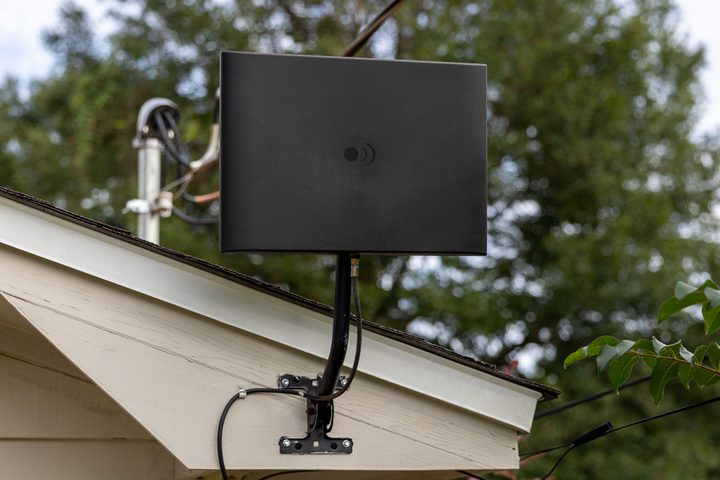
If you don’t have access to Fox via a cable subscription or satellite service, you could get yourself an OTA antenna and connect it to your TV, or use a box like Tablo to make that over-the-air signal available to multiple devices in your home. Place the antenna as high as you can in your room, or better yet, outside on the roof. For those that have cut the cord, we recommend having an antenna in your setup. Be aware, though, that the ability to get channels will depend on your topography and nearby buildings. Once you’ve made the initial antenna purchase, though, it’s all free content.
There’s also the aforementioned Tubi option for free streaming (you just need to sign up for an account). Those with YouTube TV will again have the ability to watch on the popular live streaming service. As with Fox and Tubi, YouTube TV should have the broadcast in 4K, although YouTube TV’s 4K service is an add-on. (You can also sign up for a free preview and watch the game if you don’t have a current subscription.)
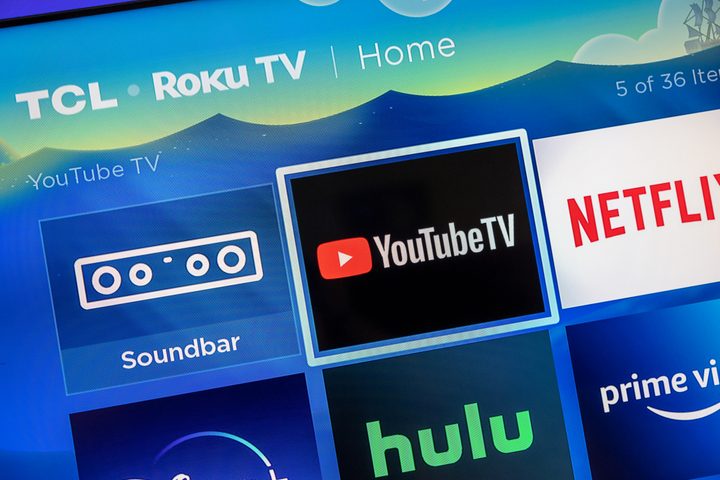
As we’ve already said, Fubo will carry the game, and it has one thing YouTube TV doesn’t — 4K content without an additional fee.
No matter what, there are plenty of ways to catch the big game. Just make sure to grab yourself a big-screen TV before the game as well. TCL has some incredible deals, including a $1,500 98-inch Q6.


