Like many, I wear several different hats each week. For work, I currently write for two websites. On the fun side, since January, I have spent much time planning my daughter’s high school musical, where I assisted in building the sets and managing the box office. In addition to this, I’m my church’s technical director, so overall my schedule is often chaotic.
I have turned to various apps on my iPhone 16 Pro Max to help me get through each day and stay on track professionally and personally. These apps come in many forms, some more business-related than others. Regardless, they have been helpful to me, and I recommend each of them to anyone who wants to grasp their schedules better and make their downtime more fulfilling.
Here’s a deeper dive into each of the apps, some of the best in the App Store, and how they contribute to my weekly productivity:
Todoist
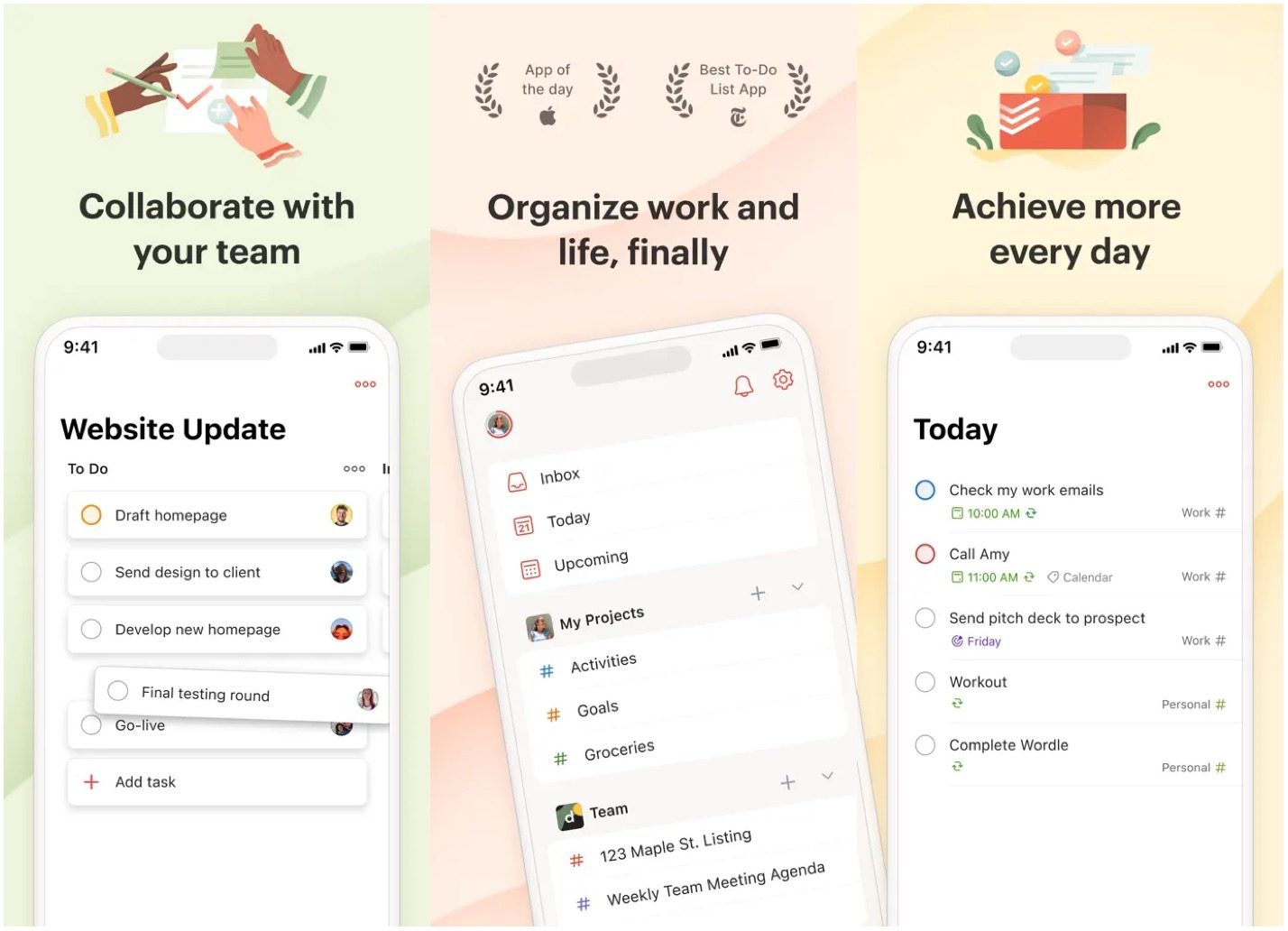
One of the oldest and most useful titles in the App Store, Todoist truly transforms how you manage your tasks. It allows you to organize your life seamlessly by breaking down your responsibilities into clearly defined projects and sub-projects. You can easily set priorities to ensure that the most important items get the attention they deserve, and its feature for creating recurring tasks means you can automate reminders for things like weekly meetings or monthly bills, ensuring nothing slips through the cracks.
I rely on Todoist to capture every aspect of my busy life—from critical deadlines that keep my work responsibilities on track to personal errands that ensure my home life runs smoothly. What I love most is how its reminders serve as gentle nudges, keeping me focused and motivated throughout my day. The “ovati”e “Karma” system is a delightful touch that gamifies my productivity; as I check off tasks and hit milestones, I feel a rewarding sense of accomplishment that propels me to stay consistent and tackle even more. It’s more than an app—it’s a trusted companion in my journey towards a more organized and fulfilling life.
Notion

Notion is a versatile productivity app designed for individuals, teams, and businesses looking to organize their workspaces effectively. It is an all-in-one tool for note-taking, task management, project planning, and collaboration. Users can create customizable pages with blocks for text, images, databases, and more, making it suitable for various purposes—from personal journaling to managing complex workflows. Notion is particularly popular among creatives, freelancers, and small teams who value flexibility and customization.
The app’s intuitive interface and extensive templates make it easy to start, while its ability to interlink pages and create nested structures allows for seamless organization. The feature-rich free plan offers enough tools for individual users and solopreneurs. Collaboration features like real-time editing and commenting make it ideal for team projects. Additionally, its integration capabilities with other apps enhance productivity.
On the downside, Notion can be overwhelming for new users due to its vast features and customization options. It lacks advanced project management tools and built-in reporting features, which may limit its use for larger teams or complex projects. The mobile app is less robust than the desktop version, and offline functionality is limited, which can be inconvenient for users who need access on the go. Nonetheless, it remains one of my go-to apps for iPhone and desktop.
Headspace
I am pretty anxious, always feeling the weight of stress on my shoulders. Lately, I’ve realized that I often struggle to recognize when my stress levels are soaring. It takes a gentle nudge from my friends or family to remind me to breathe, take a step back, and calm down. It’s a complex cycle, but I’m working on it.
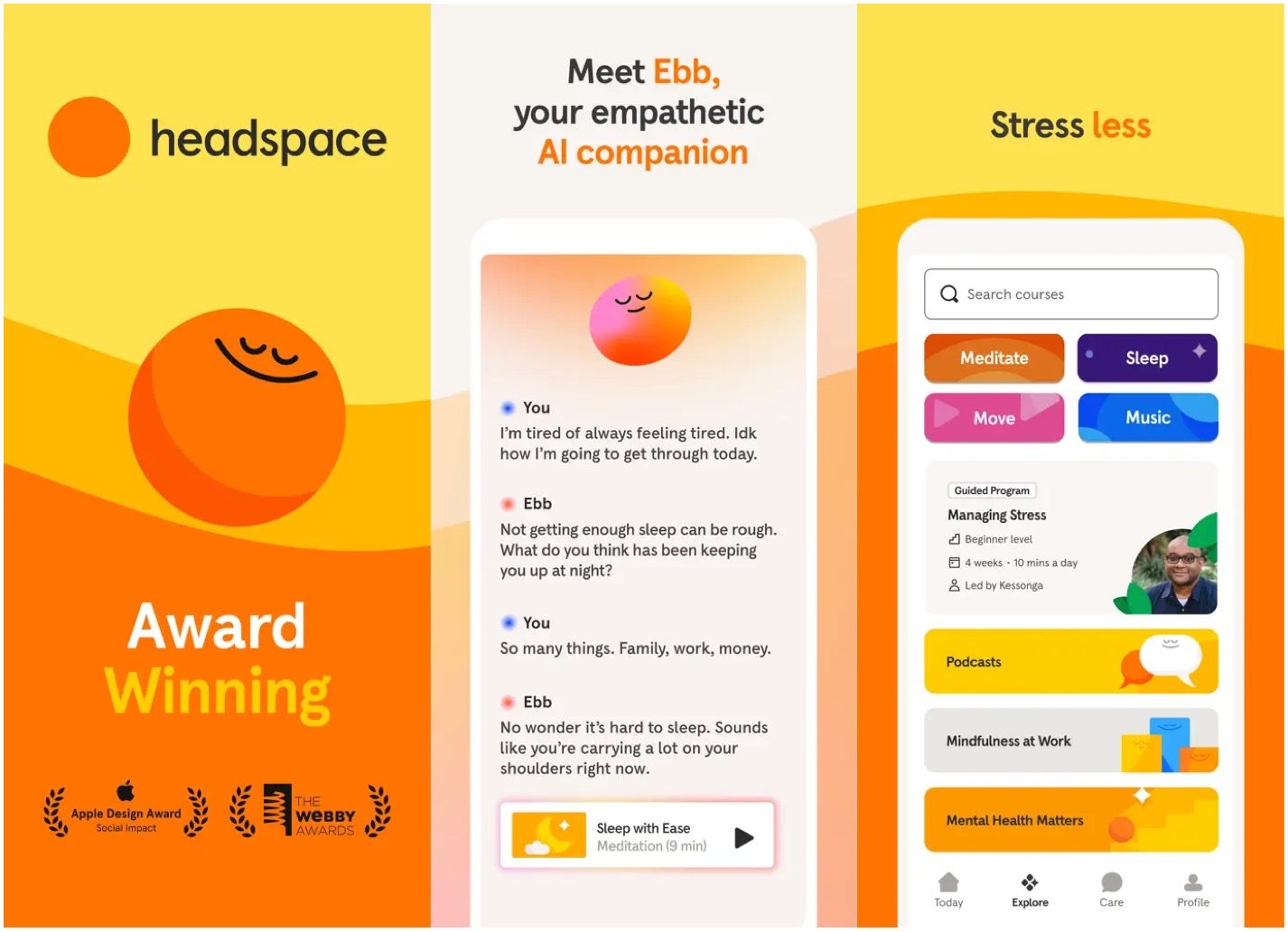
It’s where Headspace becomes an essential part of my daily routine. This incredible app is a treasure trove of resources, offering guided meditation sessions, breathing exercises crafted to ease tension, and sleep aids that have transformed my nights. What I love most are the tailored programs focused on stress management and improving concentration, something I desperately need in my bustling life.
With Headspace, I can start and end my days with intention. A 10-minute morning meditation helps me set a calm tone for the day ahead and reinforces my commitment to prioritizing my mental health. In the evening, their unique “Sleepcasts” guide me through a “hing journey” that helps me unwind and gently transitions me into sleep. It’s become a cherished ritual, and I look forward to the tdaily peace moments
Oura
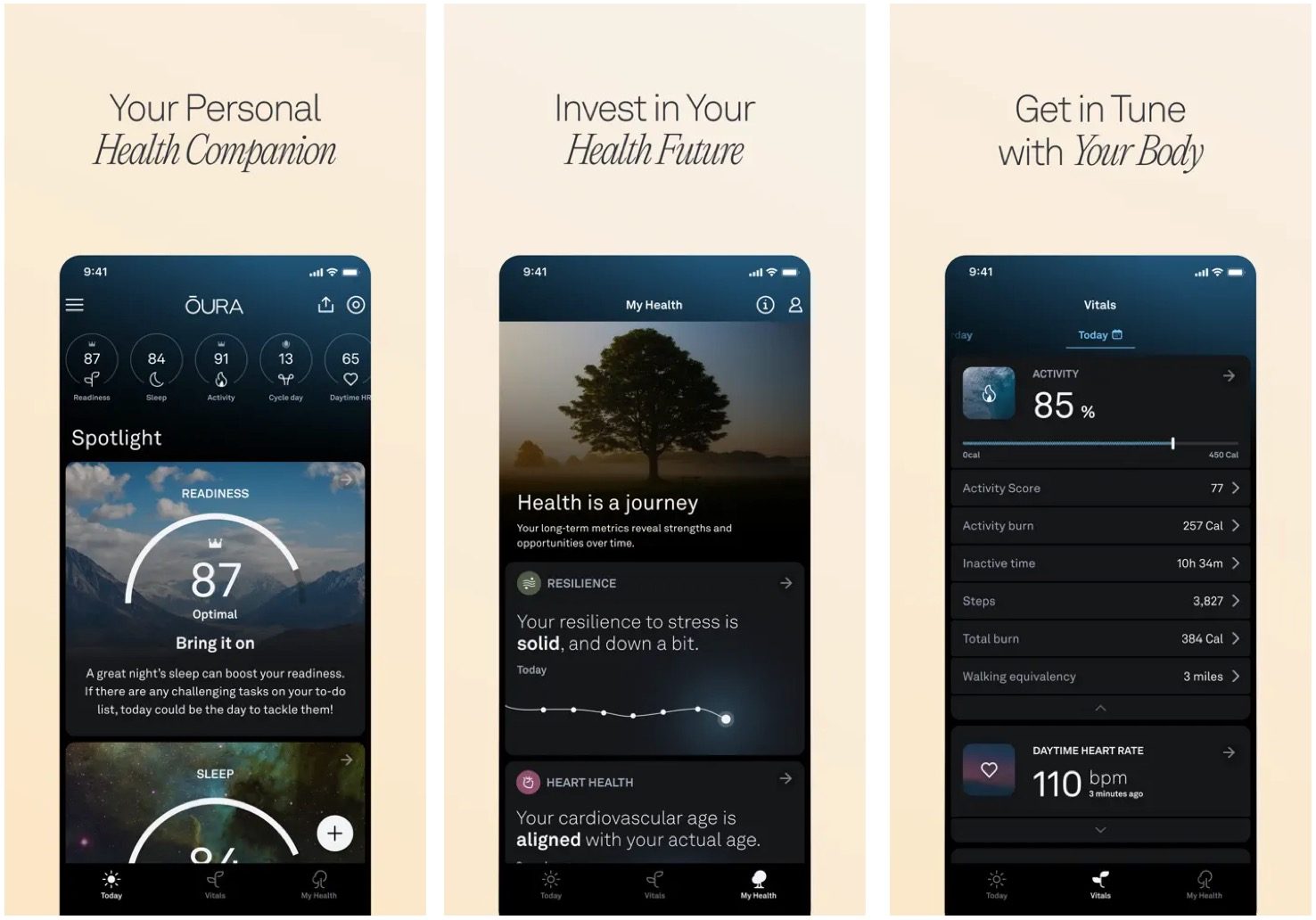
Although I’ve owned nearly every Apple Watch produced, I’ve found many reasons to stick with an Oura smart ring and its companion app. Sure, it does many of the same tasks as a smart watch. And yes, its makers still insist on charging a monthly fee to unlock its features. Yet, I still find it worth every penny.
The Oura Ring (now in its fourth generation) is a sleek and innovative wearable for those prioritizing health and wellness. Unlike traditional smartwatches, the Oura Ring is lightweight and minimalist, making it comfortable for 24/7 wear. Its standout feature is advanced sleep tracking, which provides detailed insights into sleep stages, efficiency, and disturbances. The ring also monitors recovery metrics like heart rate variability (HRV) and body temperature, offering a comprehensive view of your overall health.
With a long battery life of up to seven days and a distraction-free design (no screen or notifications), the Oura Ring is perfect for users who want to focus on their well-being without constant interruptions. Its durability and stylish titanium finish make it a practical yet fashionable choice.
Trakt
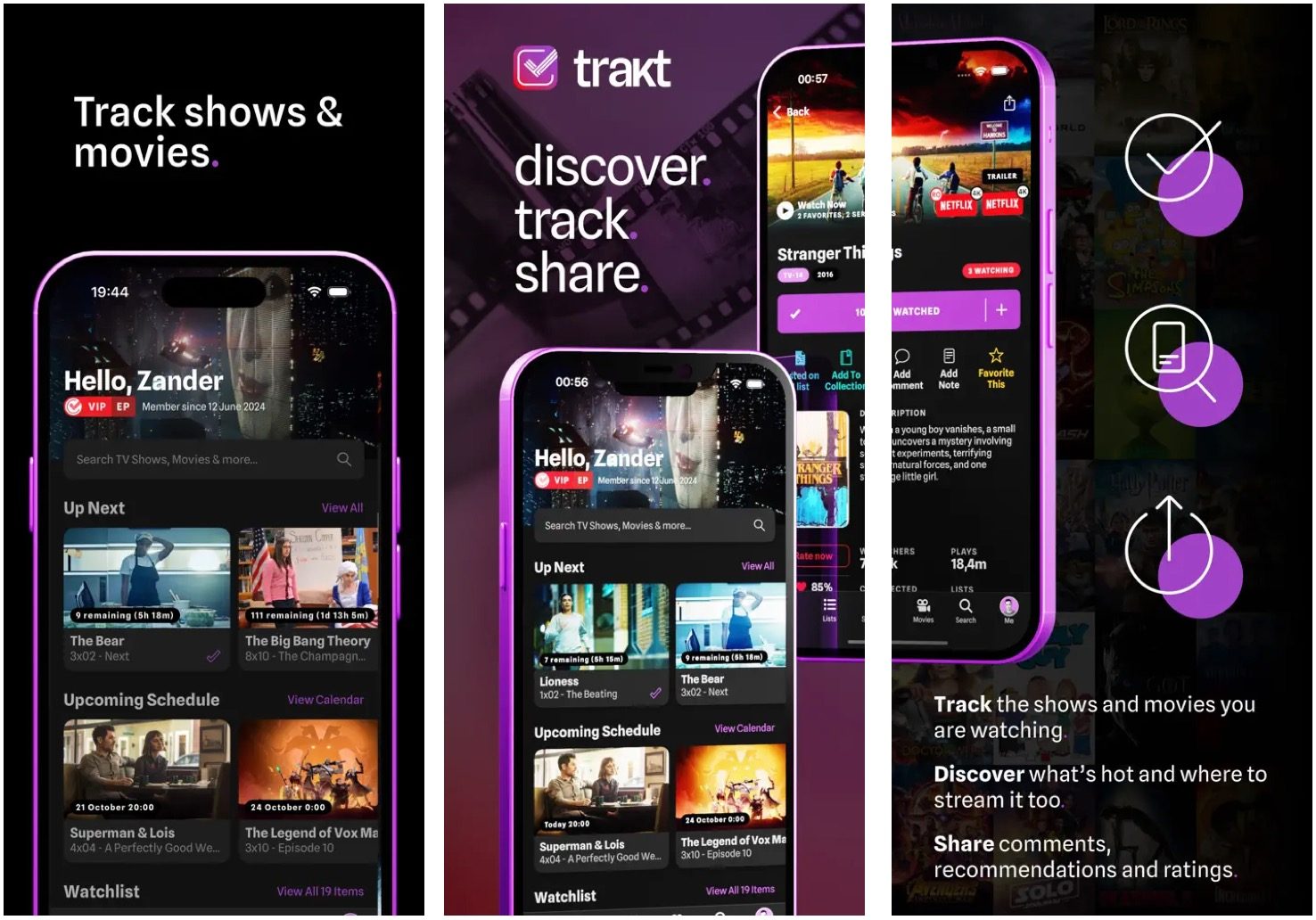
I used to watch more TV shows and movies, but fatherhood and aging have changed that. Now, I watch both more sparingly and enjoy binge-watching. I use the Trakt app to track every episode on my watch list.
Trakt is a platform that enhances viewing for movie and TV enthusiasts. It keeps track of viewing history, making it easy to remember what to watch next. Trakt integrates with media centers like Plex and Kodi and various streaming services for automatic content logging. The app also gives personalized recommendations based on viewing habits, helping users discover new shows and movies.
Trakt encourages social interaction by allowing users to share reviews, ratings, and watchlists with friends or explore community trends. It offers custom organization features to create lists, set watch calendars, and manage viewing preferences. For finding where to stream content, Trakt provides links to available platforms for easy access.
The free version is robust, but users can upgrade to VIP for ad-free browsing, exclusive tools, and customization. Trakt is particularly useful for viewers who explore multiple platforms, love discovering hidden gems, and enjoy connecting over entertainment interests. If you want to keep your entertainment organized while discovering new content, Trakt is worth exploring.
Duolingo
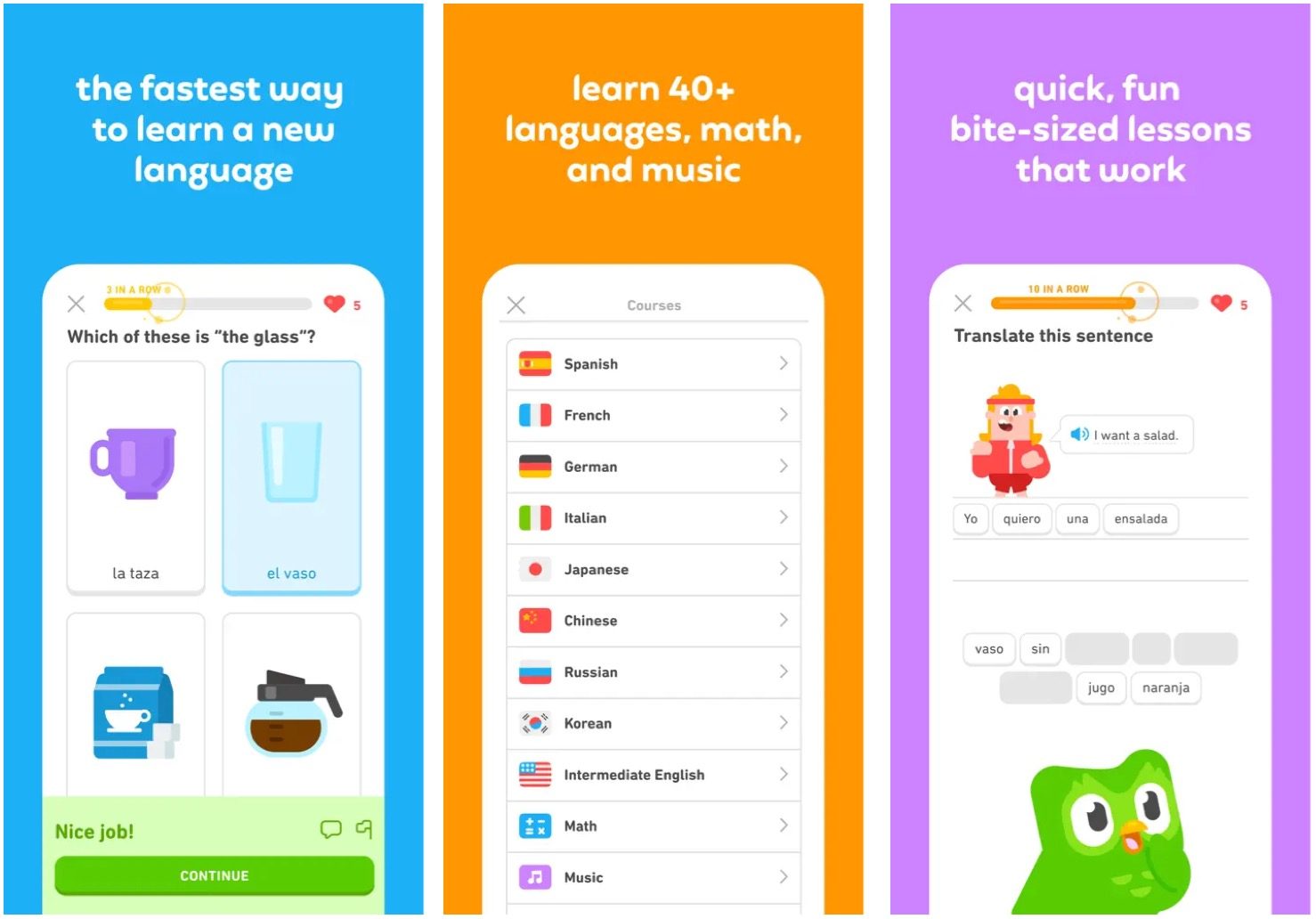
I am chaperoning a school trip with my daughter to Germany, Austria, and Switzerland this summer. In preparation, I’m learning German using the popular Duolingo app. I don’t expect to become fluent when the trip starts in June. However, I do hope to understand phrases being spoken around me and chit-chat with local folks in stores and shops.
The Duolingo app is designed to make acquiring new languages engaging and accessible. It offers bite-sized lessons incorporating gamification elements, such as streaks, achievements, and rewards, to motivate users to remain consistent in their learning. The app supports a wide range of languages, from widely spoken ones like Spanish and French to lesser-known or endangered languages, ensuring learners have diverse options. Duolingo employs an adaptive learning system, tailoring lessons to a user’s progress and reinforcing concepts through repetition and interactive exercises. Additionally, the free model allows anyone to learn without financial barriers. However, a premium subscription, Duolingo Plus (or Super Duolingo), is available for an ad-free experience with extra features.
Whether you’re a beginner or looking to refine your skills, Duolingo makes language learning fun and conveniently effective with its user-friendly interface and engaging teaching methods.
Apple News
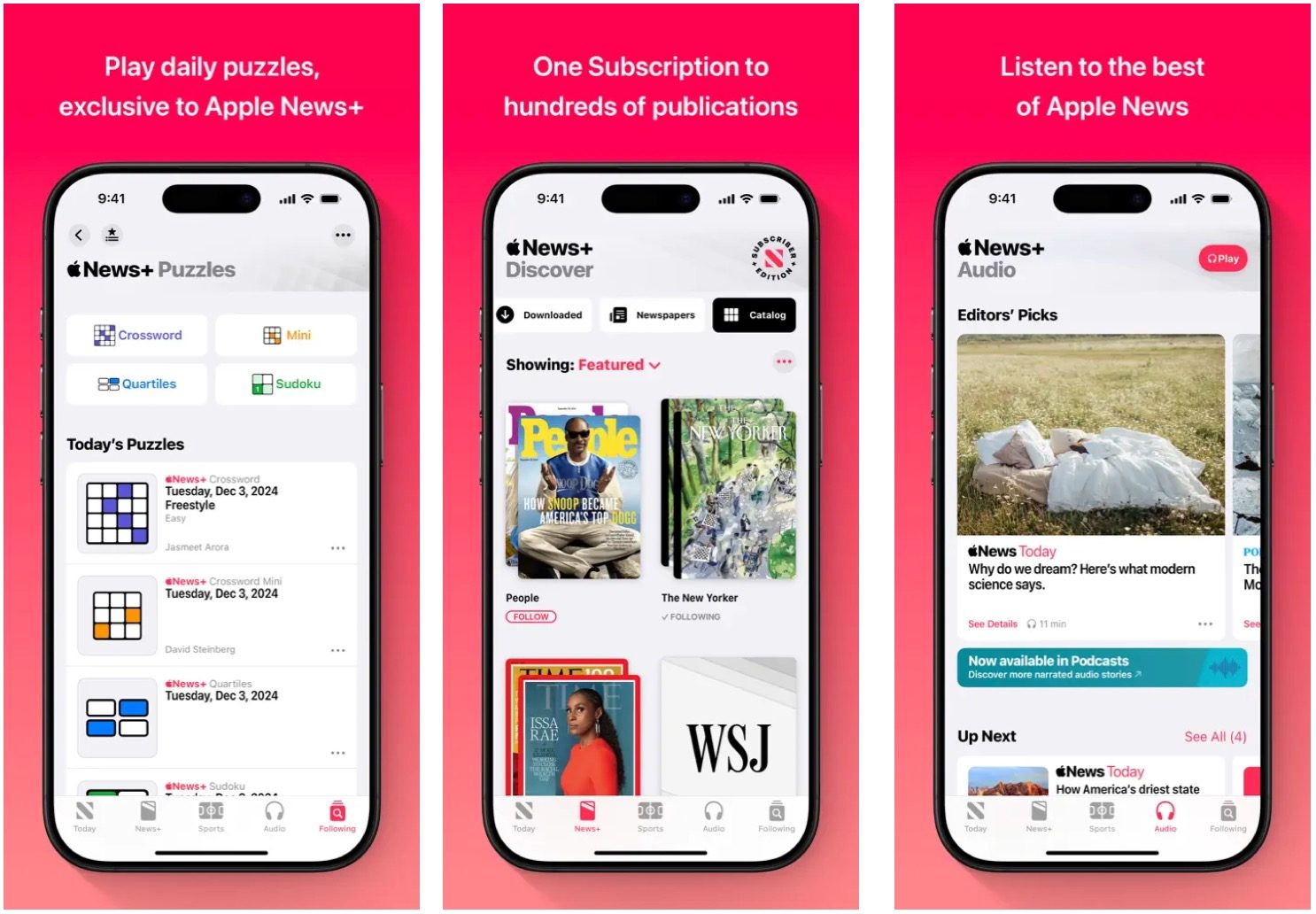
Finally, there’s the Apple News app. This may not seem like a productivity app in the traditional sense, but it includes some relatively new features that help me clear my head each day and, in turn, make me more productive. Specifically, I enjoy playing the puzzle games on Apple News+. The games, including Crosswords and Sudoku, keep my brain from turning to mush. I also like the service’s new recipe section, which makes it easier for this single dad to plan meals. That’s a big service for my household!
Beyond this, the app continues to be a great place to catch up on news, sports, and more.