“When asking my friend who has built PCs in the past for some starting advice, he thought I was crazy and the idea wouldn’t work.”
That’s not exactly the most auspicious way to start to project, but it wasn’t enough to stop Josh Greenwalt from building his dream PC. Yet unlike most of the best gaming PCs out there, this computer is deftly hidden inside a classic Apple Macintosh.
That brings up a question or two. Would you build a custom PC inside a tiny, fiddly case? How about inside a device that’s not just known as one of the most iconic Macs of all time, but is also incredibly small and fiddly, and then make a fascinating build log video for the world to see?
Not many of us would have the time, patience or ability to pull that off, but that’s just what tinkerer and computing enthusiast Josh Greenwalt managed to do.
The name for his intriguing creation: the Joshintosh. What else?

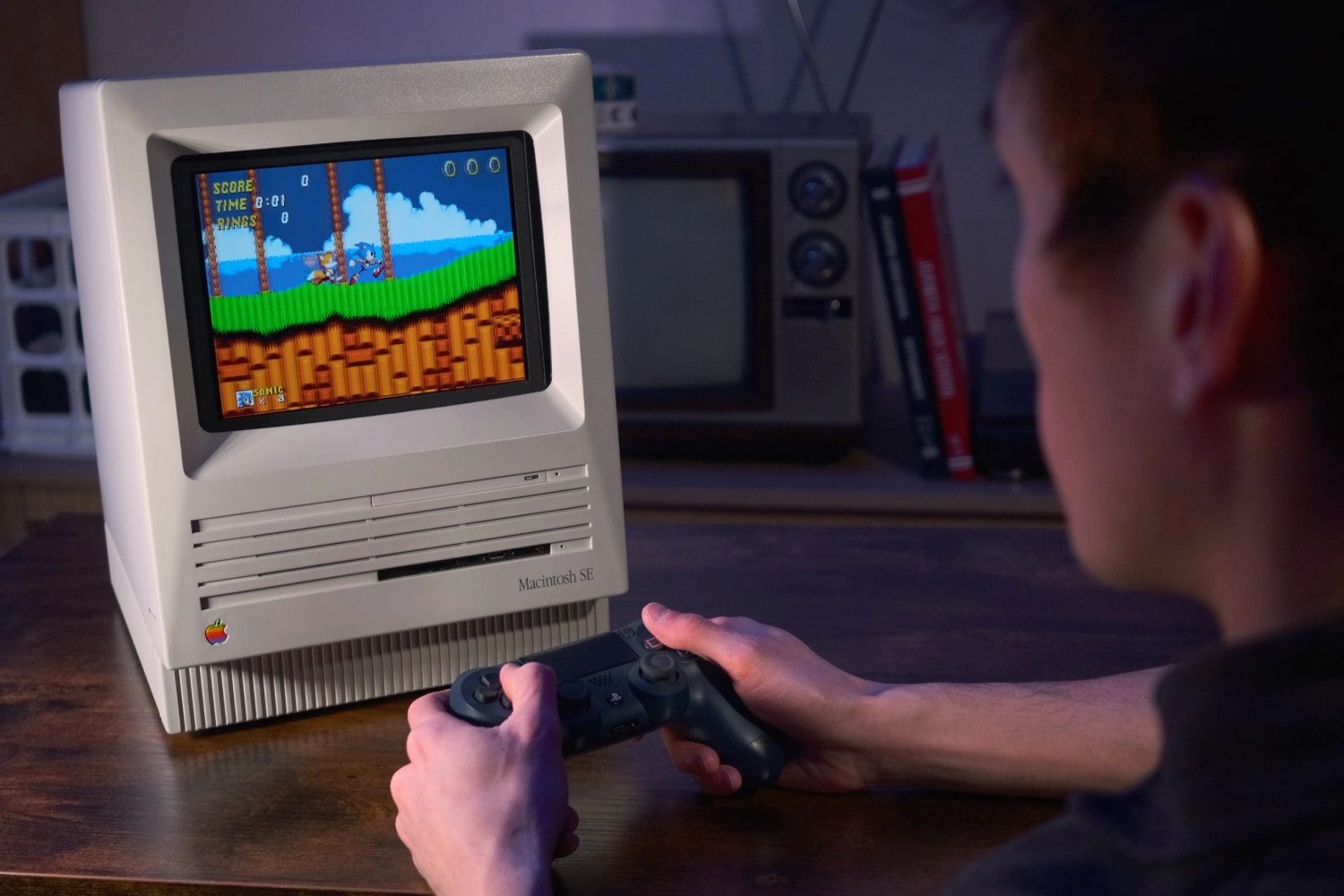
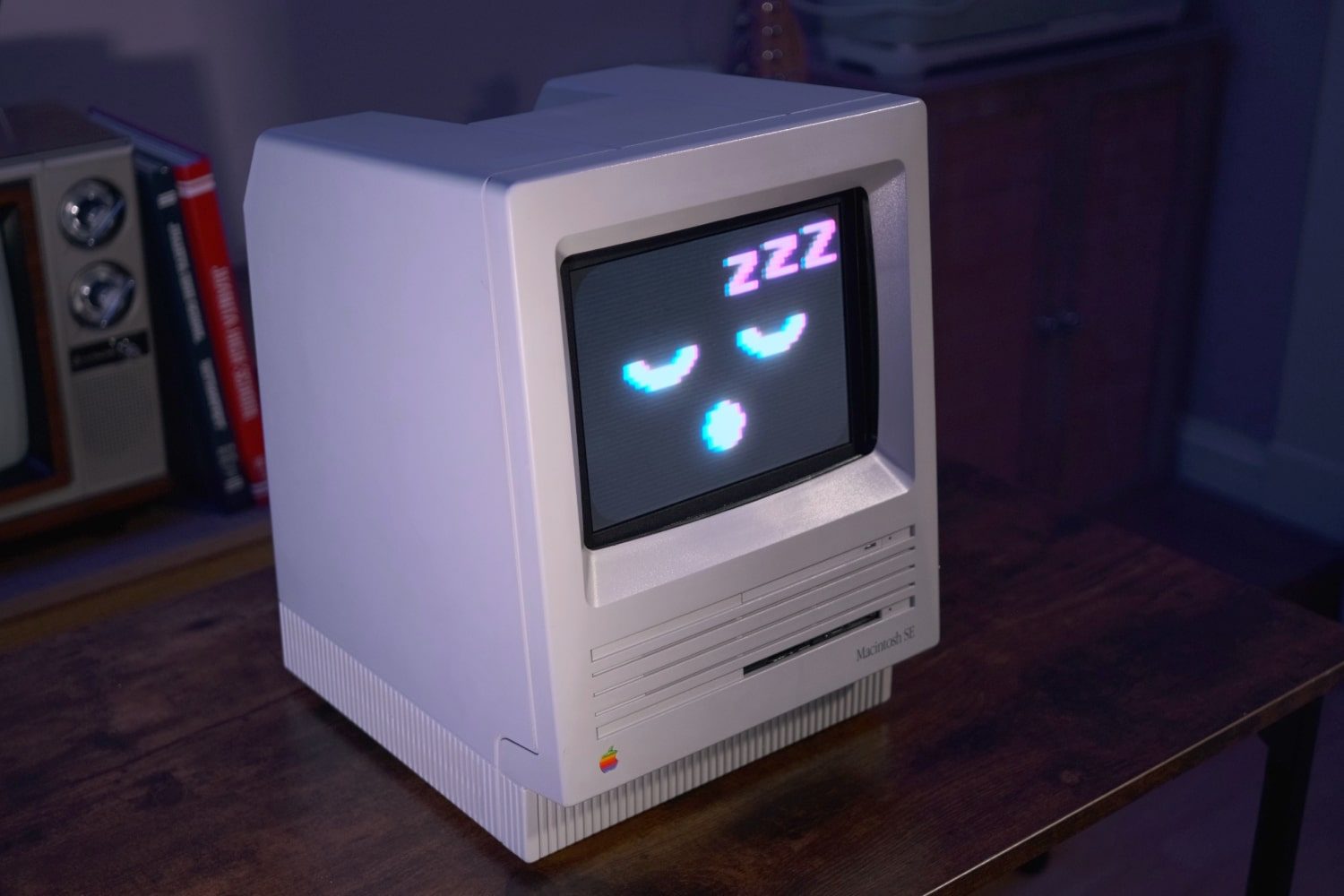
When powered down, Greenwalt’s custom PC looks like an unassuming Macintosh SE, a computer that was available from 1987 to 1990 and today feels like a quaint relic of a bygone computing era. But power it on and you’ll see a respectable gaming PC that can power some of the best PC games available today. It even has a set of handmade screensavers that give it a series of cute and quirky facial expressions, from smiling to snoozing.
Evidently, this is no retro computer still bound to its outdated hardware. On the inside you’ll find an AMD Ryzen 5 7600 processor, a Zotac Twin Edge Nvidia RTX 3070 graphics card, and 32GB of memory — embarrassingly, it’s slightly more advanced than my own gaming PC, despite looking like something that’s almost half a century past its prime.
But then again, that’s the point. This is what’s known as a “sleeper” PC, one that is cleverly camouflaged to look like a dated curiosity yet is surprisingly powerful once you take a closer look. The fact that its disguise is one of the most iconic PC designs in history just adds to the appeal.
Out of the ordinary
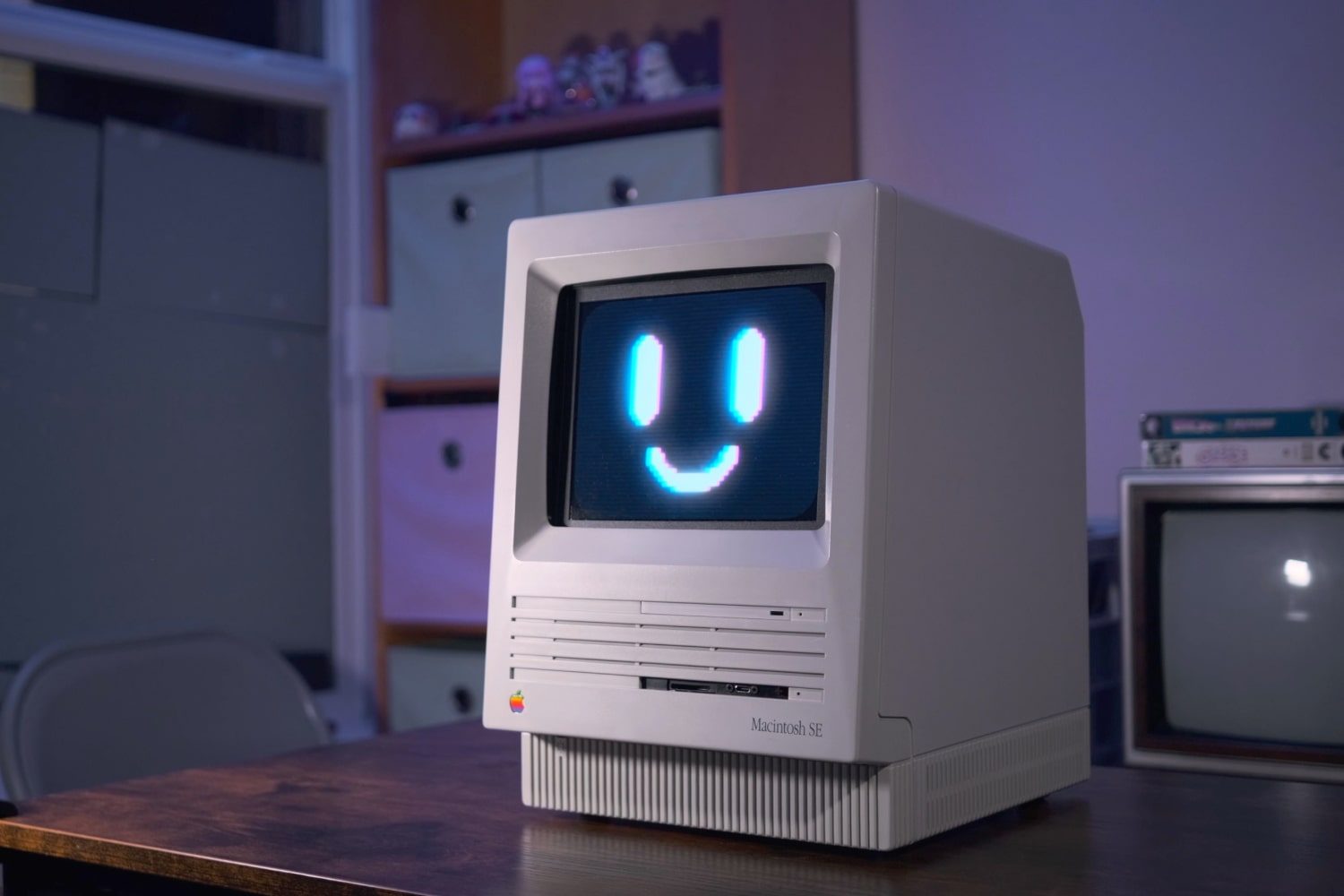
I first saw the Joshintosh in a post on Reddit, and it instantly caught my eye because it combined three things I’m passionate about: Macs, small-form-factor PCs, and gaming. Seeing it for the first time, I knew I had to find out more, including how it came about in the first place. So I fired off a few messages to Greenwalt to get his take on this unique machine.
“I am a Mac user for work and personal stuff,” Greenwalt explained to me. But despite that, he ran into a problem that’s all too familiar for Mac gamers: “Most games are exclusive to Windows. It’s a big shame too because my MacBook is pretty specced out.” It’s an age-old problem for Mac gamers, where high-end specs mean nothing if there aren’t many Mac games for your beefy components to test themselves on.
Couldn’t Greenwalt have just built a gaming PC and settled with that? That’s what I and many other people have done. The issue, Greenwalt, explained, is that “the typical PC builds I’ve seen never got me excited. They just simply weren’t my style, which is important if I’m going to spend over a thousand dollars on it and have it sit at my desk.”
Instead, a love of retro gadgets led Greenwalt to a 1980s Macintosh SE listed for sale on an online marketplace, and that spawned the idea of building a PC inside this much-loved Apple classic.
The build process
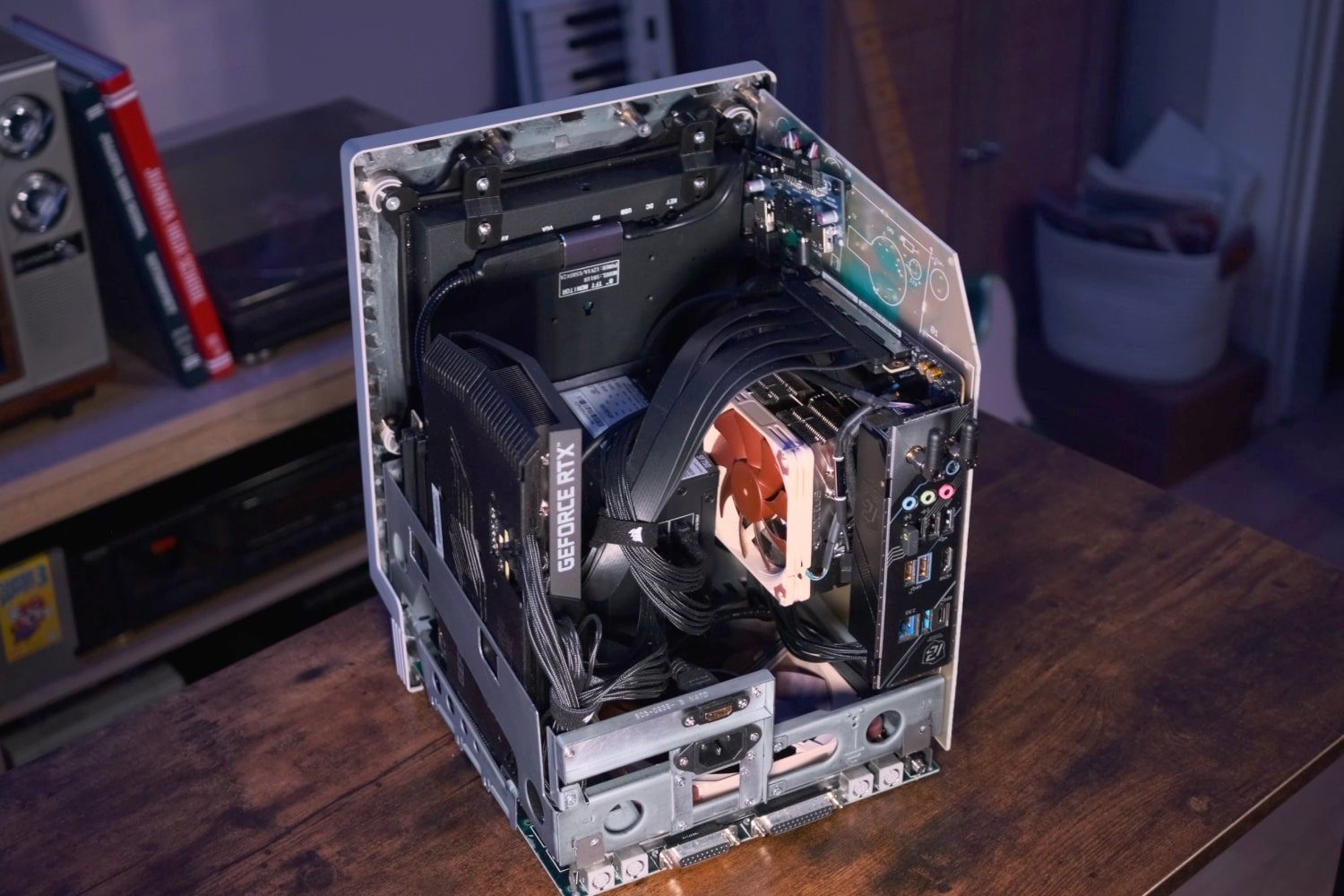
As you might imagine, building a modern PC inside a 40-year-old chassis is no walk in the park. Computer parts back then were very different to the ones you’ll find today, meaning the Macintosh SE’s case is simply not made for the PC builders of today.
While getting the modern components to connect together was as easy as you’d expect, wrangling them into the Macintosh SE chassis was by far the trickiest part of the build, Greenwalt explained. “The Macintosh case is not necessarily much different in volume than many mini-ITX cases,” — that is, PCs designed for small-scale mini-ITX motherboards — “but its dimensions are far from ideal for modern PC parts.”
A key example of this was the graphics card. If you’ve been keeping up with PC gaming over the last few years, you’ll know that mainstream graphics cards have grown to gargantuan proportions — which is a problem when your PC case is not designed to house these behemoths.
As Greenwalt put it, “the only way I could get a graphics card to fit was to mount it vertically with the ports facing the bottom. Because of this, I had to run extension cables to reroute the ports to the rear and I had to use a 400mm PCIe riser cable to plug it into the motherboard. The twisting and routing on that huge cable is ridiculous, but thankfully works.”
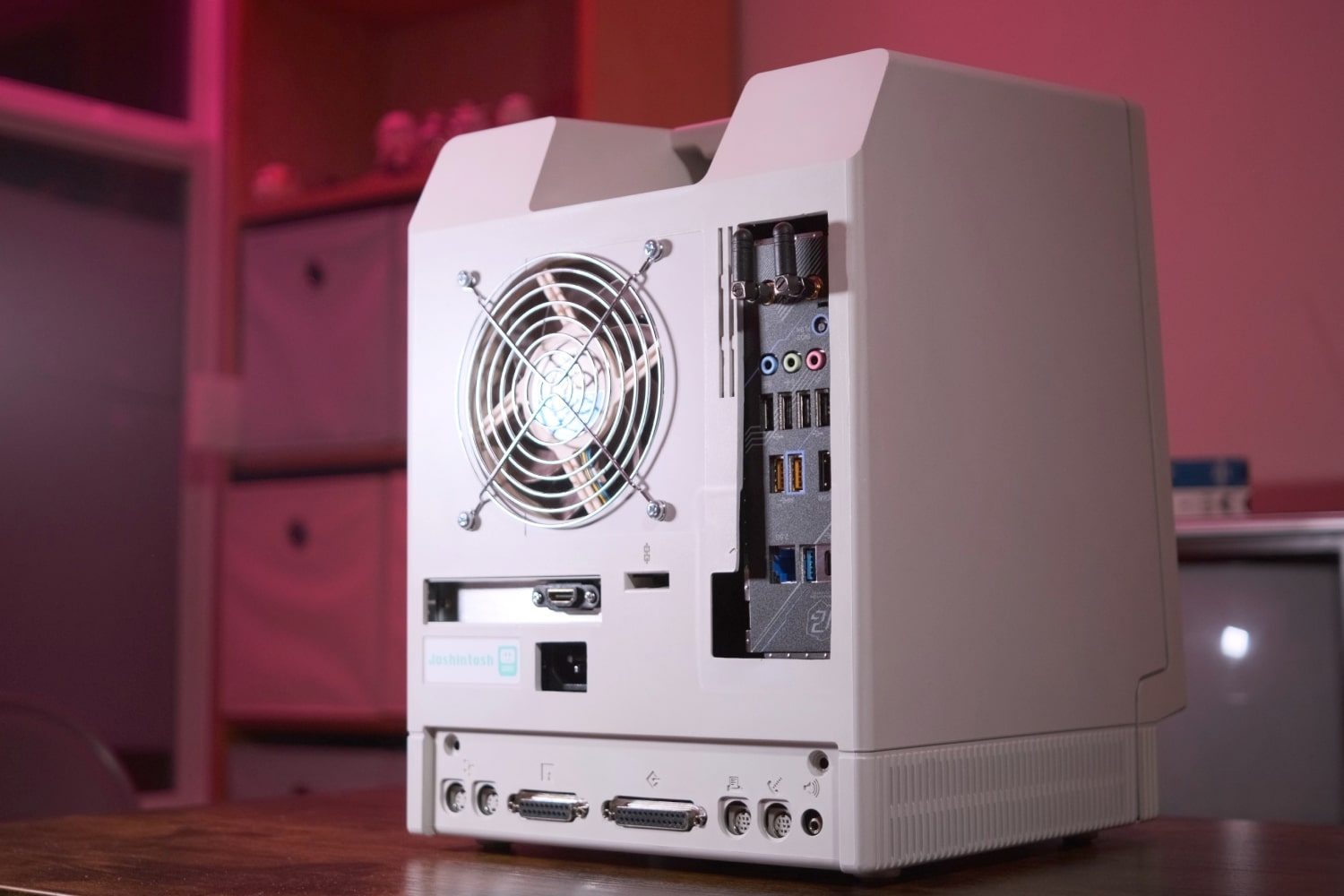
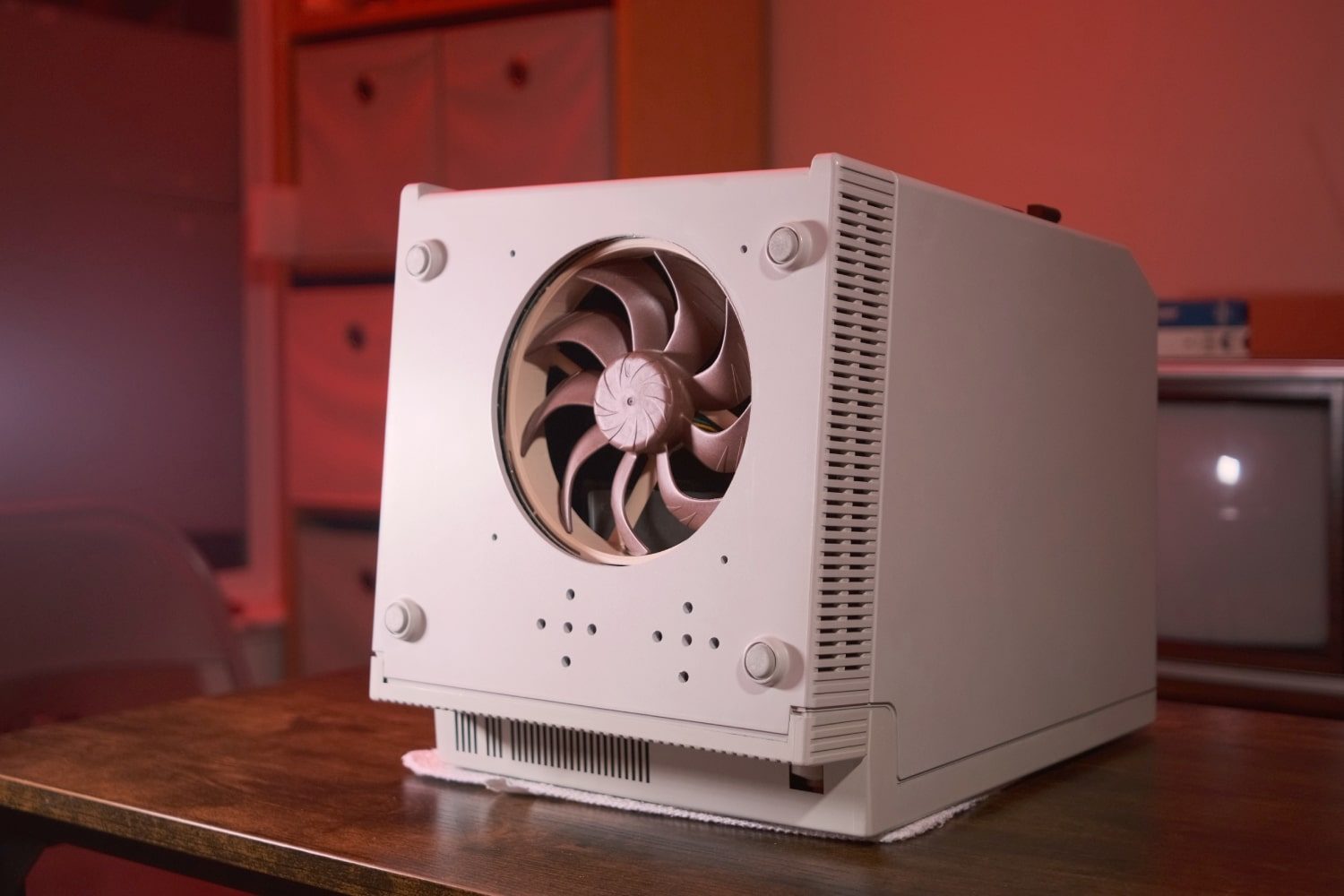
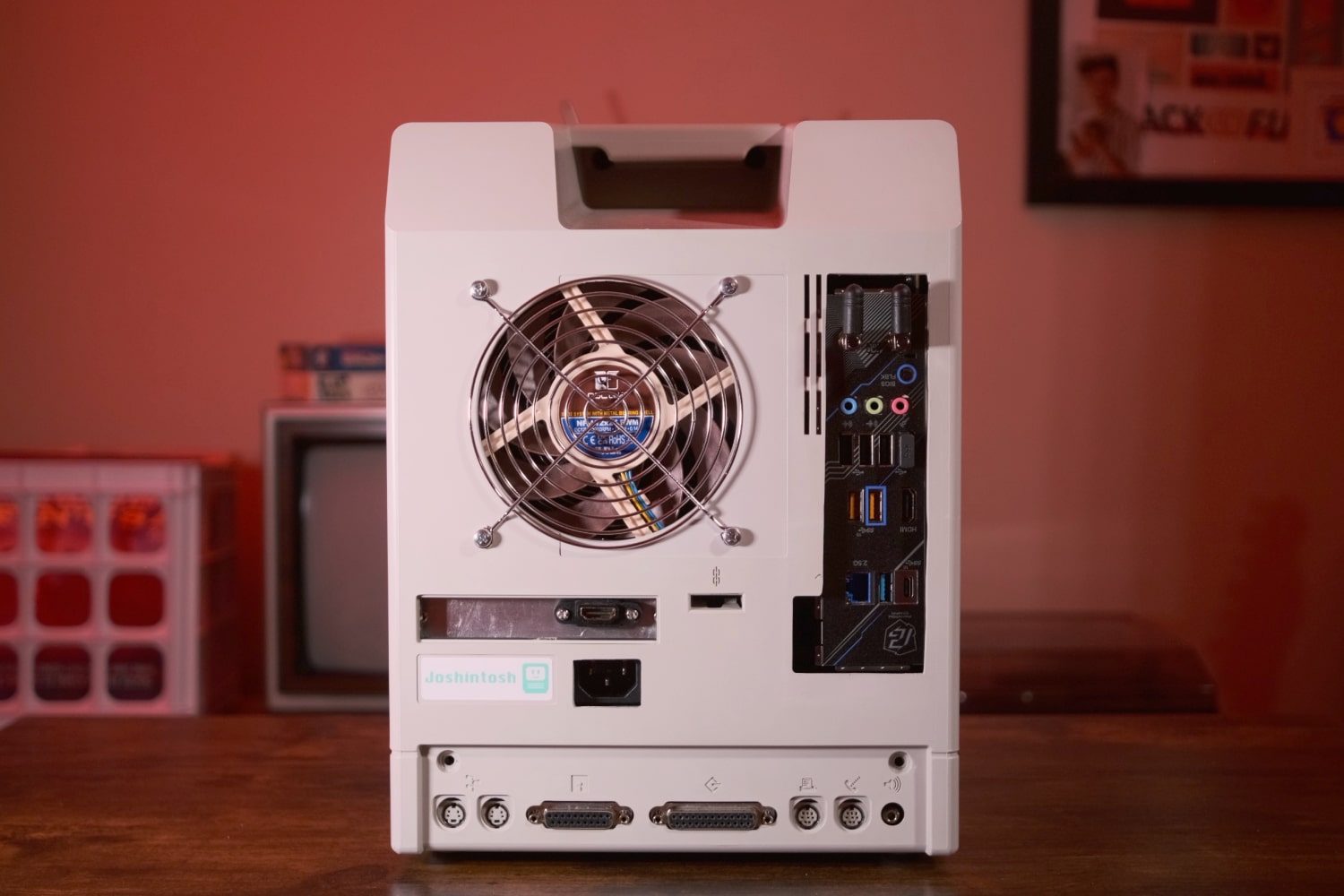
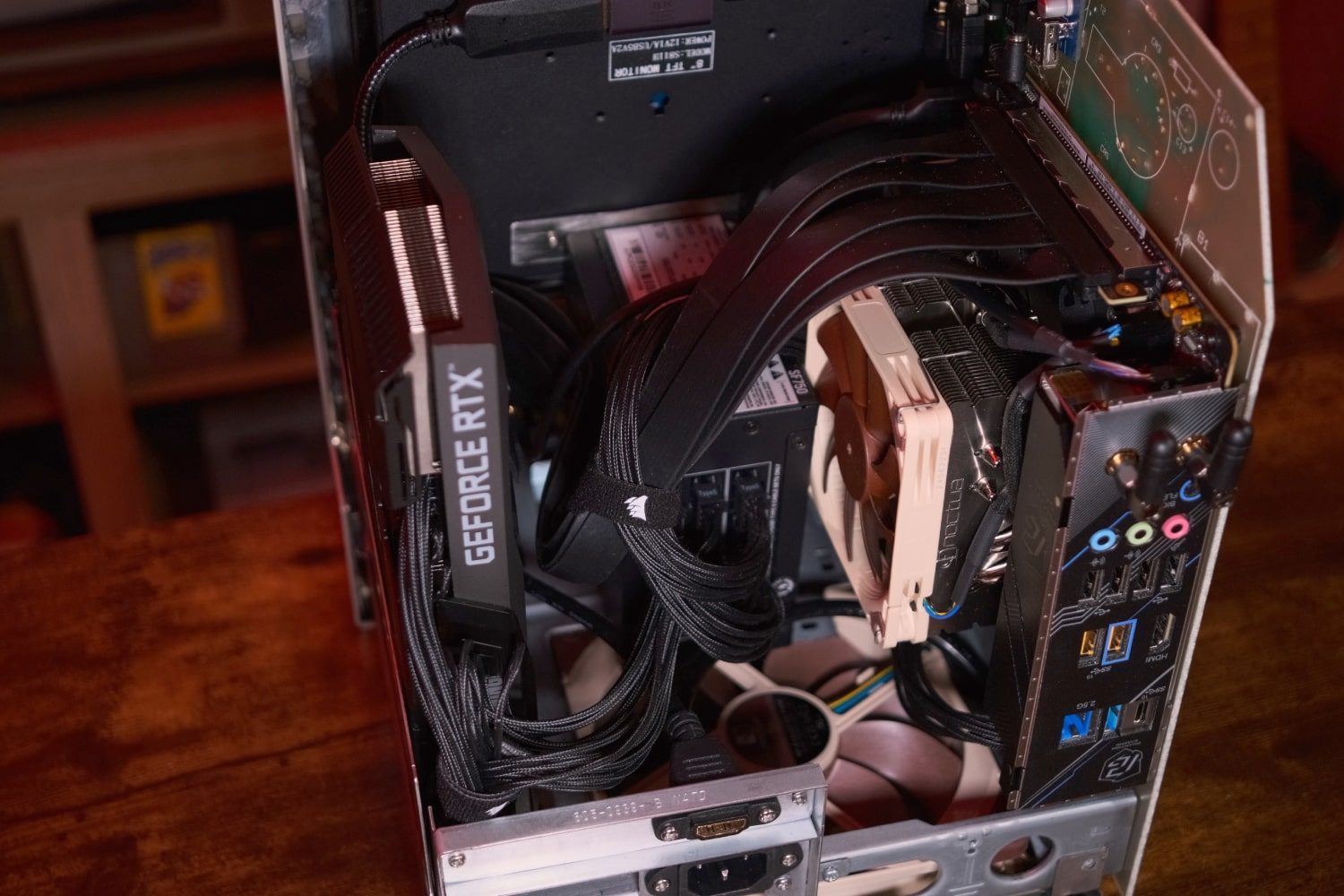
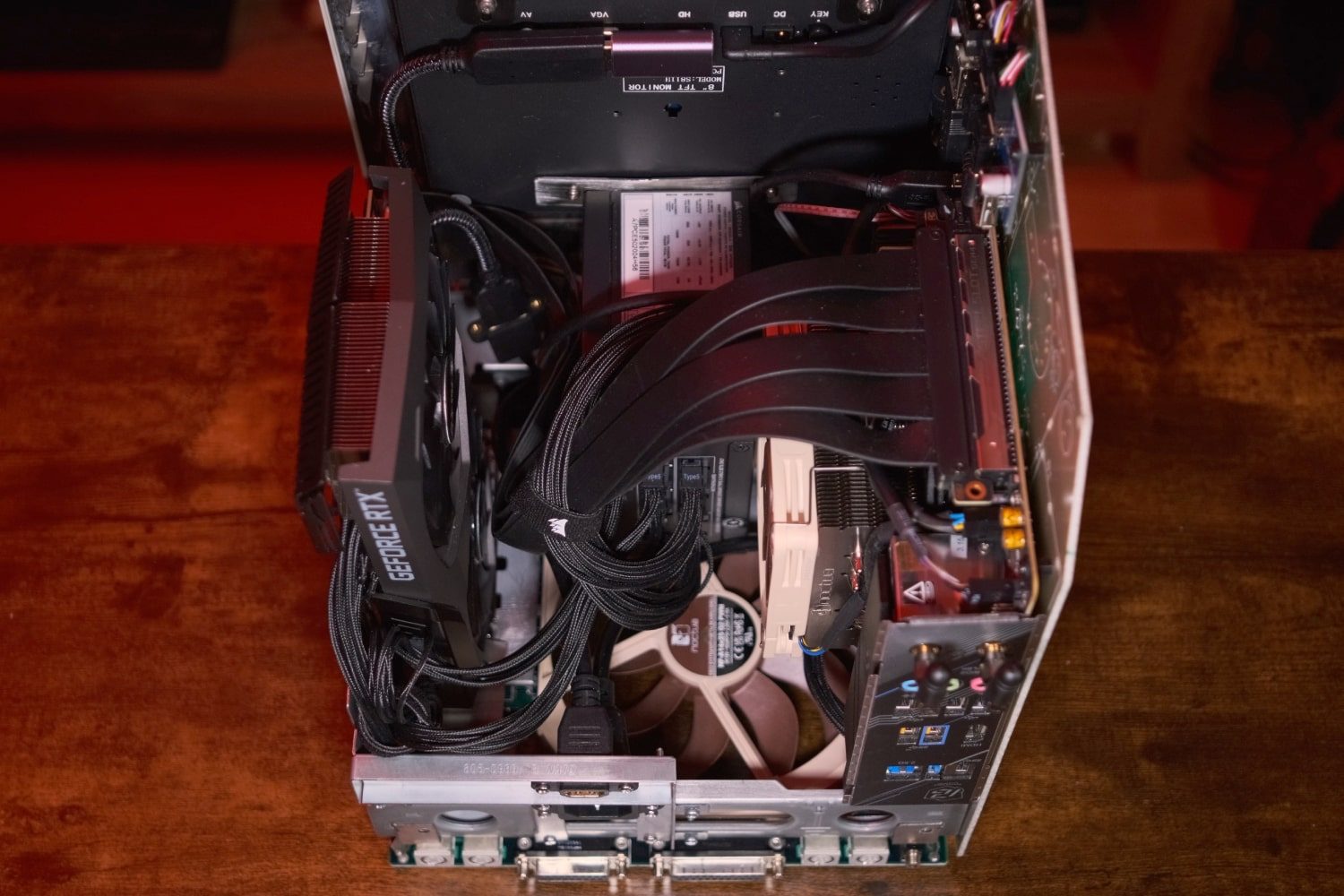
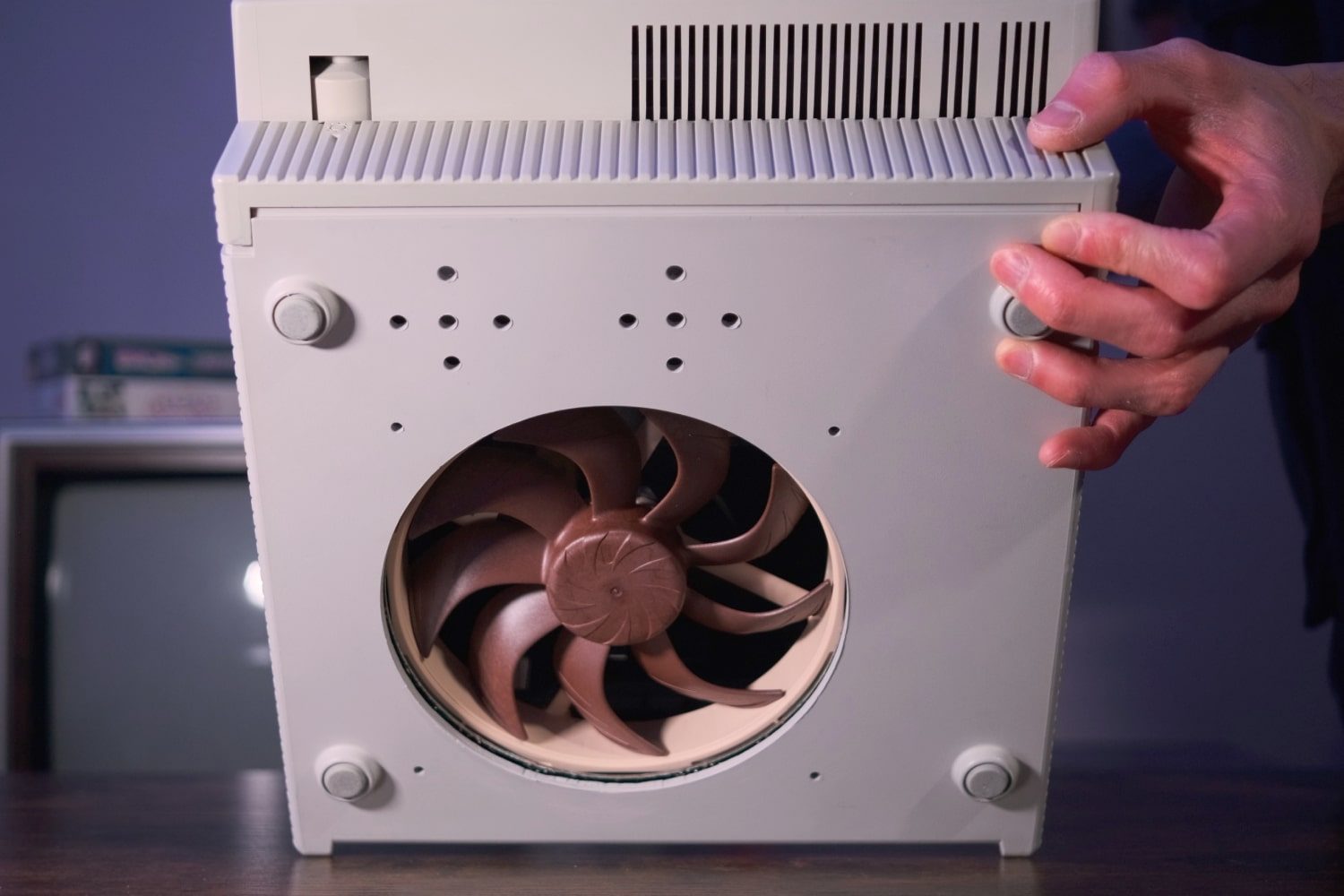
Of course, this being a homebrewed project, the graphics card wasn’t the only fitment issue. “I also crammed [in] other accessories like a screen and speakers,” Greenwalt added, “which took up more room and added their own complications, too.”
Then there were the modifications to the case itself, which required many hours of drilling, cutting, sanding and other adjustments, a process Greenwalt described as “extremely tedious.”
Still, that doesn’t mean that the Joshintosh’s creator couldn’t have a little fun during the build process. If you’ve seen Greenwalt’s video showcasing the computer, you’ll remember the custom face animations he created that work like animated wallpapers on the device. Those were Greenwalt’s favorite part of the build, and “they really brought the computer to life and gave it the personality I was missing in typical PC builds. Watching it smile, nap, and even sweat makes it feel like some sort of giant Tamagotchi pet.”
What’s next?
Despite this being the first old-school Macintosh that Greenwalt had seen in person — and only the second custom PC he had ever built — the Joshintosh gave him a taste for more. “I thought of the idea of doing another similar build in a CRT TV case,” he explained, “or another Macintosh but decked out with high end parts. I could further set it apart by modifying the body more by adding custom grills, a radiator, RGB lights glowing through the vents, some extra custom cyberpunk stylings, and painting it space gray. It would be like a more stylized and powerful Mk2.”
But that didn’t quite hit the spot for Greenwalt. After all, it would mean “dumping more money into another PC I don’t need,” he conceded.
Greenwalt deliberately chose a non-functional Macintosh SE so that he would not “ruin a surviving unit.” After all, there aren’t many of these 40-year-old computers left, and each one taken apart is another one removed from the available stock.
But what if you want to replicate the process and build your own PC inside an old Mac case? Greenwalt worries that his own work will encourage people to buy up the few remaining 1980s Macintoshes that are still working and tear out their guts to be replaced by modern components.
Luckily, he has a plan: “What if I were to 3D print a Macintosh copy, but designed to already naturally mount PC components? That way, anyone can build one of these with minimal extra effort compared to any normal PC case. I could even optimize the layout to fit things in a cleaner way, too.”
That’s all theoretical for now, but Greenwalt notes that his own experience with the Joshintosh and with 3D modeling gives him some solid ground to build upon. Perhaps we could see many more Joshintoshes sitting on people’s desks in the not-too-distant future.