
 Twitter may have hit the ground running with its recent purchase of music startup We Are Hunted and subsequent launch of #Music, but Spotify is definitely not one to sleep on the job when it comes to providing users with well-curated tunes. In a move similar to Twitter’s, the company has decided to acquire Tunigo, a unique music service.
Spotify is already a well-known source for new music and has an expansive app platform; Tunigo was one of their very first partners to join the fold. Deal specifics have not been released, but this buy-out was definitely more about acquiring talent than it was absorbing needed functionality; the most reasonable next step seems to be to have Tunigo’s workforce joining the Spotify ranks and develop the company’s main service, which according to All Things D has 24 million users and 6 million premium subscribers.
Although Tunigo is available on various platforms, we decided to give it a try within Spotify to see what we might be getting more of in the near future.
How it works
After opening Tunigo through Spotify’s App Finder, you immediately gain access to the app’s pre-arranged playlists. You can select any genre or category that fits your mood or theme requirements.

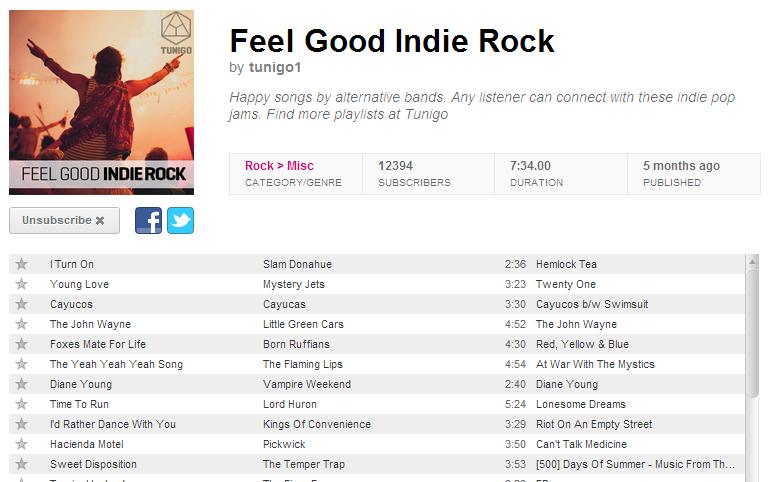
You are then taken to a deeper look of any selected genre, with playlists you can give a listen to. You can sort playlists by date published, duration, user rating, and number of subscribers. Every playlist features an image and title as well as a brief description of what you can expect from the tracks included. When you find one that piques your interest, you can Subscribe right then and there and the playlist will appear on left sidebar of Spotify, listed along with your other existing playlists and subscriptions.

When you click on a playlist, it takes you to an overview that lists all the songs (in case you wanted to have a look before committing to a subscription). It pretty much looks like a list of songs you search on Spotify’s main app. You can share the playlist on Facebook or Twitter.
Think you have a personal playlist that can wow the socks off of other Tunigo users? You can click on Publish Playlist to include your own curation on Tunigo. You can select a Category and Sub Category you want your list to appear in and append a short description and tags to make it easy to locate later on. You may have to log in to your Facebook account to finalize the publishing of your collection.
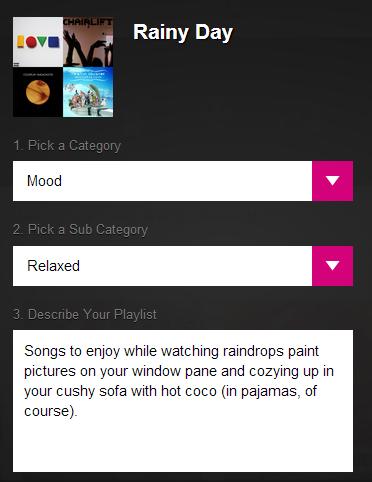
After successfully publishing, you can share your new Tunigo playlist on either Facebook or Twitter so your friends and followers can enjoy it, too.
I just published the playlist “Rainy Day” at Tunigo! #Tunigo open.spotify.com/app/tunigo/pla…
— jam (@MrazGal) May 3, 2013
What’s good
Tunigo has a pretty wide expanse of music category – they basically try to cover every mood and theme you can think of, and is doing a pretty good job at it. Clicking on the Top List category offers you a peak of the most popular playlists in the U.S., the U.K., and Sweden, just in case you wanted to keep up with music trends in other regions. The Decades category is pretty awesome as well, allowing users to take a trip down music memory lane and relive the great tunes of yesteryear.
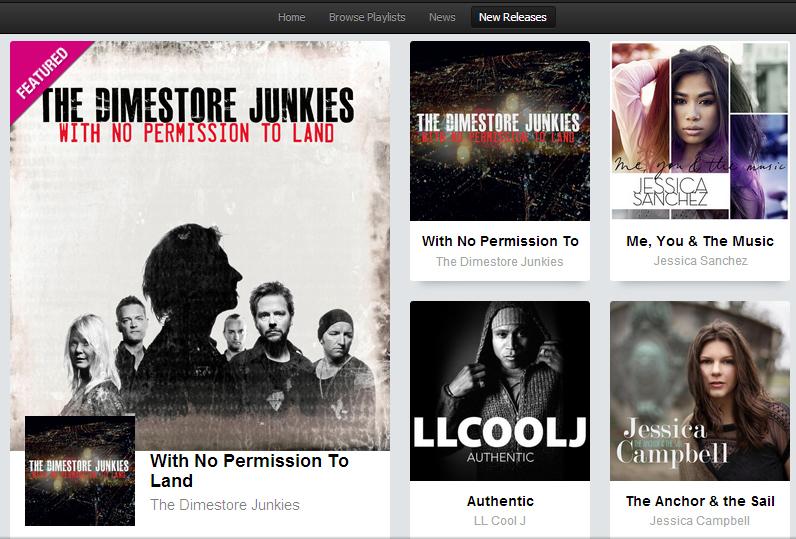
They also have a News section where you can read stories related to the music industry. And for those who are on the lookout for something new to listen to, Tunigo ensures that you can easily keep up with the New Releases tab.
What needs more work
I kind of like the idea of Tunigo transforming into a more social environment that can forge friendships between music lovers. A way for subscribers to suggest tracks to add to someone’s playlist could be an interesting update for Tunigo – and Spotify, for that matter – and might increase usage for both.
Other than that, I really have no complaints. For an app that manipulates Spotify content and enhances music discovery, Tunigo is pretty good. It’s definitely worth a try.


