1. Home
  2. Phones
  3. News

Digital Trends may earn a commission when you buy through links on our site. Why trust us?

Amazon app’s AI eyeballs will scan the world and shop stuff for you

It's basically Google Lens, but solely for Amazon shopping.

Add as a preferred source on Google
Shopping with Amazon Live Lens.
Amazon

Amazon wants to make it more convenient for you to spend money on its online shopping platform, making it as easy as pointing your phone’s camera at any object around you and finding it listed online. You can even ask the onboard AI details about the product, so that you can make an informed decision before hitting the order button.

What’s new for Amazon shopping?

The new Amazon tool is called Lens Live, which builds atop the foundations of Amazon Lens. The big difference is the generative AI chops at the heart of this tool, which is now better equipped at detecting objects and matching them against a database of items currently on sale via Amazon.

Recommended Videos

“When customers with Lens Live open Amazon Lens, the Lens camera will instantly begin scanning products and show top matching items in a swipeable carousel at the bottom of the screen, allowing for quick comparisons,” says Amazon.
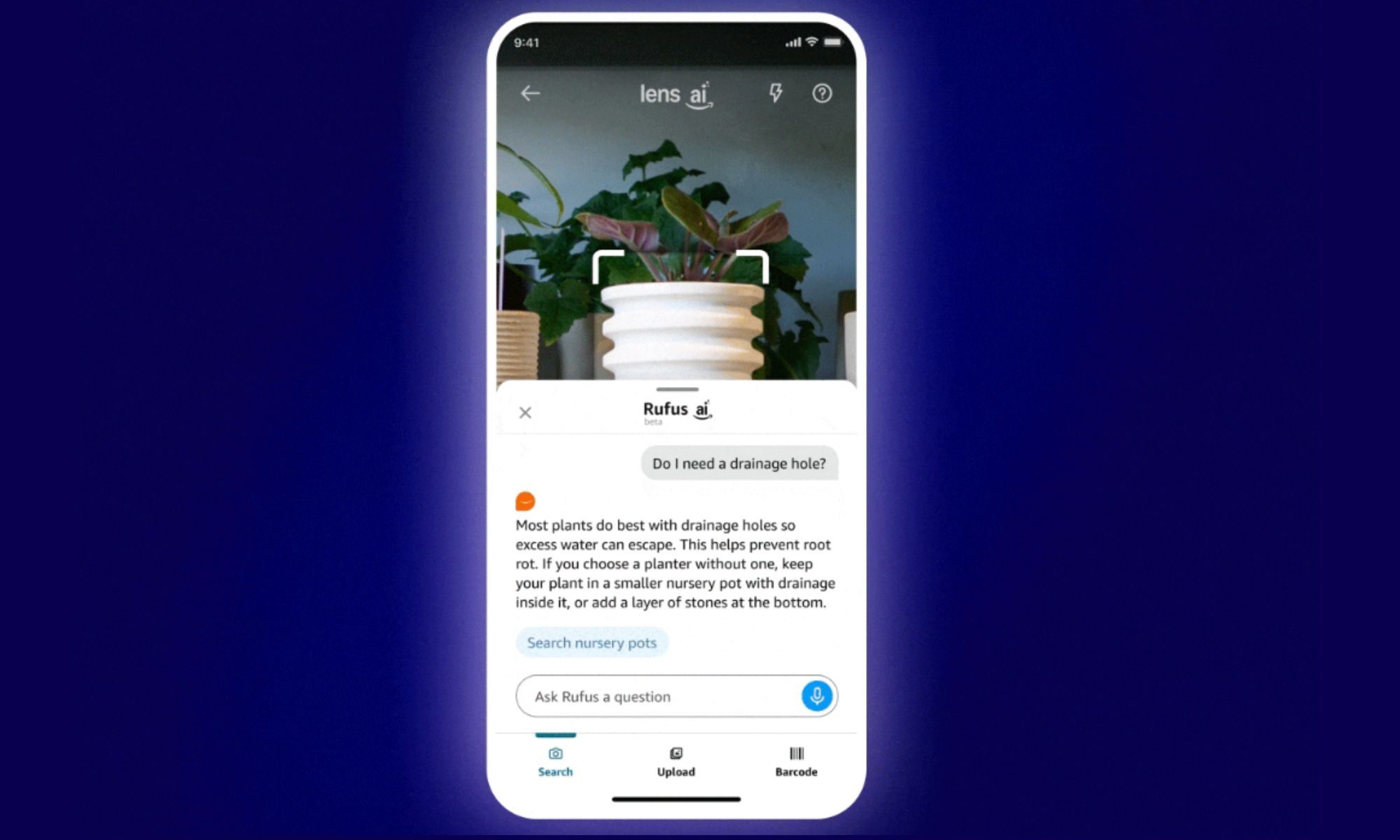
The company is rolling out the new tool to millions of users in the US, starting with the iOS app, and plans to expand its availability in the months to follow. All you have to do is open the Amazon app, tap on the camera icon in the search bar at the top, and launch the camera scanner view.

How it works?

Lens Live comes with enhanced object recognition chops, so that when users open the camera view and tap on an object, its outline is automatically detected and it is subsequently scanned against Amazon’s inventory of identical or similar items.

As soon as a match is found, the product listing card appears in the bottom half of the screen. If there are multiple matches, you can scroll past the card carousel and pick the one that you like. These cards also feature a “+” button so that you can directly add those items to the shopping cart.

Additionally, you can ask the Rufus AI shopping assistant to describe the product’s core details in brief and clarify any doubts. In fact, the whole conversational experience is powered by the in-house Rufus LLM and takes an approach similar to that of Apple’s Visual Intelligence and Google’s Gemini Live with screen sharing.

Nadeem Sarwar
Nadeem is the Managing Editor at Digital Trends.
The iPhone 18 Pro just leaked through a factory drop test, and Apple cannot be thrilled
Next Pro iPhone just fell out of Apple's secret vault
iPhone 18 Pro revealed in a massive leak

Most iPhone leaks are predictable. You'll see a case show up or an early leak showcase the mold of the upcoming iPhones. But the leak this time around is a bigger deal, since it has basically just revealed the device as it's being tested.

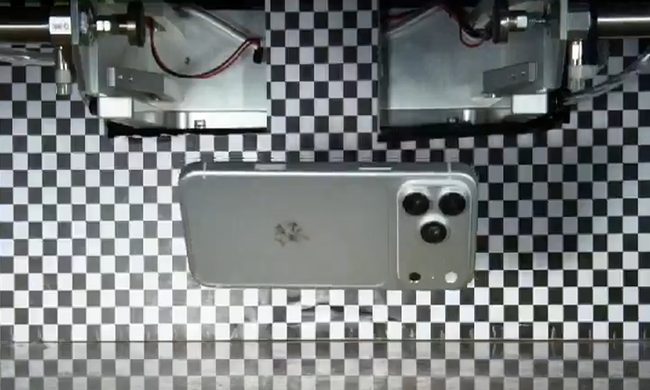
A new post from leaker Ice Universe claims to show the iPhone 18 Pro undergoing a drop test. The clip itself is short, but it gives us a proper look at an unreleased Pro iPhone in a controlled test environment. This reveals that it is durable enough to handle a basic fall, though the thickness is still surprising, and the weight is still unknown.

Read more
Leaked cases give us the clearest look yet at Samsung’s upcoming foldables
Electronics, Mobile Phone, Phone

Samsung's annual Unpacked event is just around the corner, and the company is set to take the wraps off its new foldables in July. We are expecting the Galaxy Z Fold 8, the Galaxy Z Fold 8 Wide that will compete directly with the iPhone Fold, and the Galaxy Z Flip 8 to take center stage. Ahead of the big day, a fresh batch of leaked cases, courtesy of Android Headlines, has given us our best look at these phones.

What do the cases tell us about the Fold 8 and Fold 8 Wide?

Read more
I tried a hidden video trick in iOS 27, and it saved me a ton of frustration
Better quality, smaller file size, and no status bar. iOS 27's video frame feature beats screenshots on every count.
Electronics, Mobile Phone, Phone

If you've ever been on vacation and chose to record video instead of taking photos only to avoid missing the fun moments, thinking you’d pause and take screenshots later, you might have ended up questioning your decision later. 

You see, the process involves multiple steps, starting from hunting for the right frame, pausing, and taking a screenshot. If it doesn’t look good, you go back to the video, pause somewhere else, and try taking another screenshot. You see where I’m going with this?

Read more