1. Home
  2. Phones
  3. News

Google Meet’s new waiting room feature lets you control who enters and when

Finally, you decide when the meeting starts, not the early joiners.

Add as a preferred source on Google
google-meet
Rubaitul Azad / Unsplash

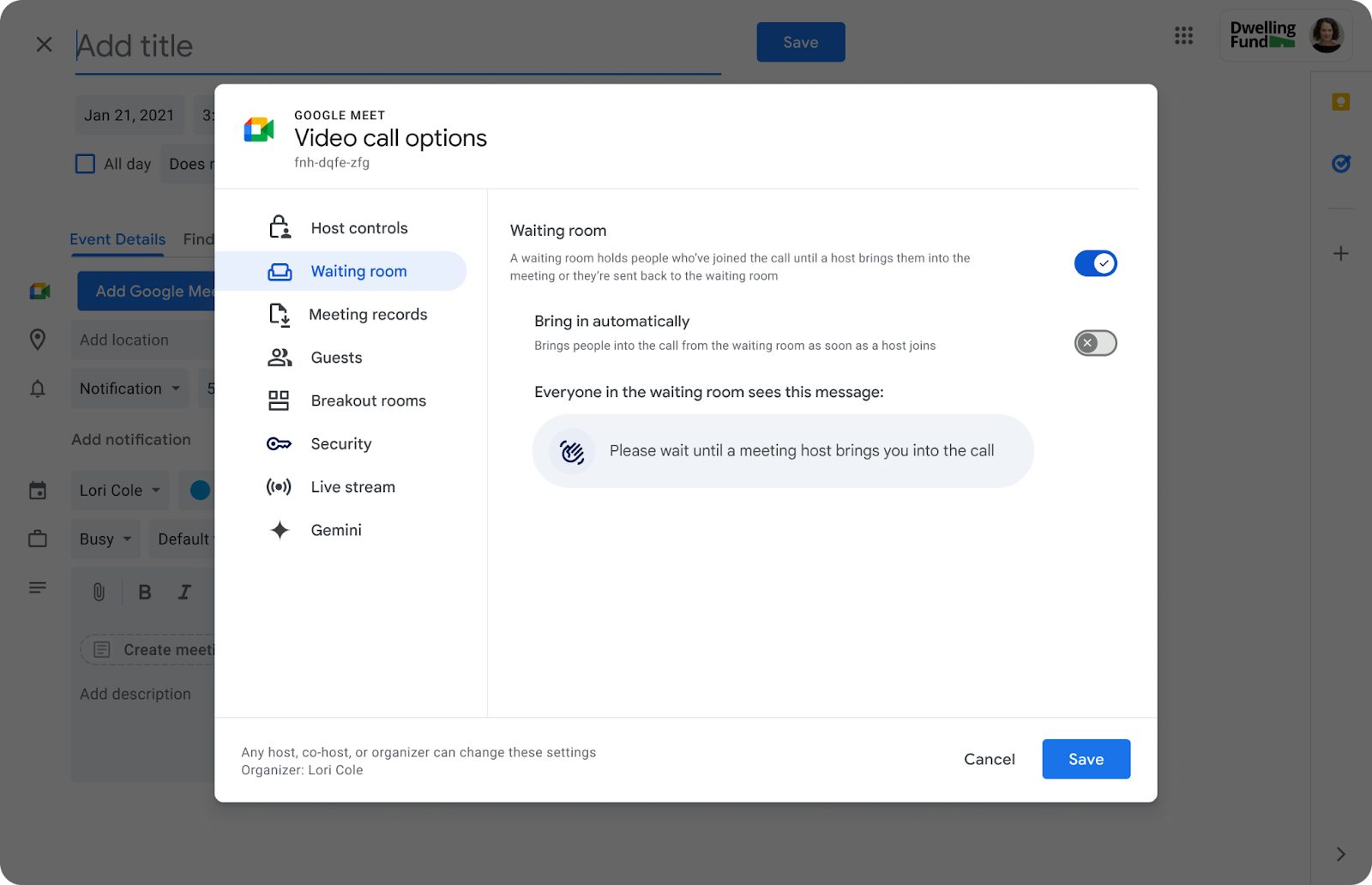
What’s happened? Google is rolling out a new waiting room feature for Google Meet to give hosts more control over who enters the meeting and when. The update introduces a virtual holding area where attendees can wait until the host decides to let them in (or not). Here are the key features:

  • Hosts or co-hosts can enable a waiting room before the meeting starts.
  • Attendees can be admitted or denied entry from the waiting room.
  • One-way announcements can be sent to waiting participants, which is useful for quick updates or reminders.
  • Existing participants in a meeting can also be moved back into the waiting room if needed.
The feature has already begun rolling out and will gradually become available to users over the next couple of weeks to Business Standard/Plus, Enterprise Standard/Plus/Essentials, Education Plus, the Teaching and Learning add-on, and Workspace Individual subscribers.

Recommended Videos

This is important because: Google Meet has been rolling out a series of impressive upgrades lately, including an AI-powered makeup feature that helps users look camera-ready instantly. Now, it might sound like a small addition, but for anyone managing busy or sensitive meetings, the new waiting room upgrades how hosts manage privacy and preparedness, especially in sensitive settings.

  • Hosts can prepare in private before letting others in, which is ideal for interviews, board meetings, or parent-teacher meetings.
  • It adds a layer of security, keeping unwanted participants or disruptions at bay.
  • For workspace admins, the feature is off by default but can be turned on at the domain, group, or organizational unit level

Why should I care? If you use Google Meet for work, classes, or client calls, this update gives you a smarter way to manage your space.

  • No more awkward moments when someone joins mid-prep; you decide when the meeting begins.
  • With Google Meet finally adding its own waiting room, users have one more option other than Zoom’s ‘waiting room’ or Microsoft Teams’ ‘lobby’ features to manage who joins their meetings.
Manisha Priyadarshini
Manisha Priyadarshini is a tech and entertainment writer with over nine years of editorial experience.
The dream of uber cheap phones for kids and grandparents is effectively dead, thanks to AI
AI's demand for memory chips has made budget smartphones unprofitable to build.
Electronics, Mobile Phone, Phone

That $100 phone you were going to grab for your kid's first device, or hand down to grandma, could become a dream in a while. AI's hunger for memory chips just made the entire budget phone category borderline impossible to build.

So how bad are we actually talking?

Read more
Apple’s new Upgrade program launches on Tuesday with major changes
Apple's new leasing program might drop AppleCare coverage from the bundle.
iPhone 17 Pro Max

Buying your next Apple device could soon look like leasing a car. Apple is launching its new Apple Upgrade program on Tuesday, July 28, replacing new enrollments in the long-running iPhone Upgrade Program with a lease-based option that covers iPhones, iPads, Macs, and Apple Watches.

Backed by Klarna, the program is designed to lower the upfront cost of Apple's premium devices, but it is also raising questions about whether you'll actually own what you're paying for.

Read more
Setting up your dorm desk? These are the phone stands I’d actually spend my money on
From a $2 folding stand to a three-in-one Apple charging dock, these are the phone stands worth setting up this semester.
Analog Clock, Clock, Electronics

A phone stand is one of the smallest purchases on any back-to-school list, but it's also one of the easiest to get wrong, especially since there are dozens of options available on Amazon. A good phone stand is one that does its job well and, more importantly, doesn't put much of a dent in your budget.

This is one of those product categories where you don’t need to spend big, unless a MagSafe dock or a multi-device charging stand is genuinely useful for your desk or dorm setup. That is why this list begins with the most affordable options and works its way up to the more expensive ones. From a two-pack that costs about as much as a coffee to a three-in-one Apple charging station, I picked eight of Amazon's best-reviewed phone stands worth considering this back-to-school season.

Read more