1. Home
  2. Computing
  3. News

Meta brings Manus AI agent to your Windows PC and Mac for automating tasks

My Computer is an AI agent that can sort files, run apps, and send emails for you

Add as a preferred source on Google
manus-ai-my-computer-agent
Manus AI Manus AI

Meta’s recently acquired AI startup Manus has launched a desktop app for Mac and Windows. It brings an agentic tool called My Computer, where you can type what you want and have it carry out tasks across files, tools, and apps on your PC.

Today, we’re taking Manus out of the cloud and putting it on your desktop.

Introducing My Computer, the core feature of the new Manus Desktop app. It’s your AI agent, now on your local machine. pic.twitter.com/OaWU4imk3Q

— Manus (@ManusAI) March 16, 2026

How Manus’s My Computer automates your everyday tasks

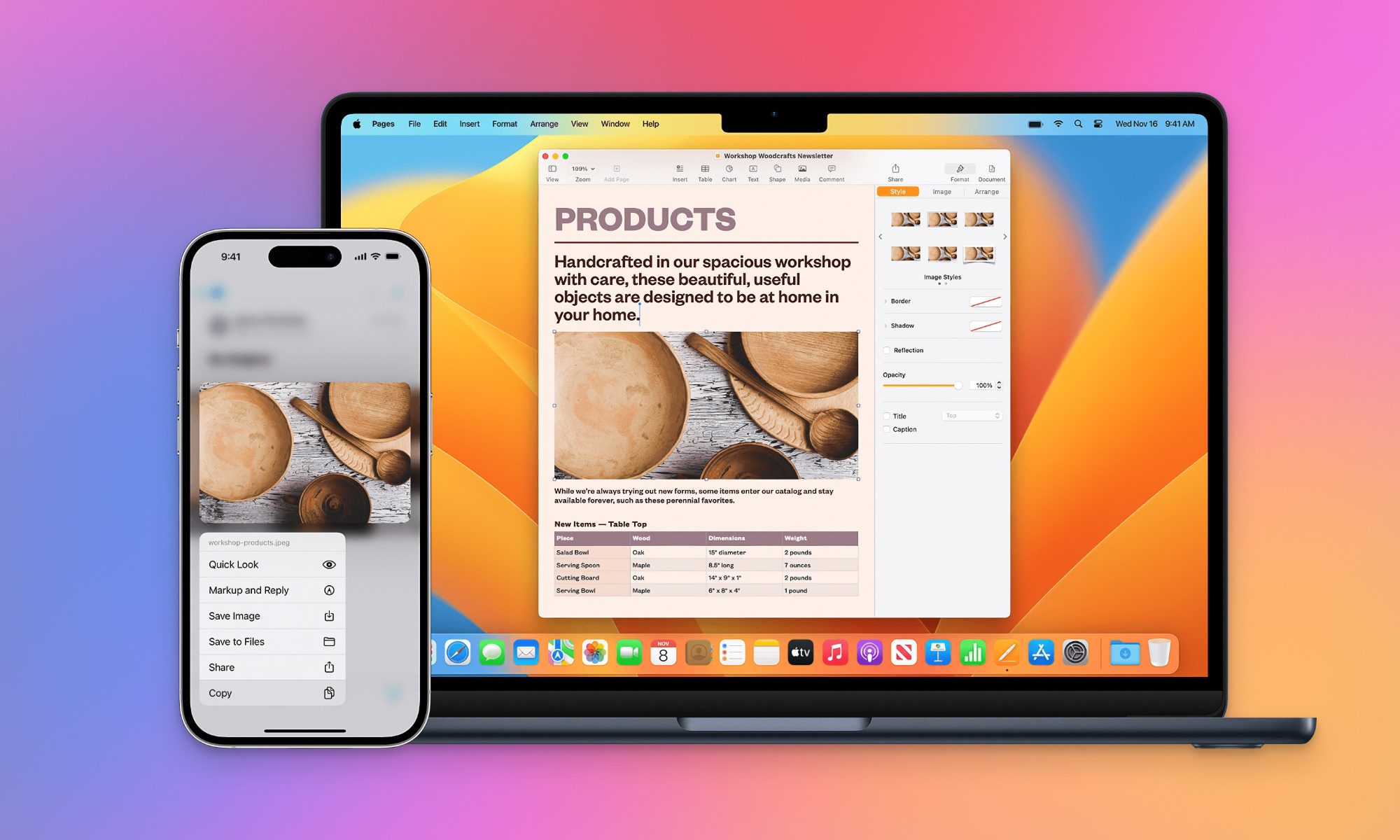
When you open the app, it looks like a chatbot interface with a prompt box and options to attach files or folders. You can drop a folder and ask it to organize everything for you.

The agent scans your files, understands what is inside them, and then acts on your system using command line instructions. That is how it creates folders, moves files, and organizes everything automatically.

Recommended Videos

In one example shown by Manus, a florist uploads thousands of unsorted photos and asks the AI to sort them into categories like bouquets, bridal flowers, and decorations. The AI scans the files, understands what each image shows, and sorts them into organized folders within minutes.

You can also connect Google apps and ask it to take actions across services. For example, the AI agent can fetch a file from your desktop and email it to someone while you are away.

My Computer can also build apps or use your local GPU to run automated tasks. However, every action needs your approval, so you stay in control of what Manus can access.

Where Manus stands next to OpenClaw and Perplexity’s Personal Computer

When Meta acquired Manus last December, it worked only on the cloud. Now it runs directly on your computer where your work happens. The free plan gives limited access, while paid plans start at $20 a month or $17 annually.

However, Manus AI is entering a space that is already heating up thanks to OpenClaw. Both AI agents can now run directly on your computer instead of the cloud.

OpenClaw (formerly known as Clawdbot or Moltbot) is free and open-source, which gained rapid attention and sparked wider interest in agentic AI. Although experts warn that such tools can raise privacy and security concerns.

Manus, on the other hand, is a paid service and is being positioned as a more polished product under Meta. Perplexity is pushing a similar idea with its Personal Computer agent, which can handle entire workflows if you let AI take over everyday tasks across your system.

All of this leaves you with a clear choice. Do you go with a free, open setup that gives you more control, or a paid tool that is easier to use but comes with trade-offs?

Which one works for you depends on how much control you want and how much you are willing to trust an AI with your system.

Manisha Priyadarshini
Manisha Priyadarshini is a tech and entertainment writer with over nine years of editorial experience.
Deepfake bosses are crashing video calls, and researchers are trying to expose them
Seeing your boss on video no longer proves they are real
Researchers at Fraunhofer SIT are fighting against deepfake meeting video calls

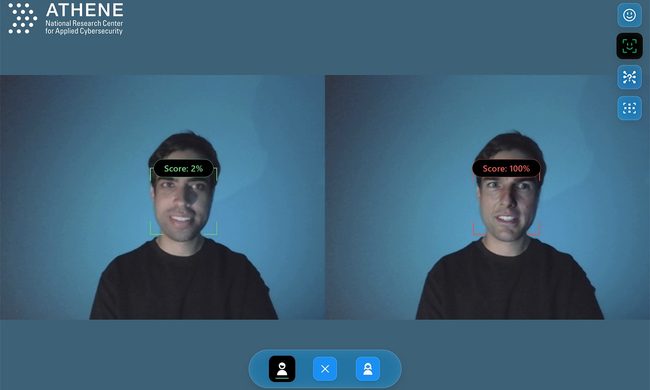
Entering into a meeting with your boss and several familiar coworkers inside a video conference is the next area vulnerable to cybercrimes, and it's all because of deepfake technology. Researchers at the Fraunhofer Institute for Secure Information Technology SIT are working on a real-time warning system designed to identify attempted fraud during corporate video conferences.

The report states that criminals are increasingly targeting video meetings for identity theft and financial scams, taking advantage of the trust people place in familiar faces and voices. The intention is to flag suspicious activity while the meeting is still taking place. This gives an employee a chance to stop before following an expensive instruction from an AI-generated executive.

Read more
Apple will finally stop making iPhone-to-Windows copy-paste such a chore
Your iPhone may finally copy and paste with a Windows PC like it should
Apple Universal Clipboard feature

Copying something on an iPhone and pasting it onto a Windows PC should be one of the least remarkable features imaginable. While this simple process seems effortless between an iPhone and Mac, Windows users are still left waiting.

Now, Microsoft is formally asking Apple to provide interoperable clipboard access through the company’s European Union interoperability process. The request, submitted on March 25, argues that iOS restrictions prevent third-party platforms from creating an experience comparable to Apple’s Universal Clipboard. Apple has now reached Phase III and committed to developing a solution.

Read more
Chrome wants more extension reviews, but good ratings won’t keep malware out
Google is testing built-in extension review prompts, but good ratings can still hide malware
malicious-google-chrome-extensions-on-web-store

Google is preparing to add extension review links directly inside Chrome, putting feedback closer to the menus people already use to manage their add-ons.

A Chromium change, first spotted by Windows Report, points to review options in the Extensions menu, the chrome://extensions management page, and extension context menus. Only eligible Chrome Web Store extensions in good standing would qualify, and the feature is still under development.

Read more