  1. Home
  2. Phones
  3. News

Your iPhone is getting smarter: Here’s what Apple Intelligence can do in iOS 27

Add as a preferred source on Google
Electronics, Mobile Phone, Phone
Apple

Apple has been steadily building out Apple Intelligence since its debut, and iOS 27 could be the most ambitious update to that effort yet. Backend code discovered by developer Nicolás Alvarez, later confirmed by MacRumors, points to at least four new AI-powered features coming to system apps. None of this is official yet, but the breadcrumbs are pretty convincing.

Visual intelligence is getting smarter

Two of the four features expand what Visual Intelligence can do, which tracks where Apple is reportedly headed with its hardware. The company is said to be developing AI wearables, including smart glasses, camera-equipped AirPods, and an AI pin or pendant. All of those products would rely heavily on Visual Intelligence, so it makes sense that Apple is investing in the feature now.

The first addition would let you point your camera at a food nutrition label and pull up detailed information, with a likely integration with the Health app. The second would recognize printed phone numbers and addresses and offer to save them directly to your Contacts. Apple already does something similar with calendar dates, so extending that same logic to contact information is a natural next step.

Wallet is about to get a lot more capable

The Wallet app looks set to gain the ability to generate digital passes by scanning physical cards and tickets. For your gym membership cards, event tickets, loyalty cards, and similar items. Google Wallet on Android has offered comparable functionality for a while now, so Apple is catching up rather than breaking new ground, but it’s still a feature that many iPhone users will find useful day to day.

Safari will name your group tabs for you

Anyone who uses Tab Groups in Safari and has stared blankly at an unnamed group full of random tabs will appreciate this one. iOS 27 reportedly includes a feature that automatically generates a name for a Tab Group based on what’s actually open inside it. It’s exactly the kind of low-friction AI assist that makes a product feel more thoughtful.

What we don’t know yet

It’s worth being upfront that all of this comes from code strings, not an official announcement. The features could work differently in practice, could be delayed to a point update, or could be cut entirely before release. That said, Apple is known to be working on a more capable version of Siri for iOS 27 with deeper system-wide integration, and these features fit neatly into that direction.

Apple will officially show off iOS 27 at WWDC in June, with a public launch expected in September alongside the new iPhone lineup. We’ll know a lot more then.

Shimul Sood
Shimul is a contributor at Digital Trends, with over five years of experience in the tech space.
Setting up your dorm desk? These are the phone stands I’d actually spend my money on
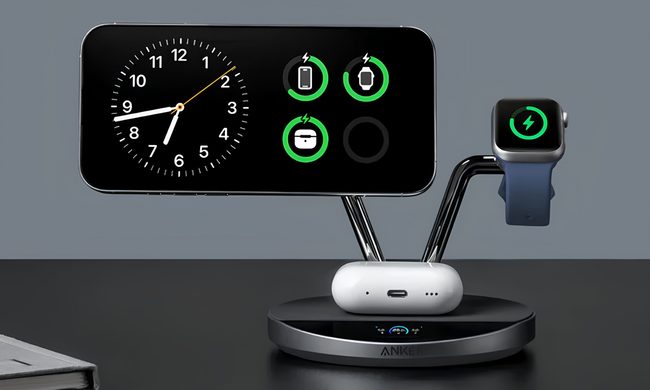
From a $2 folding stand to a three-in-one Apple charging dock, these are the phone stands worth setting up this semester.
Analog Clock, Clock, Electronics

A phone stand is one of the smallest purchases on any back-to-school list, but it's also one of the easiest to get wrong, especially since there are dozens of options available on Amazon. A good phone stand is one that does its job well and, more importantly, doesn't put much of a dent in your budget.

This is one of those product categories where you don’t need to spend big, unless a MagSafe dock or a multi-device charging stand is genuinely useful for your desk or dorm setup. That is why this list begins with the most affordable options and works its way up to the more expensive ones. From a two-pack that costs about as much as a coffee to a three-in-one Apple charging station, I picked eight of Amazon's best-reviewed phone stands worth considering this back-to-school season.

Read more
I picked four wireless chargers so you can stop making your iPhone, AirPods, and Apple Watch fight over one dorm outlet
The best back-to-school wireless chargers for dorm desks, study spaces, and travel
Computer, Electronics, Laptop

A dorm-room desk can disappear surprisingly quickly beneath a laptop charger, phone cable, Apple Watch puck, and the growing collection of adapters required to power them all. Add textbooks and other academic materials, and finding enough room to study becomes the first assignment of the semester.

A wireless charging stand can consolidate several of those cables into one station. It also gives your phone a dedicated place to sit, which helps when you are checking the time or watching a lecture. Every charger here still needs one connection to the wall. So finding a peripheral that works with all of your gadgets isn't just convenient, it's smart. I picked four models ranging from an inexpensive two-device stand to a fast 25W wireless charger capable of powering an entire Apple setup.

Read more
Your backpack needs one of these power banks before classes start
I picked 4 power banks that can survive your longest day on campus
Anker Nano 3-in-1 10,000mAh portable power bank for iPhone.

Finding an empty outlet on campus can require more patience than registering for a popular class. Common spaces like libraries or lecture halls rarely have sockets in the right places. So a good power bank gives you far more freedom. It gives you the option to choose the quiet corner of the library, work outside between classes, or even finish an assignment without worrying about your laptop's battery.

The right model depends on what you carry, since a phone needs far less power than a MacBook or gaming laptop. I picked four Anker power banks that cover everything from everyday phone charging to running several demanding devices at once.

Read more
