  1. Home
  2. Computing
  3. News

Windows 11 is finally addressing key annoyances with the universal Search system

Partial terms now surface compound file names anywhere they appear, not just at the start.

Add as a preferred source on Google
Windows 11 Laptop
Microsoft
Nvidia CEO showing the RTX 4060 Ti at Computex 2023.
This story is part of our coverage of Computex, the world's biggest computing conference.

If you have ever typed a file name into Windows Search but stopped midway because you only remembered part of it, Microsoft has something for you. 

In its latest Windows 11 Insider Preview build, Microsoft has added a focused but genuinely useful improvement to the way Windows Search finds your files. It is one of those fixes that makes me wonder why it took so long. 
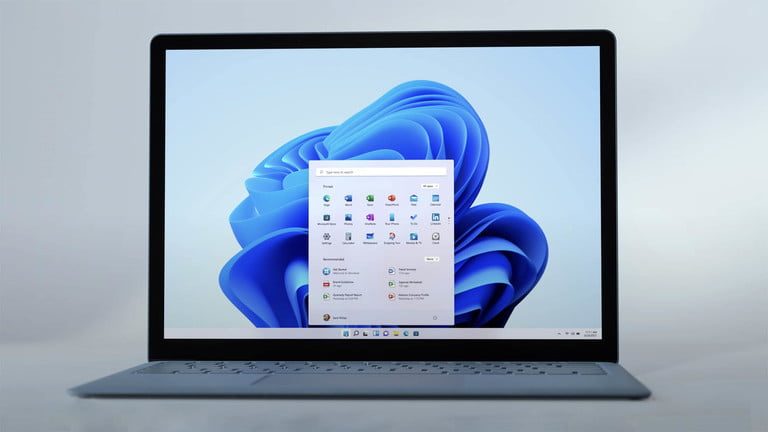
What is Search by Substring and why does it matter?

Released on May 29 to both the Experimental and Beta channels, the new feature is called Search by Substring, and what it does is quite simple. 

Recommended Videos

Previously, looking for a file in Windows required you to enter the beginning of its name. So, typing “april” would not surface a file called MeetingNotesApril, simply because Windows was not looking inside more complex file names. 

Search by Substring changes that for good. Type “april” and Windows will now return files whose names contain that string anywhere, whether at the start, end, or middle. 

The same applies to content within files. Type “status” and a document called ProjectStatusReport becomes discoverable immediately.

Is this actually a big deal?

For anyone who stores files with descriptive compound names, people working in documents, project folders, or any kind of organized file system, yes, the new Search by Substring feature surely is a big deal. 

The old behavior forced you to remember exactly how a file started, which is not how human memory works, added comma before. This is a small fix with a a disproportionately large quality-of-life impact.

The Search by Substring improvement is available in the Experimental channel with Build 26300.8553 and in the Beta channel with Build 26220.8544. In the same build, Microsoft has added Start menu improvements including section-level toggles, a renamed Recommended section now called Recent, and size options for the Start menu itself.

Shikhar Mehrotra
For more than five years, Shikhar has consistently simplified developments in the field of consumer tech and presented them…
Shopping for a Back-to-school laptop? These are the laptops I’d recommend
Whether it's lectures, late-night assignments, or streaming after class, these laptops are built to make the next few years a little easier.
Best laptops for back to school 2026 featuring Apple 2026 MacBook Neo

A laptop is probably the one purchase that'll have the biggest impact on the school year. It'll be there for lectures, late-night assignments, group projects, Netflix binges, and everything in between. The trick is finding one that fits both the workload and the budget. After narrowing down the options, these are the five laptops I'd actually recommend for Back-to-School, whether the priority is getting the most value, joining the Apple ecosystem, or investing in a machine that'll comfortably last through graduation.

Acer Chromebook Plus 515

Read more
These are the compact printers I’d actually recommend for back-to-school
From dorm room paperwork to instant selfie prints, there's a tiny printer for every need.
Computer Hardware, Electronics, Hardware

Everything is digital until the one professor who still wants a printed essay, or the lease you need to sign in ink, or the photo you want to stick on your dorm room’s wall. That's usually the exact moment you remember you don't own a printer anymore, and the nearest one is a library machine with a line out the door.

I looked at four compact printers that solve that problem without taking over your desk and breaking the bank. Two are built for documents, one is a proper all-in-one for actual home office work, and one has nothing to do with homework and everything to do with turning your camera roll into something you can hold.

Read more
Shopping for back-to-school? These are the webcam lights I’d actually turn on before a Zoom call
From a budget clip light to a proper desk setup, there's a webcam light here for every price.
Head, Person, Face

Between online classes, group project calls, and the occasional job interview over Zoom, your webcam will be doing a lot more heavy lifting in school than it ever did at home. The problem is that most laptop cameras are bad in low light, and a single overhead bulb or a window behind you turns every call into a game of "wait, can you see me okay?"

A good webcam light fixes that faster than moving your whole desk around. I picked five, starting with the most affordable and working up to the one that's genuinely overkill for a Zoom call but still worth knowing about.

Read more

