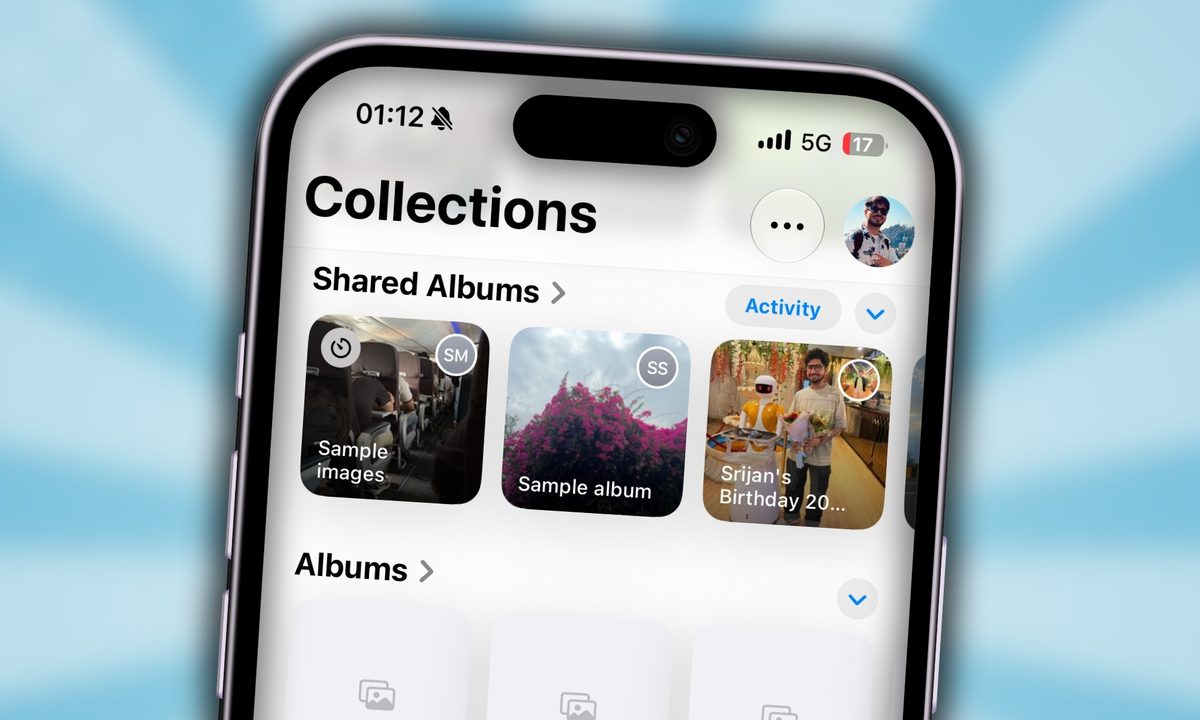
It has been a year since I uninstalled Instagram from my phone and reclaimed about two hours of my time every day. I was tired of seeing what random people were up to on the weekend, how I was still filing articles on a Sunday, and quietly getting jealous of people I don’t even know.
What I’d rather have any day is a place to share and relive moments with people I genuinely care about, without an algorithm, strangers, or the dopamine trap. Oddly enough, iOS 27’s Photos App comes with an overhauled Shared Albums that is exactly that. Ever since I started using it, I haven’t looked back.
The social layer changes everything
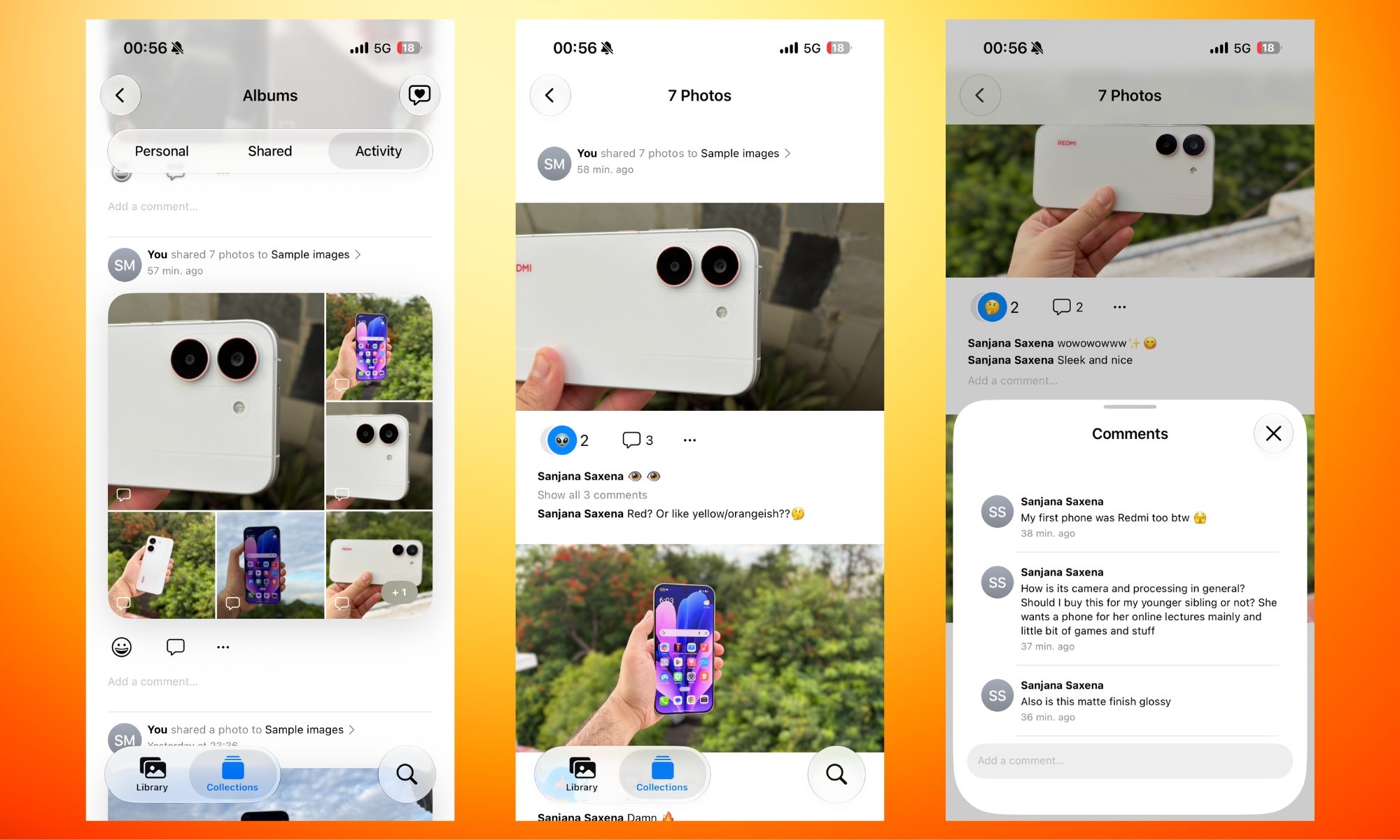
The feature has always existed in iOS, but it always felt like an unfinished draft rather than a well-thought-out addition. Apple completely reworked it with iOS 27, and the social layer alone has been a revelation for me.
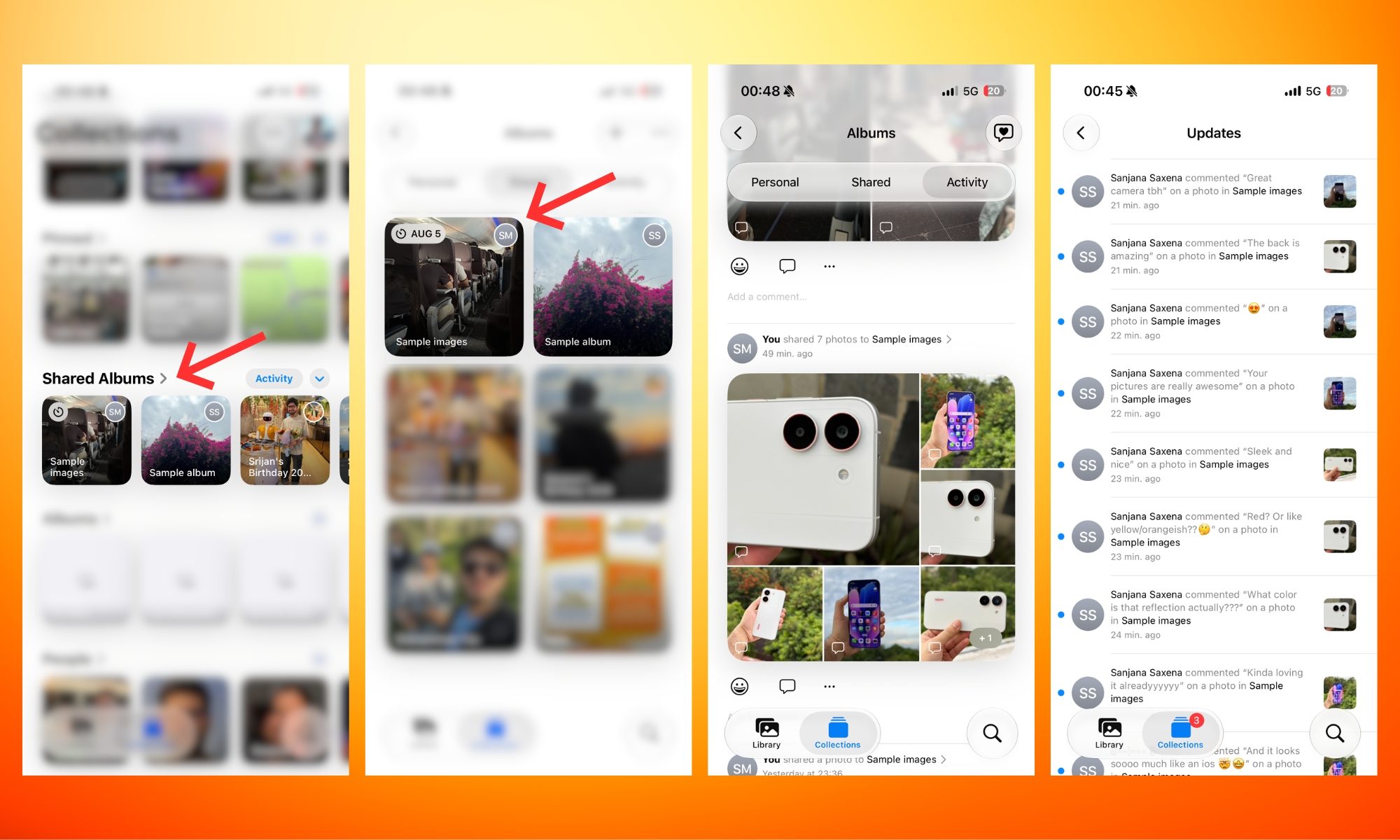
There’s a live activity feed so you can see what’s been added and when, keep tabs on when your friends or family members upload new photos, and even call them out if they try to convince you they dumped them two days ago. Low-key, that’s my favorite part.
The little reactions that matter
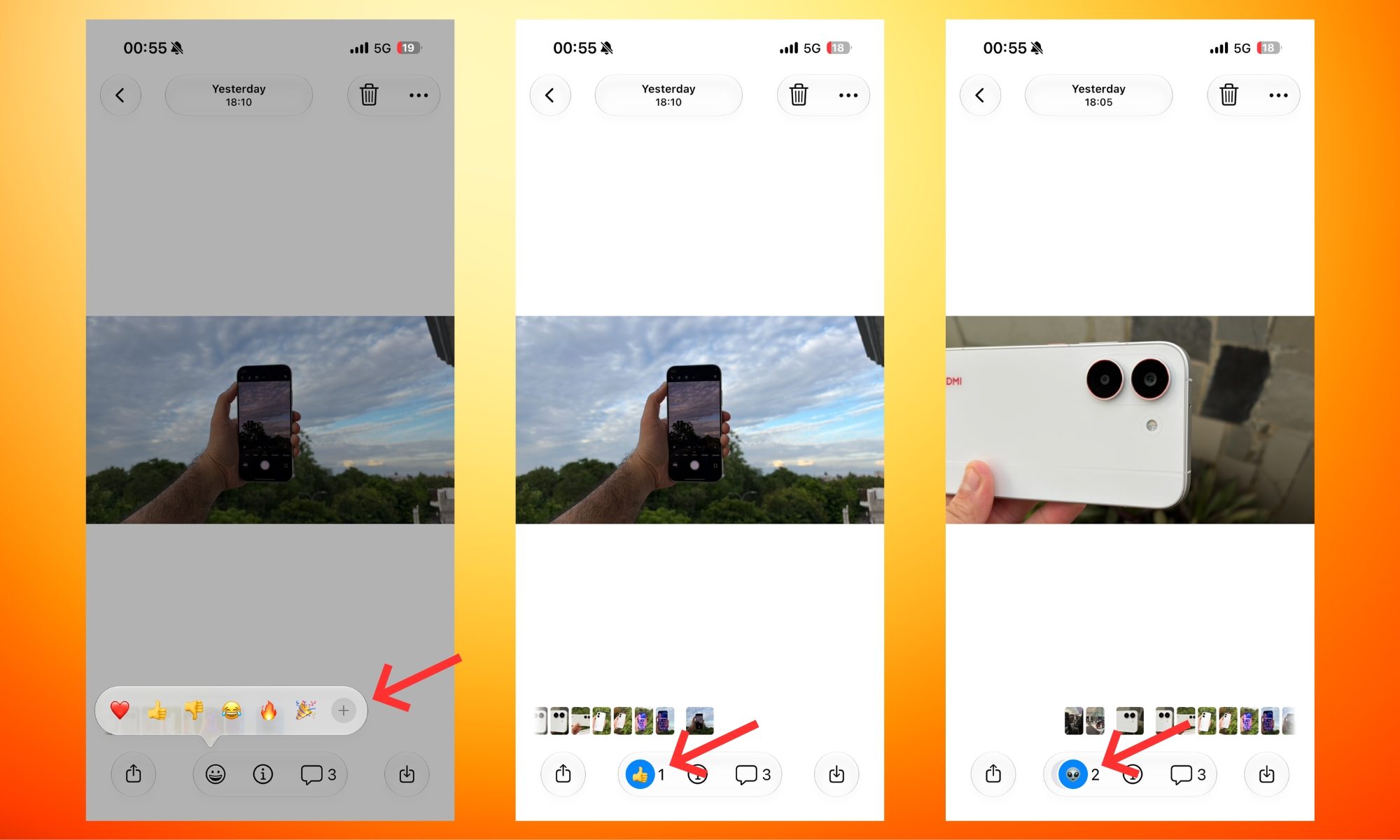
Instead of a like button, you can now react to pictures in Shared Albums using your favorite emoji. Just open a Shared Album, preview a picture in full, tap the emoji button at the bottom of the screen, and either select one from the six options or tap the plus icon for even more.
That, in my opinion, gives you way more flexibility, especially in a private space where you can finally use the inside-joke emojis that only you and your friends understand.
Shared Albums has evolved into a collaborative experience
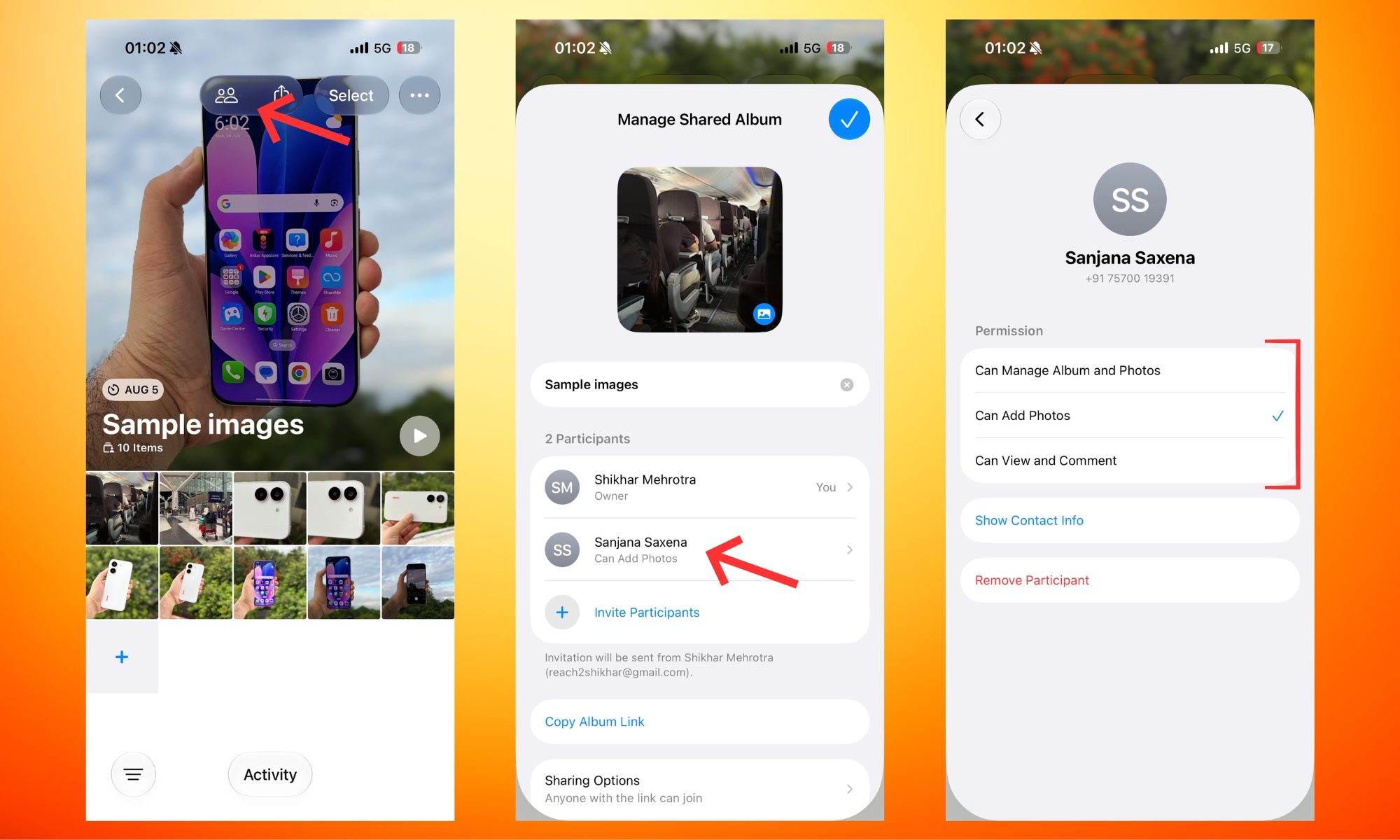
I’ve used Shared Albums about three times in the last couple of weeks: once to share pictures from my friend’s birthday, and twice to get my friends’ opinions on sample phone photos I captured recently. And as you can see in the screenshots, the experience feels like owning a mini social network where you can add up to 100 people or keep it as small as you want.
Now it functions like a proper group experience: someone drops a photo, someone else hearts it, someone else reacts with a crying-laughing emoji (similar to Apple Messages). Essentially, these features change the entire vibe from a static archive to something that’s actually collaborative and fun.
You also get more granular control over participants, allowing you to decide who can add photos, who can view and comment, or who can manage albums and posts. So, if it’s only you and someone else uploading the pictures to an album, everyone else can simply join as viewers and commenters, without worrying about accidental deletions.
Quality and sharing, finally fixed
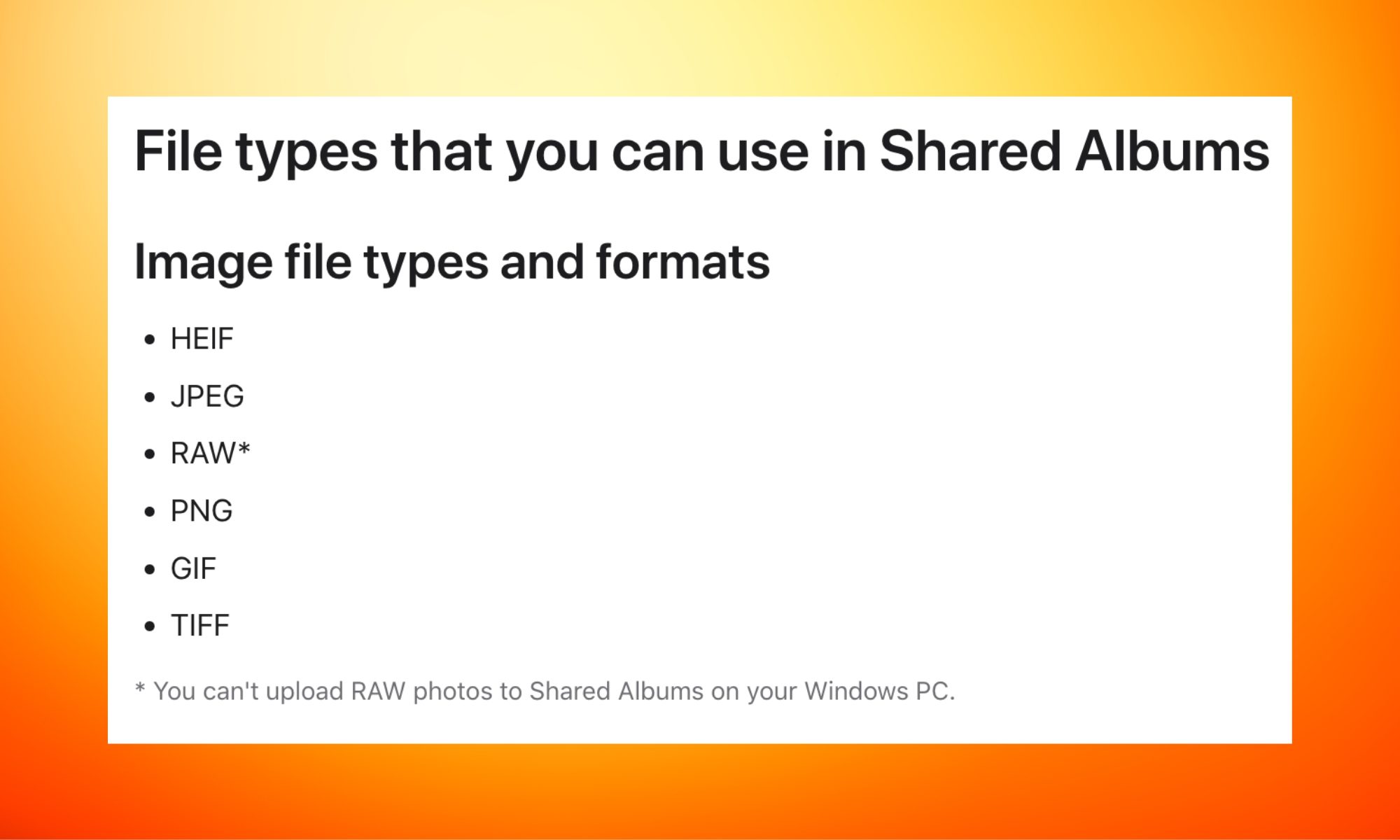
Until now, Shared Albums compressed photos into something that looked fine on a phone screen but fell apart the moment you tried to download them and use them elsewhere. iOS 27 removes that ceiling: full-resolution photos and videos. If someone wants to download and share them, they won’t have to compromise on the quality.
And while we’re on the subject of removing barriers, Android and Windows users can now contribute photos to a Shared Album via iCloud.com. For anyone who has tried to coordinate a group photo dump after a wedding where half the group is on Android, that’s a much bigger deal than it sounds.
The feature that makes the most sense
Then there’s the expiration option. You can set a Shared Album to self-destruct after 30 days, and it makes complete sense for things like a work event, a spontaneous weekend, or a birthday dinner.
Put it all together, and you have a private social network that asks nothing of you beyond sharing the moment. It might not be for everyone, but if you’ve grown tired of traditional social media and simply want to share memories or get feedback from a trusted few, Shared Albums might be one of its most underrated additions in iOS 27.