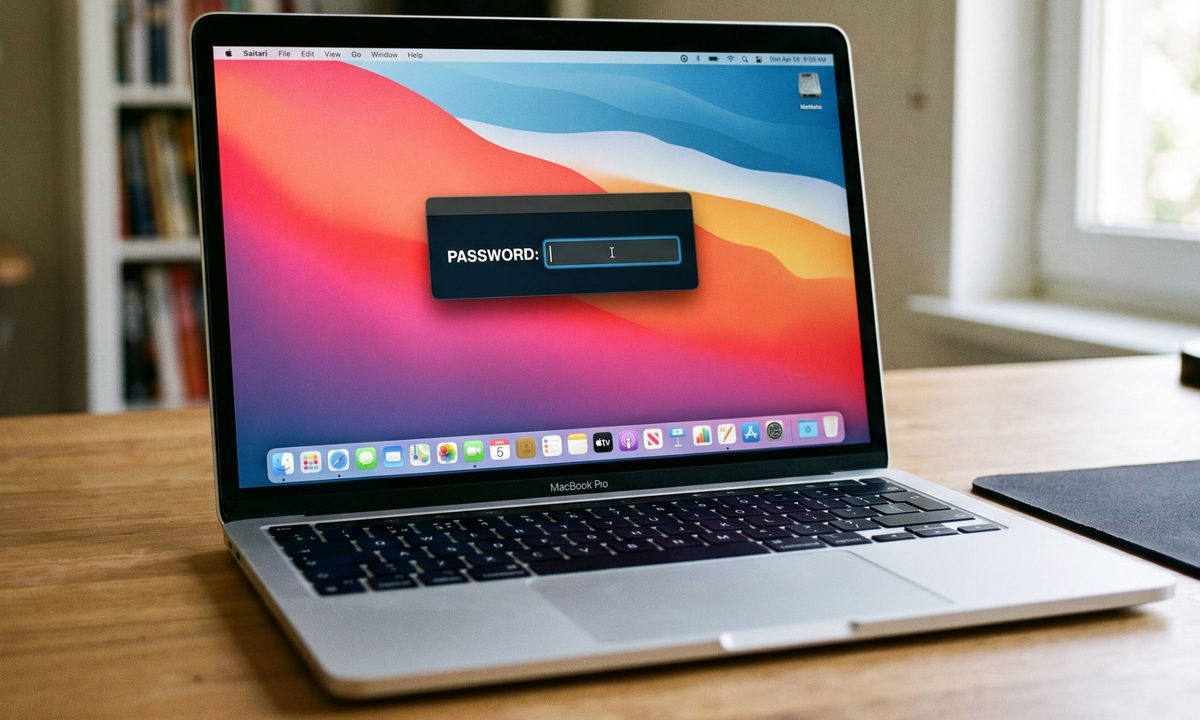
A newly discovered strain of macOS malware is taking social engineering to an unsettling new level. Instead of exploiting a software vulnerability or silently stealing information in the background, it simply refuses to let you use your Mac until you type in your login password.
Dubbed ClickLock, the malware repeatedly shuts down key macOS processes, disables notifications, displays convincing Apple password prompts, and effectively traps users in a loop that only ends when the correct password is entered. Once that happens, it doesn’t just steal the password. It goes after browser data, cryptocurrency wallets, saved credentials, password managers, and much more.
A BleepingComputer reports states researchers at Group-IB say the malware has already infected at least 100 systems across 33 countries since May. Even more worrying, when it was first uploaded to VirusTotal in June, none of the security engines on the platform flagged it as malicious.
ClickLock doesn’t hack your Mac. It hacks you.
Unlike many modern malware campaigns that rely on zero-day exploits or privilege escalation vulnerabilities, ClickLock succeeds through psychological pressure. The infection is believed to begin with a ClickFix-style attack, where users are tricked into copying and pasting a command into Terminal under the guise of completing a Cloudflare “human verification” check. While a fake verification progress bar keeps the victim distracted, the malware quietly downloads its payloads in the background.
At the same time, it disables keyboard interrupts, hides the Terminal cursor, and suppresses macOS Notification Center alerts for nearly six hours, making it much harder for victims to realise something suspicious is happening.

The malware’s most disturbing feature comes next. It displays what appears to be a legitimate macOS password dialog complete with the user’s real account name and Apple branding. If the victim enters the correct system password, ClickLock immediately validates it and sends the credentials to the attackers through Telegram.
If the user refuses, the malware doesn’t give up. Instead, it installs persistence mechanisms that reactivate after the next login. Once triggered, ClickLock begins killing critical macOS processes every 210 milliseconds, including Finder, Dock, Terminal, Activity Monitor, Console, System Settings, Spotlight, and even popular web browsers.
The result is a Mac that appears almost completely unusable, leaving only the password prompt visible on screen. According to Group-IB, this loop can continue for more than 83 hours, or until the victim finally gives in.
It wants far more than your password
The login password is only the beginning. ClickLock also attempts to trick victims into approving a genuine Keychain access prompt that grants permission to Chrome’s Safe Storage key. That key can later be used to decrypt stored passwords, cookies, and autofill information from Chromium-based browsers.
The malware’s data-stealing module casts an exceptionally wide net. It targets browser profiles from Chrome, Firefox, Brave, Microsoft Edge, Opera, Vivaldi, Arc and Chromium, harvesting saved passwords, cookies, bookmarks, browsing sessions, local storage and autofill information.
Cryptocurrency users face an even greater risk. ClickLock searches for browser wallet extensions, desktop wallet files, encrypted wallet vaults and cached wallet addresses across major blockchain ecosystems including Bitcoin, Ethereum-compatible chains, Solana, TRON, TON and Stacks.

It also collects FileZilla FTP configurations, shell history, basic system information and public IP addresses before compressing everything into ZIP archives and uploading the stolen data through the Telegram Bot API. To ensure attackers maintain long-term access, ClickLock deploys a modified version of the open-source GSocket tool, creating a persistent backdoor capable of remotely controlling the infected Mac. Unlike the malware’s other components, which delete themselves after execution to minimise forensic evidence, this backdoor remains active on the system.
The stealth techniques don’t end there. Researchers say the malware is hosted on compromised but otherwise legitimate websites, helping it evade reputation-based security systems. Its payloads also remove themselves after execution, leaving very few traces behind. Despite that, Group-IB says defenders can still spot suspicious behaviour by watching for repeated password dialog boxes generated through osascript, continuous termination of macOS processes, mass access to browser profile folders and unusual outbound connections to Telegram.
The biggest takeaway, however, is surprisingly simple. If a website ever asks you to open Terminal and paste a command to prove you’re human, close the page immediately. No legitimate website, including Cloudflare, requires Terminal access for human verification. And if your Mac suddenly becomes unusable while repeatedly demanding your system password, resist the urge to comply. Instead, force a shutdown using the power button, restart in Safe Mode, and investigate the system before entering any credentials. In ClickLock’s case, your password isn’t solving the problem. It’s exactly what the attackers are waiting for.