  1. Home
  2. Phones
  3. News

Digital Trends may earn a commission when you buy through links on our site. Why trust us?

Adobe’s Project Indigo camera app can now edit and critique your photos with AI

The new AI Playground feature helps you remove distractions, restyle shots, and offers photo critiques, but Adobe is only letting a small group of users try it for now.

Add as a preferred source on Google
Adobe Project Indigo AI Playground featured
Adobe

Adobe’s Project Indigo has spent the past year building a reputation as one of the more serious camera apps on iPhone, offering full manual controls and a natural, SLR-style look instead of the overprocessed images most phone camera apps produce by default. Now Adobe is testing a new set of features called AI Playground that push the app well beyond photography.

New editing tools and a critic

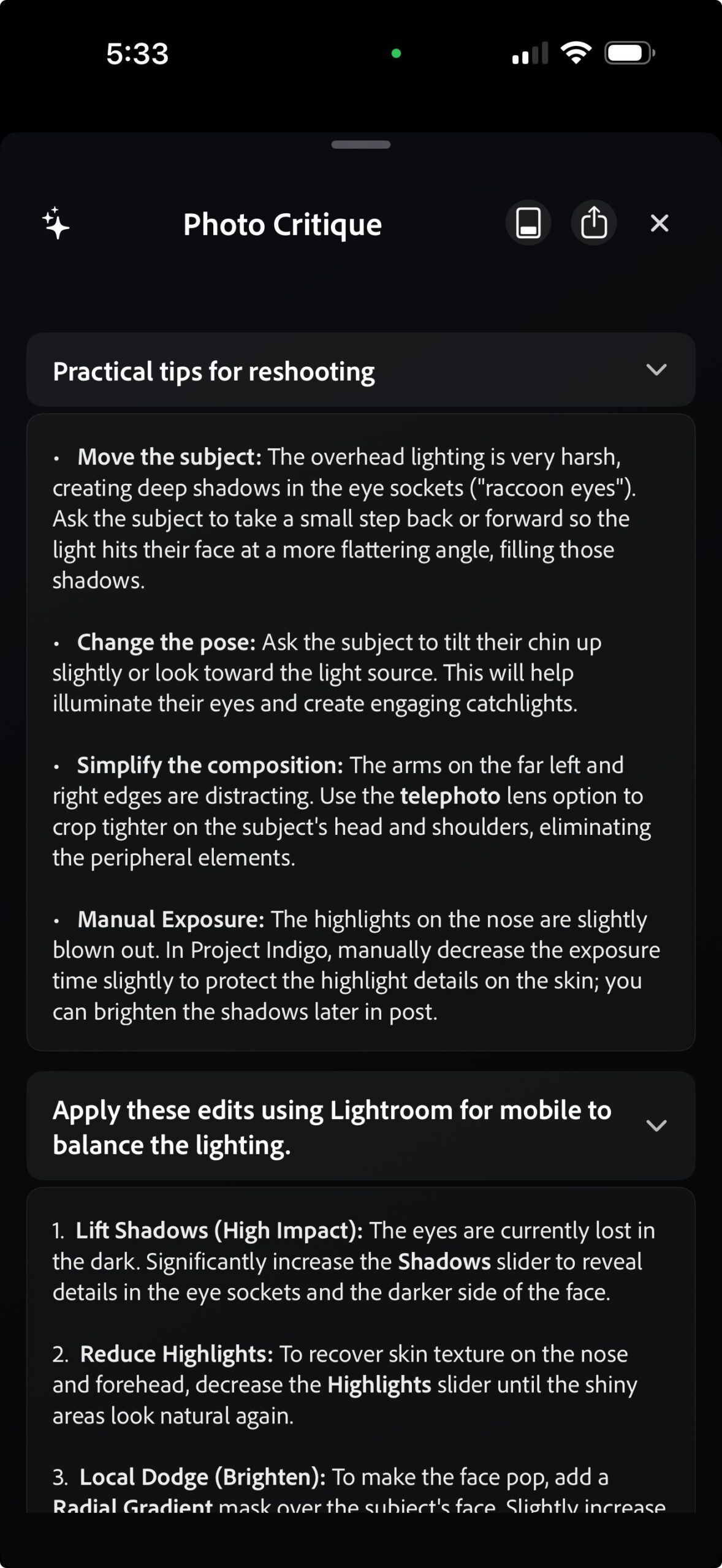
AI Playground brings a handful of AI-powered editing tools to Project Indigo that help you remove distractions from photos, add depth-of-field effects, make stylistic edits, and edit images using natural language prompts. A Photo Critique tool rounds things out, reviewing your shots and offering suggestions on how to improve them, either by reshooting on the spot or editing afterward.
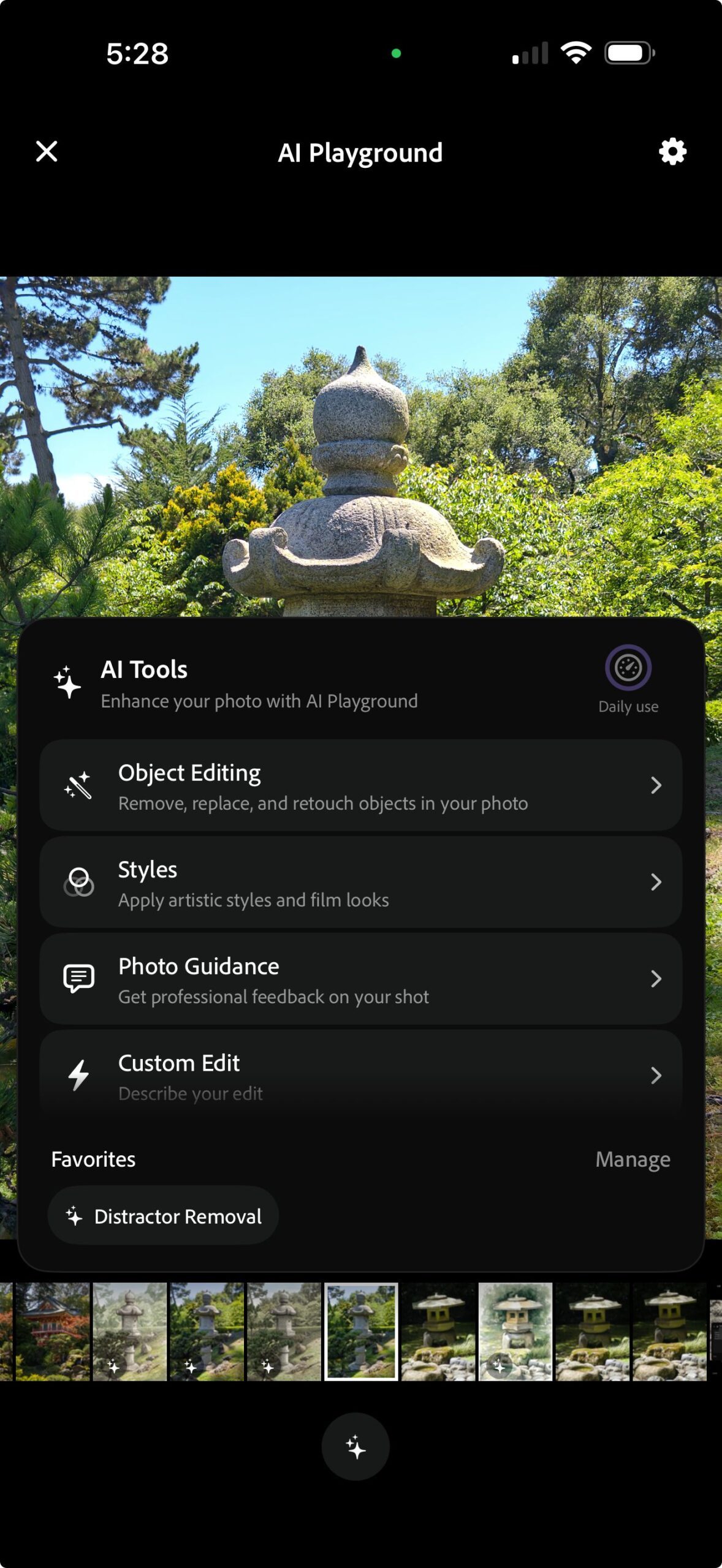
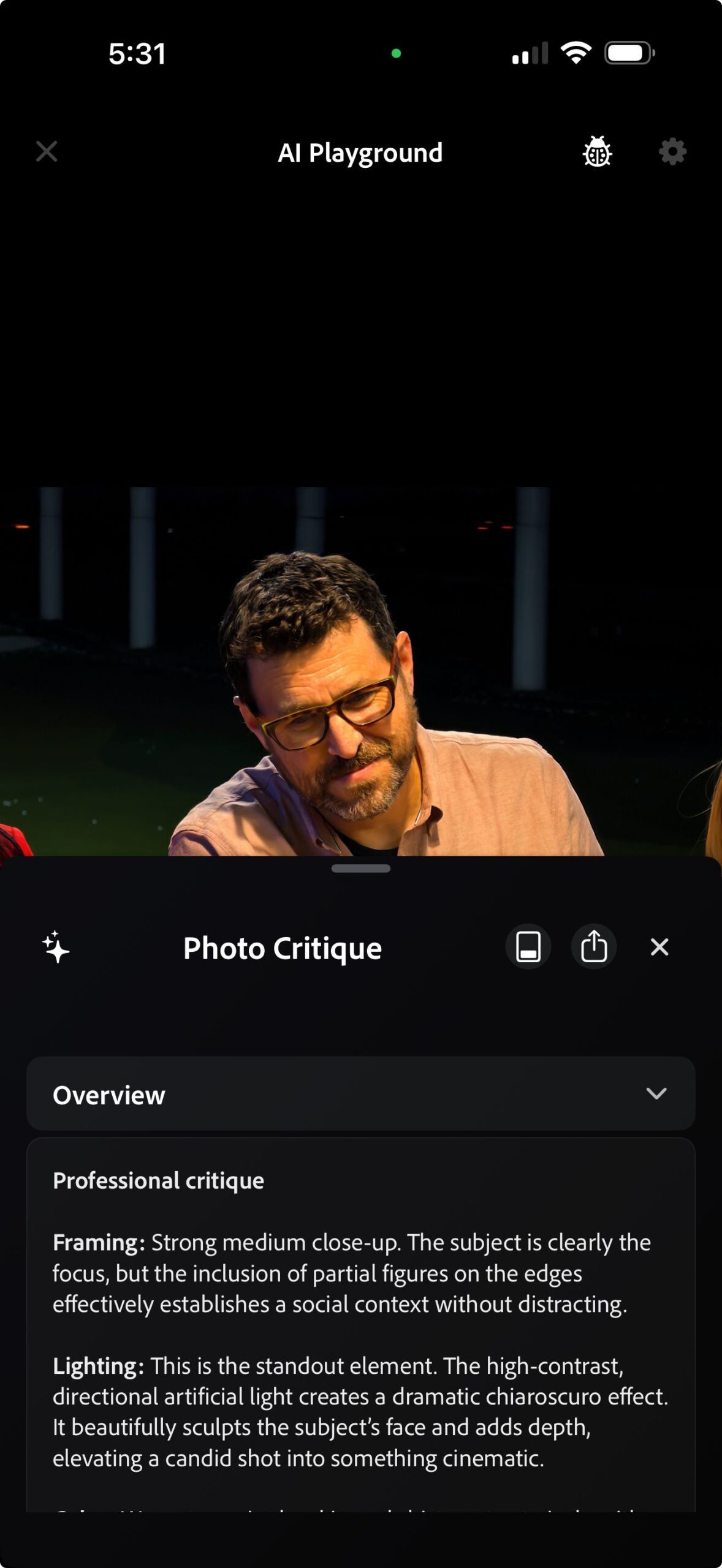
Adobe says these tools run on Google’s Nano Banana model, which is cloud-based and requires an active internet connection. It adds that edited photos will also be capped at 2K pixels to keep things fast. Adobe plans to mix in other models, including its own Firefly models, over time. It warns that repeatedly triggering Nano Banana’s safety filters, whether from your photo or your prompt, can get you booted from the test.

Limited access, limited time

Adobe says the feature is free for now, but only a small percentage of Project Indigo users will see it in version 1.1, and only for a few weeks. Everyone else is out of luck until Adobe decides whether to expand free access or charge for AI Playground.

Recommended Videos

If you already use Indigo, it’s worth updating and hoping you’re among the lucky few. If not, this is a good time to download the app and try out some of the other features it offers over the stock iPhone camera app, including full manual controls and a more natural look that skips the heavy processing baked into the default app.

Pranob Mehrotra
Pranob is a seasoned tech journalist with over eight years of experience covering consumer technology. His work has been…
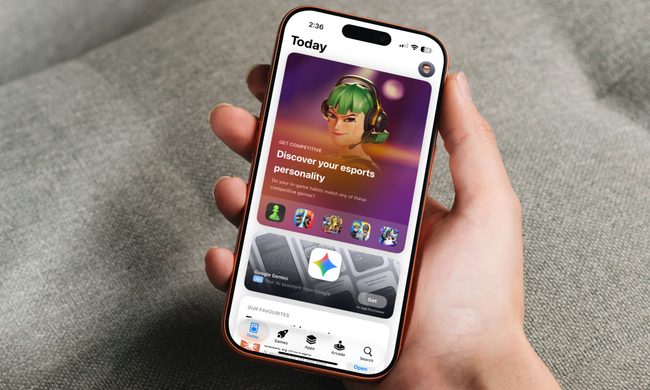
Vibecoded apps are flooding Apple’s App Store, and users are getting sick of them
App Store submissions have doubled this year as AI tools make it easier than ever to build an app, but downloads haven't kept pace, and for good reason.
Apple App Store homepage on an iPhone

Apple's App Store is in the middle of its steepest submission surge in years. Developers submitted nearly 600,000 new apps last year, marking a 30 percent jump over the previous year. That number has already doubled to roughly 560,000 new apps in just the first six months of this year, according to estimates from analytics firm Sensor Tower cited by the New York Times. The reason behind the spike is vibecoding, which allows people with no prior development experience to create new apps using AI tools.

A familiar boom, with a twist

Read more
Google Photos adds a quick toggle between AI and classic search
Classic search is finally easier to reach for people who enabled Ask Photos
Google's Ask Photos debut.

Google Photos is giving users an easier way to leave its Gemini-powered search when a simple keyword would do. A new toggle now sits at the top of the results page, letting users switch between Ask Photos and classic search without digging through settings.

The change appears to address feedback from people who opted into Ask Photos but wanted a quicker way to return to classic search when Gemini was slower or less useful for a straightforward query.

Read more
Snapseed Camera now lets Android users save original photos and add geotags
Google updates Snapseed Camera with geotag support and non-destructive photo editing
Snapseed App

Google appears to be quietly turning Snapseed into something more than just a photo editing app. Over the past few weeks, the company has been steadily adding new capabilities to Snapseed Camera, its standalone camera app for Android. The latest update introduces two practical features that many smartphone users have come to expect from modern camera apps: the ability to save an untouched copy of every image for future editing and support for embedding location data directly into photos.

Neither feature is flashy, but together they make Snapseed Camera a more capable photography tool, particularly for users who like experimenting with filters without permanently altering their original shots. According to a report by 9to5Google, the features are rolling out with Snapseed Camera version 4.1.1.x on Android.

Read more