
Microsoft may not have officially enabled the Notifications Center in the Windows 10 Technical Preview, but that doesn’t mean the rumored feature won’t eventually show up at some point.
For now, an intrepid soul who goes by the Twitter handle @adeyblue tweeted instructions showing the world how to turn the feature on yourself. It’s pretty simple to pull off, and works whether you installed the 32-bit or 64-bit version of the Windows 10 Technical Preview.
How to turn on the Notifications Center in the Windows 10 Technical Preview
First, download this zip file. For what it’s worth, before we extracted its contents onto our PC, we scanned it for malware, and Malwarebytes didn’t find anything. To be extra sure that this was all safe, we re-scanned the extracted folder as well. Once again, Malwarebytes didn’t find anything.
With the zip file extracted, you should see two new folders in the location you extracted them to, dubbed “x64” and “x86.” If you installed the 32-bit of the Tech Preview, you’ll need to work with the x86 folder. If you installed the 64-bit version, you’ll be messing with the x64 folder.
When you open either folder, you’ll see two files. Right-click “notificationact.dll.”
Then, open your C: drive, right click on a blank part of it, highlight “New,” and left-click to create a folder, which you should name “Stuff.” Paste notificationact.dll into the Stuff folder on your C: drive.
From there, all you have to do is double-click on “notification.exe,” which is in the x64/x86 folder (depending on which you’re using) to launch the Notifications Center. Once you do, it should pop up in the lower right-hand corner of your desktop, like it does in the image at the top of this page.
Our impressions so far
So far, the Notifications Center has been pretty dormant in our experience. A single notification for a Java update popped up, but when we right-clicked on it to see if we’d be presented with a list of options, the Notifications Center crashed.
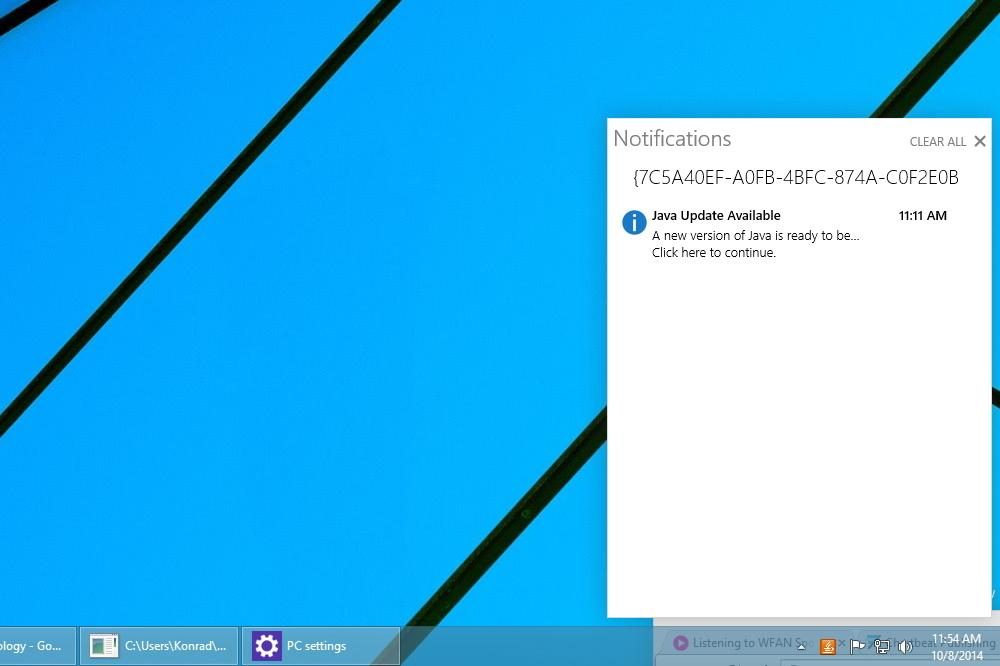
A “Clear all” button also shows up when the center is populated, but because of the crash, we didn’t get to use it.
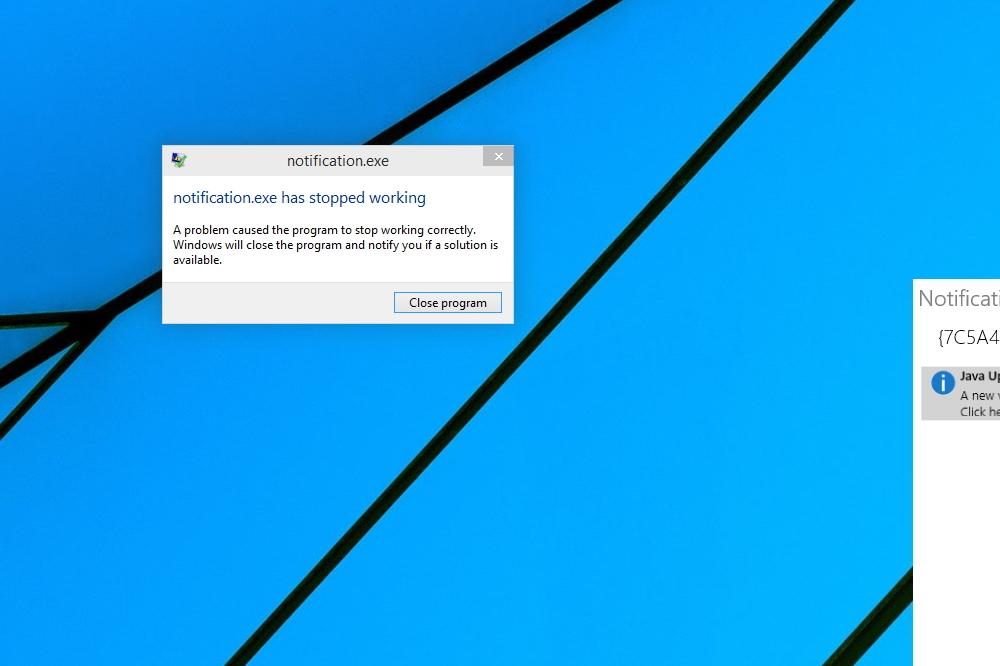
When we re-opened the center, the Java notification was gone. Hopefully notifications get saved, even if you do shut the center down. Keep in mind that if you give this a shot, your mileage may vary. Considering that this hasn’t been officially enabled yet, you should expect to run into bugs.
Also of note is the fact that a command prompt window opens up when you open the Notifications Center. Closing it shuts down the center, so you need to keep it open in order to let the feature run. It can at least be minimized to the taskbar, though.
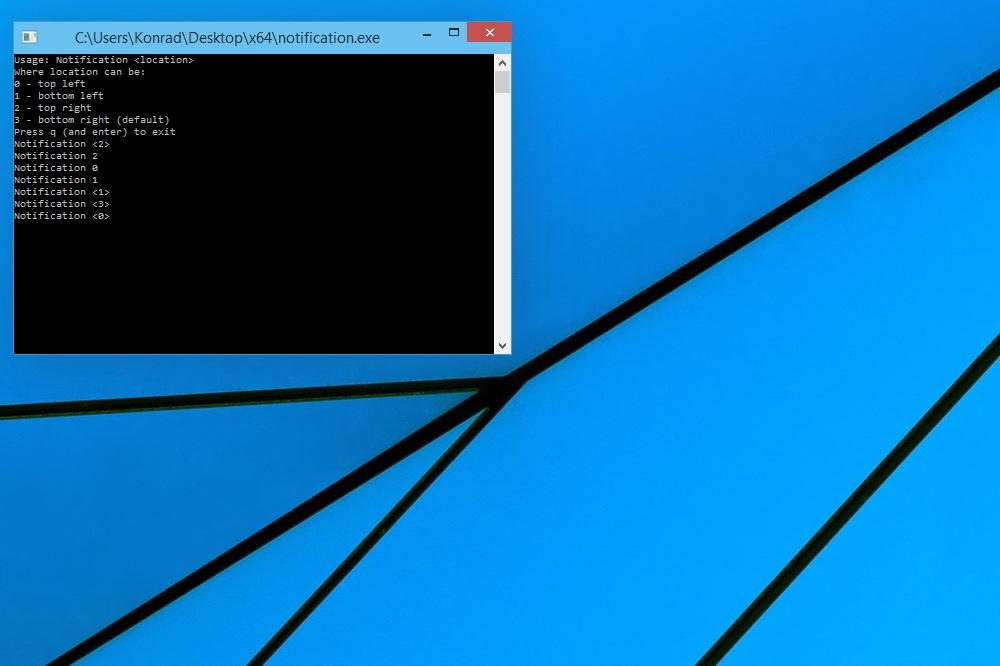
The command prompt window seemingly contains instructions on how to re-position the Notifications Center to take residence in any one of the four corners of your desktop. However, nothing happened when we tried to execute the commands.
We suspect that users will eventually be able to simply drag and drop the center around, but it didn’t let us do that when we tried.
Expect more hidden features to surface
This isn’t the first hidden Windows 10 feature that has been uncovered since the Technical Preview’s release last week. After we installed it, we did a search for files containing the phrase “Cortana,” which is the name of Windows Phone 8.1’s virtual assistant. Doing so generated a bunch of hits, which strongly suggests that Cortana will be coming to Windows 10 at some point.
We fully expect to find and hear of more uncovered Windows 10 bits between now and the operating system’s full release sometime in the middle of 2015.



