1. Home
  2. Computing
  3. News

Confused about USB Type-C? These stickers will help sort it out

Add as a preferred source on Google

Let’s face it — you say the words “USB Type-C” to someone and they’re likely to hold up an Android charging cable and look confused, or maybe mention that’s what the new Macbook with one port uses. The new protocol has the ability to run standard USB signals, as well as power over USB, DisplayPort, and Thunderbolt, but how can you tell the difference between ports that are just for data, and ports that charge your laptop? The USB-IF has decided that the way to go is more logos, and hoping that manufacturers use them, according to Ars Technica.

You may have already seen some of the logos that are part of this classification effort. When you see a USB logo next to the port, that indicates a standard 2.0 or slower connection, with the SS replacing the dot on the left side for a 3.0/3.1 port. If the port is capable of 10Gbps transfer speeds, introduced with 3.1 gen 2, the number 10 will appear in the upper right. If the port is also capable of powering or charging the device, a battery will appear behind the logo. These logos can appear alongside other symbols to denote DisplayPort or Thunderbolt as well.

Recommended Videos

The use of the logos on products and packaging is included in the $4,000 annual licensing fee for manufacturers, but it’s up to the individual companies to decide whether to use the logos. The current method of determining port capabilities is on a case-by-case basis, with different manufacturers using different symbols and colors to denote what that specific port’s connectivity options. Hopefully as we move away from the myriad Micro and Mini USB ports towards the more capable Type-C, brands will get on board the USB-IF’s plan and we’ll see these logos on every device.

Brad Bourque
Brad Bourque is a native Portlander, devout nerd, and craft beer enthusiast. He studied creative writing at Willamette…
Shopping for back-to-school? I’d recommend these GaN chargers for saving space and packing more power
From a $9 spare to a $56 desk hub, these chargers cut down on cable clutter so that you can focus on your studies, not how cluttered your desk looks.
Best GaN chargers in 2026 for back to school shopping.

Between a phone, a laptop, a tablet, and perhaps a pair of wireless earbuds that require charging every day or every few days, most students are packing multiple chargers for move-in day. Those big, heavy bricks take up valuable backpack space that could otherwise be free for carrying more items. 

However, GaN chargers fix that problem in two ways. First, they deliver the same amount of power from a much smaller body, thanks to gallium nitride transistors. Furthermore, if you're willing to spend a little more upfront, you can get a high-capacity, multi-device charger capable of powering your entire digital ecosystem from a single wall outlet, something that could be very useful for a dorm room.

Read more
Gemini Spark can now use Chrome logins and saved passwords to run errands on your behalf
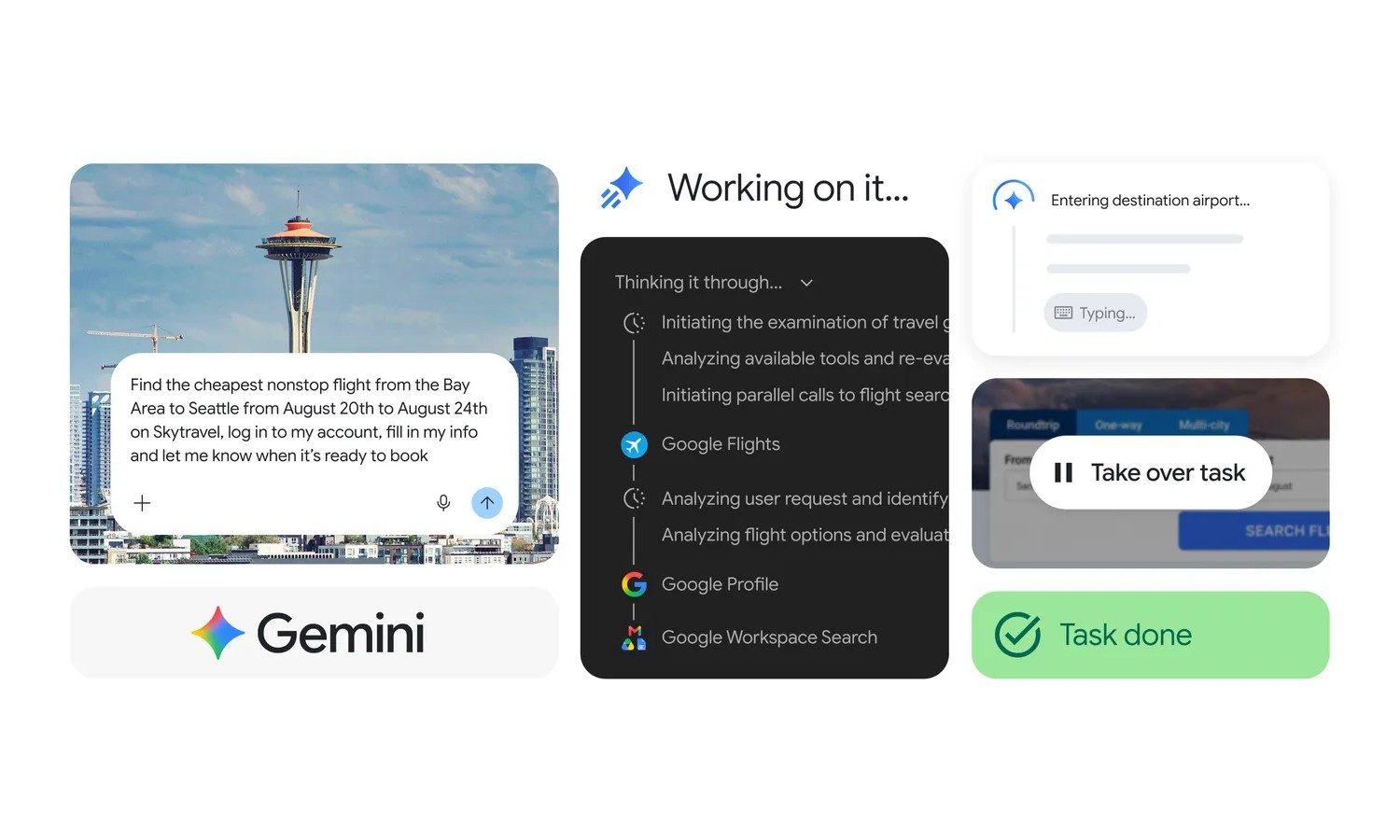
Gemini Spark can use Chrome’s auto browse feature to navigate websites and complete online tasks
Gemini Spark Chrome auto browse feature

Google is integrating Gemini Spark with Chrome so it can carry web-based tasks further without users having to take over at every step. The search giant is also expanding access to AI Pro subscribers in more than 160 additional countries, although the new browser capabilities are initially limited to the United States.

How Chrome auto browse works

Read more
Microsoft finally has a Windows 11 upgrade everyone can get behind
Windows 11 is finally focusing on the basics again
Windows 11 laptop on a desk

Microsoft has spent the past few years enthusiastically explaining how AI will transform Windows. But Satya Nadella’s latest promise for the operating system is something most Windows users can get behind. The company is finally focusing on making things work better.

During Microsoft’s fiscal 2026 fourth-quarter earnings call, Nadella said the company is investing to ensure Windows has the “best quality and fundamentals,” while continuing to position the platform as a home for secure on-device AI. The statement is still short on specifics, and Microsoft has yet to announce a single giant Windows 11 quality update. But it does reinforce a broader overhaul that has been underway throughout 2026. Some of these revolve

Read more