1. Home
  2. Computing
  3. News

Microsoft accidentally unveils tab previews for Edge

Add as a preferred source on Google

Much in line with the strategy being employed with Windows 10, Microsoft is building its Edge browser bit by bit, and allowing users to test out each stage to ensure that it meets expectations. At a recent keynote presentation in New Zealand, that ongoing form of development led to a new feature being showcased a little sooner than planned.

Microsoft’s Joe Belfiore was demonstrating Edge at a Microsoft Ignite event when he unintentionally lingered over a tab and caused a thumbnail preview to appear on the screen, according to a report from WinBeta. This functionality has been alluded to previously, but Belfiore’s reaction suggests that it wasn’t meant to be demonstrated on the day.

Recommended Videos

“You might have noticed there’s one other thing in the Edge browser that I mistakenly revealed as I was doing this,” Belfiore said after making the slip. He went on to suggest that tab previews will be made available as part of an upcoming Insider build to users enrolled in the program.

Microsoft is playing catch-up with browsers like Google Chrome and Mozilla Firefox in many respects, most notably support for extensions — and, of course, in terms of their userbase. However, tab previews seems to be one feature that Edge could offer before its competitors.

Chrome and Firefox need a third-party extension to offer such functionality, so an official Microsoft solution would allow Edge to put its nose ahead of the pack. It’s crucial that Microsoft’s browser has its own strengths, as well as the efforts being made to put it on an even keel with other popular browsers.

There were many reasons that Internet Explorer came to be discontinued in favour of Edge, but the fact that it seemed like an outdated offering compared to modern browsers was a major factor. Microsoft has made no bones about its desire to distance Edge from its predecessor, but it is functionality like this that will determine its success.

Earlier this month, the company announced plans for WebM support in the browser, something that a great many users had requested. There’s a lot of work to be done before Edge can be regarded as a true alternative to the more established browsers out there, but it certainly seems like Microsoft is doing everything in its power to get that done.

Brad Jones
Brad is an English-born writer currently splitting his time between Edinburgh and Pennsylvania. You can find him on Twitter…
ChatGPT will now remind teens to take breaks and give parents more controls
New parental controls include Quiet Hours, Study Mode defaults, and alerts for serious account violations.
chatgpt-teen-safety-features

OpenAI wants to make ChatGPT safer for teens, and the changes go well beyond a simple content filter. In a new update, the company laid out its stance on why teens should have access to AI in the first place, arguing that keeping them away from it entirely would leave them unprepared for one of the defining technologies of their generation.

Nearly 90% of teens already use ChatGPT weekly for learning, research, or getting organized, which is why OpenAI says access needs to come paired with real protections built for their age.

Read more
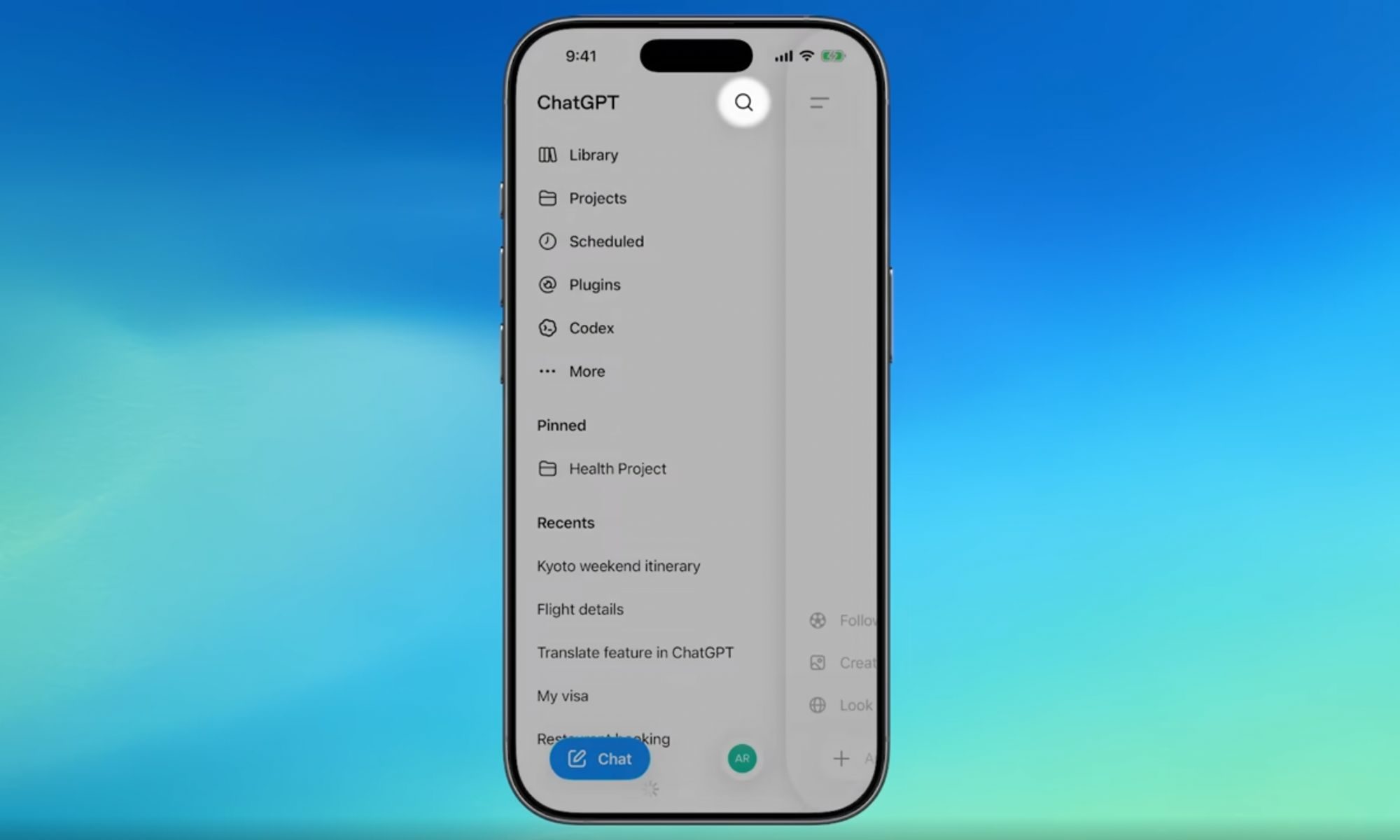
ChatGPT’s new search tool saves you from digging through old chats, files, and images
You can also filter ChatGPT search results by content type.
chatgpt-new-search

If you have ever lost a great ChatGPT answer somewhere in your endless chat history, that headache is finally over. OpenAI has rolled out a major search upgrade that lets you find old chats, projects, documents, and images all from one place.

Before this update, the sidebar search only pulled up past conversations, leaving uploaded files, projects, and generated images completely out of reach. The new search option is now available across web, iOS, and Android, on every ChatGPT plan, including free accounts.

Read more
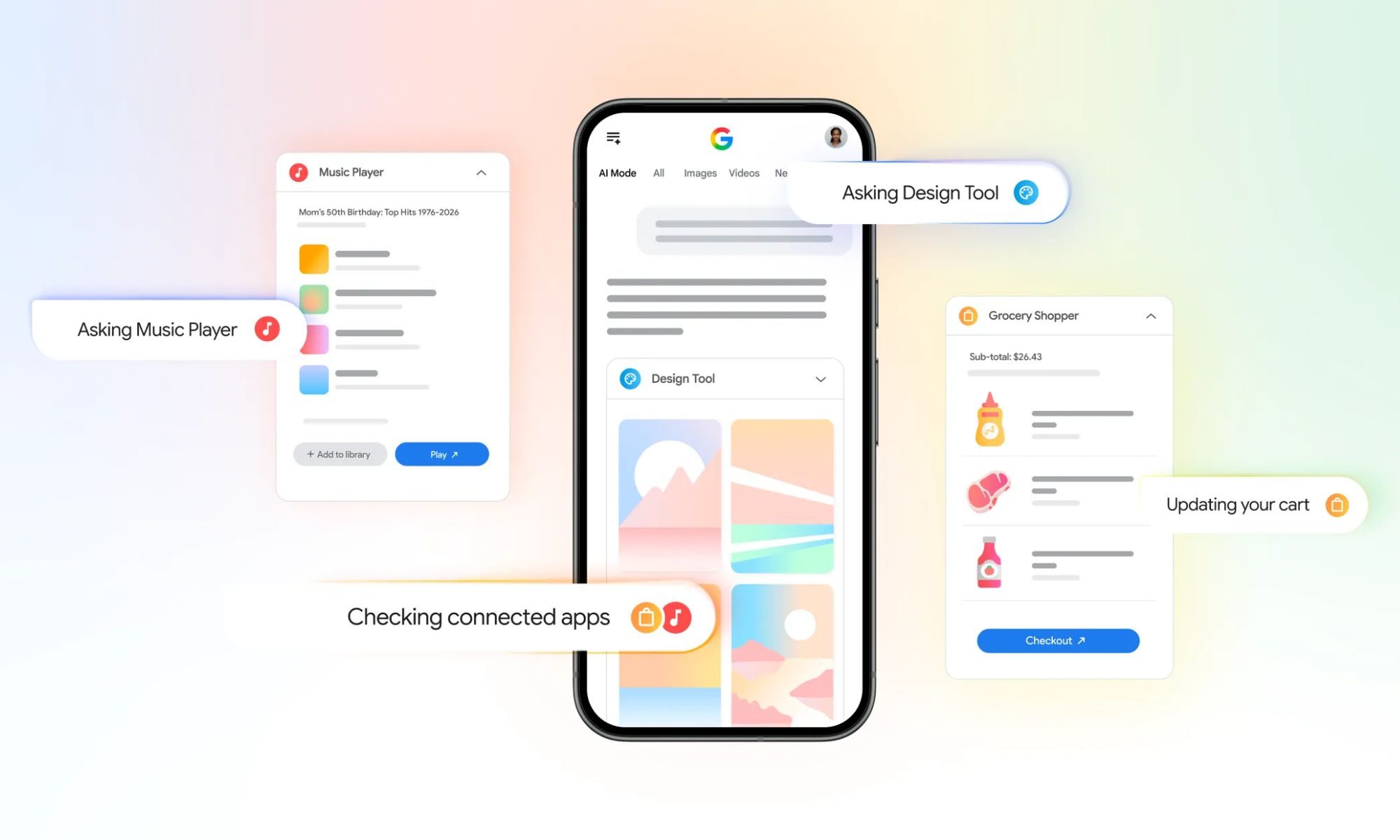
You can now link your favorite apps to AI Mode in Google Search to get things done
AI Mode now works with Instacart, Canva, and YouTube Music inside Search.
google-search-ai-mode-connect-apps

Google is making AI Mode in Search more useful by letting you connect third-party apps. Starting this week in the US, you can securely connect some of your go-to apps directly to AI Mode, letting Search actually complete tasks for you instead of just answering questions.

This update builds on a similar trick Google already pulled off inside the Gemini app, and now it is landing in Search itself. The initial rollout includes three launch partners, Instacart, Canva, and YouTube Music, with Google saying more app integrations are on the way.

Read more