With the holidays fast approaching, now is a great time to make sure you grab something for everyone on your list. If there are any techies in your life, Western Digital has a great selection of products that will suit their needs. Whether it’s for work (organizing and sharing important documents and images) or for play (expanding your gaming console’s storage) these products will make for a huge upgrade and an excellent tech gift. The latest high-speed, easy-to-use, and trusted storage solutions from Western Digital will ensure you’ve always got a safe place for your digital goodies, so if you’re doing some holiday shopping for yourself or a loved one, then read on to see our current favorite picks.
WD_BLACK D50 Game Dock NVMe SSD
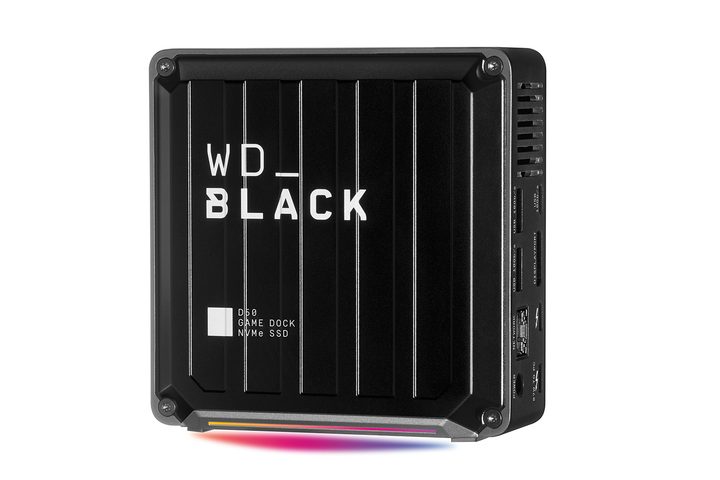
The explosion of digital game downloads in recent years has been one of the biggest drivers for advances in external hard drive technology, and Western Digital has been at the forefront of that with its excellent WD_BLACK lineup. The D50 Game Dock is more than just an external SSD, though; it might be the ultimate portable PC gaming solution, serving as both a solid-state drive as well as an all-in-one hub for your laptop and gaming peripherals, topped off with new RGB lightning.
The WD_BLACK D50 Game Dock SSD offers up to 2TB* of internal storage along with a multitude of hookups including two Thunderbolt 3 ports, a DisplayPort, two USB-C ports, three USB-A ports, a gigabit ethernet port, and a 3.5mm audio jack. That gives you all the connections you need for turning your laptop into a full-fledged gaming battle station with an external monitor (or even multiple displays), a gaming keyboard, a mouse, and a headset, along with high-speed ports for downloading and backing up your digital game library.
WD_BLACK P10 Game Drive for Xbox
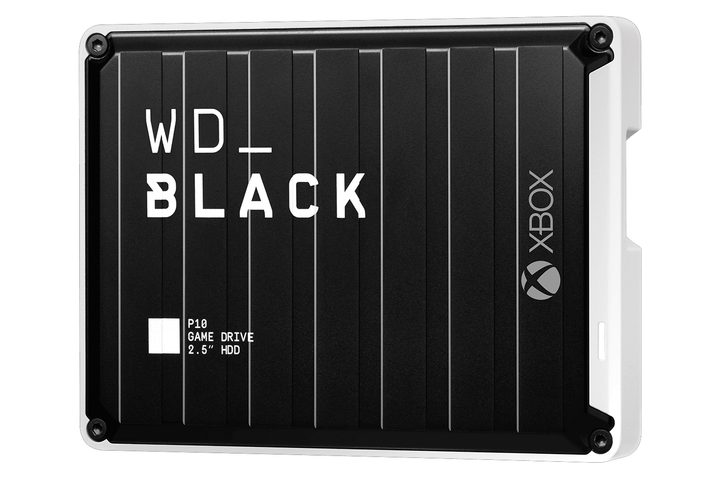
External hard drives aren’t just for computers anymore. With devices like the WD_BLACK P10 Game Drive for Xbox, you can take your entire game library on the go, too — or just expand your console’s storage if you’re finding that its internal real estate is starting to run a bit thin. You can store Xbox Series X and Series S games and play your Xbox One favorites, so you can take your current game collection right over to the next-gen consoles whenever you are ready to make the jump.
The WD_BLACK P10 Game Drive for Xbox is available with 1TB*, 2TB*, or 5TB* of storage space. As a nice bonus, you also get one free month of Xbox Game Pass Ultimate with the 1TB P10 game drive or two months with the 2TB and 5TB models**. This includes an Xbox Live Gold membership and gives you free access to more than 100 games that are playable on both Xbox and a Windows 10 PC**.
SanDisk microSD Memory Cards for Nintendo Switch
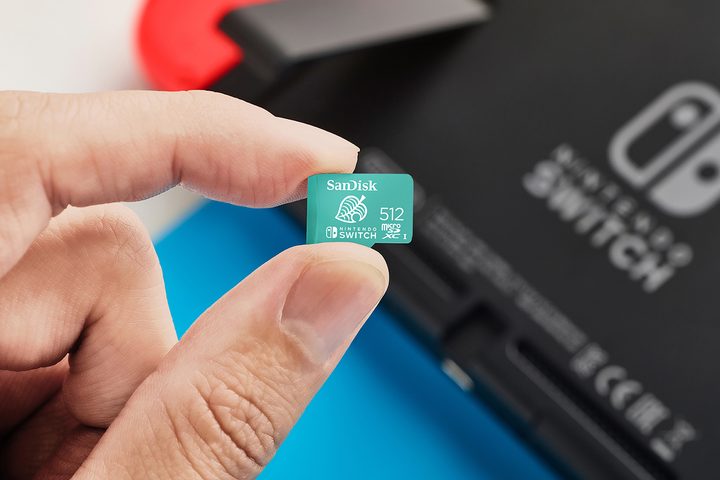
Every Switch owner who has had Nintendo’s latest console for any length of time has run into the problem of not having enough space for games. The Switch, as awesome as it is, only comes with 32GB of built-in storage, guaranteeing that it’s only a matter of time before it’s time for an upgrade. The console has a handy microSD port just for this purpose, so if you’ve ever had to delete some games to make room for a new one you wanted to download, then the Nintendo-Licensed Memory Card for Nintendo Switch from SanDisk is the perfect solution for you.
A ton of brands make microSD cards, but these from SanDisk — one of the top brands in portable storage technology — are officially licensed by Nintendo and are purpose-made for holding your Switch games. With transfer rates of up to 100 megabytes per second+, they deliver high-speed performance for your entire favorite games, and with capacities of between 64GB* and 512GB* with different designs inspired by your favorite titles, you’ve got plenty of options to fit your needs.
My Cloud Home Personal Cloud Storage
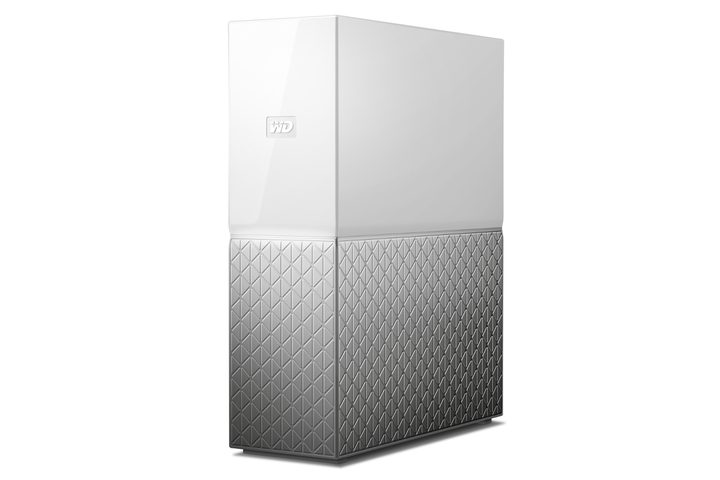
If you’re in the market for another great option for digital storage, then Western Digital has you covered there, too, with its excellent My Cloud Home device. Think of the My Cloud Home as essentially a Wi-Fi-capable external hard drive: You simply connect it to your home or office wireless network and transfer files directly to the My Cloud Home device remotely from any of your synced devices. This functions as your own personal data cloud, giving you both the convenience of cloud storage along with the peace of mind of having your important data backed up to a physical drive.
Of course, the My Cloud Home can also be used entirely offline as well, thanks to a high-speed USB port that lets you upload and download directly to the device just as you would with a normal external hard drive. With the My Cloud Home app, you can also share files such as memorable photos and videos with friends and family. The My Cloud Home personal cloud storage system is available in multiple sizes ranging from 2TB to 8TB.
*As used for storage capacity, one gigabyte (GB) = one billion bytes and one terabyte (TB) = one trillion bytes. Total accessible capacity varies depending on operating environment
**2-Month (for 3TB and 5TB models) or 1-Month (for 1TB model) trial offer of Xbox Game Pass Ultimate available for a limited time. See product packaging for full details.
+128GB-512GB: Up to 100MB/s read speed; up to 90MB/s write speed. 64GB: Up to 100MB/s read speed; up to 60MB/s write speed. Based on internal testing; performance may be lower depending upon host device interface, usage conditions, and other factors. 1MB = 1,000,000 bytes.
We strive to help our readers find the best deals on quality products and services, and we choose what we cover carefully and independently. The prices, details, and availability of the products and deals in this post may be subject to change at anytime. Be sure to check that they are still in effect before making a purchase.
Digital Trends may earn commission on products purchased through our links, which supports the work we do for our readers.