1. Home
  2. Computing
  3. Deals

This MacBook Air M2 deal was super popular on Labor Day, and it’s still live

Add as a preferred source on Google
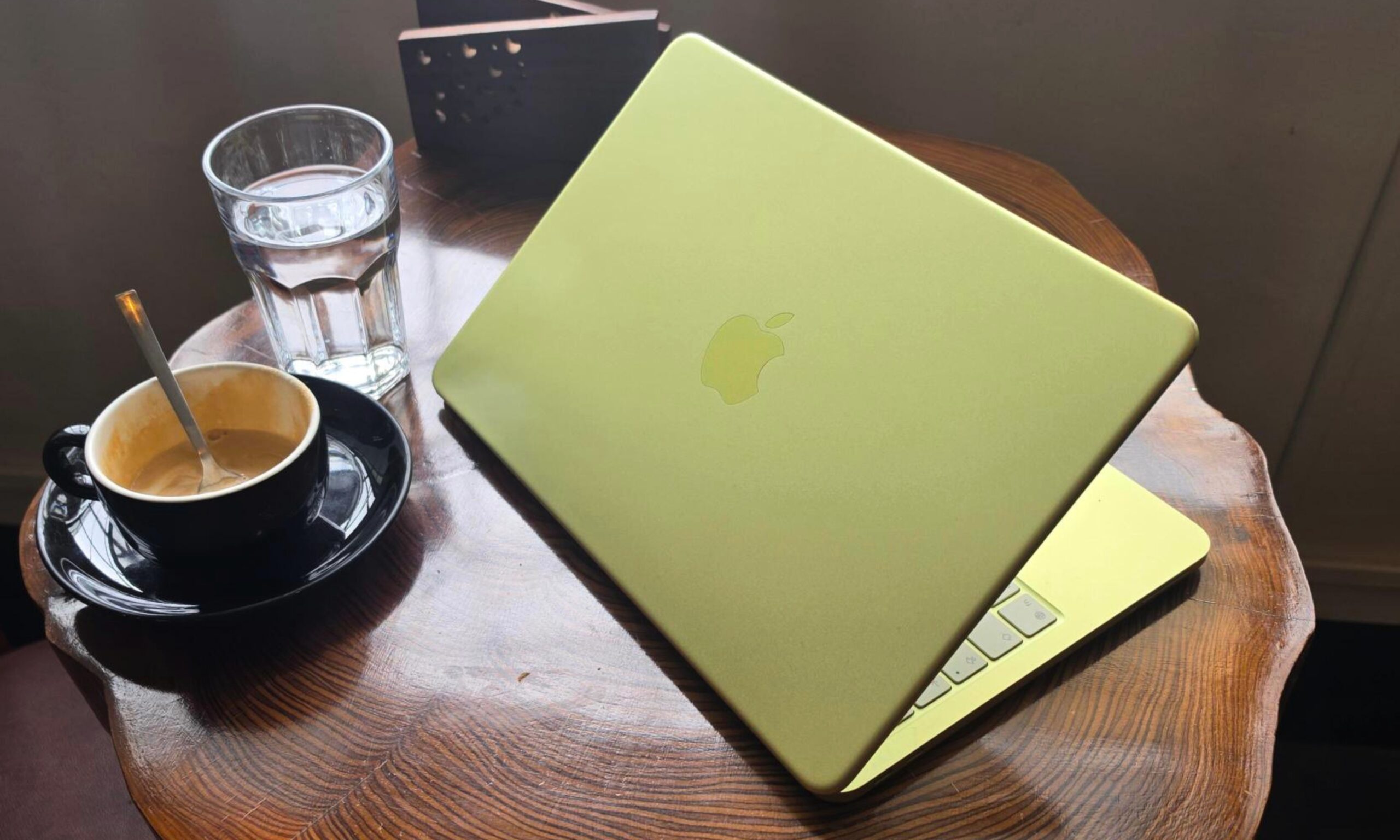
The screen of the MacBook Air on a table.
Digital Trends

The price of the 13.6-inch Apple MacBook Air M2 was slashed by Best Buy to $799 from $999 for its Labor Day MacBook deals. The holiday is over but the $200 discount is still active, so you still have the chance to take advantage of what was the top trending deal on Best Buy’s website. We’re not sure for how much longer the offer will remain online though, so we highly recommend proceeding with your purchase for this laptop as soon as possible.

Buy Now

Why you should buy the 13.6-inch Apple MacBook Air M2

Even with the release of the Apple MacBook Air M3 series, the Apple MacBook Air M2 remains on our list of the best MacBooks as “the MacBook for everyone.” Its lowered price, which is even cheaper with this offer from Best Buy, places it within reach for more people, with performance that will prove to be enough for most. This model has the excellent M2 chip combined with an eight-core CPU, a 10-core GPU, and 8GB of RAM. It also has a 256GB SSD, for ample storage space for all of your apps and files.

The 13.6-inch Liquid Retina display of the Apple MacBook Air M2 is simply beautiful, with vibrant colors and sharp details, and it’s small enough to maintain the laptop’s portability. The efficiency of the M2 chip not only allows the device to go fanless — so it’s completely silent while you’re using it — but it also enables a battery life of up to 18 hours, making it a reliable companion for your daily workload.

Best Buy’s offer for the 13.6-inch Apple MacBook Air M2 was the #1 trending deal on its website, and it’s easy to see why — it’s one of the most attractive Labor Day laptop deals across all retailers, with a $200 discount dropping the device’s price from $999 to just $799. We’re frankly surprised that the stocks that were up for sale during the holiday didn’t sell out, but we think that’s bound to happen at any moment. If you want to get the 13.6-inch Apple MacBook Air M2 for cheaper than usual, complete this transaction now as tomorrow may already be too late.

Buy Now

Aaron Mamiit
Aaron received an NES and a copy of Super Mario Bros. for Christmas when he was four years old, and he has been fascinated…
Look, the MacBook Neo is a fine machine for building apps. And yes, I am utterly surprised
I am talking about apps with a generous dose of AI wizardry happening in the background.
MacBook Neo in yellow.

In a span of just one week, I have built a full-fledged Android app for my Galaxy Z Fold 8 foldable phone, three Mac apps, and an iPhone app. And here's the fun part. The entire journey of creating these apps actually started on a phone, jumped to my MacBook Neo, compiled just fine, and ran flawlessly, without making me want to tear my hair off. The latest example? 

It built my calendar-clipboard hybrid app in Terminal within 20 seconds, and an on-device transcription app with a retro look in roughly 15 seconds. I used to think building desktop software would have me burning the midnight oil. The MacBook Neo did it in less time than I can pour myself a can of soda and take the first sip. 

Read more
AI could be doing to our tolerance for hard work what social media did to our patience
Even brief AI use may make unaided work feel more frustrating once the help disappears.
ChatGPT on iPhone

It is no secret that social media, and especially the rise of short-form content, has played a major role in the declining patience many of us have for anything that takes too long to get to the point. A few seconds without something interesting happening is enough to make us swipe away and look for the next thing. AI appears to be doing something similar to the way we approach work.

A new peer-reviewed study found that people who used AI for around 10 to 15 minutes were more likely to struggle and give up once the AI was taken away. The researchers ran three randomized experiments with 1,222 participants who were given math and reading-comprehension tasks. AI helped them perform better at first, but their performance tanked once they had to solve the problems on their own.

Read more
Microsoft wants Copilot Notebooks to handle the work that comes after an AI answer
Built-in Office editing gives users somewhere to revise what Copilot produces
Copilot graphics

Microsoft is bringing Office editing into Copilot Notebooks through its Frontier preview. Users can work on Word, Excel and PowerPoint files alongside their project references, making changes themselves or asking Copilot to handle them.

Generating a report or presentation with AI still leaves someone responsible for getting it ready to share. The October update puts editing tools where that work begins, though having a document neatly formatted doesn’t make its contents correct.

Read more