  1. Home
  2. Computing
  3. Deals

Today only: Lenovo IdeaPad down to $330 during Best Buy’s sale

Add as a preferred source on Google
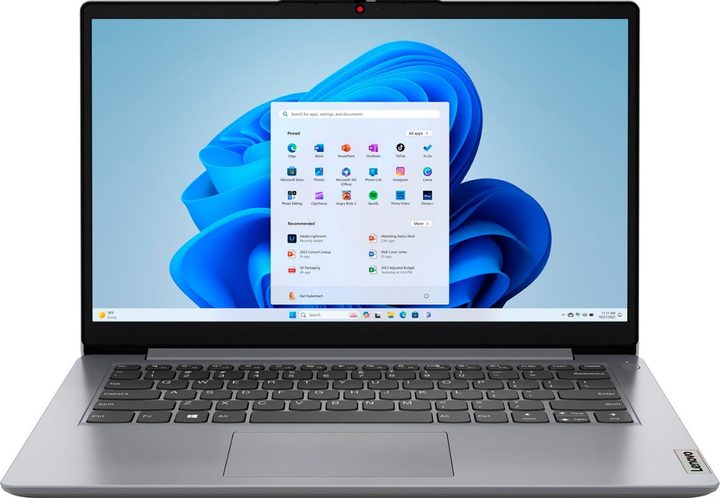
The Lenovo Ideapad 1.
Best Buy

If you’ve been shopping around for a great deal on a reliable gaming laptop, look no further than this terrific Lenovo offer: For a limited time, Best Buy is selling the Lenovo 15.6-inch Ideapad 1 for a reduced price of $330. At full price, this model sells for $580.

And if you’re looking for a more stay-at-home setup for your gaming needs, we’ve been tracking down gaming PC deals for quite some time. These are some of the best desktops in the business too, and they’re available at popular retailers like Amazon, Best Buy, and Walmart.

BUY NOW

Why you should buy the Lenovo Ideapad 1

Some gaming PCs can cost an arm and a leg, but that’s because you’re paying for flagship processors, graphics, memory, storage, and a bunch of other maxed-out feature categories. In the case of the Ideapad 1, a perfect balance is struck between entry-level models and more advanced PCs.

Powered by an AMD Ryzen 5 7520U with 8GB of memory, integrated AMD Radeon Graphics, and 256GB of storage, the Ideapad 1 delivers solid gaming performance. The 15.6-inch HD touchscreen brings bright and colorful picture quality to the table, and the built-in HDMI makes it easy to connect this laptop to an external monitor. Speaking of which, we have an entire list of great monitor deals for you to look through!

On a full charge, the Ideapad 1 should last for about 10 hours. This makes it ideal for all-day use without having to worry about whether you brought the charger or not. Other noteworthy features include access to Windows Copilot, a built-in webcam with noise-canceling tech, and a 30-day free trial of both Microsoft Office 365 and a 30-day trial of McAfee LiveSafe.

We’re not sure how long this markdown is going to last, but Best Buy deals tend to come and go pretty quickly. That being said, now could be the best time to knock a few dollars off this laptop. Save $250 when you purchase the Lenovo 15.6-inch Ideapad 1, and be sure to check out some of the other Lenovo laptop deals we’ve been finding.


BUY NOW

Michael Bizzaco
Former AV Contributor
Michael Bizzaco has been selling, installing, and talking about TVs, soundbars, streaming devices, and all things smart home…
These are the compact printers I’d actually recommend for back-to-school
From dorm room paperwork to instant selfie prints, there's a tiny printer for every need.
Computer Hardware, Electronics, Hardware

Everything is digital until the one professor who still wants a printed essay, or the lease you need to sign in ink, or the photo you want to stick on your dorm room’s wall. That's usually the exact moment you remember you don't own a printer anymore, and the nearest one is a library machine with a line out the door.

I looked at four compact printers that solve that problem without taking over your desk and breaking the bank. Two are built for documents, one is a proper all-in-one for actual home office work, and one has nothing to do with homework and everything to do with turning your camera roll into something you can hold.

Read more
Shopping for back-to-school? These are the webcam lights I’d actually turn on before a Zoom call
From a budget clip light to a proper desk setup, there's a webcam light here for every price.
Head, Person, Face

Between online classes, group project calls, and the occasional job interview over Zoom, your webcam will be doing a lot more heavy lifting in school than it ever did at home. The problem is that most laptop cameras are bad in low light, and a single overhead bulb or a window behind you turns every call into a game of "wait, can you see me okay?"

A good webcam light fixes that faster than moving your whole desk around. I picked five, starting with the most affordable and working up to the one that's genuinely overkill for a Zoom call but still worth knowing about.

Read more
Google Chrome could soon let you translate pages right inside Reading Mode
However, not everyone's seeing it yet, even on Canary.
Google Chrome

Chrome's Reading Mode just got a new button tucked inside its settings menu. Google is quietly testing a translate option for the feature on Chrome Canary, the browser's experimental testing channel where new ideas show up long before they're ready for everyday use.

What does this new translate button actually do?

Read more
