


Is it an urban myth? Can the Internet – a place where one can procrastinate with for hours on end – actually help increase productivity if you want it to? In fact, with the right selection of apps, Web services, and good habits, you can digitize your to-do list to make your life easier to tackle.
Sync your Gmail with your phone
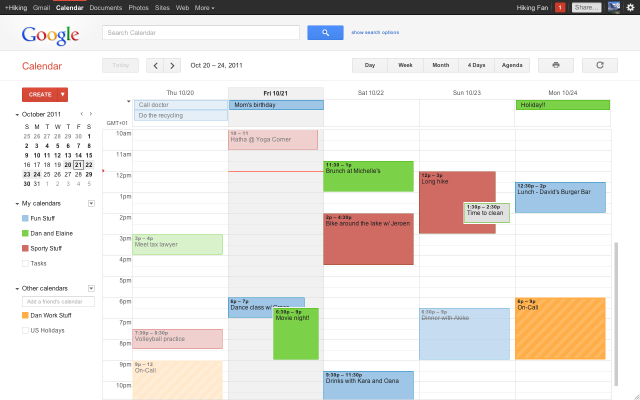 Got a smartphone? Gmail is a great way to get everything you need to do in one place, and take it on the go when you have to. Sync your account with your smartphone, and the Calendar app can update with all the events you have created whether on the Web or on your phone along with contacts you’ve added on the list. This is also a great way to back up your contact data in case you have troubles with your phone and have to factory reset it. When you have everything on the Web and phone, you can edit your appointments anywhere, anytime – and optionally set your phone with an alarm reminder. The color-coding tabs on Google Calendar is also a good option for those who want to sync calendars up with other users, or organize meetings by type.
Post-it Notes are so last decade
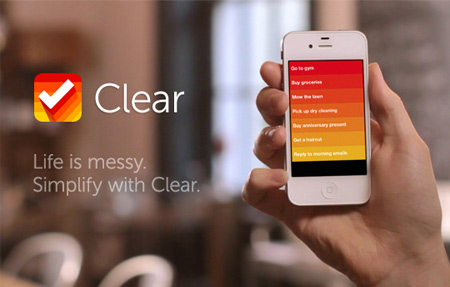 Writing down notes might help you remember things better, but those little square sticky papers are also easy to misplace. Keep your notes and to-do lists in one place using a myriad of beautiful apps, all designed to help you get things done in a friendly user interface. Some of our favorites include Astrid, which helps you create checklists that you can share with friends or family members, and Wunderlist if you prefer a prettier interface.
Clear is also one of the strongest new contenders, with a colorful screen that lets you swipe things away on your iPhone when you’ve accomplished the task. If you want a solid note-taking app, you can always look to the classic Evernote, which will soon come out with an accommodating Moleskine smart notebook so you can jot down notes, take a picture of it, and store it in Evernote.
Remember your scanner?
 I’ll be the first to admit I haven’t touched a scanner since class projects in school, but this technology has evolved. Nowadays, scanners come in all sort of portable sizes to help you scan business cards, recipes, and receipts to keep them organized without cluttering your desk drawers. NeatDesk is one gadget that’s made for the purpose, with a minimalist design to match any home office.
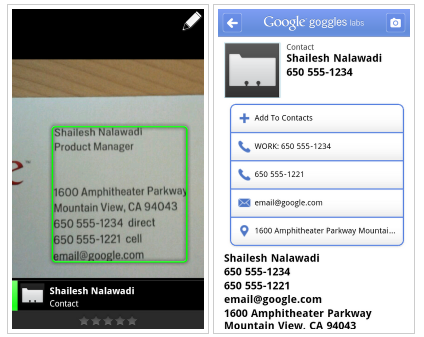
If you don’t want to invest the big bucks, Google Goggles is also a nice little app that allows you to take a photo of a business card with your phone and it will recognize the name, number, address, and email before you add the contact.
Manage your expenses mobily
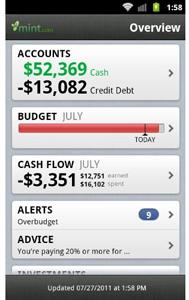 You don’t sign up for a credit card, home, or cellphone service on the same day of every month, so we’re willing to bet your utility bills come at pretty random times of the month. Missing bill payments due dates is the quickest way to make an unnecessary expense, which in turn ruins your credit and savings account. Mint is a great expense manager app that syncs up with your bank accounts to let you know how much money you’re spending, on what category of things, and it comes with a bill payment manager to remind you of when things are due. You can set balance limits on categories, such as not letting yourself spend more than $30 on fast food per month, to help curb the little expenses and add to a better money managing habit.


