

The Dell XPS 13 is the company’s crowning glory, and also our top pick for the best laptop of 2020. It’s got everything that you could ever want in a premium portable PC: Top-tier performance, beautiful design, and exceptional hardware. Unfortunately, it normally comes with a hefty price tag. Not anymore. Right now, you can get it at Dell’s official website for a huge $108 off. Or if it’s the MacOS experience that you want, check out the 13-inch MacBook Air below. It, too, boasts high-end hardware and software components and comes in at a whopping $99 off ahead of Prime Day. Read on to decide which laptop suits you best.
Dell XPS 13 – $750, was $858
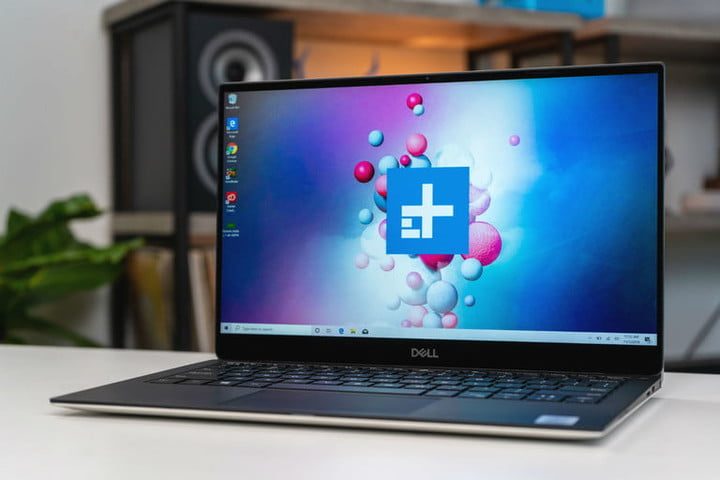
The Dell XPS 13 is the perfect Ultrabook. Refresh after refresh, Dell has managed to land on the top spot of our annual list of best laptops. The latest iteration of the XPS 13 fixes its predecessor’s biggest flaw: The tragic “nosecam.” For some confounding reason, Dell placed it in the center of the bottom bezel, giving the person you’re video chatting with a charming view of your nostrils. Now, the webcam has been moved to its rightful place at the top bezel. Another major highlight is this laptop’s touchscreen. The previous XPS 13’s display was already stunning, but Dell just wasn’t satisfied with it and decided to remove nearly all of its surrounding bezels. The result is a 13.4-inch touchscreen panel that’s 6.8% larger than its predecessor, giving you a more immersive view of your work. This unit’s Intel Core i5 processor is extremely powerful. Normal day-to-day tasks will prove no challenge at all, and neither will having multiple browser tabs and CPU-intensive programs open simultaneously. In fact, this chip makes this laptop more powerful than the MacBook Air, detailed below, which costs $150 more. Battery life is also quite excellent, lasting over 12 hours in our continuous web surfing test. The Dell XPS 13 may be a bit pricey, but it is worth every penny thanks to its top-notch design, solid performance, and day-long battery life. Get it today for $750 instead of $858 at Dell’s official website – a huge $108 off.
13-inch MacBook Air — $900, was $999
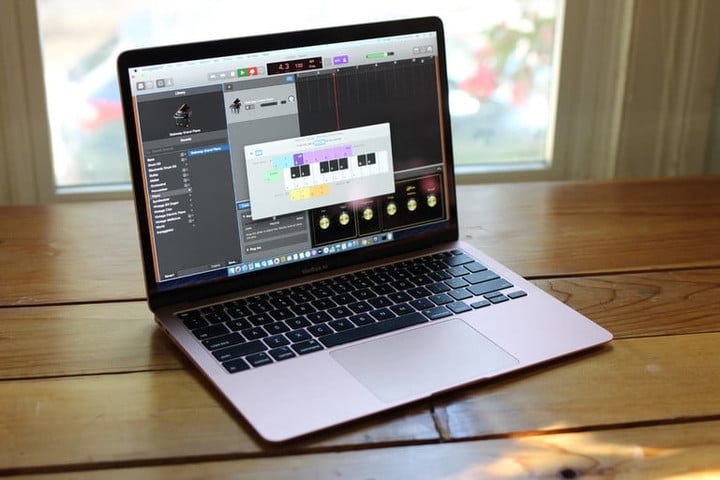
The MacBook Air is Apple’s most well-balanced and affordable laptop offering. It is now bedecked with the perfect keyboard, Apple ditched the pretty yet unnecessary Touch Bar (which also contributes to the lower price), and it offers a good performance well-suited to everyday computing tasks. The older MacBook’s Butterfly keyboard offered a typing experience that was comparable to typing on a block of wood. Thankfully, Apple listened to its many fans’ complaints and came up with the much-improved Magic keyboard. It provides a deeper, more satisfying feel and no longer feels flimsy as did its predecessor. Apple also wisely chose to remove the divisive Touch Bar in favor of a row of physical function keys and a standalone Touch ID fingerprint sensor. Finally, this unit comes with a tenth-generation Intel Core i3 processor which can easily tackle the most basic of tasks, although it’s not suitable for CPU-intensive work such as photo and video editing. If your primary reasons for buying a laptop involve researching, editing documents, sending emails, and updating social media, this will more than suffice. Get the 13-inch MacBook Air, our choice for the best laptop for students, at Amazon today for $900 instead of $999.
Still having a difficult time deciding? Check out some of the other Black Friday Dell XPS deals, laptop deals, and MacBook deals happening now. Rather see what’s happening on Prime Day? Check out our expert guide’s to Prime Day laptop deals and Prime Day Macbook deals.


