1. Home
  2. Phones
  3. Mobile
  4. Deal Evergreens

Amazon Kindle Unlimited Free Trial: How to sign up without paying a dime

Add as a preferred source on Google

Searching for an Amazon Kindle Unlimited free trial? Stick with us and in no time you’ll be enjoying a two-month subscription without handing over a dime. You’ll even receive a notification when it’s about to come to an end so you can nip it in the bud before it switches over to a paid membership.

Think of Amazon Kindle Unlimited as the Amazon Prime Video (or Netflix) of the book world. The service offers unrestricted access to more than a million must-read titles, as well as a selection of popular magazines and audiobooks that come bundled with the subscription for free — no hidden charges.

Signing up for the Kindle Unlimited free trial couldn’t be easier. Just head over the website — or click the button above — and follow the on-screen instructions to create an Amazon account. Already have one? Simply click ‘”Join Kindle Unlimited”. You’re now enrolled for two months — for free.


Of course, there are some caveats. First, the two-month trial offer is only valid for customers who subscribe before midnight on June 30. Second, former Kindle Unlimited subscribers are not eligible for the taster: They’ll need to hand over the usual $10 per month if they want to use it again.

How To Sign Up For The Amazon Kindle Unlimited Trial

Confused? We’ll walk you through how to sign up for the Kindle Unlimited free trial.

Existing Amazon Customer

Step 1: Head over to the Amazon Kindle Unlimited website.
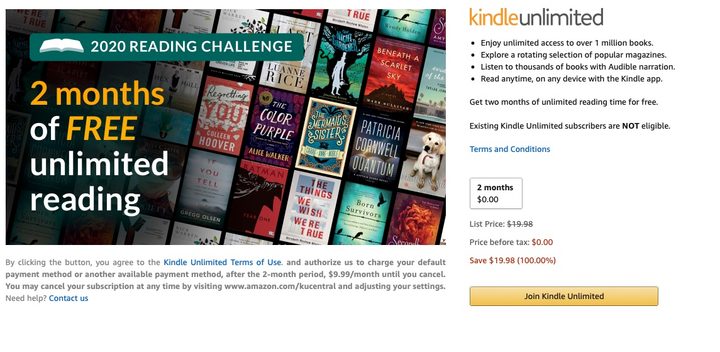
Head over to the Kindle Unlimited website and select ‘Join Kindle Unlimited’. Image used with permission by copyright holder

Step 2: Click the button labeled “Join Kindle Unlimited” — or hit the one below.

Step 3: Enter payment information for when the trial comes to an end.
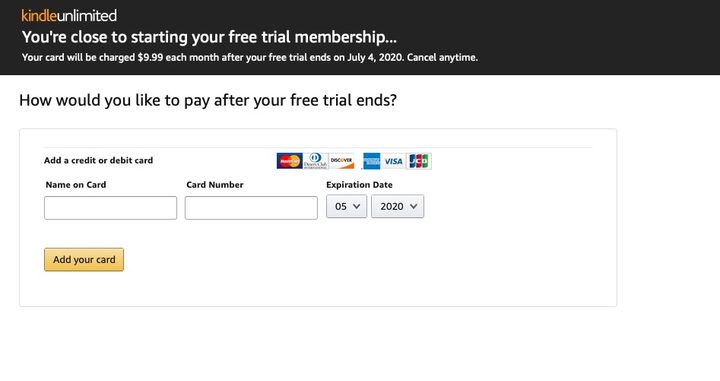
Enter some payment information for after the trial ends. Image used with permission by copyright holder

Step 4: Time to start reading!

New Amazon Customer

Step 1: Head over to the Amazon Kindle Unlimited website.
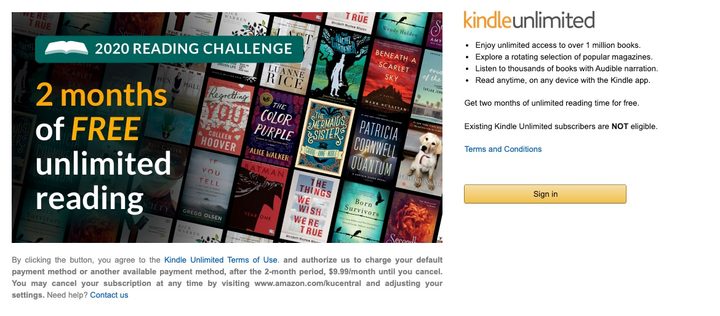
Head over to the Kindle Unlimited website and select “Sign In.” Image used with permission by copyright holder

Step 2: Click the button entitled ‘Sign In’ — or click the button below.

Step 3: Press “Create Your Amazon Account.”
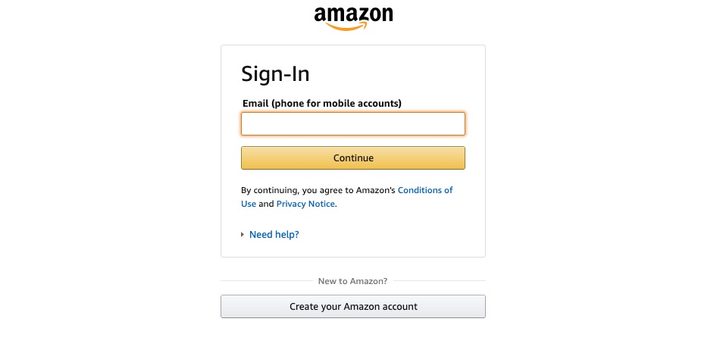
Select “Create Your Amazon Account” and follow the instructions. Image used with permission by copyright holder

Step 4: Follow the on-screen instructions to create an account.

Step 5: Add a credit card to be used once the taster is over.

Enter some payment information for after the trial ends. Image used with permission by copyright holder

Step 6: Choose a book and start reading!

Not sure where to start? Your best bet is to head over to the Amazon Kindle Unlimited Store, which isn’t a store at all because everything is free. What it is, however, is a catalog of everything that can be accessed through the subscription at no charge, organized by genre and what’s trending.

Here’s a look at what’s hot at the moment:

  1. When We Believed In Mermaids by Barbara O’Neal
  2. If You Tell by Gregg Olsen
  3. In An Instant by Suzanne Redfearn
  4. Last Day by Luanne Rice
  5. The Last Sister by Kendra Elliot
  6. The Dressmaker’s Gift by Fiona Valpy
  7. The Missing Sister by Elle Marr
  8. A Killer’s Wife by Victor Methos
  9. The Dare by Lauren Landish
  10. Wall of Silence by Tracy Buchanan
Commerce Contributor
Former Digital Trends Contributor
Digital Trends' Commerce team has a simple mission: to help our readers make the purchasing decision that is right for them…
Apple fixes Hide My Email bug that exposed users’ real email addresses
Here's how Apple's Hide My Email flaw leaked real addresses for over a year, and why it only got fixed once the story went public.
apple-merging-sign-in-with-apple-hide-my-email-icloud+

Turns out the "Hide" part of Hide My Email wasn't doing its job quite as advertised, something that I covered early in July. Security researcher Tyler Murphy reported the flaw in June 2025, but despite Apple claiming it was resolved in March 2026, independent tests confirmed it remained exploitable, at least until July 3, 2026.

So how did this bug actually work?

Read more
Samsung is reportedly preparing for the biggest foldable battle yet
Samsung reportedly raises Galaxy Z Fold 8 production as foldable race heats up
Computer, Electronics, Mobile Phone

Samsung is reportedly making a last-minute adjustment to its foldable strategy, and it suggests the company is increasingly confident about where the market is headed.

According to a report from South Korea's ETNews, Samsung has raised production targets for its upcoming Galaxy Z Fold 8, a new foldable expected to feature a 4:3 aspect ratio. The company is now reportedly planning to produce 2.8 million units of the device, up from an earlier target of 2 million.

Read more
Apple is reportedly teaming up with Klarna to let you pay off new devices over time
According to Bloomberg, the company could introduce a new Apple Upgrade program later this month, replacing the decade-old iPhone Upgrade Program.
Electronics, Mobile Phone, Phone

Apple may be getting ready to let you pay off your next iPhone, iPad, or Mac in installments. The company is reportedly planning to introduce a new financing option called "Apple Upgrade" in the US on July 28 in partnership with Klarna, according to Bloomberg's Mark Gurman.

Payment terms may vary by device

Read more