
Microsoft doesn’t have to prove itself as a computing giant, but too many of its computers sit stationary. It would like to have people more people with Microsoft-made devices in their pockets and purses and backpacks. The company’s latest attempt to put a dent in the tablet market came today with the announcement of the Surface 2. In the continuing confusing fashion of naming things, the Surface 2 is the successor to the Surface RT and will run Windows RT 8.1 OS. Once you set aside trying to figure out the difference between RT 8.1 and regular Windows 8.1, you’ll see a pretty impressive tablet. How well does it compare to its predecessor? We find out with a spec showdown.
|
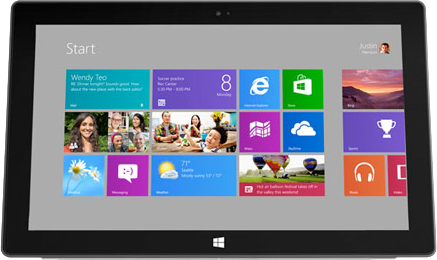
Surface RT
|
Surface 2 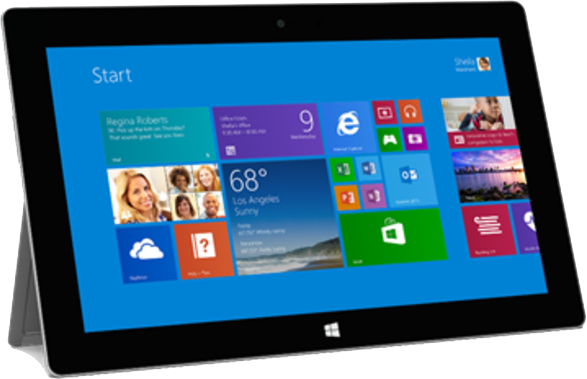 |
|
| Size | 274.5 x 171.9 x 9.38 (mm) | 274 x 171 x 8.9 (mm) |
| Weight | 680g | 680g |
| Screen | 10.6-inch ClearType HD | 10.6-inch ClearType Full HD |
| Resolution | 1366×768 pixels | 1920×1080 pixels |
| OS | Windows RT | Windows RT 8.1 |
| Storage | 32GB | 32/64GB |
| SD Card Slot | Yes | Yes |
| Other Ports | USB 2.0, HD video out | USB 3.0, HD video out |
| Processor | Quad-core Nvidia Tegra 3 | Quad-core Nvidia Tegra 4 |
| RAM | 2GB | 2GB |
| Connectivity | Wi-Fi (802.11a/b/g/n) | Wi-Fi (802.11a/b/g/n) |
| Camera | Front 1.2MP, Rear 1.2MP | Front 3.5MP, Rear 5MP |
| Bluetooth | Yes, version 4.0 | Yes, version 4.0 |
| Battery | 31.5Wh (8 hours of use) | 10 hours of use |
| Charger | Micro USB | Micro USB |
| Marketplace | Windows Store | Windows Store |
| Price | $350+ | $450 |
It’s clear that the Surface 2 is an upgrade over the Surface RT. It’s thinner and faster than the original RT. With the upgrade to the Nvidia Tegra 4 processor, users of the Surface 2 can expect some pretty impressive speeds out of the tablet. Microsoft is promising a significant jump in speed and performance – about 60 percent faster CPU – and judging by the spec sheet, we don’t have too much of a reason to question them. The battery also gets a boost, as does the display which makes a welcome move into full 1080p HD. Cameras on both the front and the back of the Surface 2 outdo the ones on the Surface RT and you might get better use out of both with the new kickstand that allows you to position your device in new ways.
Something you won’t see in the numbers is the incentive package being offered to potential Surface 2 owners. The new tablet will come with Office 2013 RT applications, free international and Wi-Fi calling on Skype, and 2 years of 200GB SkyDrive storage. These are nice bonuses if you were already going to buy a Microsoft tablet and makes it appealing to those that love productivity options.
It’s worth noting Microsoft doesn’t appear to be giving up on the RT, as it will keep the device available for $350, the same price tag the device has carried since getting re-priced back in July. It now serves as more of an entry level version of the Surface tablet family and will be compatible with the new Touch and Type covers also unveiled today. With an upgrade to Windows 8.1 RT and a new cover, current RT owners might be able to justify sitting out the opportunity to move to the Surface 2. But for people just entering the Surface tablet system, it will be worth the extra $100 to go with the new Surface 2, available on October 22, 2013.


