1. Home
  2. Phones
  3. Apple
  4. Mobile
  5. News

iPhone owners should update to iOS 15.0.2 right now

Add as a preferred source on Google

Apple is advising iPhone owners to download its latest update to iOS and iPadOS 15 as it includes an important security patch as well as a number of bug fixes.

Made available on Monday, October 11, iOS and iPadOS 15.0.2 addresses an issue that could allow nefarious apps “to execute arbitrary code with kernel privileges.” In other words, it offers a way for a hacker to take control of your iDevice.

Recommended Videos

Apple even says that the issue may have already been exploited, so you’re strongly advised to install the security patch just as soon as you can.

To perform the update on an iPhone or iPad, tap on Settings, and then General. Next, tap on Software Update, and then follow the install instructions to download 15.0.2.

If your Apple devices are still running version 14 or earlier, you won’t see the update prompt for 15.0.2.

Monday’s update also includes fixes for the following iPhone issues that some people have been experiencing:

  • Photos saved to your library from Messages could be deleted after removing the associated thread or message
  • iPhone Leather Wallet with MagSafe may not connect to Apple’s Find My app
  • AirTag might not appear in the Find My Items tab
  • CarPlay may fail to open audio apps or disconnect during playback
  • Device restore or update may fail when using Finder or iTunes for iPhone 13 models

Apple released iOS 15 on September 20. Despite months of testing prior to release, it’s normal for new bugs and security issues to emerge once the operating system is rolled out to the entire customer base. It’s for this very reason that many people hold off installing a new mobile operating system until they’re confident that the worst problems have been addressed in subsequent updates.

Apple released iOS 15.0.1 on October 1. This update dealt with an issue that prevented iPhone 13 handsets from unlocking and using an Apple Watch and got rid of an alert in the Settings app that incorrectly claimed a phone’s storage was nearly full. It also stopped audio meditations from suddenly initiating a workout on Apple Watch for some Fitness+ subscribers.

If you haven’t yet installed iOS 15 but are ready to do so, here’s how to do it. And here’s the best of what the iPhone’s latest mobile operating system has to offer.

Trevor Mogg
Contributing Editor
Not so many moons ago, Trevor moved from one tea-loving island nation that drives on the left (Britain) to another (Japan)…
Hate editing videos? This new AI app turns your camera roll into ready-to-post reels
Reelful uses AI to plan, script, and edit your reels, so you never have to touch an editing app.
Electronics, Phone, Mobile Phone

Your camera roll is probably packed with vacation photos, birthday videos, and random clips that never make it to Instagram or TikTok. If video editing has kept you from posting more on social media, a new app wants to take that job off your plate entirely.

Reelful is an iOS app that uses AI to automatically turn your existing photos and videos into polished, ready-to-post reels for TikTok and Instagram.

Read more
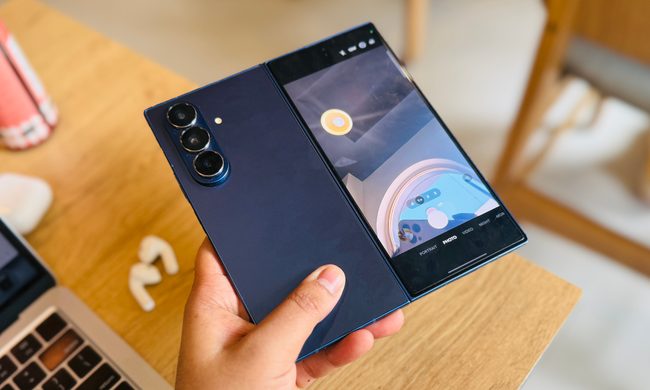
Galaxy Z Fold 8: Everything we know about Samsung’s wider and shorter foldable
Samsung's widest Fold yet could finally make book-style foldables feel natural.
Rear camera for selfie on Samsung Galaxy Z Fold 7.

For most of its existence, the Samsung Galaxy Z Fold has solved one problem while creating another. The book-style foldable has let buyers carry a tablet-sized screen in their pocket without actually carrying a tablet. But, through no fault of its own, that came at the cost of a cover screen so tall and narrow that using it one-handed felt unnatural and uncomfortable. 

Further, viewing content on the inner screen came with giant black bars at the top and the bottom. Samsung is addressing that with the Galaxy Z Fold 8, which could feature an entirely new form factor. Think shorter, wider, passport-shaped, and a cover screen you can actually type on without contorting your fingers. 

Read more
Google just teased a Pixel 11 feature we have been waiting months to see
Pixel Glow appears beside the cameras in Google’s first Pixel 11 video
Lighting, Appliance, Ceiling Fan

Last week, Google confirmed that its 2026 Made by Google event will take place on August 12. The Pixel 11 series is expected to lead the announcements, alongside the fifth-generation Pixel Watch. Google has now released its first video teaser ahead of the event, and it appears to reveal both the Pixel 11 Pro and the rumored Pixel Glow feature.

What does the teaser reveal?

Read more