  1. Home
  2. Phones
  3. Mobile
  4. Features

The One UI 7 beta fixes one of my biggest annoyances with Samsung phones

Add as a preferred source on Google
The vertical app drawer in One UI 7.
Joe Maring / Digital Trends

Sometimes, it feels like we’re living in the future. We have self-driving cars, humanoid robots, and tiny computers on our wrists. Now, you can add vertical app drawers on Samsung phones to that list.

Samsung recently rolled out the One UI 7 beta to the Galaxy S24 lineup. Included in that update — something that wasn’t mentioned in any press release or leak leading up to the beta’s release — is a massive change to how the app drawer works.

Recommended Videos

For the last several years, almost every Android smartphone, regardless of manufacturer, has had an app drawer with a pretty rigid design: swipe up from your home screen to see a vertically scrolling list of your apps. There’s nothing particularly special about it. Swipe up to view your apps and then keep swiping up to scroll through them. It’s quick, simple, and makes sense.
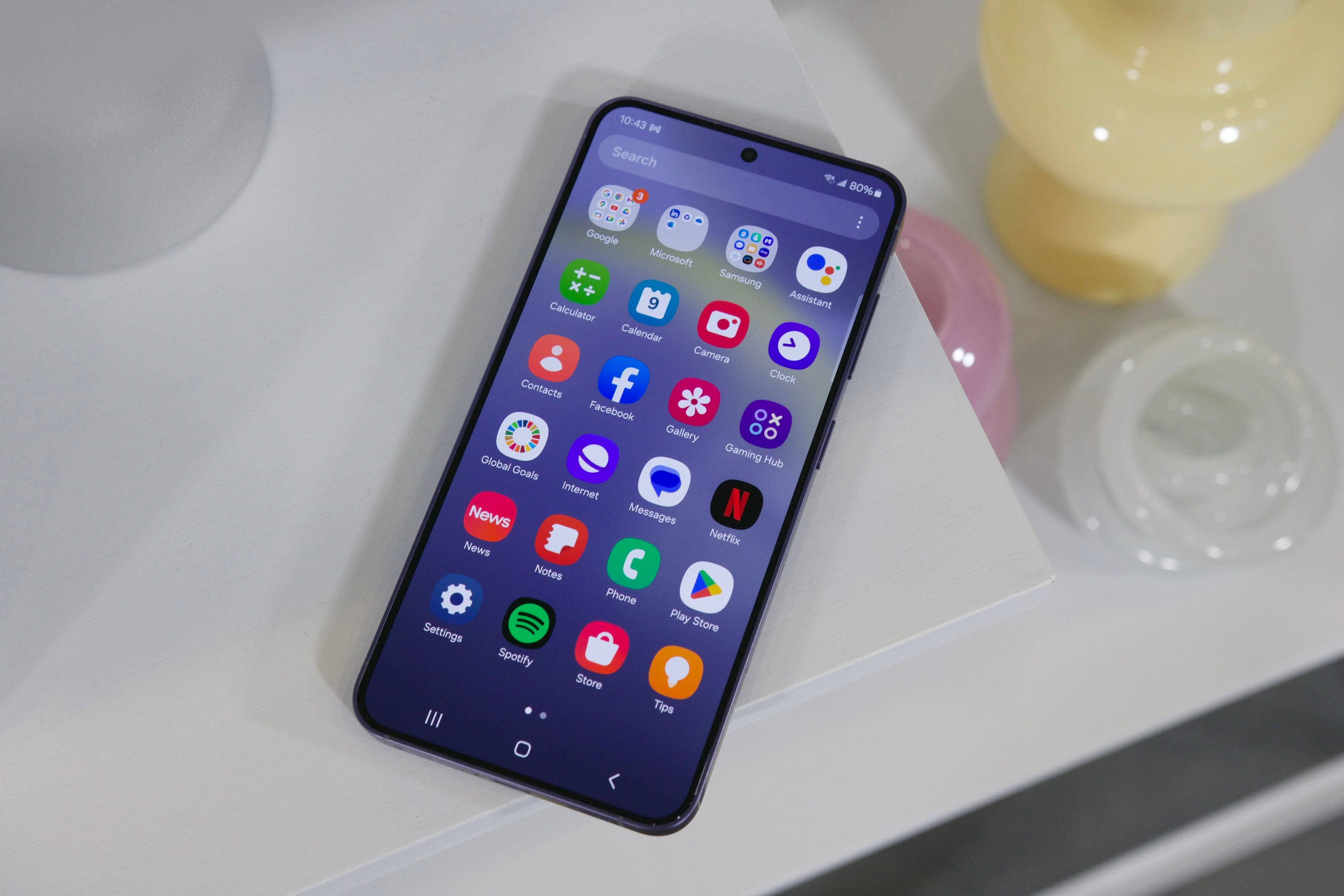
The Samsung Galaxy S24 laying on a shelf with its screen turned on.
The horizontal app drawer in One UI 6 Joe Maring / Digital Trends

Samsung, however, has consistently ignored this unwritten rule of app drawer design. For years, it’s gone with an opposite approach on its phones. You still swipe up to open your app drawer, but you then swipe horizontally to navigate between app pages. Is this a deal-breaker? No. Is it a silly thing to complain about? Perhaps. But it’s also a bad interface that felt like it was being different just for the sake of it.

With the One UI 7 beta, that issue disappears.

After you download One UI 7 onto your Galaxy S24, swiping up from your home screen now shows — you guessed it — a vertical app drawer. You swipe up to view your apps and keep swiping to scroll through them.
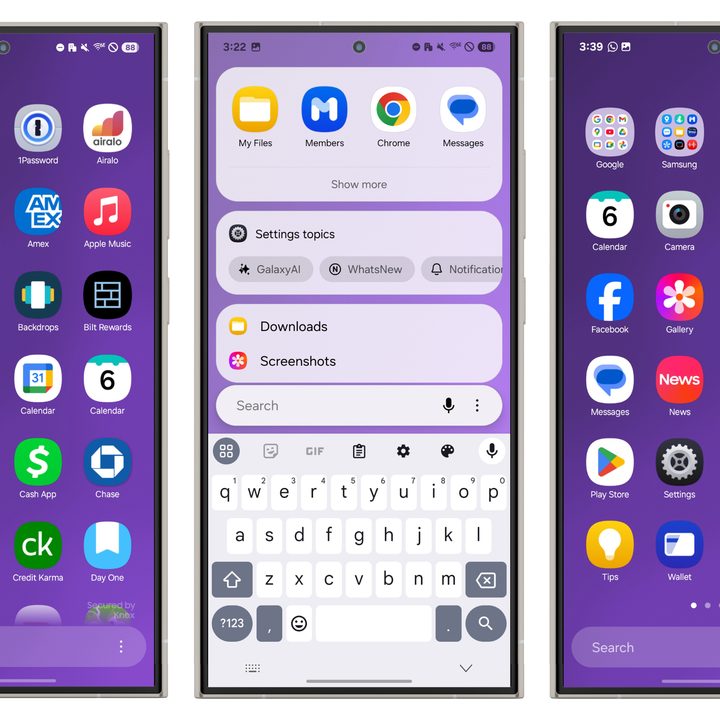
Screenshots of the new app drawer in Samsung's One UI 7 update.
The One UI 7 vertical app drawer (left), search interface, and horizontal option Joe Maring / Digital Trends

As someone who frequently bounces back and forth between multiple Android phones, most of which use a vertical app drawer, it’s always jarring to go back to a Samsung phone and readjust to the horizontal layout. I’ll also be the first to admit that I have a very weird job, and most people aren’t using phones like I do.

However, I still think this is a positive overall move. Not just for nerds like me who interact with over a dozen different Android phones in any given year, but for everybody. You use a vertical app drawer if you’ve used an Android phone from Google, OnePlus, or Motorola, or even an iPhone. If you switch to a Samsung phone, that change to a horizontal app drawer. While it’s not the end of the world, it is annoying. It’s an unnecessary bit of friction, and thanks to the One UI 7 beta, it’s now gone.
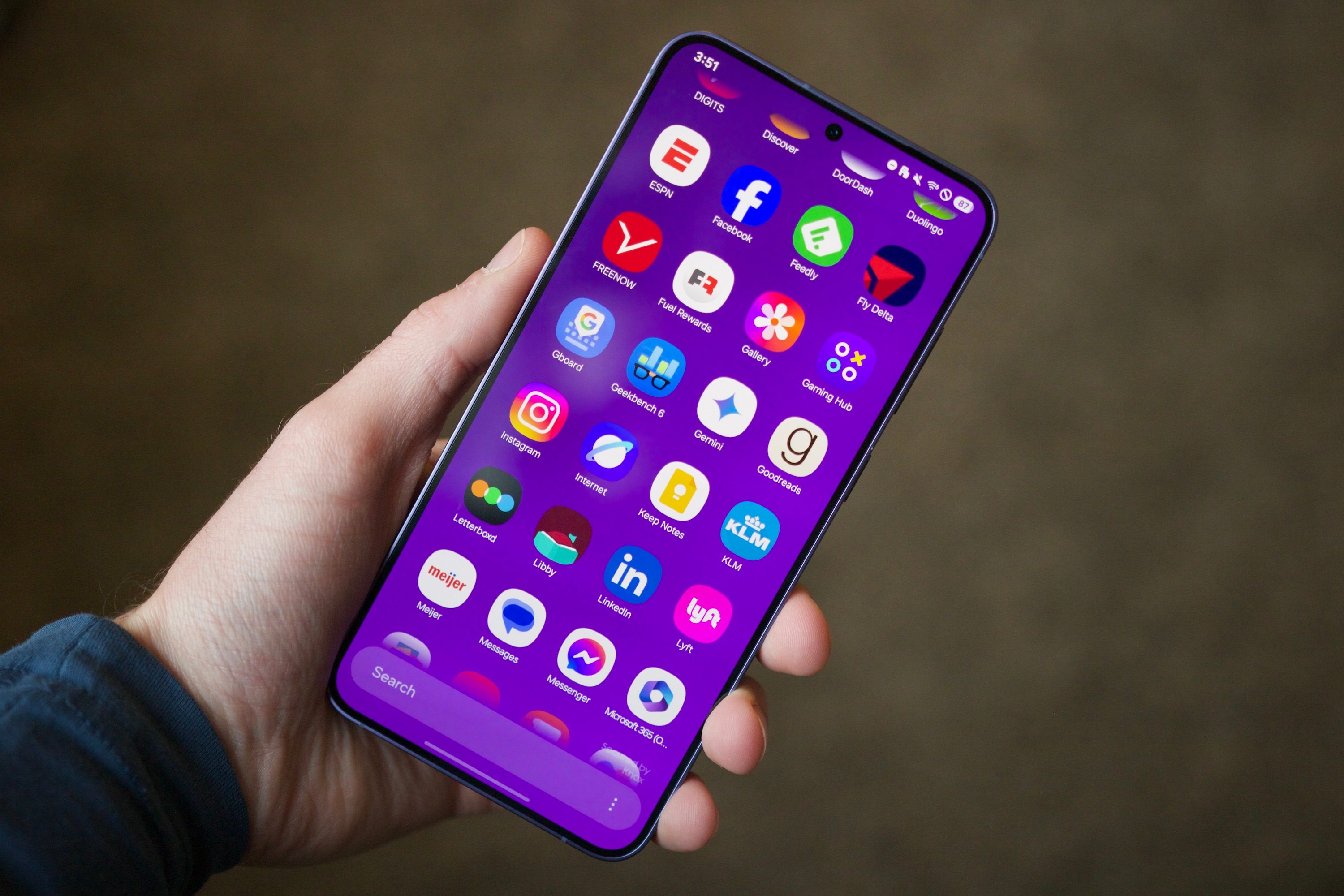
The vertical app drawer in One UI 7.
This is what I’ve been waiting for. Joe Maring / Digital Trends

And as far as vertical app drawers go, this is a good one. You can swipe on a right-mounted bar to jump to apps starting with a specific letter, while a search bar on the bottom lets you search for apps and files or do a Google search. And if you prefer the horizontal app drawer (I have many questions for you), just open the app drawer, tap the three dots in the bottom-right corner, tap Sort, and tap Custom order to go back to the horizontal layout.

There’s much more to dig into with One UI 7, including new Galaxy AI features, a redesigned lock screen, updated app icons, and more. It’s available now for the Galaxy S24, Galaxy S24 Plus, and Galaxy S24 Ultra and can be found in the Samsung Members app. It’s still a beta and may not be perfectly suited for daily use, but for the vertical app drawer alone, it might be worth it.

Joe Maring
Joe Maring has been the Section Editor of Digital Trends' Mobile team since June 2022. He leads a team of 13 writers and…
Samsung’s next tracker may look better while becoming harder to actually attach
Samsung may redesign the SmartTag right into an AirTag annoyance
Samsung Galaxy SmartTag 2 in Black and White variants

Samsung appears ready to redesign its Galaxy SmartTag again. This time, the makeover could come at the expense of one of the SmartTag 2’s most practical advantages. SamMobile's latest report has shared the supposed design of the upcoming Galaxy SmartTag 3.

The smart tracker can be seen with a compact squircle-shaped body that resembles Samsung's recent One UI icons and the shape used around newer Galaxy Watch displays. In comparison, the current SmartTag 2 looks a lot different, with a longer pill-shaped body dominated by a big integrated loop at one end. The leaked SmartTag 3 diagram does away with that loop entirely.

Read more
Tecno shows off a bezel-less concept phone that looks achingly breathtaking
Tecno's bezel-free phone could be revealed at IFA 2026 in September.
Tecno camon bezel free concept phone.

Say what you will about bezel-less phones, how bad they are for typing, and how they are a glorified ergonomics nightmare, but you can't deny their charm. For over a decade, smartphone makers have made numerous attempts to reduce or eliminate those black borders. The likes of Vivo went with a sloping screen, while others like the ill-fated Essential and Xiaomi just kept trimming the sides. Apple and Samsung followed in their footsteps, but neither of them has tried anything too audacious lately.

Tecno, it seems, wants to go bezel-less without any tricks. The brand just released a short teaser video showing its "next-gen bezelless concept phone." It's a concept phone, so keep that designation in mind. The brand hasn't said when this phone will be officially showcased, or launched, but IFA 2026 is our best bet. As for the device itself, it just looks stunning, and rumors also suggest that the bezel race will be white hot in 2027.

Read more
Shopping for back-to-school? I’d recommend these GaN chargers for saving space and packing more power
From a $9 spare to a $56 desk hub, these chargers cut down on cable clutter so that you can focus on your studies, not how cluttered your desk looks.
Best GaN chargers in 2026 for back to school shopping.

Between a phone, a laptop, a tablet, and perhaps a pair of wireless earbuds that require charging every day or every few days, most students are packing multiple chargers for move-in day. Those big, heavy bricks take up valuable backpack space that could otherwise be free for carrying more items. 

However, GaN chargers fix that problem in two ways. First, they deliver the same amount of power from a much smaller body, thanks to gallium nitride transistors. Furthermore, if you're willing to spend a little more upfront, you can get a high-capacity, multi-device charger capable of powering your entire digital ecosystem from a single wall outlet, something that could be very useful for a dorm room.

Read more