


“Whether you’re looking to print large photos or business documents, the Pixma iP8720 balances pro-like capabilities with affordable pricing.”
- Print sizes up to 13x19
- Excellent output quality
- Great for photo and everyday printing
- Slightly dark skin tones
- Large, heavy
“Why you can trust Digital Trends – We have a 20-year history of testing, reviewing, and rating products, services and apps to help you make a sound buying decision. Find out more about how we test and score products.“
With few exceptions, wide-format printing isn’t a feature found in regular home printers. It’s too bad, because that larger paper size is great for printing large photos, expansive Excel spreadsheets, banners, crafts, etc. If you do want wide-format printing, however, those printers tend to be more expensive than a standard letter-size unit, and are geared toward graphic designers, photographers, and other professionals. For consumers, there’s Canon’s Pixma iP8720 ($300), a single-function inkjet machine that uses six ink tanks for excellent quality prints, and a price that doesn’t completely break the bank.
Features and design
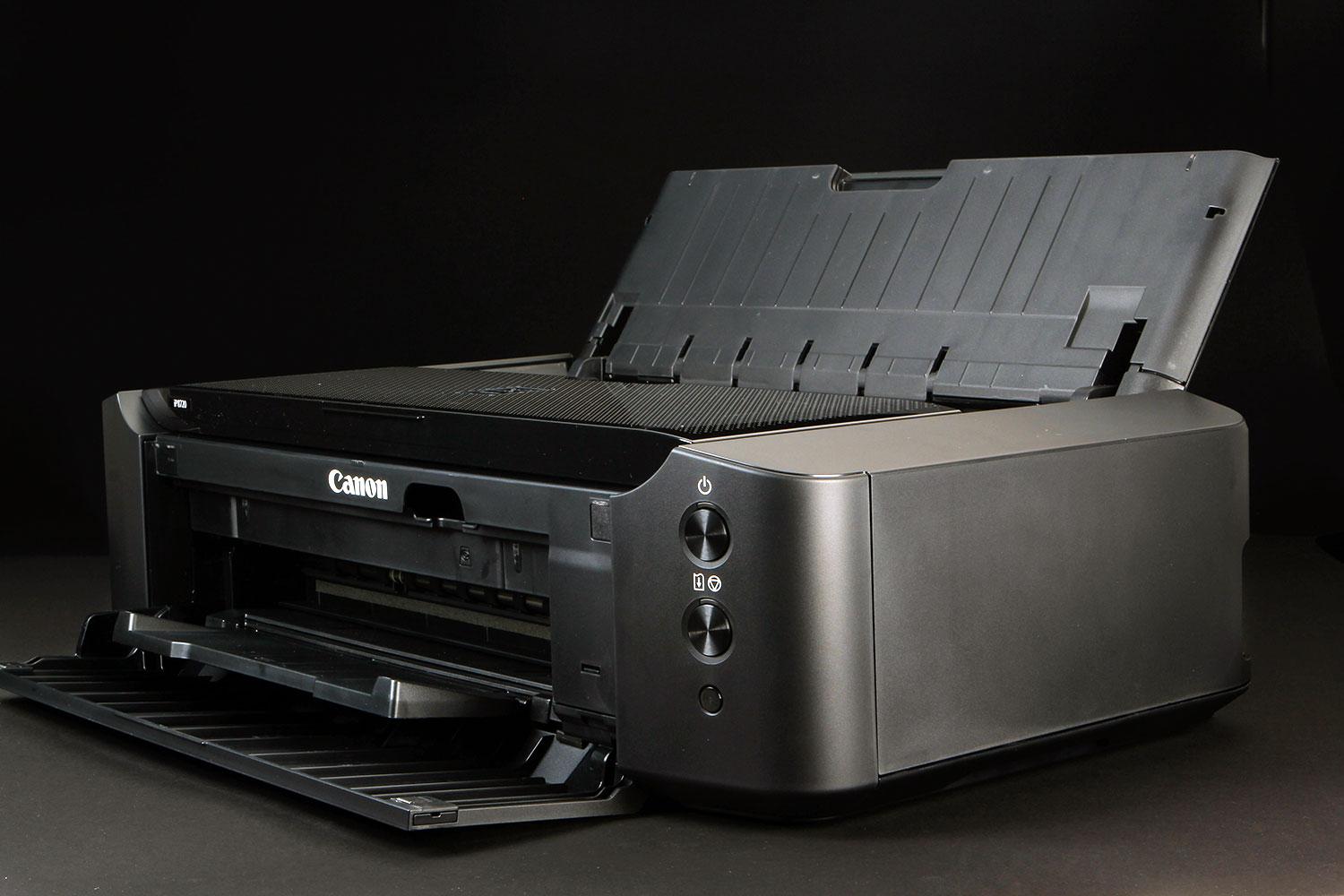
Besides some textured top panels and three buttons (power, resume/cancel, Wi-Fi/WPA), the iP8720 is a large, glossy black printer that’s nondescript. While it shares design traits and namesake as its Pixma Pro big brothers, the iP8720 is geared specifically toward the home market (Canon categorizes this machine as a “crafting printer,” although we reckon designers on a budget will get some use out of it); it’s also lighter than the professional models, but heavier than most sub-$100 inkjet models.
The iP8720 isn’t a prosumer wide-format printer, but it has many of the features of pricier models.
To connect the printer, you can use either USB or Wi-Fi, which is how most home users connect their devices these days. What’s lacking is a front PictBridge-compatible USB port, despite it being a photo printer. But if you have one of the newer Canon cameras, you can use a direct connection over Wi-Fi; ditto for wireless printing from iOS or Android smart devices.
The front panel folds down to expose the paper output tray, as well as a straight-through path for the included CD/DVD print tray. A rear panel lifts to expose the paper tray, which has a capacity of 120 sheets of plain paper or 20 sheets of heavier photographic media. A top panel lifts open to expose the printhead.
The iP8720 is a six-color printer. In addition to the standard cyan, magenta, yellow, and black, Canon adds photo black and gray. These additional colors provide a larger gamut and much greater detail in shaded areas, as well as producing finer monochrome prints.
When talking about a photo printer, ink cartridge yields are pretty much meaningless. There are standards that printer makers must meet, but the actual yield based on the photos that you print is impossible to guess. For general ink yield (not photos), Canon lists the standard size cartridges as yielding approximately 1,100 pages for the black cartridge and around 310 pages for each of the color cartridges. A higher capacity cartridge is available, with estimated yields of 4,400 pages for the black cartridge and 670 pages for color cartridges. As with all yield estimates, your mileage will vary. Standard-sized cartridges are about $12 each, with higher capacity cartridges varying between $18 and $23.
What’s in the box
Included in the box are the printer, a poster-sized setup guide, power cord, CD with drivers and software, and a special tray that’s needed if you want to print on printable CD or DVDs.


Included on the disc is Canon’s My Image Garden, which contains a nice collection of crafts-oriented features for printing things like greeting cards, as well as software needed to print on optical discs. (Users also have access to Canon Creative Park, which has more downloadable craft projects.)
Setup and performance
Setup is simple and straightforward. Load the six ink cartridges, wait several minutes for the printer to prime, and install the software (you can install just the drivers, if you don’t need the software). We used a USB connection during our tests, but we generally have no issues connecting Canon’s printers via Wi-Fi. In fact, if you have a wireless router that supports Wi-Fi Protected Access (WPA), you can easily set up the printer on a network by pressing that aforementioned Wi-Fi/WPA button on the front. The printer also supports Apple AirPrint and Google Cloud Print for wireless printing (bypassing a network), or through Canon’s iOS and Android print apps.
Considering that Canon promotes the Pixma iP8720 as a photo printer, we were pleasantly surprised by its capabilities in everyday printing. At the standard print quality setting (the driver also offers settings for Business Document, Paper Saving, Photo Printing, and Envelope), we achieved a print speed of 13.3 pages per minute (ppm) with our Word document test (which contains mostly black text and a small color logo). Canon rates the iP9720 at 14.5 ppm printing in black, and 10.4 in color, so their estimates and our results are close.
In terms of photo quality, we were very pleased with what the iP8720 was able to produce. We printed on Canon Photo Paper Pro Luster and Canon Photo Paper Plus Glossy II. On both papers, results were excellent, with our only criticism being slightly dark skin tones that were only noticeable when comparing the output with our reference prints.
Conclusion
For the most part, we wouldn’t consider the Pixma iP8720 as a “prosumer” printer like the Pixma Pro-series models, which are suitable for the more serious photographer and graphic designer. At the same time, it does have many of the features of considerably more expensive printers, including a six-color ink system, 13 x 19 print capability, and truly excellent print quality when using photo quality paper.
It produces nice-looking business and school-type reports on good quality office paper, and does so with respectable speed. In our minds, that makes the Pixma iP8720 a great candidate if you need a printer for home, school, crafts, and large-format photos.
The Pixma iP8720 is more expensive than your typical home printer, but it is also more capable, and worth the extra expense.
Highs
- Print sizes up to 13×19
- Excellent output quality
- Great for photo and everyday printing
Lows
- Slightly dark skin tones
- Large, heavy


