


“We look forward to Acer's future tablets, but the A200 just isn't an impressive tablet in 2012 unless it is priced even more aggressively.”
- Great improvement over Acer's A500
- Decent front-facing camera
- Full-size USB port
- microSD support
- Runs Android 4.0
- Nice Acer Android add-ons
- No rear camera
- Heavier and fatter than the iPad 3
- Screen can't compare to newer models
- Android tablet apps still lag behind Apple
- 10.1 inches is a bit too big
“Why you can trust Digital Trends – We have a 20-year history of testing, reviewing, and rating products, services and apps to help you make a sound buying decision. Find out more about how we test and score products.“
Like almost all PC makers, Acer has been dipping its toes in the Android tablet market for more than a year now, with little success to show with it. The A200 is its third major stab at an Android tablet, after the Iconia Tab A500 and small, 7-inch A100. Hopefully the third time is a charm, but even if it isn’t, the company already has two more Android devices planned in the next few months and, like everyone, will be banking on Windows 8 tablets when the OS hits shelves later this year. Below is how the $320 to $350 Acer Iconia Tab A200 stacked up.
Video overview
Feel
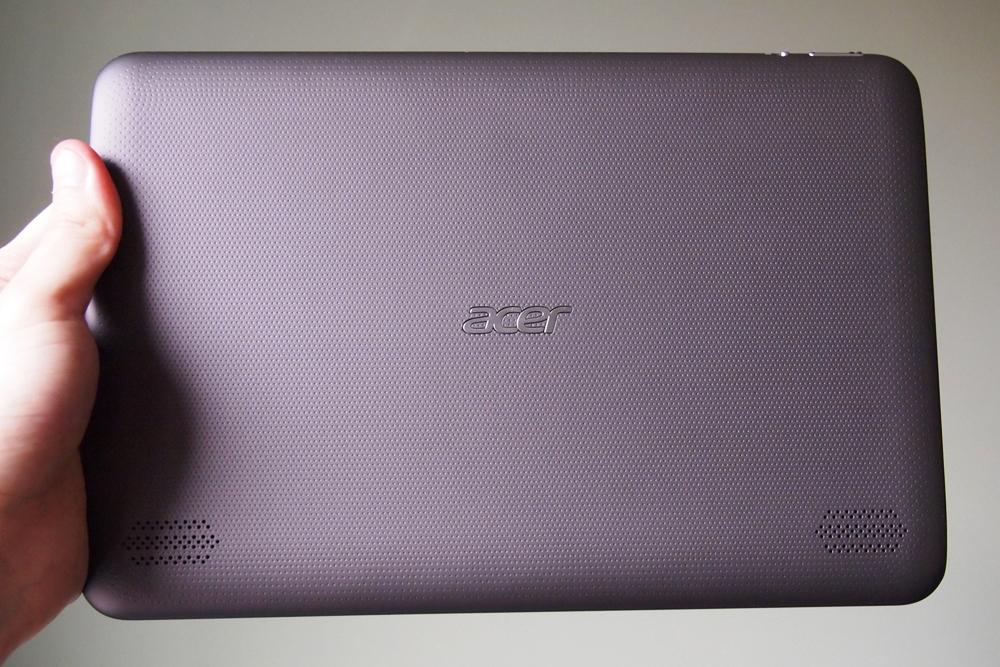
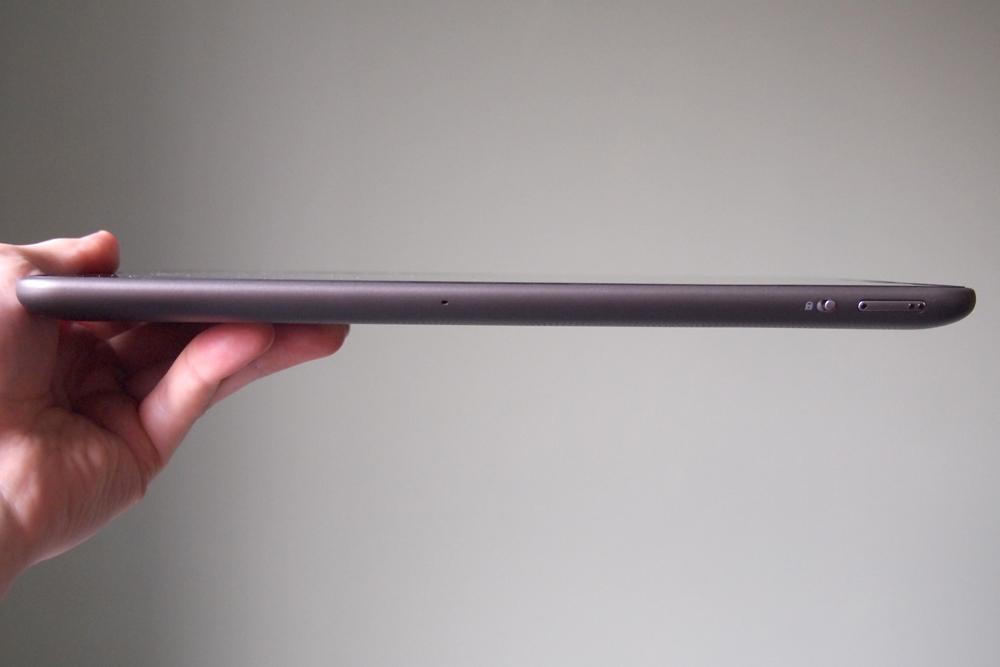
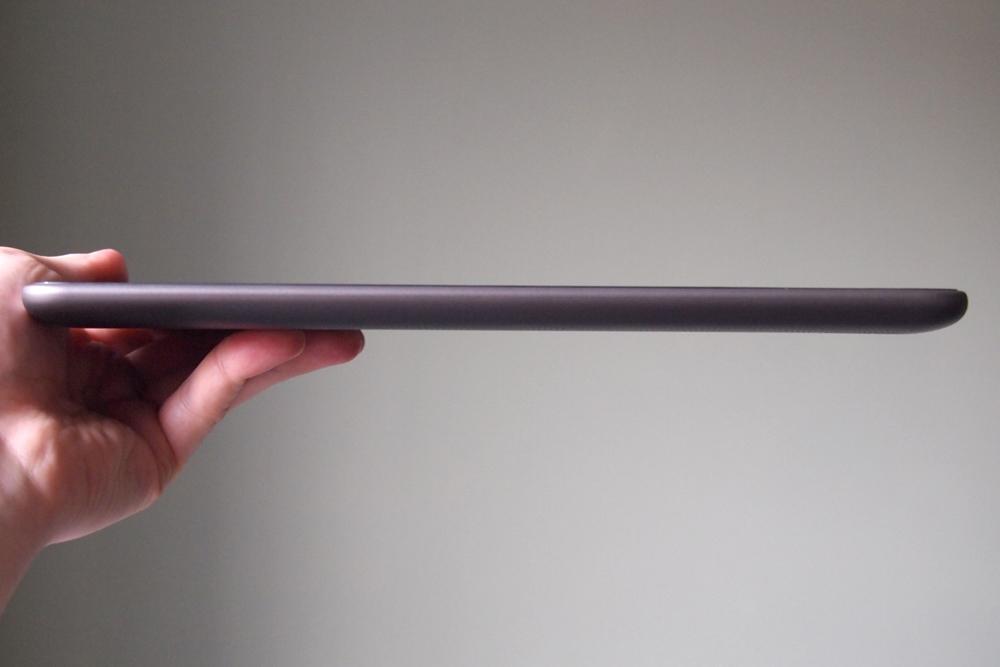
The A200 is definitely a step up from Acer’s previous 10.1-inch tablet, the Iconia Tab A500. Upon first glance, it’s a lot sharper and looks like a more premium tablet. Acer has made improvements to almost every physical attribute. The back plate now has a rubberized texture to it, which makes it much easier to hold, and the power, volume, and orientation lock are easier to find and press. It’s a bit thinner and lighter than its predecessor as well at 12.4 mm (the A500 was 13.3 mm) and 700 g (the A500 was 730 grams). Unfortunately, these dimensions still don’t match the new third-generation iPad. Despite being heavier and thicker than the iPad 2, it is still only 9.4 mm thick and weighs 652 g. These differences may not seem like much, but they make the iPad a lot more comfortable to hold and use.
 |
 |
 |
 |
 |
Acer, and other Android manufacturers’ choice to go with wide screens also hurts them in some ways. Like other 10.1-inch Android tablets, the A200 feels quite heavy when you hold it in landscape orientation. It’s difficult to say if it’s a balancing issue or what, but Apple’s solo choice to use a screen with an aspect ratio of 4:3 was a smart one. Our favorite Android tablets are a bit smaller, clocking in with screens between 8 and 9 inches.
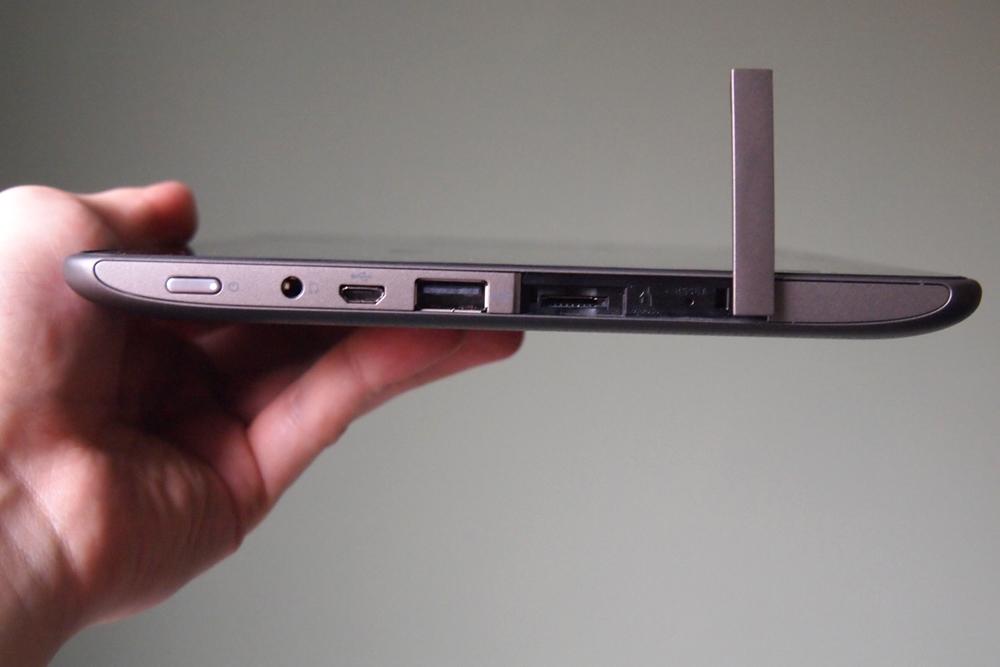
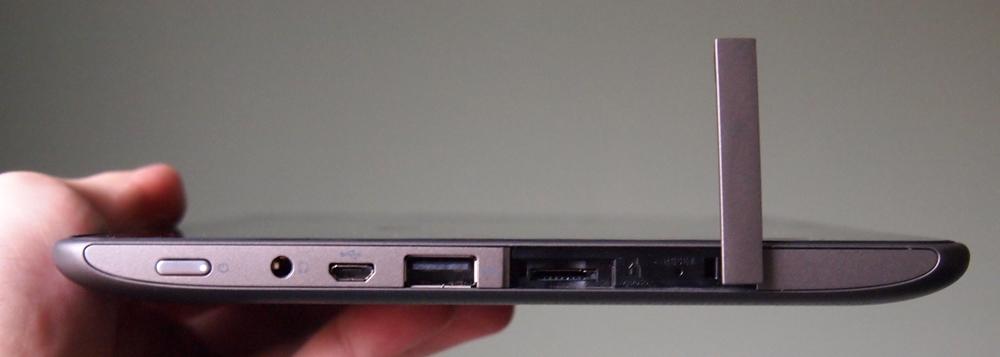
Aside from nitpicking, there are no real problems with its design. There is one big plus though: The A200 has a full-size USB port. Want to attach a mouse or keyboard? No problem. Just plug it in.
Screen
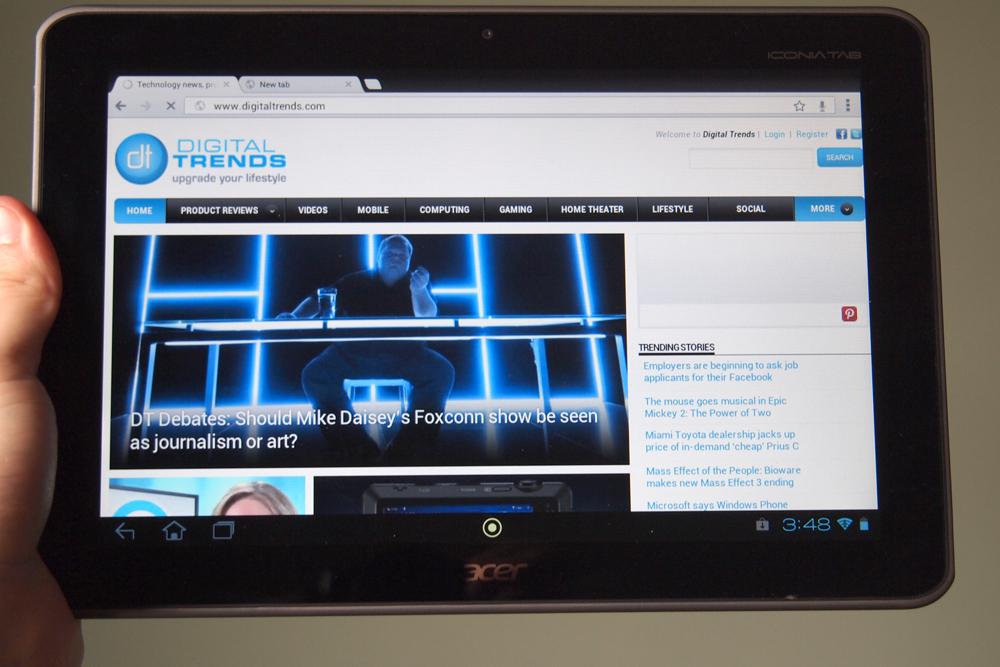
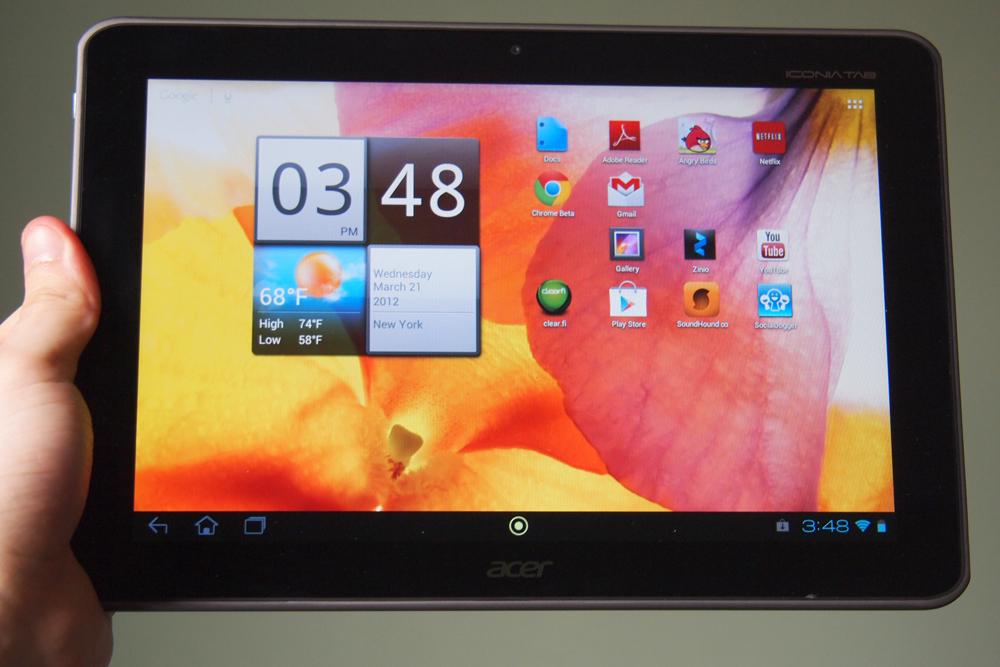
Like all Android tablets (at least all of them outside of the tiny 7-inch ones), the A200 has a 1280 x 800 pixel LCD screen. It gets the job done, but we look forward to the high-resolution displays that have started to pop up from manufacturers like Apple and Asus. Compared to the new iPad, the screen on Acer’s tablet (or any other Android tablet outside of the Galaxy Tab 7.7 AMOLED) looks washed out and pixely. If you haven’t played around with an iPad 3 or a Galaxy Nexus, it might still look good to you. There are no problems with the 720p screen resolution at all. Apps will run exactly the same and everything looks fine.
Operating System
Acer definitely gets it. Like the A500, the A200 mostly leaves Android alone, and that’s good. This runs on the newest version of Google’s OS: Android 4.0 (codenamed Ice Cream Sandwich). The interface is pretty straight forward and sticks with the strengths of Google’s new OS. Many manufacturers tinker with the entire design of Android, which may make a tablet look pretty, but it will delay upgrades later on. Acer’s been pretty good about updates.

There are a few enhancements. The lock screen has been modified and lets you unlock straight into the Web browser, Gmail, Google Search, or photo gallery, which is nice. Another addition, which Acer calls the ‘Ring’ is accessible via a green dot on the task bar. Press it and a giant ring pops up with some hot links to apps, a volume control, and a Cover –Flow-style view of recent Web pages you’ve visited. The links are all customizable and if you don’t like it, you can disable it. There are also a couple nice looking custom widgets you can put on your home screens. Acer’s interface is simple and we like it.
Pre-installed apps
There aren’t too many preinstalled apps on the A200, but there are a few including a version of Solitaire, Docs To Go, a voice recorder, Evernote, the Amazon Appstore (nice to have), Kindle, and Zinio. Acer also includes a few of its own apps like SocialJogger, which aggregates social feeds and clear.fi, which helps you stream content to other devices. Most of these apps don’t appear to be removable, which is a shame, though we’re used to a lot more bloatware.
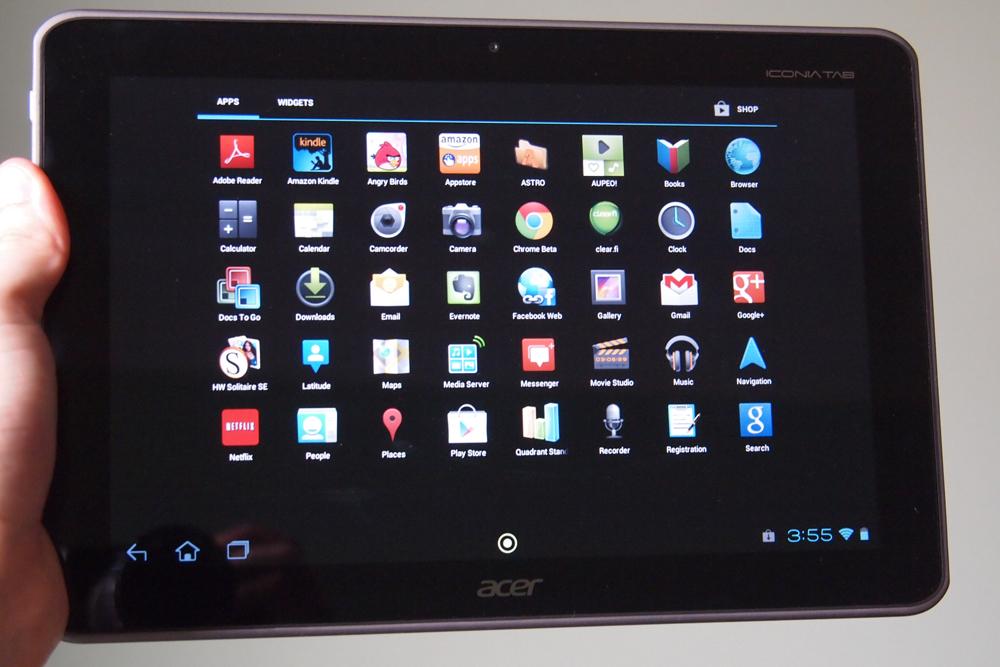
The Android Market is now called Google Play, but it’s still lagging behind the iPad App Store. Apple has more than 200,000 custom apps built for the iPad, but most of the apps in Google Play are designed for phones and don’t take advantage of tablet screens, or look very good.
Specs
The A200 may be a new tablet, but like many newer designs, it’s running on year-old specs. Literally, it has almost the exact same specs as the A500, which came out in mid 2011, save for a switch to a Nvidia processor. The A200 has a 1GHz dual-core Nvidia Tegra 2 processor, 8GB or 16GB of internal storage, 1GB of RAM, a microSD slot for expanded storage, a front camera (no rear), Bluetooth 2.1, a Micro USB port, a full-size USB port, a headphone jack, and a charging port. Common features like GPS, a gyroscope, and an accelerometer are also present.
For you level-two geeks, the A200 has gotten Quadrant scores around 1,800, which is a bit lower than the 2,000 to 2,500 we have gotten with a lot of Samsung tablets.
Camera
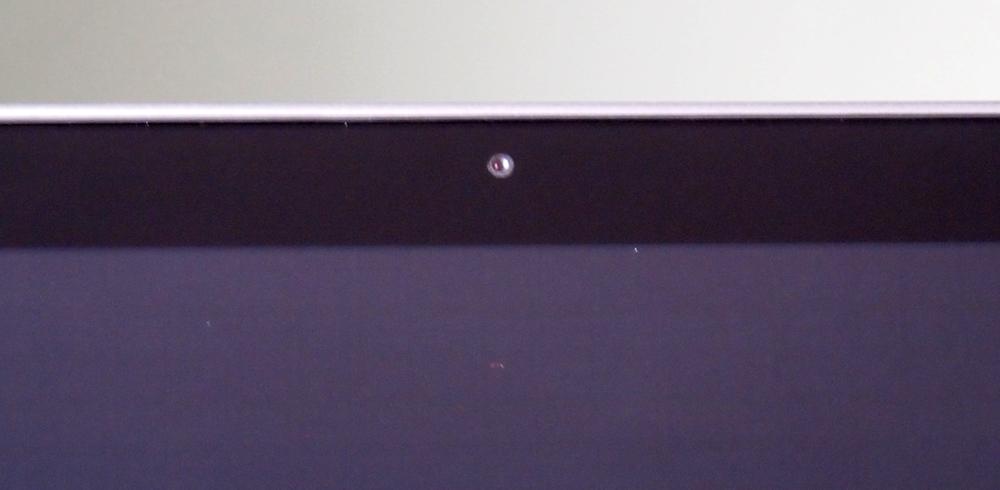
This is going to be short. The A200 doesn’t have a rear camera. Acer has included a serviceable 2-megapixel front-facing camera, but has removed the rear camera. It’s one of the first manufacturers to do this, but it makes a lot of sense. It would be nice to have a camera, but if Acer was going to cut anything that we’d miss least, it’s a rear camera. So far, no one seems to be snapping photos with their tablets. The new iPad has a fantastic camera in it now, so we expect this might change, but not during the shelf life of the A200. If you want a rear camera, go elsewhere. Surprisingly, this has a much better front-facing camera than the iPad, which still rocks a crappy VGA resolution (480 x 640 pixels).
Data
This is a Wi-Fi-only device and cannot connect to cellular networks. Your speeds will be determined by how fast your connection is at your home or local Starbucks.
Battery life
The battery life is solid. We’ve had our A200 running without a fresh charge for almost a week, using it sparingly, and it is still at 50 percent. During more frequent use, we found that the 3260mAh battery lasts somewhere between 7 and 10 hours, depending on what you’re doing.
Conclusion
The Iconia Tab A200 feels like a fix for an old tablet more than it feels like something new. Acer has a quad-core A510 tablet coming soon and a high-resolution design coming after that, which makes the A200 its new budget design. It runs Android 4.0, but mostly feels like one of last year’s tablets – a bit heavier and bulkier than what we’re now seeing from most manufacturers. There’s nothing particularly bad about it (though it has no rear camera), but it doesn’t stand out in any noticeable way either. If you’re looking for a decent Android tablet, Acer is a good choice, though the price still needs to come down a bit. $330 for the 8GB is not terrible, but with Apple selling the iPad 2 for $400, it may still be worth it to pay a little more. We look forward to Acer’s future tablets, but the A200 just isn’t an impressive tablet in 2012 unless it is priced even more aggressively.
Highs:
- Great improvement over Acer’s A500
- Decent front-facing camera
- Full-size USB port
- microSD support
- Runs Android 4.0
- Nice Acer Android add-ons
Lows:
- No rear camera
- Heavier and fatter than the iPad 3
- Screen can’t compare to newer models
- Android tablet apps still lag behind Apple
- 10.1 inches is a bit too big


