I love a good deal, so I couldn’t resist grabbing the Samsung Galaxy Watch 4 Classic when its price got knocked down by the Galaxy Watch 5‘s release. Last year’s Samsung smartwatch is gorgeous, packed with useful features, and I can safely say I’ve never used anything like it.
My time with the Galaxy Watch 4 Classic has been great, and I’ve really loved the thing. But I’m also going back to using the much simpler Polar Pacer Pro. Here’s why.
Why I love the Samsung Galaxy Watch 4 Classic
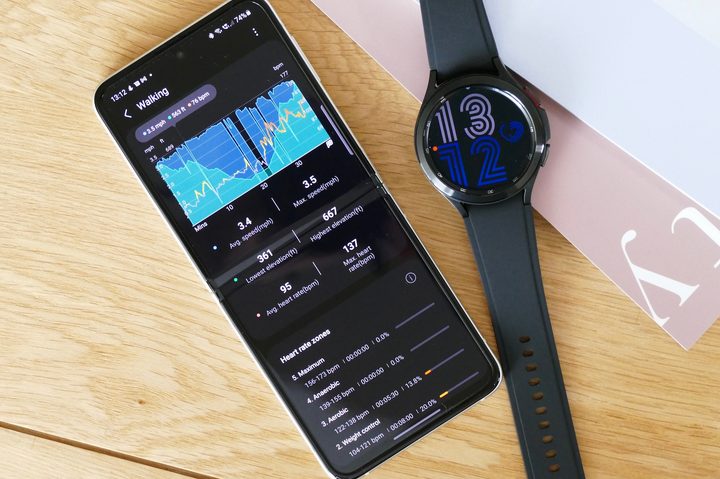
There’s a lot to love about the Galaxy Watch 4 Classic. How could there not be? Samsung led the charge in the first wave of smartwatches, and has emerged as one of the brightest lights in the current wearable space. Samsung’s experience really shows in its modern devices, and the Samsung Galaxy Watch 4 Classic is particularly likely to be well remembered — partly because it’s the last Galaxy Watch to include the much-beloved rotating bezel.
It’s also the first Wear OS smartwatch I’ve used, and it’s fair to say smartwatches have come a long way since the Pebble Steel I rocked in 2015. I never got tired of looking at the crisp, vivid display, and I spent the entire first day gleefully diving into menus and playing with all the features. It’s beautiful, an absolute joy to use, and crammed full of capabilities.
But you already know the crux of this article. If it’s really such an amazing device, why haven’t I stuck with it?
What’s it for?
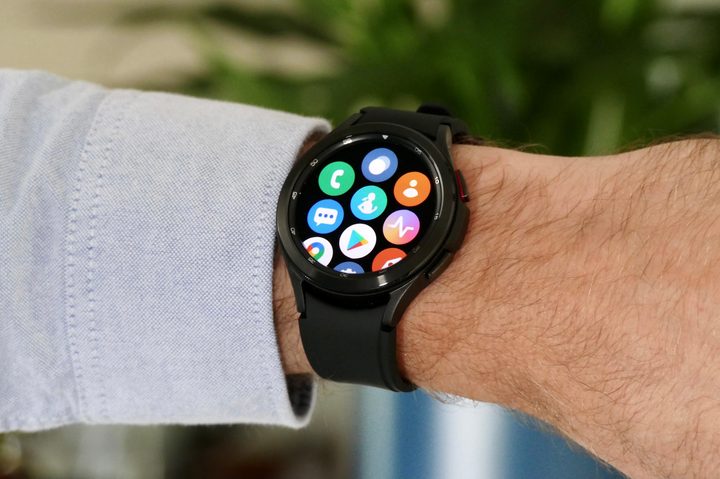
I spent my first day just playing with my new Galaxy Watch. I took an ECG, measured my body composition, and downloaded all the recommended partner apps. I set up my watch face, added Google Assistant support, and a dozen other things. I was having fun playing with my new toy.
But the next day, I just … stopped using it. I’d played with everything notable, and the novelty had worn off immediately. But the loss of novelty isn’t bad; it happens with every new electronic device. It just meant this was the Galaxy Watch’s chance to settle into my life and show me what I’d bought it for. I’d used a fitness tracker for years — now it was time for the Galaxy Watch to show me why I needed a smartwatch.
That moment never came. I enjoyed being able to control Spotify from my wrist and being able to reply to texts using swipe-typing. But those were small, sporadic moments, and they weren’t jitter-free enough for me to want to keep using them. Spotify didn’t want to identify my headphones so I could listen from the watch, and sometimes, notifications would just disappear. But worst of all, most of the time I simply wasn’t using the watch, except as — well — a watch. The “smart” part of the “smartwatch” wasn’t exactly proving itself.
I’m partially to blame for this. I’ve ruthlessly pruned the list of apps that show up in my smartwatch notifications, and the Galaxy Watch 4 Classic wasn’t exempt from that. My reasons are simple: Vibrations on the wrist are a lot more annoying than phone vibrations on my leg, so I’ve reduced the amount that I receive over the years. But that shouldn’t matter — a smartwatch should be more than just a vehicle for notifications. The Galaxy Watch 4 Classic is more than that. I just wasn’t using those features, and it left me wondering why I was using the watch in the first place.
You don’t just put a watch down
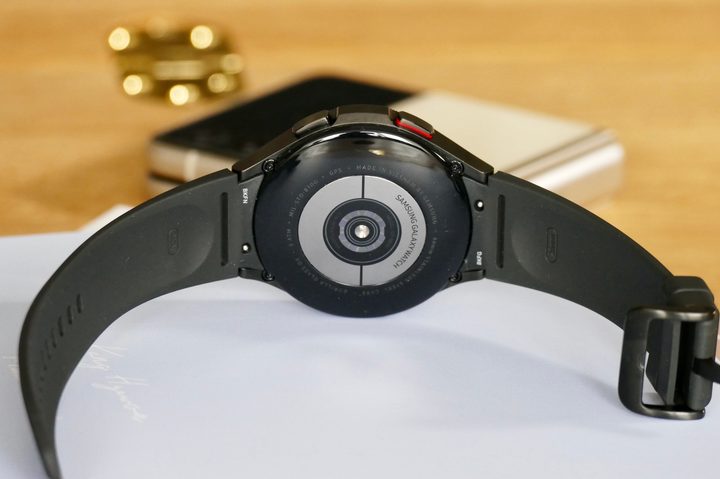
But perhaps this wouldn’t have mattered, if not for my biggest bugbear: The battery life.
It’s normal for a smartwatch to require charging roughly every day and a half, and I knew that before I bought the Galaxy Watch. But knowing it and living it are two very different experiences. Put all the tracking features on, and the Galaxy Watch 4 Classic would fail to make it through a single day, with otherwise minor use. Remove 24/7 stress tracking, and it would last around a day and a half. That’s good battery life for a smartwatch, but I felt the old itch of battery anxiety.

“But,” you may be thinking, “you need to charge a phone every day, so what’s the difference?” Ah, my friends, you are correct. But there’s a large difference between a smartphone and a smartwatch, and that’s that only one of them is physically attached to you. There are times you put a phone down. You don’t do the same with a watch.
When I sit at my desk, I place my phone down and plug it in. I don’t place my watch next to my phone. So if I’m using it to track my sleep, then there’s no natural time to charge it. If I’m using a smartwatch — and this doesn’t just apply to the Galaxy Watch 4 Classic — and want to use all the available features, I’m having to regularly find time to charge the watch. I tried leaving it to charge in the morning, but I kept forgetting it. My office desk made more sense, but I don’t want to have to keep taking my watch off at my desk every day. It just feels weird to sit down to work and start taking off accessories. I admit it’s an odd complaint, but there it is.
I don’t need a smartwatch — do you?
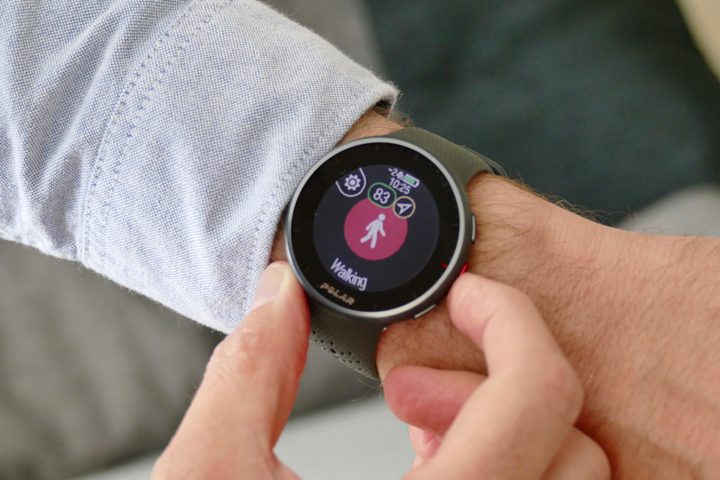
I’m happy to admit I’m an unfair use case. My first experience with wearables was with the Pebble Steel, which had 14-day battery life. I also spent a lot of time using fitness trackers, which have a much longer battery life than smartwatches. As such, I’ve come to expect a week of battery life, minimum. As far as I’m concerned, smartwatch batteries just don’t butter any crumpets.
I was also expecting a lot from my smartwatch since I was tracking my heart rate, stress levels, and putting it through a short daily workout. I don’t think this is unfair, though, as that’s broadly the same use I was putting the Polar Pacer Pro through (minus the stress tracking), and that wearable is still lasting me a solid week between charges.
Granted, the Polar Pacer Pro doesn’t have the app support or features the Galaxy Watch does. It doesn’t perform an ECG, or measure my body composition, and I can’t play one of Calm’s Sleep Stories on it either. But although I could do all of those things on the Galaxy Watch, I wasn’t. I was largely using both devices the same way, and that felt like a serious waste of the Galaxy Watch’s capabilities.

But this isn’t just giving me the chance to whinge about battery life — though that’s a nice bonus. We’ve recently seen the launch of a new range of Apple Watches, and though we’re in the seventh year of the Apple Watch alone, there are still a lot of people out there who have never used a smartwatch and might be considering investing in one. If that’s you, ask yourself if you actually need a smartwatch. You may think you’re used to charging a device every day, but you may feel differently when you have to peel off a watch strap every single day. The Apple Watch Ultra’s three-day battery is on the beefier side, but it’s also twice the price of most “normal” smartwatches — so you should expect more from it.
Best of all, dropping a smartwatch also doesn’t mean you need to be without a wrist-based computer. Modern fitness trackers often come with the ability to pull notifications from your phone, often have music controls built in, and — unsurprisingly — have extremely solid fitness tracking. Pair those features with solid battery life, and you’ve got about 90% of what you’re likely to actually use a smartwatch for.
Sure, you’re missing out on having an app store, cellular connections, and other high-tech additions — but be honest with yourself, and ask whether you’ll ever actually use them. In my experience, the answer is a big “no.”