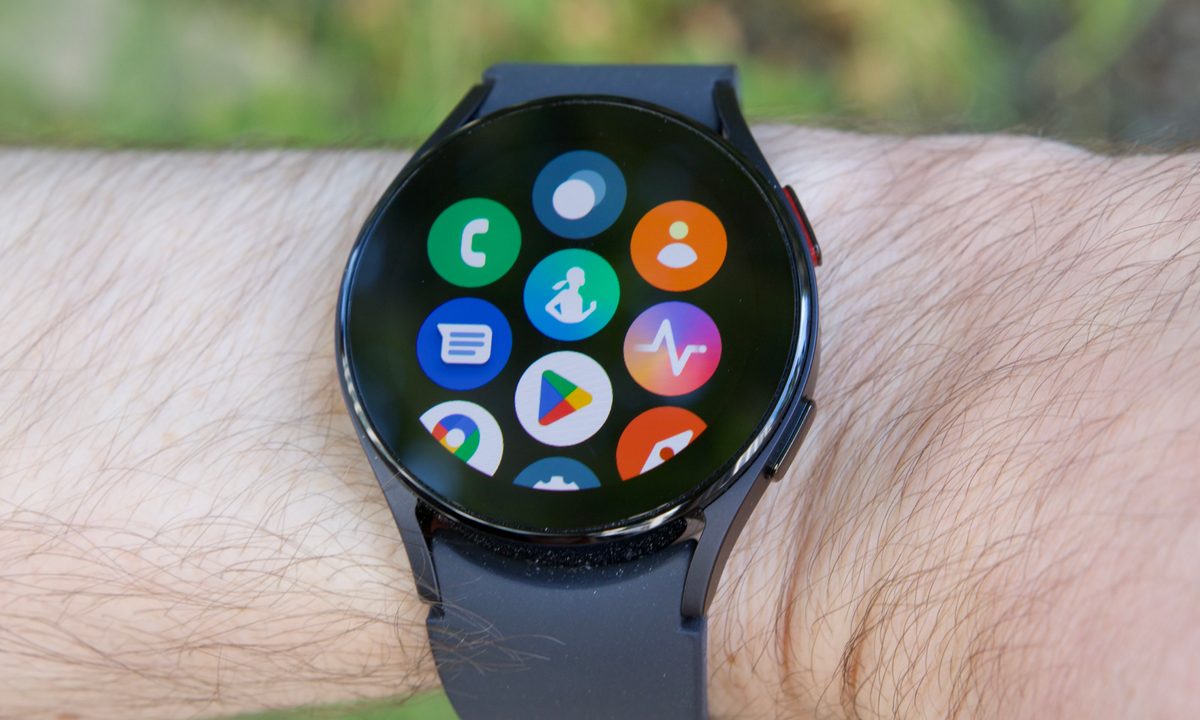
The new Samsung Galaxy Watch 5 and Galaxy Watch 5 Pro are here, and they're the hot new Android smartwatches to buy. They're not a huge upgrade from the Samsung Galaxy Watch 4 and Galaxy Watch 4 Classic, but Samsung has made enough changes to make choosing the new watches over the old worthwhile. The Classic model is out, replaced with a Pro model that's geared for outdoor enthusiasts, with enhanced durability and boosted GPX navigation data. The Samsung Galaxy Watch 4 gets Google Assistant, at last.
You can also access an AI voice assistant using it, making it a handy way to control your smart network. But, since it's a Samsung product, it's loaded with Samsung's Bixby voice assistant by default. If you're not a Bixby user, you might want to swap it to something you do use, like the Google Assistant. Thankfully, you can. Here's how to add Google Assistant to your Samsung Galaxy Watch.
Installing Google Assistant
Google Assistant doesn't come automatically installed on your watch. Instead, you're going to have to install it yourself.
Step 1: Swipe up to open your App drawer, and select Play Store.


Step 2: Search for "Google Assistant" using the search function. If you have the Google Assistant app installed on your phone, then you can use the Apps on your phone screen to find the Google Assistant app.
Step 3: Tap to Download or Update the Assistant app.
Activating Google Assistant
Downloading the app is only the start. You'll have to activate it before you can do anything with it. Here's how to get it started.
Step 1: Open the Assistant app and choose Get started.


Step 2: You'll need to pivot to your phone at this point, so select Open on phone to activate and open your phone.
Step 3: Your phone will start setting up the Assistant on your watch. Wait until it's done, and then choose Activate to turn it on.
Step 4: If you want to access your Assistant using "Hey Google," select Next on the next screen, then I agree to agree to using Voice Match. Otherwise, choose Skip.
Step 5: There are a few more steps after this. Just choose whether you want to save audio to share with Google (or not) and get personal results on your watch.
Step 6: Next, it'll ask you to change your watch's button to quickly access the Assistant. We'll cover this in the next step, don't worry.
Changing the Home key binding on your watch
So, you can probably access Google Assistant by speaking the hotword, but you can also change the Galaxy Watch's Home key to access the Assistant. By default, it summons Bixby, which is probably not your voice assistant of choice (sorry Bixby, but it's true), so why not change it? There are two ways of changing it. Here's how to do it on your watch.
Step 1: Open your Settings app by swiping down on the Home page and selecting the Cog wheel symbol.


Step 2: Navigate down and select Advanced features, then Customize keys.
Step 3: Choose Press and hold, and then choose Assistant.
Step 4: Feel free to press and hold the Home button to test your Assistant. If you're not sure what to say, ask, "Can you rap?"
Changing the Home key binding on your phone
If you don't fancy pawing through menu screens on your watch's tiny screen, you can change the setting on your phone instead. Here's how.
Step 1: Open your Galaxy Wearables app, and select Watch settings.


Step 2: Move down to Advanced features, and then choose Press and hold.
Step 3: Select Assistant.