
Firefox has gained a cult-like following for its speed, stability, and interface, but to diehard fans, third-party plug-ins remain by far its biggest selling point. Like adjusting the mirrors in a car and fixing the seat height before you leave the driveway, customizing your browser can make you feel a lot more comfortable on the Web. And like setting cruise control, a lot of them can make certain tasks a lot easier, too. Unfortunately, the endless pool of add-ons out there can also be quite daunting for first-time users who aren’t sure what they’re looking for. We’ve cut through the clutter to round up 10 of the most useful add-ons out there.
 Forecastbar Enhanced
 Forecastbar Enhanced
Yes, you can grind your work-day to a halt by opening up any number of weather sites in a new browser tab, but if you’re a chronic weather checker as some of us are, nothing beats the at-a-glance convenience of this plug-in. It occupies the otherwise unused space at the bottom of a browser window and displays current weather and forecast information. The enhanced version adds a radar image that pops up on hover – a must-have for amateur (and wannabe) meteorologists.

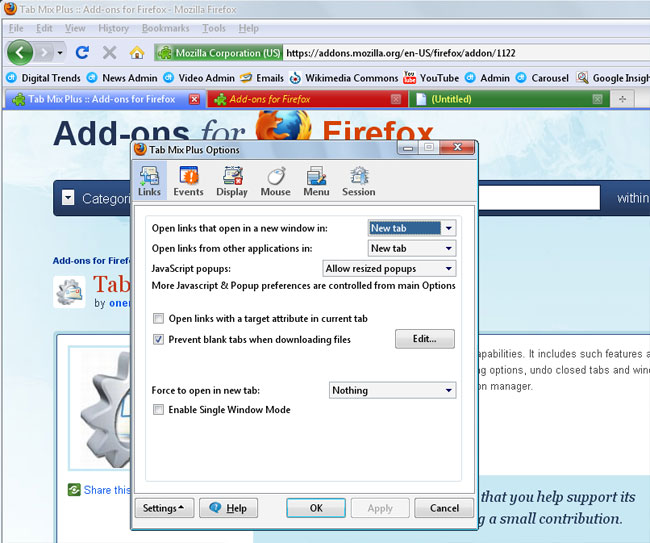
TabMix Plus
 TabMix Plus
Though early Internet Explorer refugees were happy just to have tabs, power users may find that Firefox’s default scattering of options falls a little short for their style. TabMix Plus adds a slew of new options for tabs, from choosing whether the tab bar disappears when there’s only one tab, to the ability to duplicate and rename them.
Xmarks Bookmark and Password Sync
 Xmarks Bookmark and Password Sync
If you browse with your desktop at home, your laptop and the coffee shop, and another desktop at the office, you’re probably juggling three different sets of bookmarks when really, you want to access the same sites on all your computers. Xmarks will automatically synchronize your bookmarks across multiple computers, allowing you to add a bookmark from any computer and open it on the next without any effort.

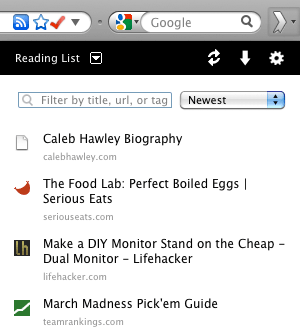
ReadItLater
 ReadItLater
As any habitual Wikipedia browser can tell you, you don’t always have time to comb through every interesting article you stumble upon on the Web. Bookmarks work as a quick way to preserve these tidbits, but then you end up with a stack of old reading you’ll never revisit. ReadItLater is just a simple reading queue: add a checkmark to pages when you spot them, pull them off a list when you have more free time, then uncheck when you’re done, or add it to your bookmarks if it’s worth saving.
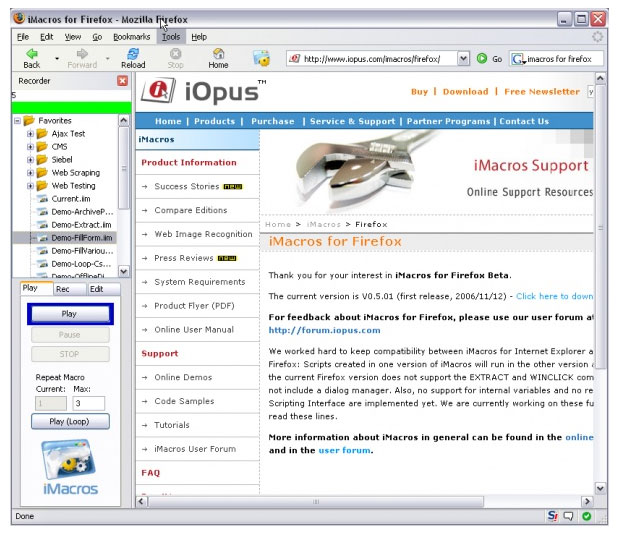
iMacros
 iMacros
Ever find yourself doing the same thing over and over through Firefox? Wish you could automate those tasks with a script, similar to actions in Photoshop? iMacros allows you to easily record a set of actions (clicking on a link, entering data in a form) into a script that will run with the click of a button. Build yourself a social networking button, for instance, and you can have Facebook, MySpace and YouTube open simultaneously in different tabs, already logged in and ready for you to browse.
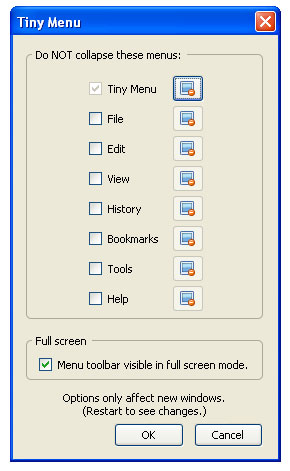
TinyMenu
 TinyMenu
People with gigantic 30-inch monitors probably don’t sweat the menu options hanging out at the top of Firefox, but on a netbook, every little scrap of screen space counts. TinyMenu gives you a little more by sweeping all those menus from the top of the screen and combining them under one button.
GUtil!
 GUtil!
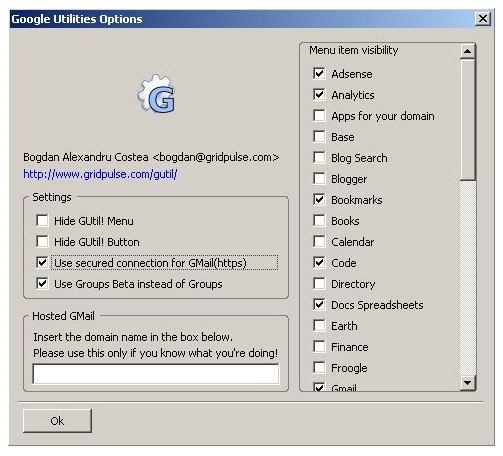
For those pioneers in cloud computing who use Google Apps for pretty much everything, GUtil! is like a Start menu for your browser. One click gives you access to every Google utility out there, and you can unclick items from the options menu to tailor the list to your needs. It’s simple, but a lot easier than bookmarking them all individually.
Update Scanner
 Update Scanner
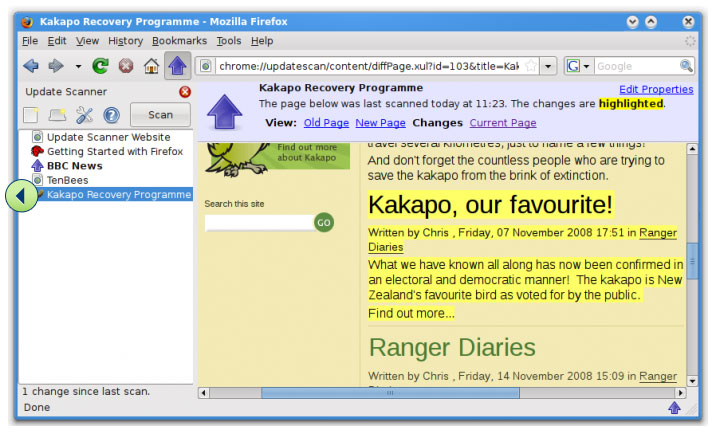
Despite the rather dry name, Update Scanner earns its place on the list by performing a much-needed task. Rather than manually visiting your favorite pages several times a day to see whether anything new has gone up, Update Scanner will check them for you (as often as your specify) and let you know when something’s new. Figure out when new tour dates for a band have been posted as soon as they go up, watch for a new issue of your favorite webcomic, or keep tabs on a friend’s blog, without ever having to visit more than once.
AnyColor
 AnyColor
You will find no shortage of themes that can make FireFox look however someone else envisioned, but if you don’t have the skills or time to make one yourself, AnyColor is one of the quickest ways to personalize the browser to your liking. It allows to you pick a color scheme for every little aspect of the default FireFox theme, from the background to highlights and headers.
FoxTab
 FoxTab
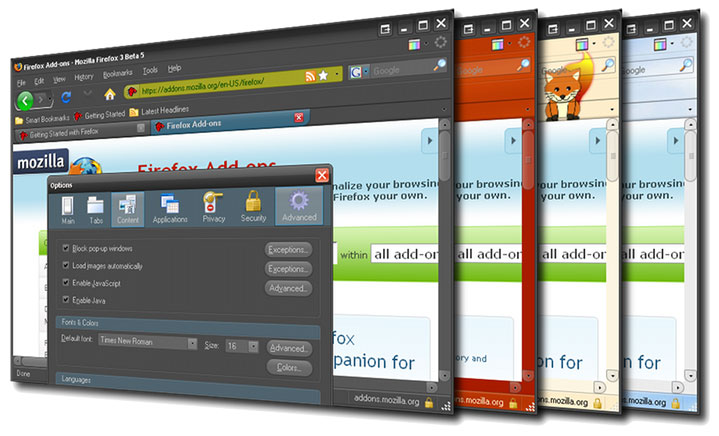
So what if it’s a shameless rip off of Cover Flow? FoxTab makes it easier to navigate a messy pile of tabs by spreading them into an array of 3D thumbnails, rather than a compressed strip across the top of Firefox. You can even choose how to tile them, blow the view up to full screen, and search the text of all the pages to find what you need without guessing.

Editors' Recommendations
- Google Drive vs. Dropbox: which is best in 2024?
- How to clear your browser cache in Chrome, Edge, or Firefox
- 23 of the best Netflix hacks, tips, and tricks
- The best websites to download audiobooks for free in 2024
- The best MasterClass courses for 2024