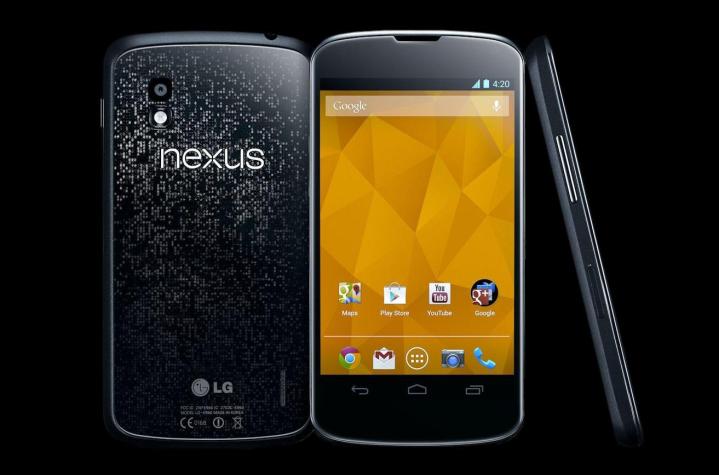
The biggest problem most people have encountered with the LG-manufactured Google Nexus 4 is getting a hold of one. The Nexus 4 supply disaster generated headlines at launch and it’s been selling out again lately. Reviews have been good (here’s our Google Nexus 4 review) and there’s no doubt the Nexus 4 represents great value for money. Fans of the pure Android experience will have a tough time seeing past it right now.
Every device has its teething problems and quirky issues tend to rear their ugly heads soon after launch. In this roundup, we identify some commonly reported Nexus 4 problems that some owners may encounter and we try to find solutions.
Glitch: Microphone not working
Some people have reported an issue during calls where the other caller cannot hear their voice. Apparently the voice fades in and out; the volume drops; and sometimes it cuts out altogether. A lot of people are suggesting this is caused by an Android update, specifically 4.2.2, although some people report the problem after 4.3. You can see which version you have by going to Settings > About phone and check your Android version.
Workarounds:
- Use the speakerphone function because it seems to work perfectly well.
- Use a wired or Bluetooth headset with its own microphone and bypass the issue.
Potential solutions:
- Try entering safe mode by pressing and holding the power button, then tap and hold the Power off option in the pop-up box, and touch OK in the next pop-up to boot into safe mode. If you don’t encounter the problem then it was caused by an app you installed. Start removing apps to try and find the culprit (remove a suspect app, test, then rinse and repeat).
- Contact your carrier, Google, or LG and ask about a replacement or a fix. A lot of people are still reporting this as an unresolved issue.
Annoyance: Slow charging
Some people have reported problems with the Nexus 4 taking a long time to charge. If you use the USB cable to charge via a computer or laptop then it will take longer, but the wall charger should be faster. You can check if there’s a fault by going to Settings > Battery with the charger plugged in and taking a look at what it says in brackets after Charging at the top. It should say AC when plugged into the wall, not USB.
Potential solution:
- Make sure that you are using the charger and cable that shipped with the phone.
- If you’re still encountering problems, try a different cable. Some owners have had trouble with the original cable. If that doesn’t improve matters, try switching the charger itself. This is most likely to be an issue with the cable or charger. You can use any other USB charger, but you should bear in mind that some charge faster than others.
Bug: Bluetooth won’t connect or drops
A lot of owners have been complaining about the Bluetooth function either refusing to connect or dropping the connection randomly. For some people the Bluetooth feature won’t switch on at all.
Workarounds:
- Reboot the phone and you should fine it works again, for a while at least.
- Some people have found that the Wi-Fi seems to be conflicting with it, so try turning the Wi-Fi off and you might find it works.
Potential solution:
- There have been reports that the Android 4.3 update solves the problems. You should get the update over the air automatically.
Problem: Cracked glass back
Just like the iPhone 4 and 4S, the Nexus 4 has a glass back panel. It’s a stylish look, but there is obviously a risk that it will crack, especially if you drop it. There have been several reports of back cover cracks after knocks and drops.
Workaround: Get a case or a screen protector for the back. If you use a good Nexus 4 case or screen protector, you should be able to avoid any cracks in the first place. And if you’ve already got a crack on that back panel, a case could be used to hide it.
Solution: Send it back to LG for repair. This will cost you $64. You can contact LG or contact Google to arrange it.
Malfunction: Buzzing earpiece
There have been quite a few complaints about a buzzing sound coming from the Nexus 4 earpiece or speaker. This sound is present for some people outside of calls, whether the screen is on or off. Some reports have also complained about hissing and static distorting calls. A slight buzz when you hold a phone right up to your ear, even when the screen is off, is not unusual and it’s probably not something you’d notice, but if it’s audible without holding it close, you may have a problem.
Solution: Contact Google, LG, or the retailer/carrier where you bought it and get a replacement. The voice call quality on the Nexus 4 should be excellent so if you’re getting distortion it’s probably the hardware at fault. You also shouldn’t be experiencing an audible buzz during normal circumstances.
Bug: Camera won’t take a photo
If you’ve ever gone to take a photo with your Nexus 4 and tapped the blue circle to no avail, know that you’re not alone. There have been quite a few reports of the camera freezing and refusing to take a photo. Some people have also reported that the flash will not turn on. There isn’t a permanent fix for this yet.
Workarounds:
- You can always reboot the phone by holding the Power button down and choosing Reboot. This will reset the camera and it should work as normal, but the problem may reoccur.
- You can switch to video mode for a second and take a short video and then switch back to camera again and it should work as normal. Again, the problem might reoccur.
Problem: Yellow tint on the screen
Some new Nexus 4 owners have reported a yellow tint or even a yellow blob on the display. It seems to be most commonly seen on the left side near the bottom and some users report it being more noticeable after gaming or after the device heats up. This has actually been a common issue for smartphones in general. It cropped up with the iPhone 5 and the Sony Xperia S.
Possible solutions:
- Some people have suggested this is caused by the glue and that once it dries completely you won’t see the yellow tint anymore. You could wait a while and see if it resolves itself, but it really shouldn’t take more than a few days to disappear if that is the issue.
- You could try calibrating the screen, but the popularly suggested Faux Clock app requires you to root the device.
- Contact Google, LG, or your carrier/retailer to arrange a replacement.
Problem: Overheating
Every smartphone will heat up when you use it, especially if you use it for extended periods of time, or run intensive games or apps, but it shouldn’t get uncomfortably hot. Some users have encountered problems with the Nexus 4 heating up when they are online using Chrome. Many suggest that using Google Earth for a few minutes causes their Nexus 4 to get very hot; others suggest it is related to calls or apps. In extreme cases, the Nexus 4 is getting hot enough that it is automatically shutting down.
Solution: Depending on where you bought the phone, you should contact Google, LG, or the retailer and get a replacement device.
Glitch: Random rebooting
Some users have reported random rebooting and the occasional shut down of their Nexus 4. This is most likely linked to the Android 4.2.1 update and incompatible apps. If you had a lot of apps installed and then updated to 4.2 then it’s possible one of the apps is not playing nice with the latest version of the operating system.
Possible solutions:
- You could check which apps are running by going to Settings > Application manager and looking at the Running tab and then try removing them one at a time. If you remove one and the reboot happens again, you can eliminate that app from your investigation. Rinse and repeat until you find the culprit.
- Do a factory reset to delete everything by going to Settings > Backup & reset > Factory reset and enter your pattern, password, or PIN when prompted, then tap Erase everything.
Glitch: Proximity sensor turning screen off during calls
A few people have encountered an issue where they make a call and the screen turns itself off during the call and then it remains black when the call ends. This could be caused by a screen protector, in which case it’s easy to fix (See: solution 1). However, if the screen doesn’t turn off when you hold it up to your ear, or you continue to encounter problems with no screen protector on the phone, then you might have a hardware fault (See: solution 2).
Possible solutions:
- Remove your screen protector. If the screen protector doesn’t have a cutout for the proximity sensor, then you should get a different screen protector or cut a hole in your existing one.
- You should get a replacement phone from wherever you bought your Nexus 4.
Annoyance: Poor battery life
A lot of people complain about poor battery life with the Nexus 4, but this is a very common complaint for all smartphones. Your battery life depends entirely on how you use your device. You can get some insight into what is eating your battery by going to Settings > Battery. It is unlikely to be a hardware fault.
Possible solutions:
- Turn off anything you aren’t using: NFC, Bluetooth, GPS, mobile data, etc.
- Reduce screen brightness.
- Turn off automatic updates of accounts like Facebook within the relevant app.
- Watch out for battery hogging apps in Settings > Battery.
That’s it for common Nexus 4 problems and suggested solutions. When we say “common” we mean the problems that have cropped up the most in forums and at Google support. Like most smartphones and tablets on the market, it is generally only a very small percentage of users who encounter issues.
If you have any Nexus 4 fixes or workarounds that aren’t listed, or you’ve encountered another problem, please post a comment and share it.
Updated on 10-16-2013 by Jeffrey Van Camp: We’ve added three new problems and solutions to the article based on reader feedback.
Article originally published 2-13-2013.
Editors' Recommendations
- The most common iPad problems and how to fix them
- The most common Google Pixel 8 problems and how to fix them
- Wi-Fi not working? How to fix the most common problems
- How to turn off Google Assistant on any device
- The most common AirPods problems and how to fix them