  1. Home
  2. Business
  3. Computing
  4. News

HP debuts touch-screen sales system for retail

Add as a preferred source on Google

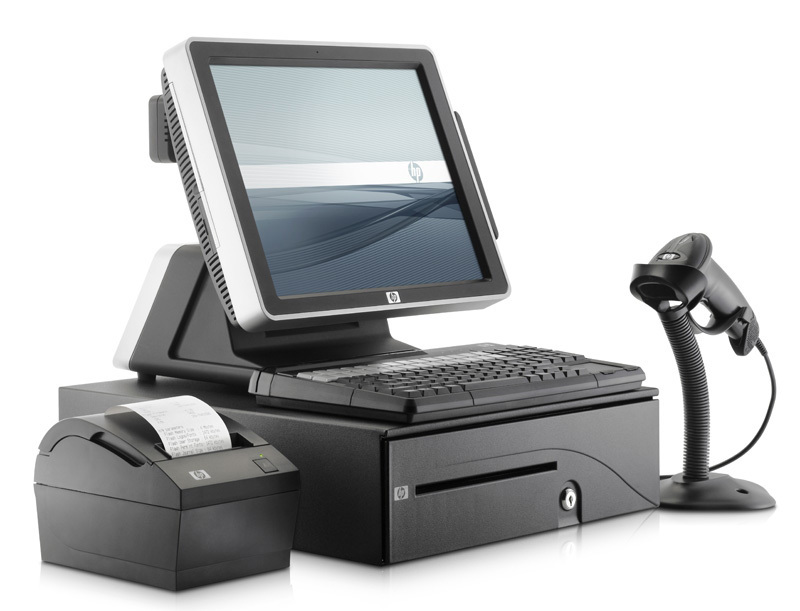
HP-retailposHP introduced a touch-enabled point-of-sale (POS) system for busy retailers seeking to cost-effectively manage their businesses. The HP ap5000 All-in-One POS System features a self-contained combination of products, a compact space-saving design, and it requires only one power outlet. Hp says this compact system will maximize your work space and sports a stylish design. The new system includes a central processing unit, touch-enabled display, magnetic stripe reader and either a two-line customer display or a 10.4-inch LCD customer display to enhance promotional activities.

“Addressing customer preferences, HP has expanded its retail store portfolio with an all-in-one solution that provides increased flexibility and results for a variety of business market segments,” said Ray Carlin, vice president, Retail Store Solutions Global Business Unit, HP. “As the retail market recovers from economic hard times, HP has developed a broad retail product portfolio to best meet changing customer needs.”

Recommended Videos

Pricing for the HP ap5000 All-in-One POS System is available through HP partners and the system is expected to be available worldwide in late March.

Dena Cassella
Former Digital Trends Contributor
Haole built. O'ahu grown
How can businesses simplify invoicing and payment processing?
Connect invoicing, payments, and accounting into one seamless workflow
Body Part, Finger, Hand

This post is brought to you in paid partnership with QuickBooks.

Creating an invoice is rarely the hardest part of getting paid. For most small businesses, it takes only a few minutes to prepare an estimate, send an invoice, or request payment. The work that quietly consumes time comes afterward, when payments need to be tracked, deposits verified, invoices marked as paid, and accounting records updated. Simplifying invoicing isn't just about creating invoices faster. It's about reducing the manual work that happens between sending an invoice, collecting payment, and keeping financial records accurate. QuickBooks is designed around that idea, bringing invoicing, payments, and accounting together in one connected workflow instead of treating them as separate tasks.

Read more
How Can Small Businesses Reduce Late Payments and Improve Cash Flow?
Simple strategies to speed up payments and strengthen your cash flow
Furniture, Table, Desk

This post is brought to you in paid partnership with QuickBooks.

Late payments are one of the most common reasons a profitable small business still runs into cash flow trouble. The fix isn't complicated, but it does require a more connected approach. Clear payment terms, faster invoicing, multiple ways to pay, and automated follow-ups all help reduce delays. Platforms like QuickBooks Payments bring those steps together in one workflow, helping businesses move from estimate to invoice, payment, deposit, and accounting without switching between separate tools.

Read more
What are the easiest ways to accept payments online and in person?
Accept payments your way without adding complexity
Architecture, Building, Hospital

This post is brought to you in paid partnership with QuickBooks

Customers today expect businesses to accept payments however is most convenient, whether that's tapping a card at a checkout counter, paying an invoice from a phone, or completing a purchase online. For small businesses, meeting those expectations is important, but managing multiple payment systems behind the scenes can quickly become complicated.

Read more