  1. Home
  2. Computing
  3. News

An update to Microsoft To-Do will help you keep up with your resolutions

Add as a preferred source on Google
Image used with permission by copyright holder

We’re now just about halfway through the first month of the new year, but there’s still time left to check things off your resolution list and get important tasks done. If that is what you’re after, then you might want to check out the freshly updated Microsoft To-Do app, now complete with additional integration with the Windows 10 Start Menu, and other features which will help you stay productive.

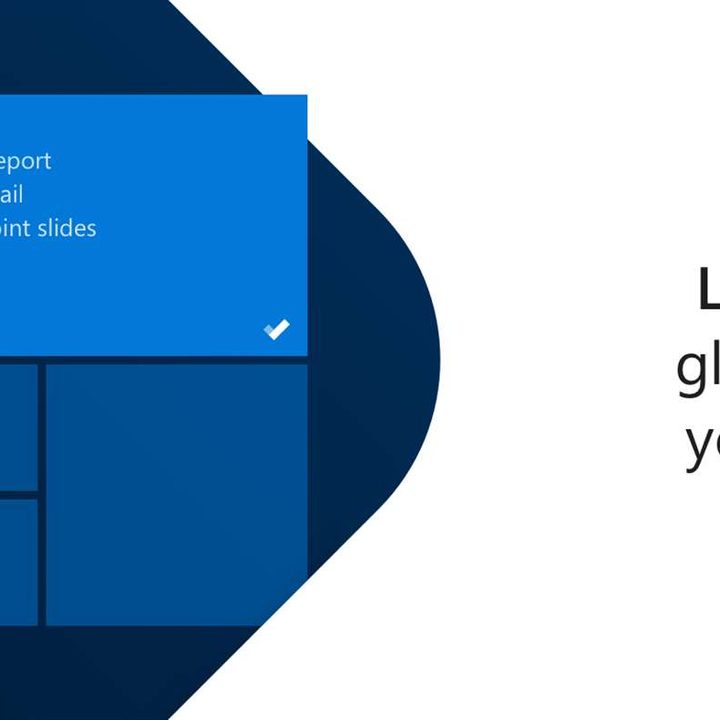
The update was first pushed out on January 14 and changes the overall experience so that the live tile for the app on the Windows 10 Start menu no longer just shows one To-Do list. Now, you can pin multiple lists to the Start Menu, and they will be updated alongside and available at a quick glance as you check them off from inside the app. This can be done by right-clicking or long-pressing on a list and then choosing Pin to Start from the drop-down menu. Pins will even show emoticons and the complete name of a list.

Recommended Videos

Elsewhere, the update also fixes a few bugs which have persisted in prior versions. Now, when a pen is used to cross off an item from the to-do list, the app will present a dialog box to confirm if the item was truly meant to be deleted. Finally, for those who find it hard to keep up on tasks, Microsoft is improving accessibility so that collapsing and expanding groups in Smart Lists is easier.

For consumers with the iPad version of Microsoft To-Do, Microsoft is updating the experience so that viewing content at a quick glance from within the app is easier. There are now three specific columns within the main screen of the app, showing lists, tasks, and task steps. Also included with the update are some bug fixes, which fix issues with Voiceover.

Though it might not be for everyone, Microsoft To-Do is just one of many productivity apps. Google Tasks, Todoist, Evernote, and Wunderlist are just a few alternate options with similar functionalities. Of course, Microsoft To-Do is more heavily integrated with Windows, allowing to sync up with Outlook and Microsoft’s other services. You can check out our picks for the best to-do apps right here.

Arif Bacchus
Arif Bacchus is a native New Yorker and a fan of all things technology. Arif works as a freelance writer at Digital Trends…
I found five desk organization gadgets I’d happily recommend for Back-to-School
Because a cluttered desk is not the productivity aesthetic you think it is.
Computer, Electronics, Laptop

I have seen my desk go from a pristine, organized workplace to something out of a horror movie within a week. One day it's just your laptop and a coffee mug, and a month later it's a scrapyard of tangled cables, chargers, books, and the one key that's been missing since move-in day. If your setup has slowly turned into that mess, this list is for you.

I picked five products that fix different pieces of the same problem: not enough charging, not enough storage, and not enough ways actually to keep track of the stuff you need. None of these will magically make you a tidy person, but they'll take away most of your excuses.

Read more
Lenovo’s next ThinkCenter desktop is ready to hit the shelves, but the price will make you blink twice
The ThinkCentre X is finally heading to the US with up to 256GB RAM, dual RTX 5060 Ti GPUs, and a price tag that rivals a used car.
Lenovo ThinkCentre X workstation with monitor

If the phrase "future-proof desktop" means never worrying about running out of RAM again, Lenovo may have just built the ultimate machine. The company is preparing to launch its new ThinkCentre X workstation desktop in the US after making it available in several international markets. Built for AI workloads, professional content creation, and demanding enterprise applications, the desktop can be configured with up to 256GB of DDR5 memory, Intel's latest Core Ultra 9 processor, and support for dual GeForce RTX 5060 Ti 16GB GPUs.

A workstation built for serious workloads

Read more
A metallic Hall effect keyboard and a 59g mouse are Lenovo’s latest upgrades for snazzy gaming setups
The Legion R7 RT75 keyboard and Y7MG mouse bring 8K polling to both sides of your gaming setup
Computer, Computer Hardware, Computer Keyboard

Magnetic gaming keyboards and lightweight mice are hardly unusual anymore, but Lenovo is trying to push both ideas a little further with its latest Legion peripherals. The new lineup includes the Legion R7 RT75 keyboard and Legion Y7MG mouse, and both support an 8,000Hz polling rate for players who want every input delivered to their PC as quickly as possible.

Of course, Lenovo has styled these peripherals to be as bold and eye-catching as possible without getting in the way of practicality. The keyboard has a hefty metallic design with translucent keycaps and RGB lighting. Compared to that, the mouse is more tame and traditional in design, but it also has an RGB strip that appears to belong on an alien spaceship. (via NotebookCheck)

Read more
