When you need to create a tutorial or share your gameplay with friends and followers, a screen recording app is an excellent option. Some applications might ask you to pay for full access, but it’s rarely worth it to pull out your wallet.
The good news is that you’ve still got plenty of great free choices to look at, and we’ve found the best of the best.
Further reading
OBS Studio (Windows, Mac, Linux)

As an open-source project with a lot of work put into it, OBS Studio is packed with features. You can customize real-time video and audio recording with highly detailed editing and mixing options, making the software ideal for creating some very professional productions. The Modular UI allows you to focus on the tools you use most while bringing in video or audio from multiple sources to work with. The studio mode lets you preview everything before you publish a live video.
It’s an excellent choice for the most demanding projects, but if you haven’t worked with video editing software much in the past, then OBS can be a little overwhelming to learn and may take some time to master. You may also have to do some research to find the right plugins for your specific needs, which will take up even more time. For simple projects, a simpler tool may be a better choice.
Bandicam Free (Windows)
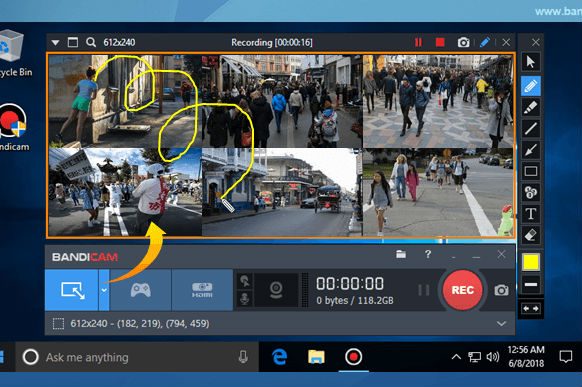
Bandicam’s slick app allows for speedy screen recording with easy-to-use professional features. That includes screen selection for recording, real-time drawing while recording, real-time mic use when recording, and webcam overlays. You can even add your own logo to the video and, if you want, manage a mouse-based soundboard of noises. There are also many settings specifications for recording from various devices, certain modes, or certain types of games. Obviously, this is great when paired with a streaming service that you want to keep updated with recorded videos.
Bandicam also provides some more specific gamer features, including a game FPS overlay and control that streamers may especially appreciate if they want to spice up their streams.
However, it’s important to note that the free version of Bandicam, while quite versatile, does impose a watermark on all your recordings. To get rid of the watermark, you will have to pay the full $40 price to buy the app.
Apowersoft Free Online Screen Recorder (web)
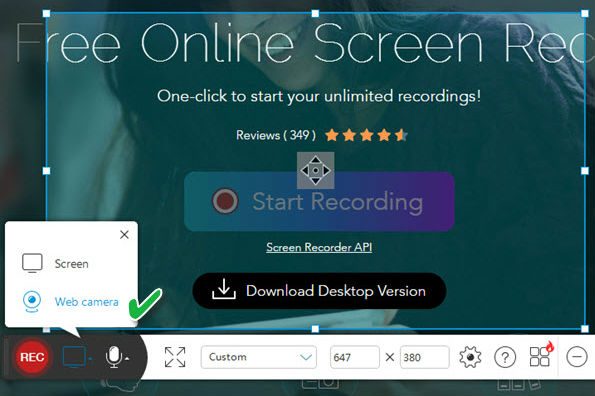
Apowersoft’s solution to free screen recording is unique: A web-based app that lets you instantly start recording whatever you want. Oh, you can download the app, too, but the web version is particularly handy for those who need fast results for a particular project and don’t want an app hanging around their computer afterward.
That makes this software sound simple, and in many ways, it is. You pick the type of video you want to record, the region of your screen, and off you go. But there are also options for exporting in various formats, including GIFs, and the capture function is versatile enough to add your webcam, capture any audio source you want, and edit the screencast in real-time. You may be so impressed that you’ll never need another capture app again.
ScreenRec (Windows, Mac, Linux)
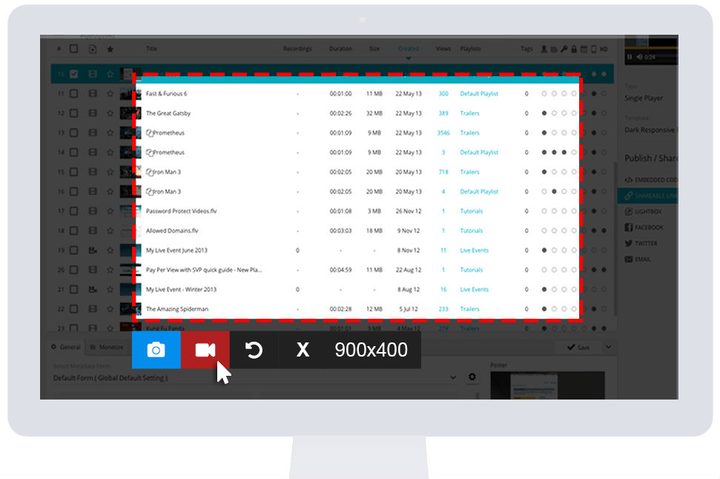
Maybe you’re in the market for a screen recorder, but you are looking for something geared toward businesses and not so much for personal use. If that’s the case, ScreenRec may be what you need — it’s meant for businesses with expansive screen recording needs. It quickly records and saves videos in a designated cloud account that is protected with encryption. The UI is simple but well made, so it’s a great option for training videos, presentations, and tutorials. It’s also fairly organized, thanks to the file management system used to organize large quantities of videos as they get saved.
The administrator tracking capabilities are also impressive, letting you see which clients and colleagues watched the available videos within the system. However, there are two downsides for businesses. First, you have to contact customer service if you want to delete any videos. Second, you’ll likely have to upgrade to purchase additional cloud storage space, as only 2GB of free cloud storage comes with the Screenrec system.
FlashBack Express (Windows)
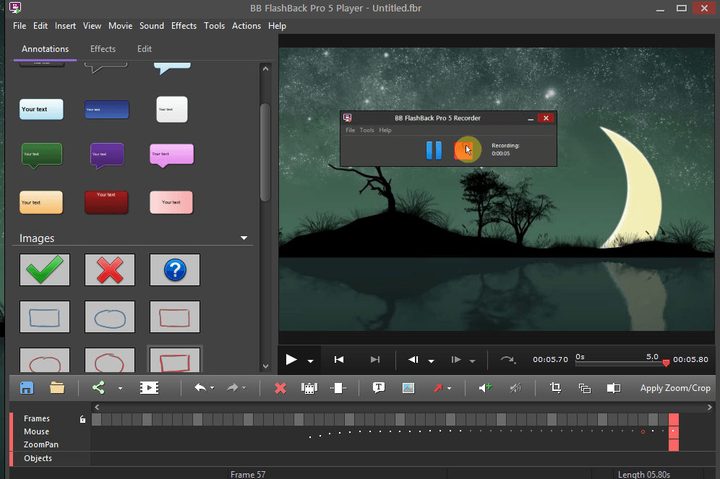
Suppose you’re a beginner to screen recording while gaming; then FlashBack Express offers simple, free tools for you. The platform features specific gaming settings and lets you record audio, video, and webcam simultaneously. You can also add texts, photos, and other effects.
There are no limits to recording time and no watermarks, though certain features require payment. With the free version, you can still upload directly to YouTube and export to MP4, AVI, and WMV files.
You can only access certain features if you pay for an upgrade. Still, it’s a great option to record footage and share with fans.