It’s not easy studying from home when you don’t have any of the resources you’d normally find in a library or computer lab. When schools and public libraries are out of the question, you’ve still got one trick up your sleeve — us. For the young learners studying at home, we’ve rounded up four awesome student-friendly laptop deals to give you the head start you need to keep up with your academics. With these Chromebook deals from Samsung, Lenovo, and Acer, you’ll never have to leave your home again once you can bring the whole school to your bedroom. Check them out on Newegg and Best Buy and gain access to the world’s most abundant learning resources at your fingertips for as low as $169.
Samsung Chromebook 3 — $169, was $200
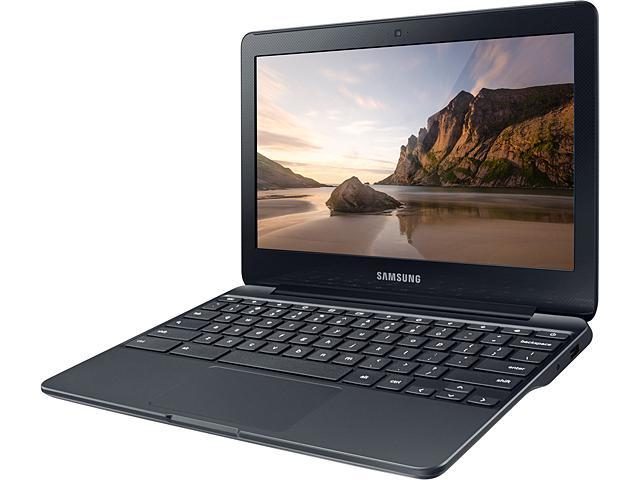
If you’re satisfied with the bare essentials and don’t need anything too grand while remaining on a budget, then the Samsung Chromebook 3 is the one for you. This lightweight Chromebook is incredibly portable, weighing in at just about 2.5 pounds, letting you take it wherever you want without much of a hassle. The 11.6-inch screen is the smallest and most compact offering on our list, so this is great if you don’t want something too bulky that can fit in just about any bag. It’s also spill-resistant, so you don’t have to worry about any accidental drips in the kitchen or at your favorite coffee shop.
The display comes in a 1,366 x 768 resolution, so watching videos might not be as detailed as a regular laptop, but if you aren’t after the cinematic experience, then this will work just fine. The screen is also anti-reflective, so working outdoors or in the light shouldn’t be an issue. For its processor, it uses an Intel Celeron N3060 with 2GB of RAM. This means that, unfortunately, you won’t be able to handle any intensive web applications, but this processor is incredibly efficient when it comes to power usage, so you’ll be able to run most simple processes fast enough without ravaging your electricity bill or battery life. Because it can last 11 hours, you’ll also be ready to take it on the go without needing to charge for most of a waking day.
For external connections, it has one for HDMI, USB 3.0, and USB 2.0 each with a Micro-SD card reader, so you can hold back on any additional adapter purchases. The Samsung Chromebook 3 also has a 720p webcam and an internal digital mic, so you won’t miss out on any video lectures or voice conferences. If the quality isn’t up to par, you can always purchase an external mic and speaker with the savings you can get from opting for a discounted Chromebook instead of a laptop sold at full price. Its 16GB eMMC storage is a bit on the low side though, so you’ll want to get yourself an external hard drive to pair this with. You can find the Samsung Chromebook 3 at Newegg where it’s currently on sale for just $169, giving you $31 in savings.
Lenovo C340 2-in-1 Chromebook — $259, was $299
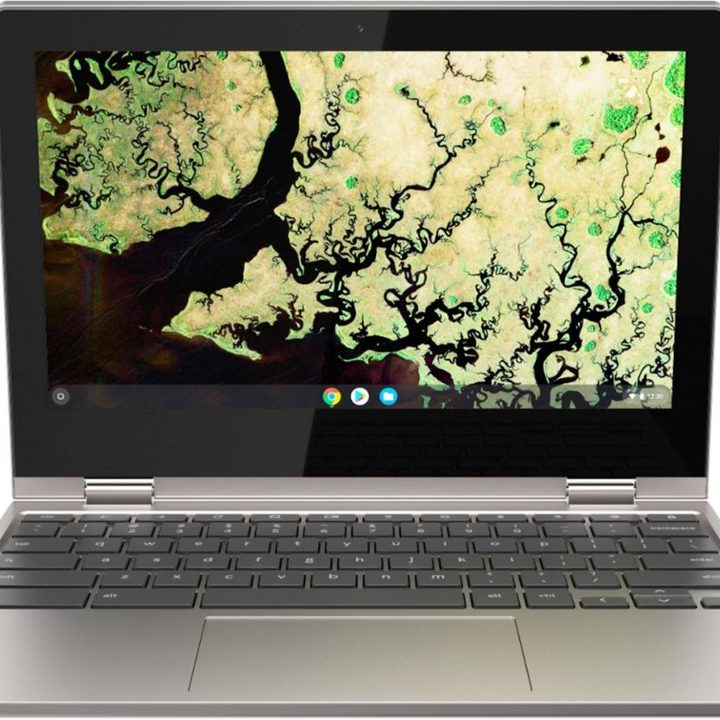
The Lenovo C420 2-in-1 Touch-Screen Chromebook is the first of two Lenovo entries on our list. If you’re willing to shell out a bit more, you can opt for the budget-friendly Lenovo option instead of the Samsung Chromebook 3 for additional features. This Chromebook is just as mobile as the Samsung, being only marginally heavier at 2.65 pounds. With this, you can take it wherever you want without worrying about any back-breaking cargo. The 11.6-inch screen is also great for remaining discrete and non-distracting when out in public.
Like the Samsung, this Chromebook also has the standard 1,366 x 768 resolution that comes with laptops of this size, so video-watching is a bit gimped. But in exchange, you’re getting an IPS panel display that gives you the widest viewing angles possible with peak color accuracy, so your view won’t be compromised by desaturation no matter where you’re positioned. With this feature, you can share your screen with a partner or small group and never have to fight over who gets to see what’s on screen. Its Intel Celeron N4000 processor with 4GB of RAM is a huge upgrade from the Samsung’s N3060 in that it can match some Intel i5 models in operating frequency, giving you more leeway over what you can and can’t do simultaneously. With 10 uninterrupted hours of battery life, you can leave the charger behind because this can last a respectably long amount of time unplugged.
The Lenovo C340 Chromebook also comes with two USB 3.0 and USB-C ports each, with a Micro-SD card reader, so you can future-proof your studies. It also has a 720p webcam and mic for any video calls and voice conferences. The biggest selling point, however, is its 360-degree flip-and-fold design that allows you to transform your Chromebook to fit a variety of purposes like the flat tabletop and reverse pyramid presentation functions. This is when the touch-screen capabilities really shine as you never have to fidget with the touchpad for maximum versatility and utility. The biggest weakness is its 32GB eMMC flash memory, but this is easily remedied by an external hard drive. So, if you don’t mind the limited storage or already have a storage upgrade on-hand, then this is a non-issue. You can find the Lenovo C340 2-in-1 Touch-Screen Chromebook on Best Buy where it’s discounted at $259.
Acer Spin 15 2-in-1 Chromebook — $329, was $399
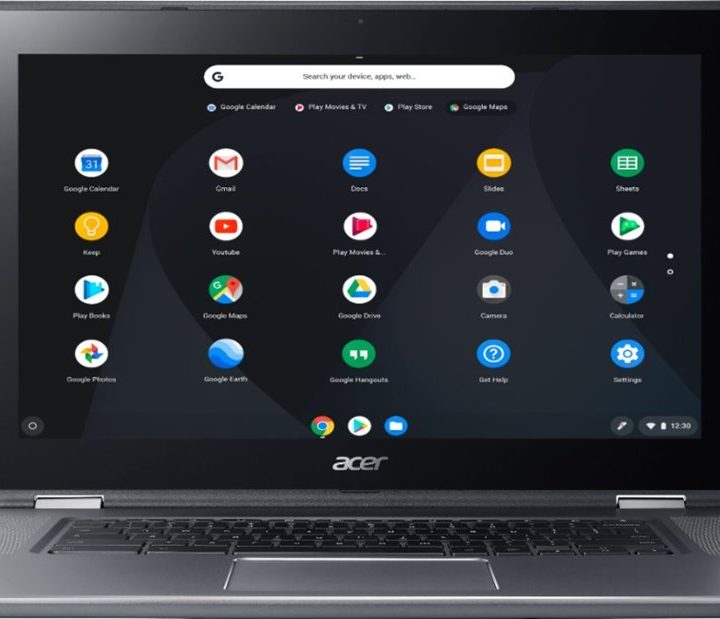
If an 11.6-inch screen isn’t enough for your needs, then starting with the Acer Spin 15 2-in-1 Touch-Screen Chromebook, you’re getting a huge increase in screen size with its 15.6-inch display. Not only that, but the features are far better and definitely justify the jump in price. The 15.6-inch display isn’t as compact as the previous entries, but you’re getting a noticeable increase in visual quality. However, this upgrade also ups the weight to just below 4.9 pounds, so carrying it around will be a bit more difficult than with an 11.6-inch Chromebook.
This Chromebook is the first on our list to boast Full HD 1,920 x 1,080 resolution, giving you a superb viewing experience no matter what’s displayed on-screen. This is further bolstered by the CineCrystal technology coupled with IPS panels to maximize video and image quality with exceptional color accuracy from every angle. If you’ll be watching videos just as much as you’ll be studying, then this is an excellent buy. While the built-in Intel HD Graphics 505 doesn’t perform as well as other laptops, it can still comfortably handle simple web tasks and photo editing. In terms of processing power, the Intel Pentium N4200 with 4GB of RAM can be compared to modern Intel i3 or older i5 models. This means that, while it still can’t handle any heavy-duty tasks, basic everyday web apps can run decently well in moderation. Its 13-hour battery life is also incredibly convenient if you don’t have time to stay glued to a socket for hours just to charge.
Like the previous Lenovo model, this Chromebook also has a Micro-SD card reader and two USB 3.0 and USB-C ports each for convenient connectivity to various external devices without the need for adapters. Additionally, the Acer Spin 15 also comes with 360-degree versatility. This means that you can rotate its touchscreen and convert the Chromebook to fit your needs and purposes. From laptop to presentation mode to tablet, you have full control over how you choose to use the Acer Spin 15 Chromebook, offering incredible utility for every situation. With a webcam and mic, you won’t miss out on any video conferences or voice calls either. If you want a practical laptop that’s equipped with excellent video-watching capabilities, then you can’t go wrong with the Acer Spin 15 2-in-1 Touch-Screen Chromebook. It’s currently discounted on Best Buy from its retail price of $399 to just $329.
Lenovo Yoga C630 2-in-1 Chromebook — $549, was $699
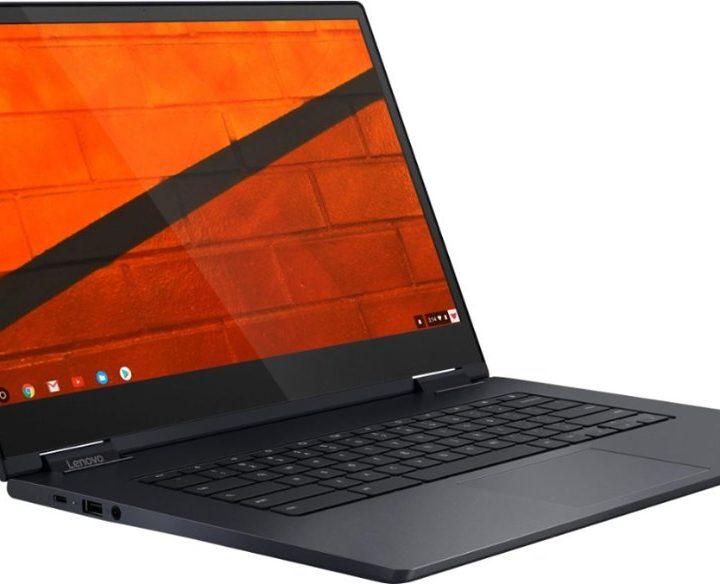
If you want to maximize your budget savings but want something that can match — if not outperform — some laptops, then you can check out the Lenovo Yoga C630 2-in-1 Touch-Screen Chromebook. It offers a middle ground in terms of weight and size with its 15.6-inch screen and 4.1-pound weight, making it an outstanding choice if you want something powerful but not too heavy.
Its 15.6-inch touchscreen display features Full HD 1,920 x 1,080 resolution to give you crisp visuals. Together with its IPS panel technology, you’re also getting vibrant colors and wide viewing angles, making this an optimal choice for local screen sharing, especially if you’re watching videos online. The Lenovo Yoga C630 Chromebook also uses the most advanced processor out of all the options on our list with its eighth-generation Intel Core i5 with 8GB of RAM. With this, you can multitask and have multiple tabs open with little to no problem. If you want to maximize your output with minimal lag and hardware issues that arise from tackling too many processes simultaneously, then the Lenovo Yoga C630 Chromebook has you covered. The built-in Intel UHD Graphics 620 also allows simple gaming and video- and photo-editing, so you can do more than just browse the internet, read through articles, and watch videos. The 10-hour battery life can also sustain multiple hours of non-stop usage, so you can keep your productivity consistent throughout the day while charging at night.
Like the other Chromebooks, the Lenovo Yoga C630 has a Micro-SD card reader and two USB-C ports, but only one USB 3.0 port. This is only a minor issue, however, as more devices continue to future-proof by using lightning ports. It also comes with an HD webcam and mic for your teleconference purposes when necessary. The storage capacity is also far larger than any of the other options with a relatively large 128GB eMMC. This allows you to store more important documents and files without needing an external hard drive for a good amount of time. Lastly, the Lenovo Yoga C630 also features a 360-degree flip design that you can customize to match your needs, whether you need it flat, reversed, or even as a tablet. If you want the best bang for your buck, then don’t hesitate to head over to Best Buy where it’s on sale for $549 — a whole $150 off its retail price.
Check out our curated deals page for more great deals to keep you productive and connected even while you’re at home like tablet deals and desktop computer deals.