Zoom is one of the fastest-growing videoconferencing apps out there. It’s easy to set up and host video calls. But in light of recent security and privacy concerns about Zoom, you might want to try a good Zoom alternative. They’re all excellent for video calls with friends and family, or conferencing with your colleagues while working from home.
It’s worth noting that while all of these have free versions, some offer temporary access to additional features if you need them. The following list includes applications that allow you to participate without having to actually register for the app (though some may require the host to register).
Further reading
- Common Zoom problems, and how to fix them
- Best videoconferencing apps
- How to look sharp for webcam meetings
Cisco Webex
Key features
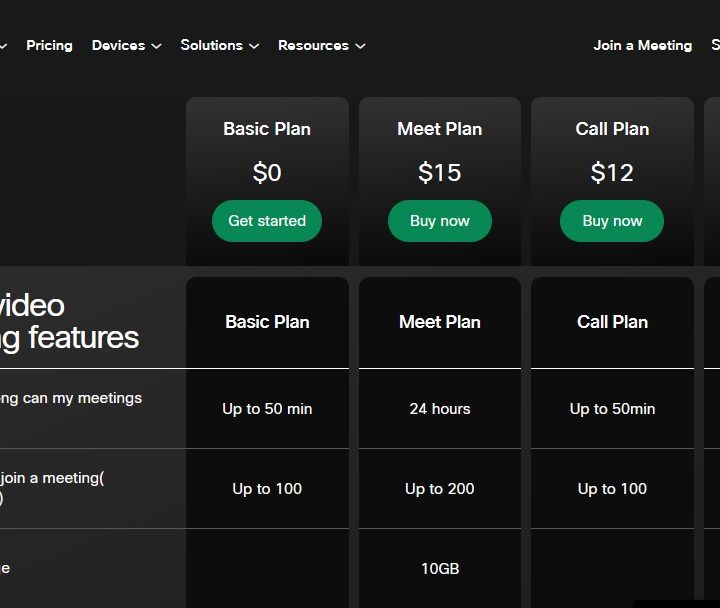
- Up to 100 participants
- Meetings up to 50 minutes long
- Features such as screen sharing, virtual backgrounds, breakout rooms, and unlimited messaging
Webex is a videoconferencing app that has been around for quite some time. The company was originally founded in 1995 and was subsequently acquired by Cisco in 2007. While it has been known as a business application and continues to focus on serving companies, it does have a very good free version that’s worth checking out — especially since it has expanded the features of the freemium version from 50 to 100 participants. With the free Basic plan, you can have meetings up to 50 minutes in length. screen sharing, virtual backgrounds, the ability to save recordings to your computer, breakout rooms, unlimited messaging, and the ability to search your messages.
In addition to the free version, Webex also offers premium plans starting at $12 per month, per license. The premium plans offer additional functionality including cloud storage, recording transcripts, dialing-in, calling anyone with a phone number, visual voicemail, MP4 recordings, and more.
Skype Meet Now
Key Features
- Skype stores a recording of the call for up to 30 days
- Can blur the background (if you have the app)
- Share presentations
Another long-time player in the videoconferencing space is Skype, which, thanks to its high-quality audio and video, has been a go-to platform for one-on-one conversations since the beta was released in 2003. Its Meet Now feature (which is accessed by choosing the Meet Now button on the left side of the desktop app) offers free videoconferencing. You can even head on over to the Skype website to create a free conference room — no app download required.
If you need a hand, here’s how to get started using Skype.
Jitsi Meet
Key features
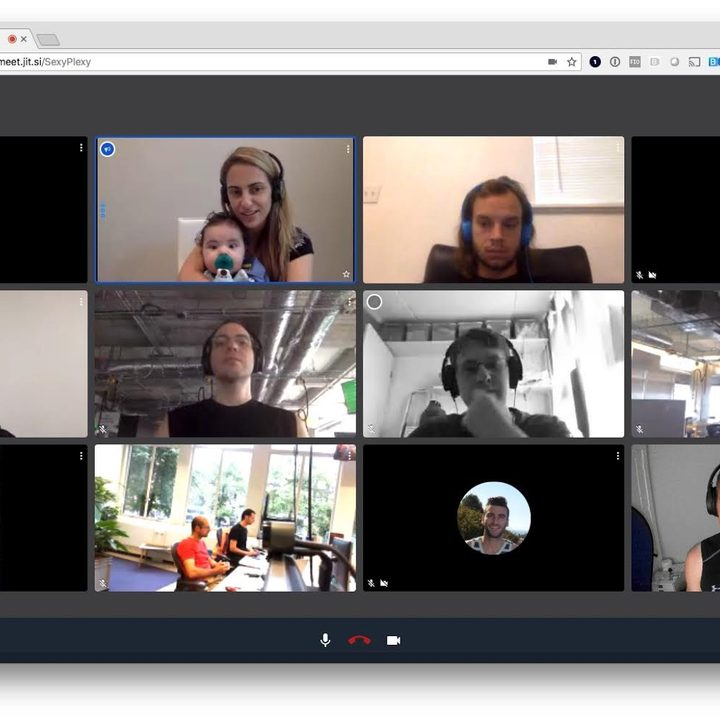
- Up to 100 participants
- Integrates with Slack, Google, and Microsoft
- Screen sharing
- Free to use and easy to start a meeting
Jitsi Meet is an open-source platform that lets you quickly and easily create an online meeting by simply navigating to the site, typing in a name for your meeting room, and clicking Start Meeting. If you are more technical and want to build your own dedicated solution, you can check out Jitsi Videobridge. However, it’s worth noting that most people will be perfectly content with the web version, which offers many features found in more well-known apps, such as end-to-end encryption, screens sharing, app integrations, and HD audio and video.
Jitsi Meet also offers apps for both iOS and Android.
Google Meet

Key features
- Up to 100 participants
- 24 hours maximum call length for one on one calls
- 1-hour maximum call length for group meetings of three or more participants
Google announced that it is making its professional video conferencing tool, Meet, free for all to take on Zoom and the growing number of other rivals from companies like Facebook. At first, Google Meet was limited to G Suite Enterprise customers but now that has changed, as anybody with a Gmail account can now use it to talk to up to 100 participants.
Group calls will be capped at 60 minutes unless you upgrade, however. You will still have access to premium features such as screen-sharing, adjustable layouts, closed captions, and the ability to invite external participants.
Microsoft Teams

Key features
- Up to 300 participants (for a limited time only, but Microsoft hasn’t mentioned an expiration date yet). Once expired though, it should revert to a 100-participant maximum.
- Can blur background.
Microsoft Teams allows businesses to store all conversations, files, meetings, and apps in a shared workspace that you can easily access from your device. Teams lets you manage projects on the go complete with file editing and sharing, and most importantly of all, you can connect face-to-face with HD audio and video as well as join meetings from wherever you are. Additionally, with Teams, you can chat privately or in groups, communicate in designated channels, save conversations, customize notifications, and also search conversations. There are premium versions of the service, but the free version has many of the features you’ll need to keep up with your colleagues including screen sharing, integrated apps, and unlimited messaging.
Talky
Key features
- Incredibly easy to set up
- Does not require any registration
- Up to six participants
Talky is a dead-simple video chat app that you can use to create a video call in a matter of seconds. It doesn’t require any kind of registration to use, simply pick a name for your group and send out the link to your friends. You can also share your screen and even pass time playing the Lander game while waiting for your friends or colleagues to show up to the call. The only potential negative is that it’s limited to six people per call.