The thinnest laptops today are paper-thin compared to their predecessors, and though they aren't literally that trim, they're getting pretty close. In recent years, one of the biggest advances made to the modern laptop is that the chassis continues to shrink. Best of all, battery life and performance continue to improve. It's a no-compromise situation — and we love it.
One of the thinnest laptops around is the Apple MacBook Air at just 0.44 inches thick. It's incredibly thin, but provides awesome performance and battery life thanks to Apple's excellent M3 CPUs. There are some other excellent laptops that are also incredibly thin. Here are some of our favorites.


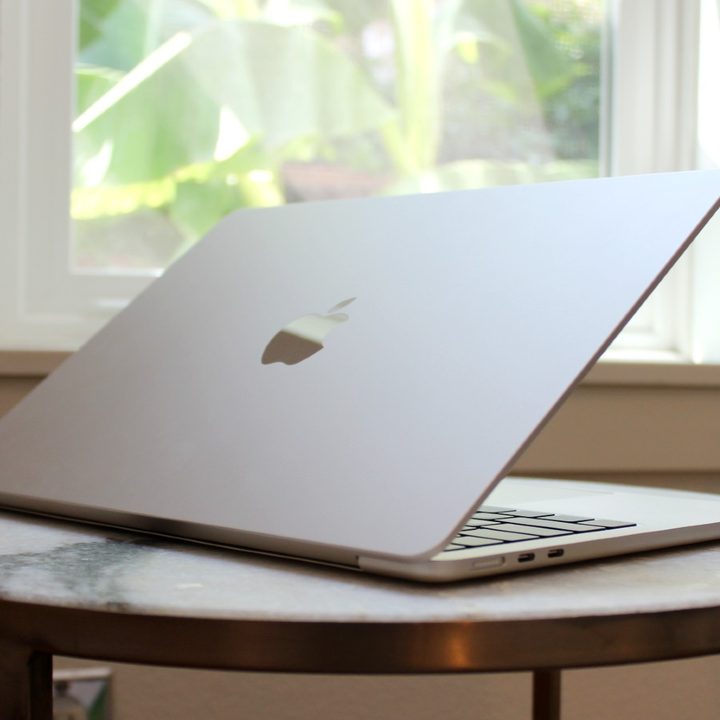
One of the thinnest laptops ever, and it's a MacBook
Apple MacBook Air (0.44 inches)
- Incredibly thin
- Upgraded webcam and speakers
- Shockingly good performance
- Battery life stomps the competition
- Screen and keyboard are world-class
- Worryingly hot internal temperatures
- Still only supports one monitor
Whether it's the model with the new M3 chip or the previous M2, the MacBook Air is the thinnest modern laptop you can buy right now. Forgoing the iconic wedge shape of the past, the MacBook Air comes in at just 0.44 inches thick and weighs just 2.7 pounds.
Even though it's incredibly thin, it's a fast laptop when sporting the Apple M2 CPU that's a step up from the original M1. It's fanless, and so completely silent in operation, and it still manages to be an ultrafast thin and light machine. Its 13.6-inch Liquid Retina display is excellent, with a ton of brightness, wide and accurate colors, and excellent contrast. The MacBook Air M2 sports the same outstanding Magic Keyboard as its predecessor and a large haptic touchpad.
Just make sure you opt for a larger solid-state drive (SSD) than the entry-level 256GB version. You'll get faster storage that maximizes overall performance.
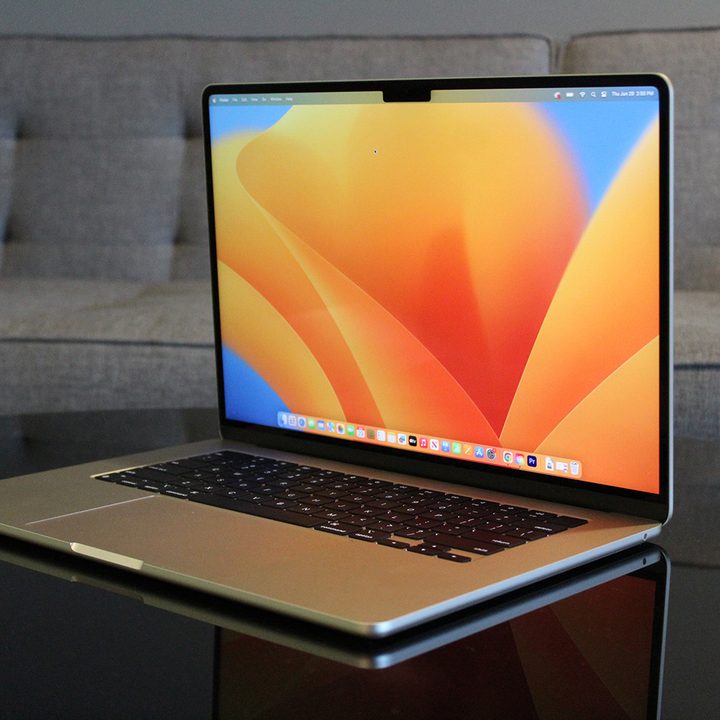
The thinnest 15-inch laptop
Apple MacBook Air 15 (0.45 inches)
- More screen!
- Excellent speakers
- Long lasting battery
- Shockingly thin
- Extra performance is welcome
- Only supports one external display
The 15-inch MacBook Air shares a lot in common with the smaller 13-inch model, and that includes its thinness. At just 0.45 inches, it's certainly the thinnest 15-inch laptop ever made. You might think that a laptop this large would have rigidity problems when made this thin -- but no. The MacBook Air 15-inch is every bit as robust feeling as the 13-inch model.
So, as much as the 15-inch MacBook Air feels like a larger laptop because of the screen size, it remains incredibly compact due to how extremely thin it is. It's one of the many benefits of Apple Silicon, which allows Apple to go this thin in a laptop this powerful.
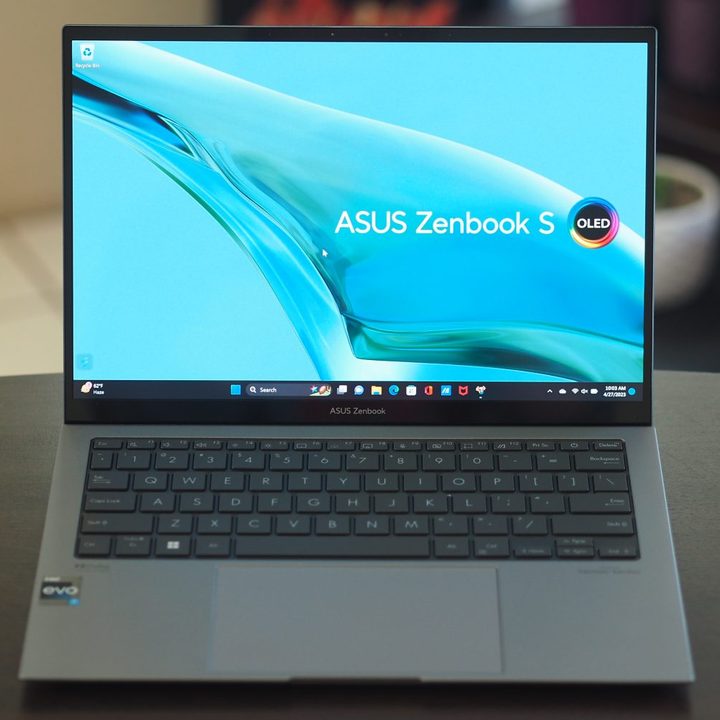
The thinnest Windows laptop
Asus ZenBook S 13 OLED (0.46 inches)
- Solid productivity performance
- Above-average battery life
- Attractive and solid design
- Excellent keyboard and touchpad
- Thin and light
- Performance dropped from previous generation
- Speakers are lackluster
The latest version of the Zenbook S 13 OLED uses Intel's Core i7-1355U, a CPU that blends performance and efficiency. Asus also trimmed the laptops thickness to 0.43 inches in front and 0.46 inches in back. That quite nearly gives the MacBook Air a run for its money.
The ZenBook S 13 OLED is a sleek and trim laptop that looks great and is just as well built. Its 13.3-inch 16:10 2.8K OLED display is spectacular and enables a tiny chassis, thanks to slim bezels. Even so, it manages to perform well in multithreaded applications like Handbrake and Cinebench, promising relatively strong performance in creative applications.
The laptop's keyboard is outstanding, and the touchpad is surprisingly large and incorporates Asus's NumberPad 2.0, which embeds an LED numeric keyboard for fast data entry. The Full HD webcam rounds out the modern features, and battery life is long for a thin and light laptop with such fast performance.

An ultra-thin convertible 2-in-1
Samsung Galaxy Book3 Pro 360 (0.50 inches)
- Incredibly thin and light
- OLED display
- Intel 13th-generation CPUs
- Up to 32GB RAM
- Full HD webcam
- Expensive
Next to the MacBook Air and Zenbook S13, one of the thinnest laptops available today is the Samsung Galaxy Book3 360. It's a 16-inch-inch convertible 2-in-1 with a spectacular 16.0-inch 16:10 2880 x 1800 OLED display and an Intel 13th-gen CPU that's just 0.50 inches thick and weighs just 3.66 pounds. Some bold color options and a minimalist design provide a laptop that's as good-looking as it is well-built.
You still get a solid build and Samsung's S-Pen support. If you're a Samsung phone and tablet user, then you can integrate the Galaxy Book3 Pro 360 into Samsung's excellent ecosystem. Ports are a decent, with two USB-C ports with Thunderbolt 4 support, an HDMI port, a USB-C 3.2 port, and a microSD card reader.
A Full HD webcam with Auto Framing and Face Effect round out the niceties. Performance is provided by 28-watt Intel 13th-gen CPUs such as the 12-core/16-thread Core i7-1360P.

A redesigned classic that's extremely thin
Dell XPS 13 (0.55 inches)
- Thin and light chassis
- Edge-to-edge keyboard
- Modern, sleek aesthetic
- Affordable
- No 3.5mm audio jack
- Limited to Intel 12th-gen CPUs
The Dell XPS 13 has been one of the best laptops for several years, with its iconic aluminum and carbon fiber design. Dell mixed things up in 2023, creating an all-aluminum design that's thinner and lighter than before. It's just 0.55 inches thick and weighs 2.59 pounds.
You'll find a 15-watt Intel 12th-gen CPU inside that balance performance and efficiency, along with an excellent Full HD+ display that offers wide and accurate colors and excellent contrast. Larger internal speakers promise improved bass and increased volume, making for an outstanding media-consumption device. Up to 32GB of RAM and a 1TB SSD offer plenty of memory and storage for the most demanding productivity users.
It should be noted that the 2024 model takes on the design of the XPS 13 Plus, meaning it's now a bit thicker at 0.60 inches thick. However, Dell continues to sell the previous XPS 13 (9315) at a discounted price of just $599.

A gaming laptop that's both extremely thin and surprisingly fast
Alienware x14 R2 (0.57 inches)
- Thinnest 14-inch gaming laptop
- Fantastic battery life
- Solid performance
- USB-C charging
- Comfortable keyboard
- Tiny trackpad
- Only one USB-A port
- Middling screen
Imagine packing a 45-watt Intel Core i7-13620H and an Nvidia GeForce RTX 4060 into a 0.57-inch chassis that weighs just 4.22 pounds, and you'll have the Alienware x14 R2. It's an incredible accomplishment, providing excellent gaming performance in a laptop that's thinner and lighter than many mainstream ultrabooks.
It's not the fastest gaming laptop, but it very well may be the thinnest gaming laptop you can buy right now. It manages to compete with some thicker and heavier laptops and, in fact, is among the fastest RTX 4060 laptops we've tested. That's a testament to the excellent thermal design that manages to keep the CPU and GPU cool without the usual space inside.
The 14.0-inch 2560 x 1600 display provides surprisingly wide and accurate colors and tons of contrast, making it a great display for gaming and productivity work. If you're looking for solid 1080p gaming in an incredibly thin and light laptop, then the Alienware x14 is the best option.